Getting a SAML Error when trying to Log-in to Strato?
Users who has existing accounts linked to a SuccessFactors instance are unable to log in to Strato, and returns with error code: 10001: Failed to parse SAML object@init.
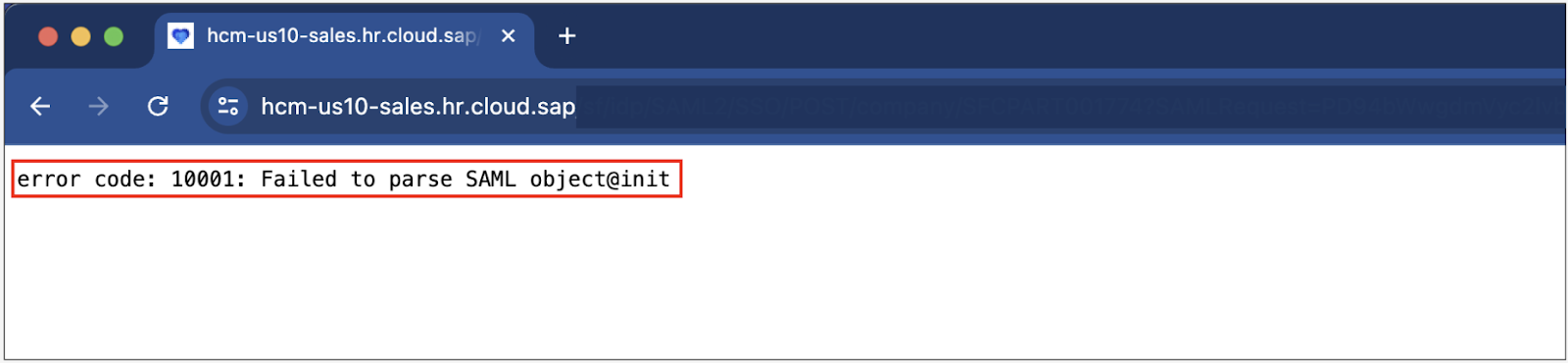
This is caused by enhancements to the SAML security implemented by SAP.
To resolve this issue, go to the Strato Admin Tool and navigate to the IdP (Identity Provider) section. Ensure that the Authenticate using deflate encoding? option is checked.
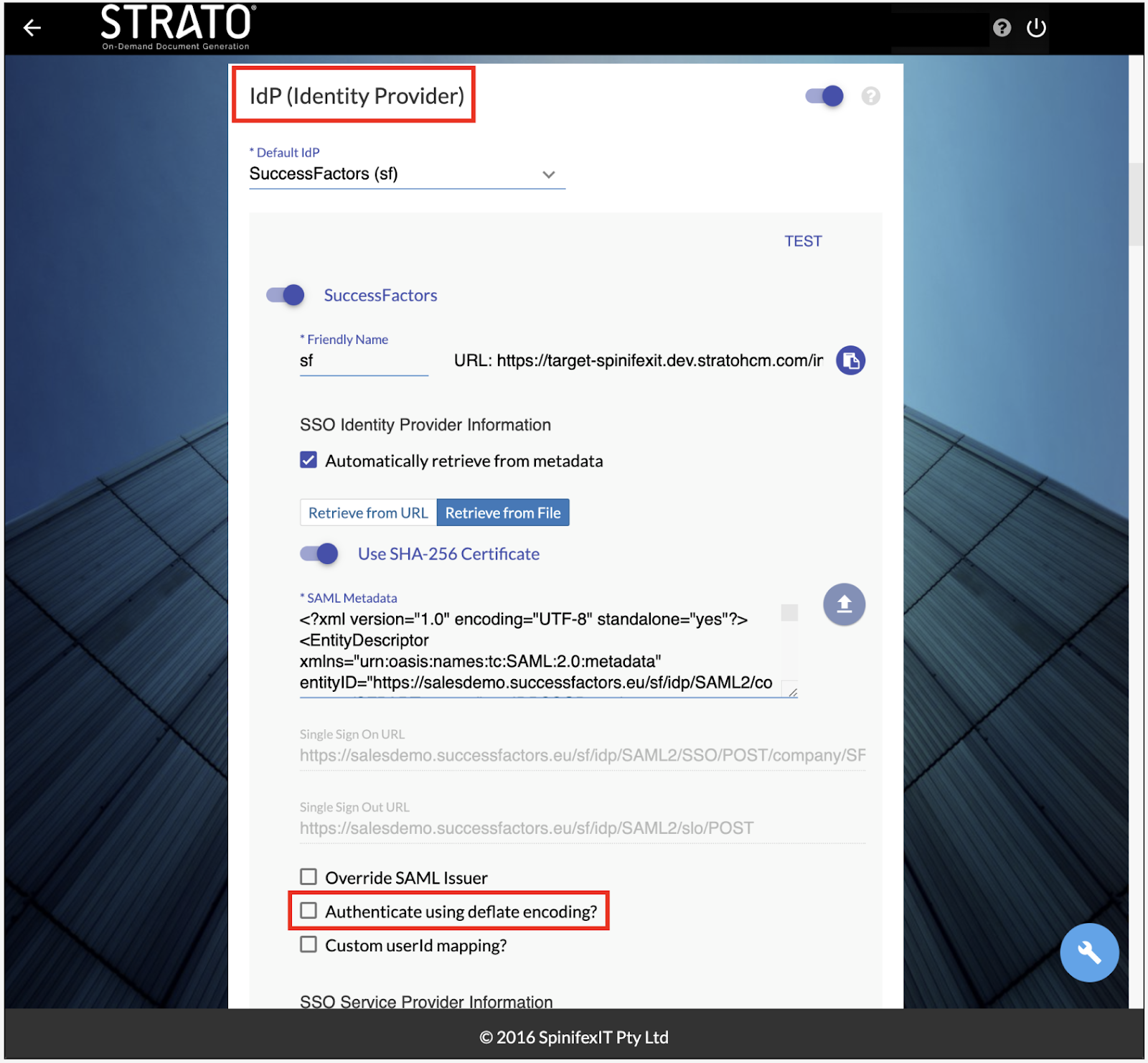
Click Save at the lower right corner of the screen and refresh your Strato system to apply the changes.