Configure Strato API
This article shows how admins can configure the credentials required for accessing the Strato API in the Strato Admin Tool.
Requirements
Access to the Strato Admin Tool is required to perform these steps. Contact your Regional Consultants if you need help accessing your Strato Admin Tool.
Instructions
- Login to your Strato Admin Tool.
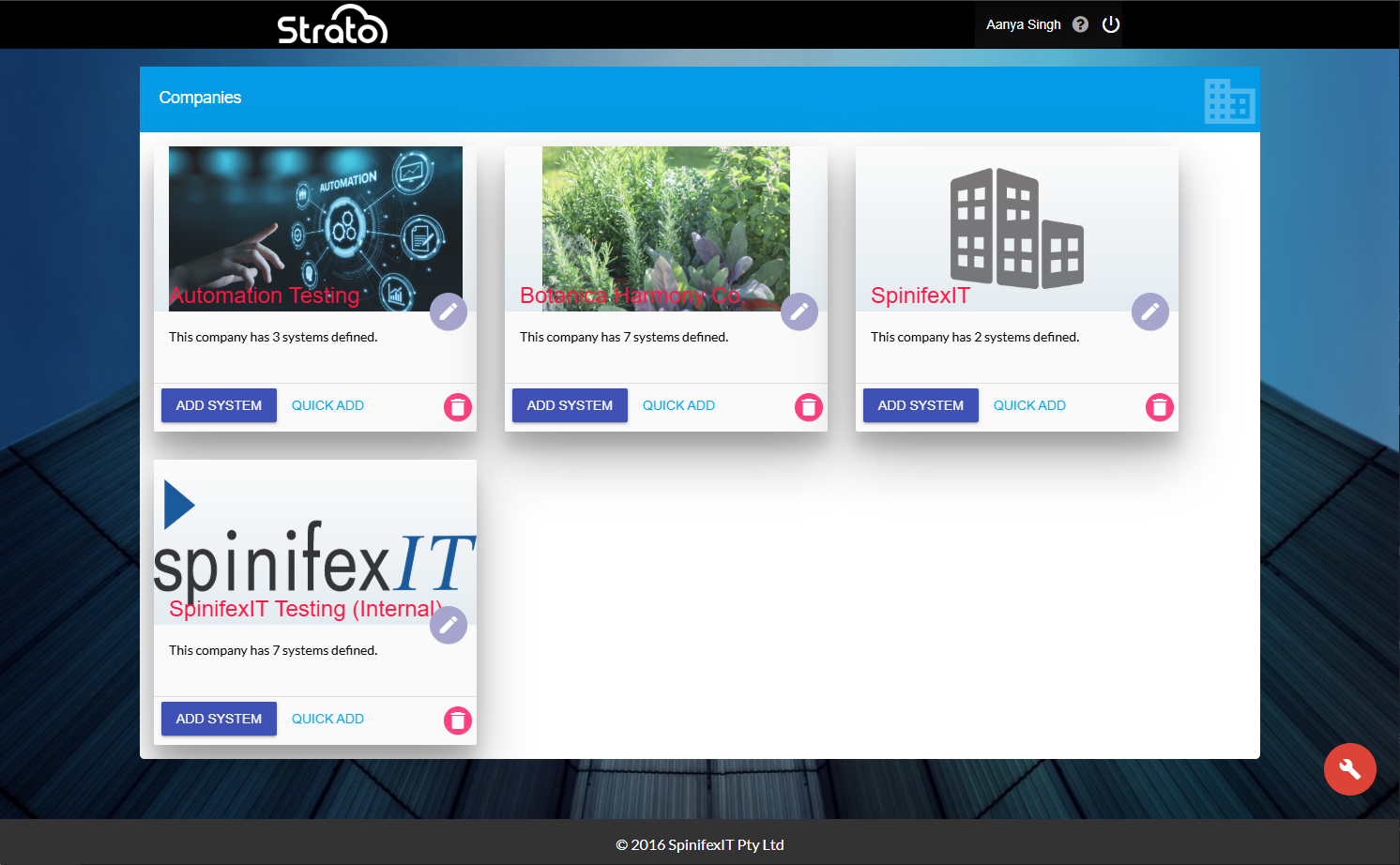
- Click the company where your system can be found. Click the edit button beside your system.
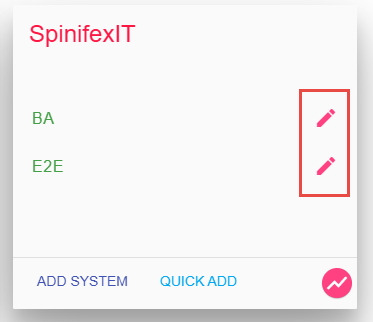
Go to the Strato API Configuration section and enter the following details:
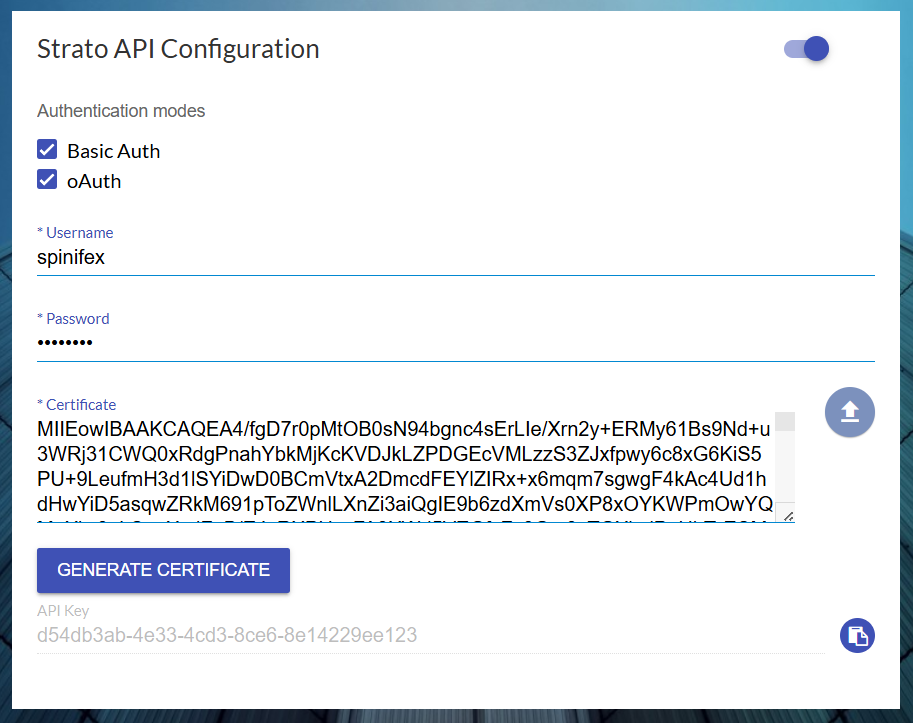
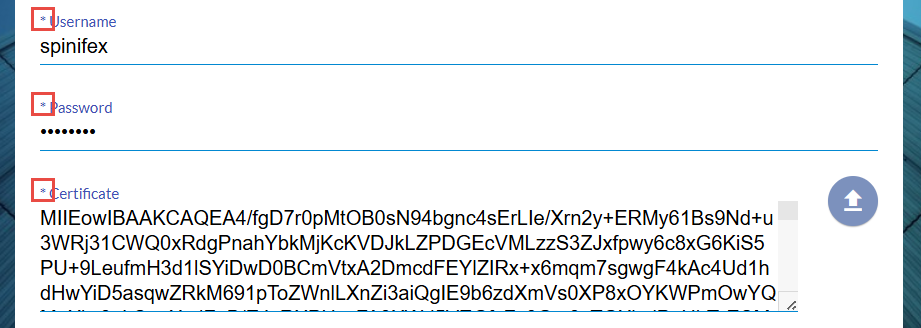
You can enable one or more authentication modes by selecting the checkbox next to each option. This will make their associated fields required.- Basic Auth: Requires a valid Strato Username and Password.
- OAuth: Requires a Certificate. You can either generate a new one by clicking the Generate Certificate button, or upload an existing .PEM file by clicking the Upload button.
- Basic Auth: Requires a valid Strato Username and Password.
- Hover over the lower right action button, and click Save.

💡
Process Outcomes
After following the steps above, an API Key will be generated. This will be used when making an API request to Strato through third-party tools and applications.
When making an API request, Strato will behave as follows:
- Both Basic and OAuth Enabled: Credentials will be accepted and validated through their respective authentication methods (Basic for Basic authentication and Bearer for OAuth authentication).
- Only OAuth Enabled: Any Basic authentication attempts will be rejected, even if a Username and Password are defined in the Admin Tool.
- Only Basic Enabled: Any Bearer authentication attempts will be rejected, even if there is a valid Certificate in the Admin Tool.