Configure OAuth 2.0 Authentication for Strato Workflow Trigger in SuccessFactors
This article provides a step-by-step guide for setting up OAuth 2.0 authentication in SAP SuccessFactors when triggering Strato Workflows.
With OAuth enabled, API calls from SF Integration Center to Strato Workflow now use token-based authentication.
This article explains how to configure OAuth 2.0 authentication in SF in order to securely trigger Strato Workflows.
Requirements
Before you begin, you should have a working understanding of SF Integration Center and Strato Workflow, as well as basic familiarity with OAuth 2.0, particularly the client credentials grant type.
Ensure that your SF environment is already set up to connect with Strato Workflow via Intelligent Services. You must have an existing interface that triggers a Strato Workflow.
Your SF user must also have the appropriate permissions in SF to manage Integration Center settings and create OAuth configurations.
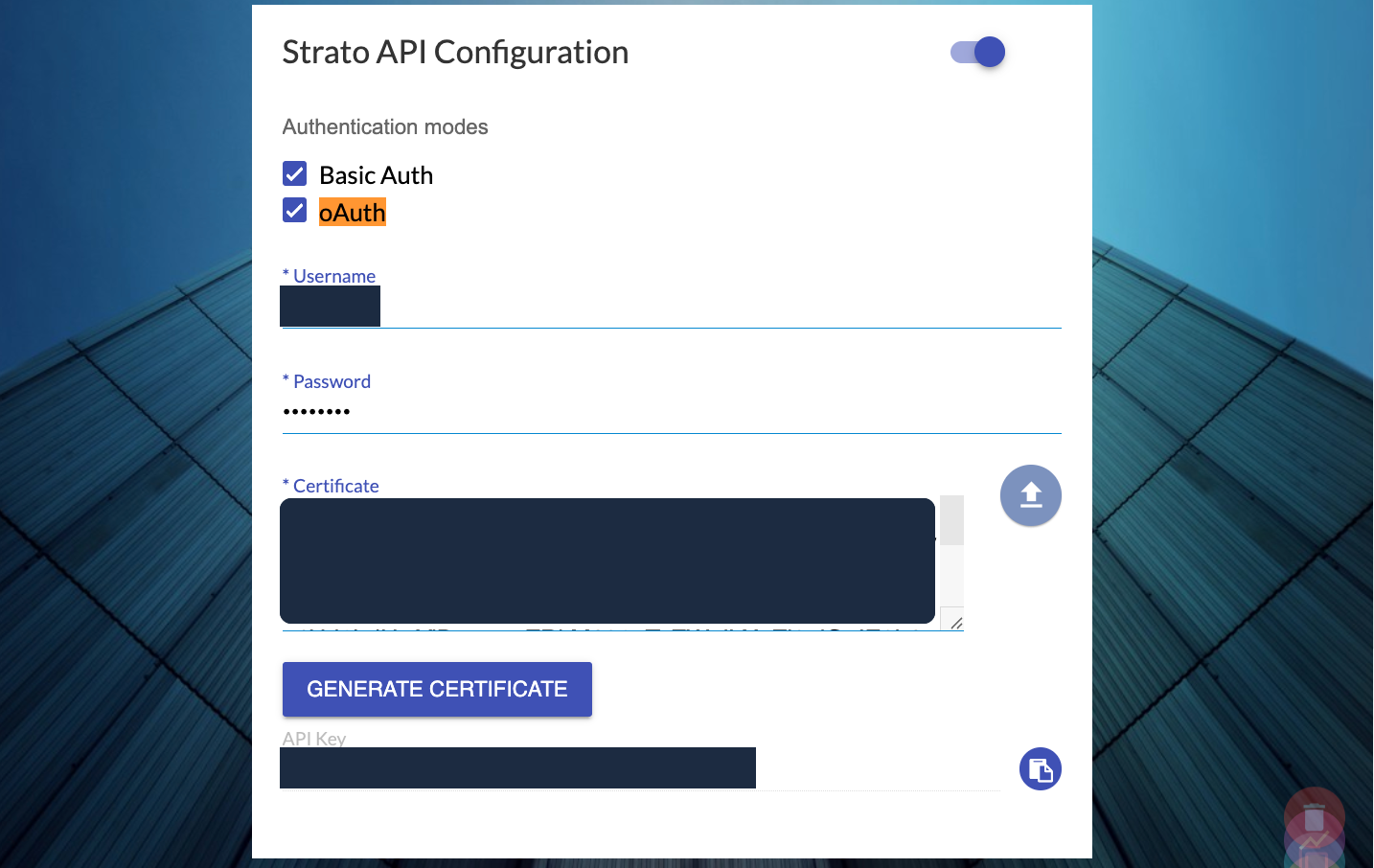
You will also need the following details from your Strato system’s Admin Tool:
- API Key - This will be your Client ID.
- Certificate - This is your Client Secret.
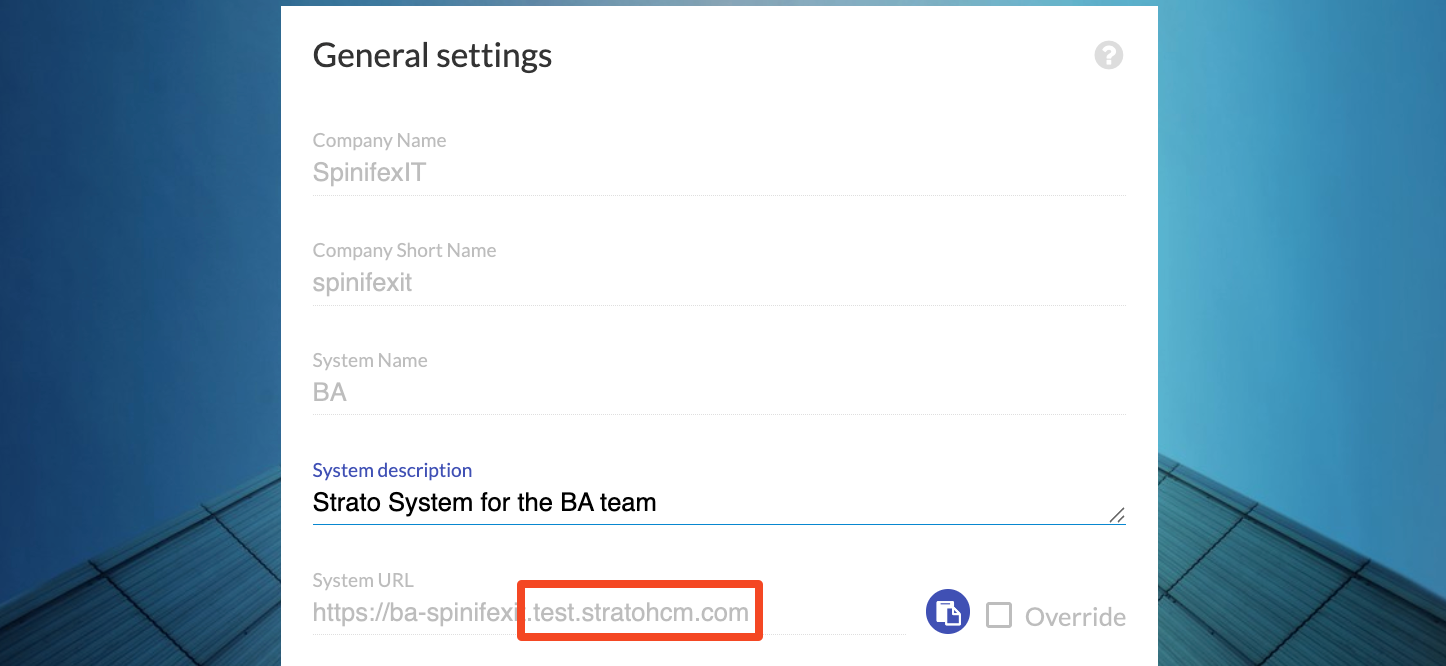
- Token URL - You can obtain this by deriving it from your System URL
- Use the base URL of your Strato environment and append the following path:
<System URL>/auth/oauth/token?isStandard=true- For example, if your system URL is:
https://dev.stratohcm.com, then your Token URL would be:https://dev.stratohcm.com/auth/oauth/token?isStandard=true
Instructions
Once your interface is ready, follow the steps below to configure OAuth 2.0 authentication.
Create or Update a Configuration
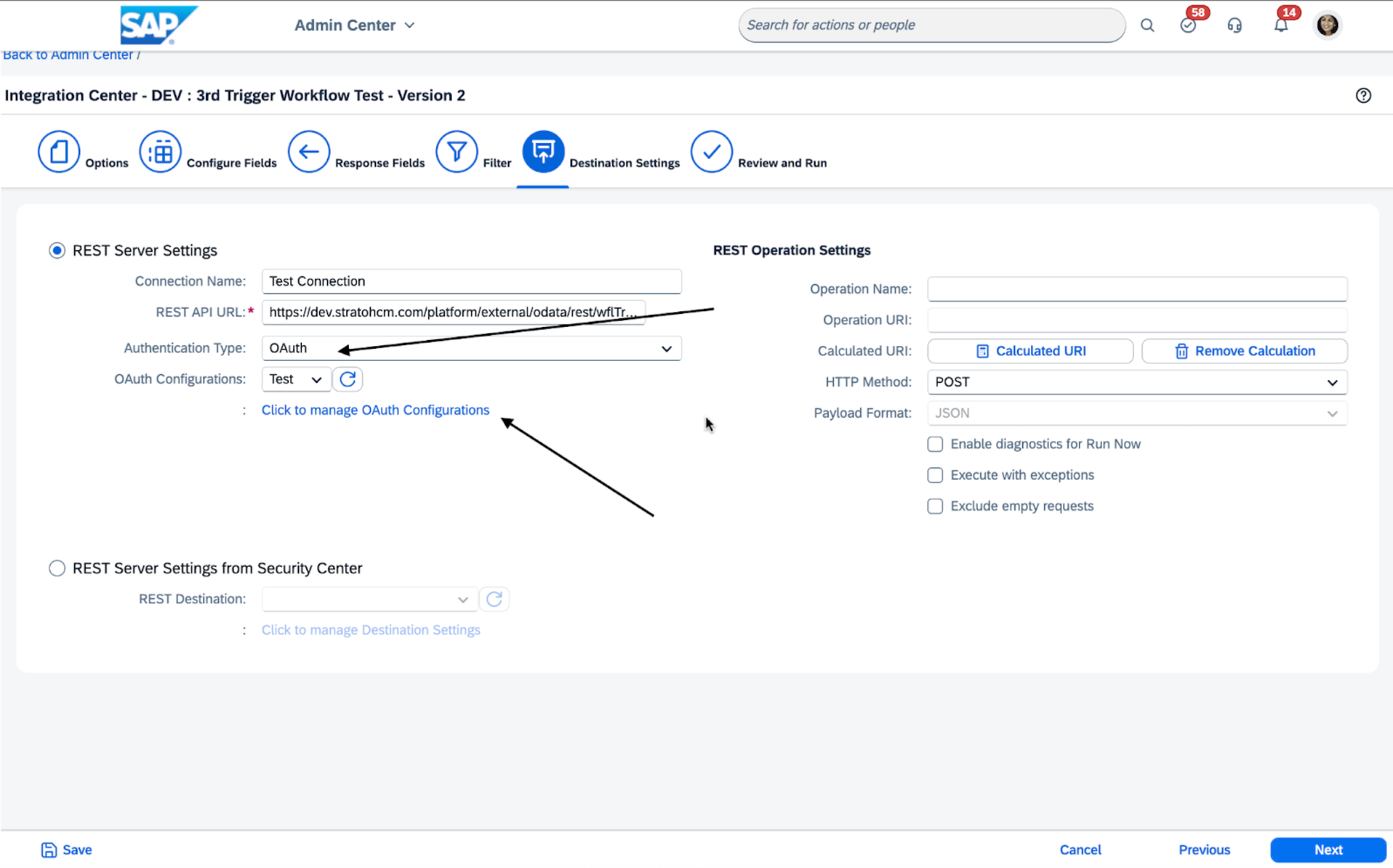
- In SuccessFactors, open the Integration Center and locate the interface that triggers a Strato Workflow.
- Go to the o to the Destination Settings section. section..
- Change the Authentication Type to OAuth.
- Click Click to manage OAuth Configurations.
Create a New OAuth Configuration
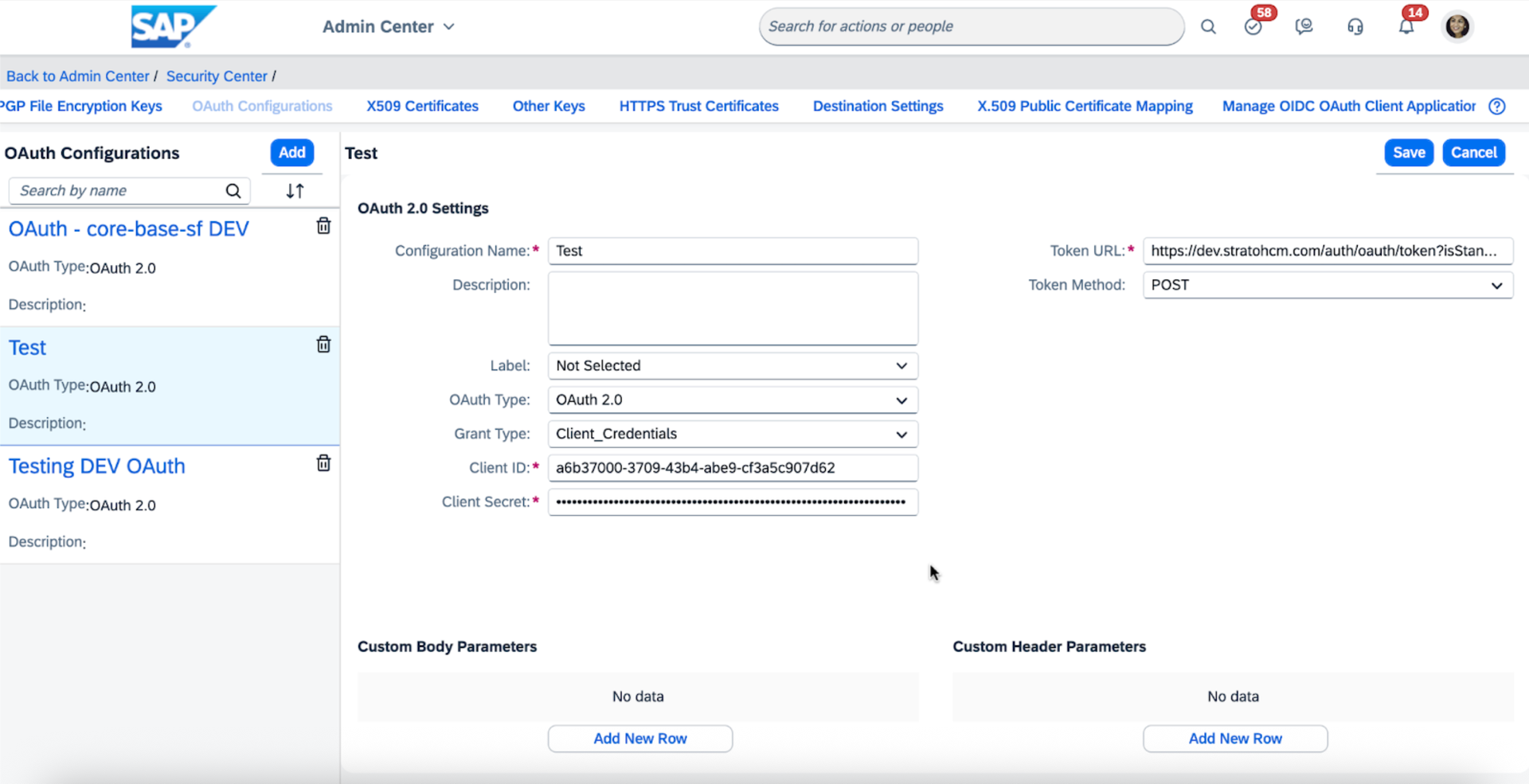
- In the OAuth Configurations screen, click Add in the upper-left corner.
- In the configuration form, set the following values:
- FieldValueOAuth TypeOAuth 2.0Grant TypeClient_CredentialsToken MethodPOSTClient IDFrom your Strato system’s Admin Tool:Client ID (API Key)Client Secret (Certificate)Token URL (Derived from your System URL)Client SecretToken URL
- Click Save to create the configuration.
Once configured, your interface will use OAuth 2.0 to authenticate each time it triggers a Strato Workflow. This ensures secure, token-based access in accordance with current security standards.