Edit a Company
Strato administrators can log in to the admin tool to make changes to their systems and companies.
To edit a company, select your company and then click the Edit button.
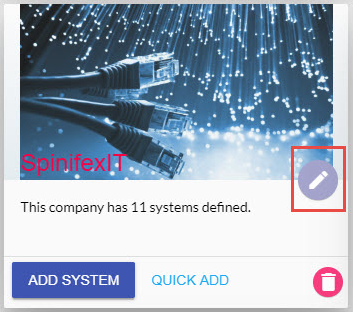
When clicked, the Edit Company window will appear.
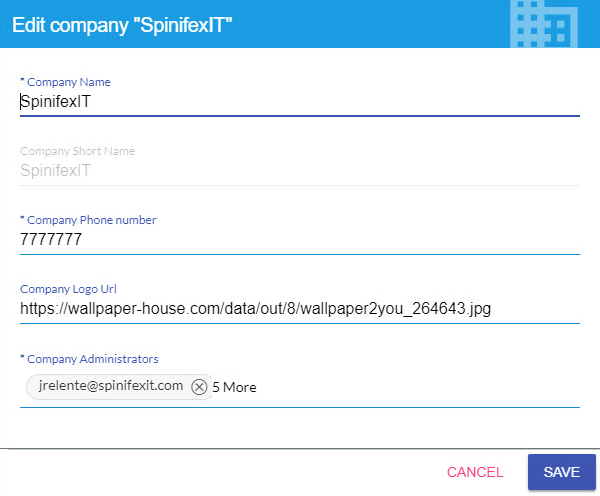
- Company Name - This is the name of the company. This is editable.
- Company Short Name - This is the short name of the company. Unlike the Company Name, this is no longer modifiable.
- Company Phone Number - Enter the phone number of the company. This is used for contacting purposes.
- Company Logo URL - Paste a URL of your company's image to change the image displayed in your company's tile.
- Company Administrators - These are email addresses of the Strato administrators of your company. You can easily add or remove email addresses. As a Strato administrator, you can modify your company and the systems in your company.