Merge Sections [V1]
The merge function is used when a section needs to span over multiple adjacent columns or rows in your document.
Follow these steps to merge your sections:
- Click on a section and click the Section Settings on the right.
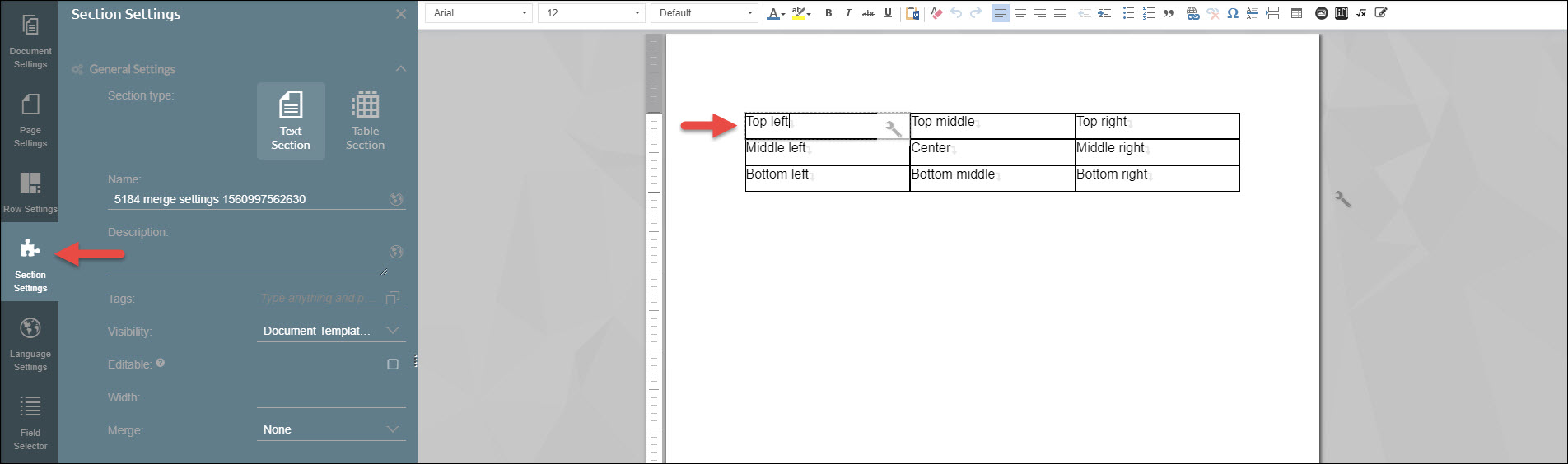
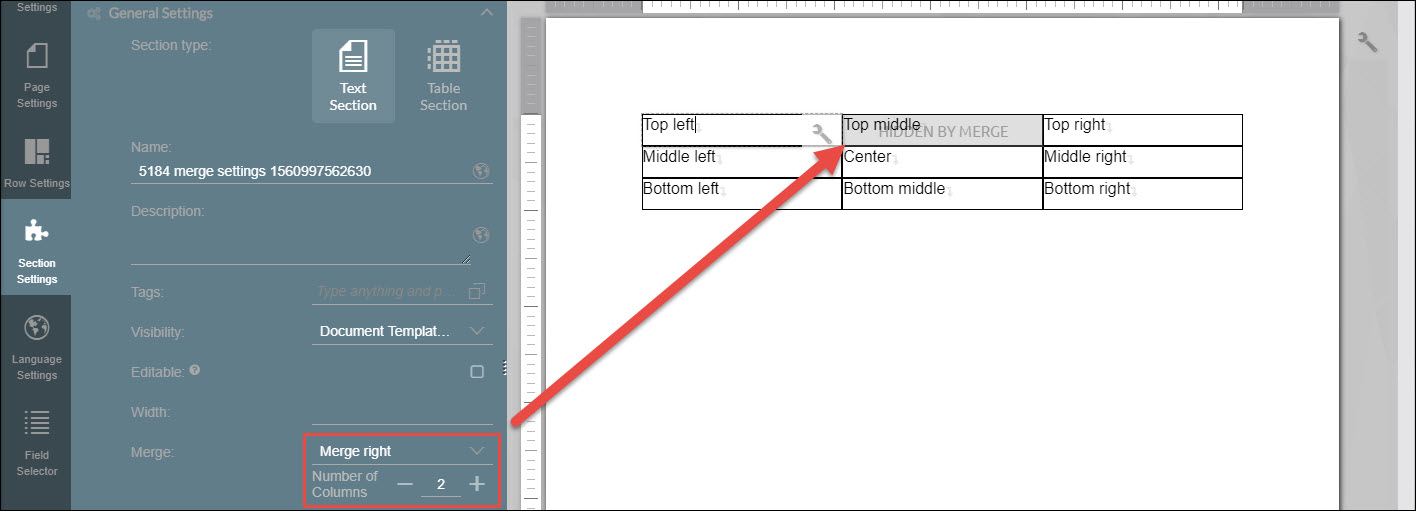
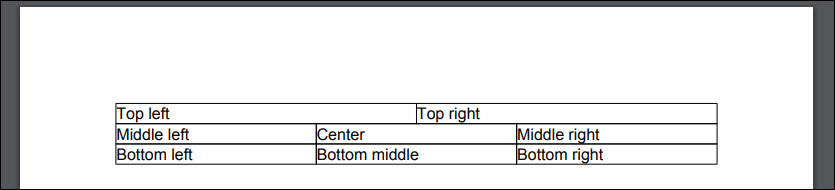
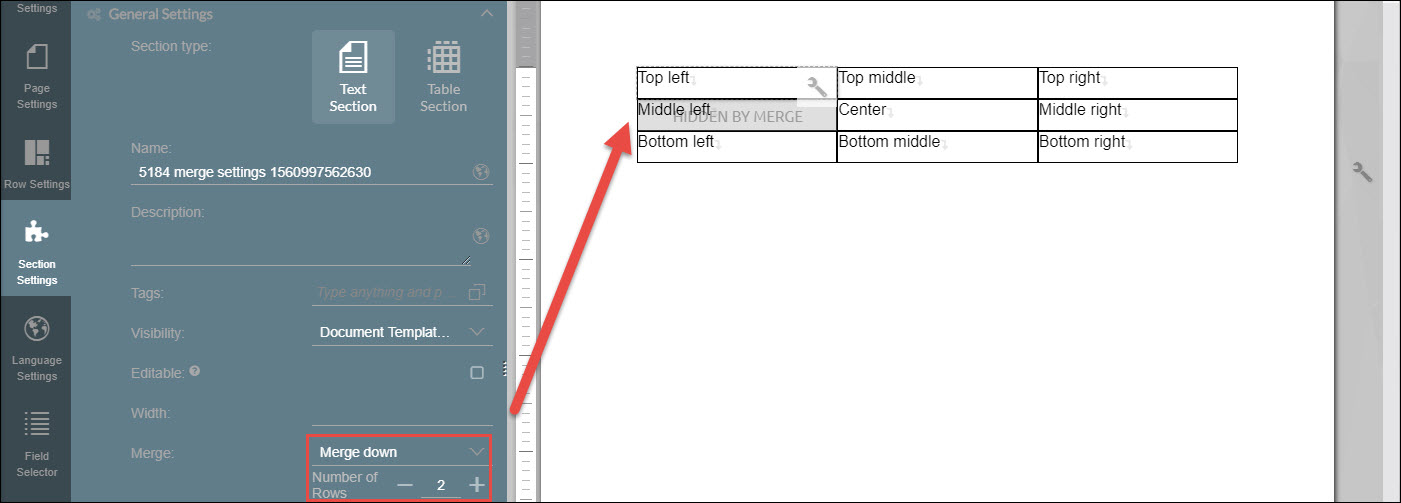
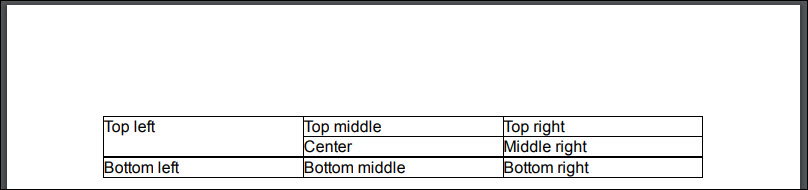
- In the Section Settings tab, you will see the Merge option. Select merge down. The default number of rows is 2. This will be reflected in your document.
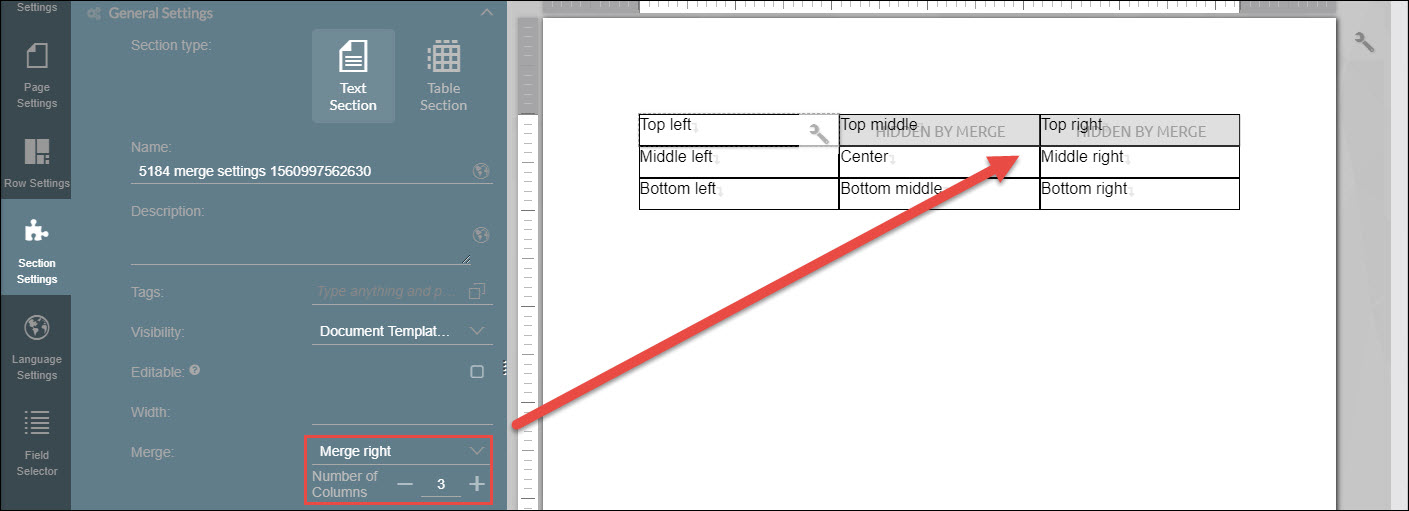
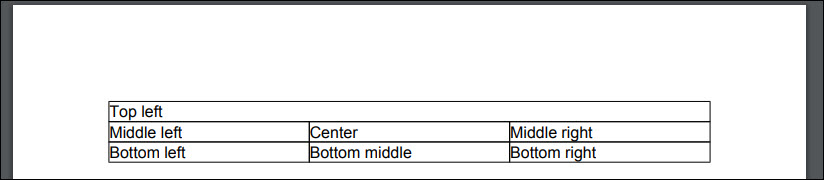
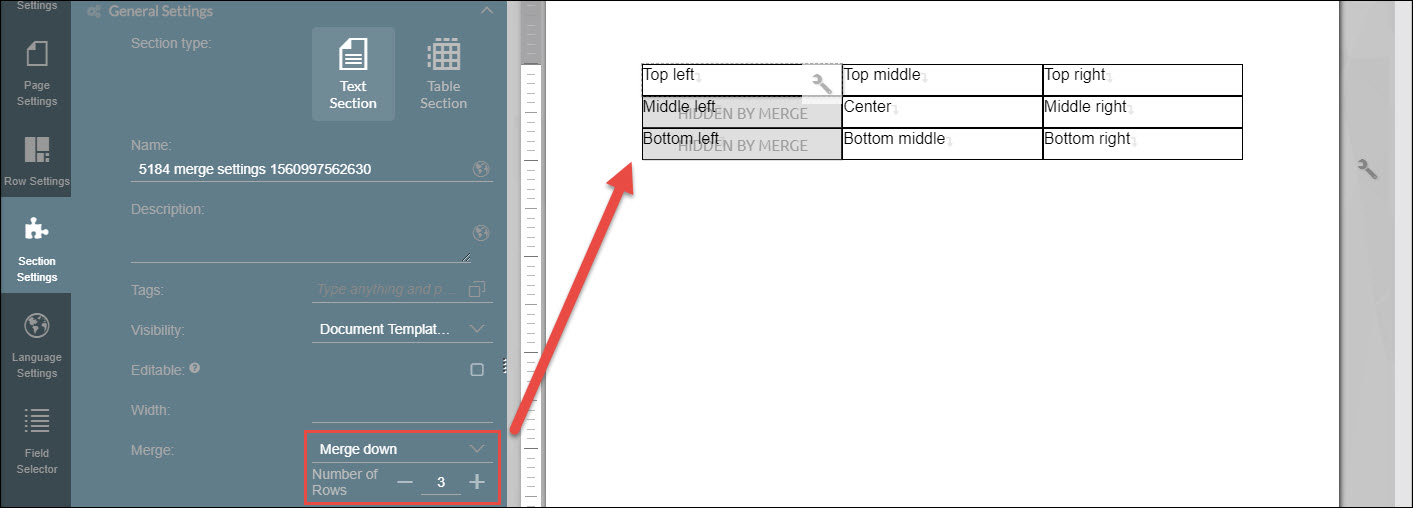
- You can also set it to 3.
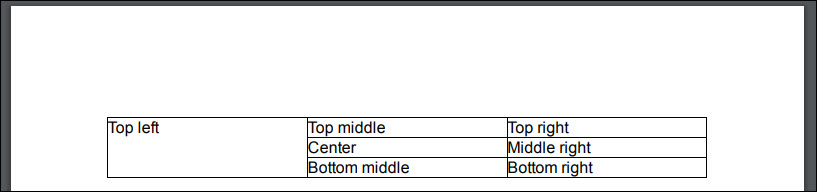
- When merging horizontally, the Merge right option should be selected.