Image Settings [V1]
The Image Settings tab will only appear after clicking on an image that is in your document.

General Settings
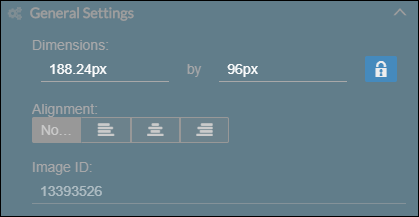
| Dimensions | You can edit the dimensions of your image by entering a value. By default, the aspect ratio of the image is locked. The purpose of the aspect ratio is to maintain the proportion of the dimensions of the image. Click the lock button to unlock the aspect ratio of the image. |
Alignment | You can set the alignment of the image to either among the 4:
|
Image ID | Displays the image ID of the image. |
Border
You can set a border for the image. Select the side/s where the border/s will be applied. Additionally, you can also set the following:
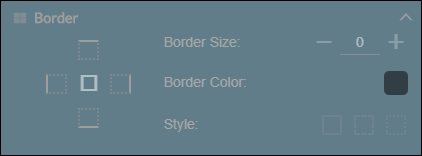
| Border size | Set a thickness for the border. |
Border color | Select a color for the border. |
Style | The style for the border can either be:
|
Conditions
Set a condition so that the image will appear or disappear depending on the condition.