Troubleshoot Easy Reporter Document Generation
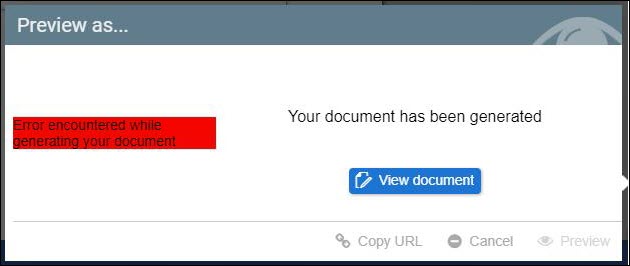
Users may encounter the message "Error encountered while generating your document" when generating a document that uses reports from Easy Reporter.
Cause
This error occurs when the report configured as the Main Report in Document Settings does not contain a Personnel Number (PERNR) in its rows (e.g., a T508A report).
When a report without employee selection is set as the Main Report, Strato attempts to execute all sub-reports for all employees in the system rather than a selected group, causing the generation to fail.
Instructions
To resolve this issue, you must ensure that the Main Report is capable of filtering by employee.
- Navigate to the Document Settings of the affected document.
- Locate the Include Easy Reporter Reports section.
- Ensure that a report containing employee data (an Employee Report) is selected as the Main Report.
Locate the Include Easy Reporter Reports section. 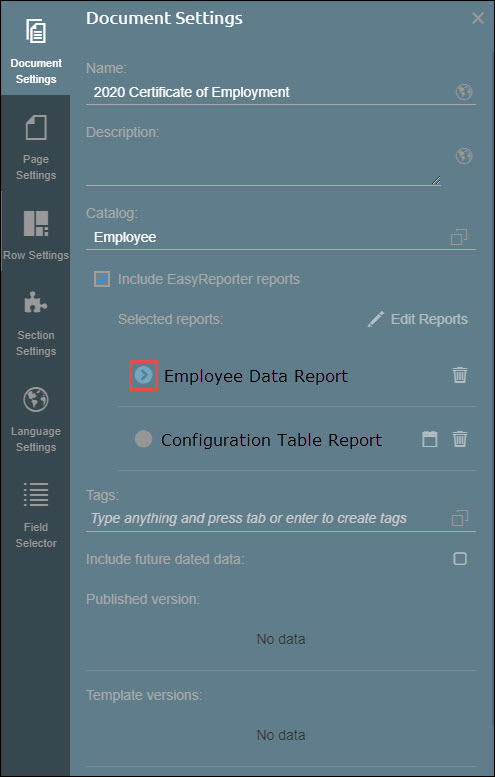
- Save your changes.