Document Generation - My Records Type Widget
The My Records widget functions as an employee self-service (ESS) widget. You can easily generate the documents in this widget for yourself. Since this a My Records widget, that data that will be displayed in the documents will be yours.
Follow these steps to generate a document from a My Records widget:
- Select the My Records widget that you will use.
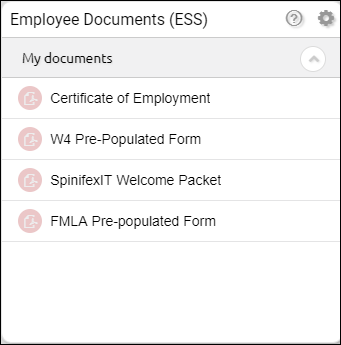
- Select and click a document. A Selection box will appear.
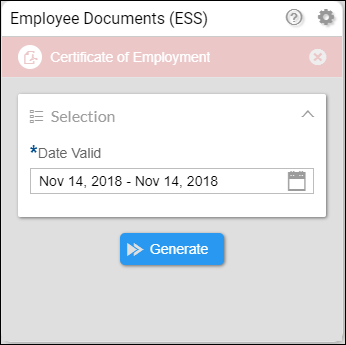
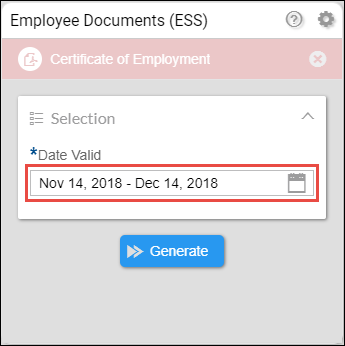
- Set a validity date range.
- Scroll down further and select a generation option. Note that this step is optional and may or may not be displayed depending on the settings of your widget.
- Preview after generation will preview the document in a new tab.
- Save after generation will generate the document and save it to the profile of the user in SuccessFactors.
- Email after generation will allow you to compose an email and send the document as an attachment in that email.
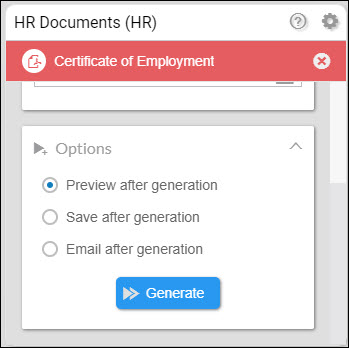
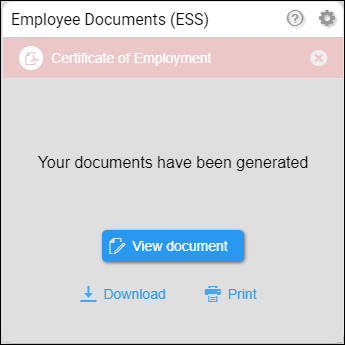
- Click Generate. When the document has been successfully generated, the widget should look like this.
- View document - the document will appear in a new tab.
- Download - this will download the document in a PDF file format.
- Print - this will launch the print setup in your browser.
💡
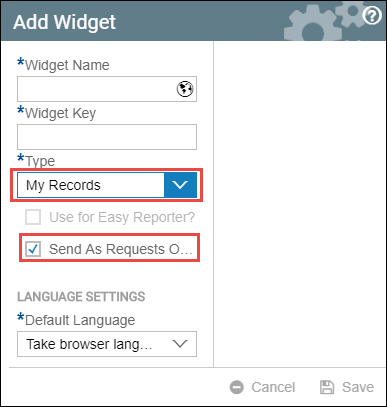
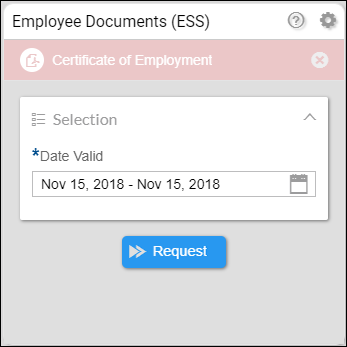
These requests will be stored in the Generate for Requests Widget. To know how to generate these documents, read Document Generation - Generate for Requests Widget.