Document Generation - External Datasource Widget
Documents in an External Datasource widget are usually generated by supervisors and HR managers. The documents that can be generated depend on the data in your CSV file or Google Sheet that you imported in Field Settings.
Follow these steps to generate a document in an External Datasource Widget:
- Select an External Datasource widget.
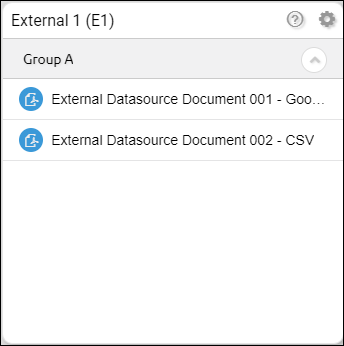
- Select and click a document. A Selection box will appear.
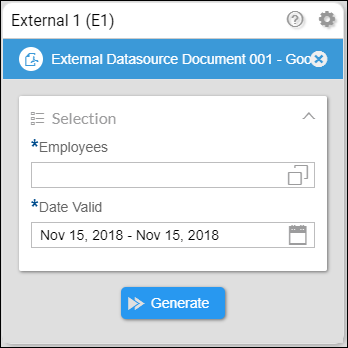
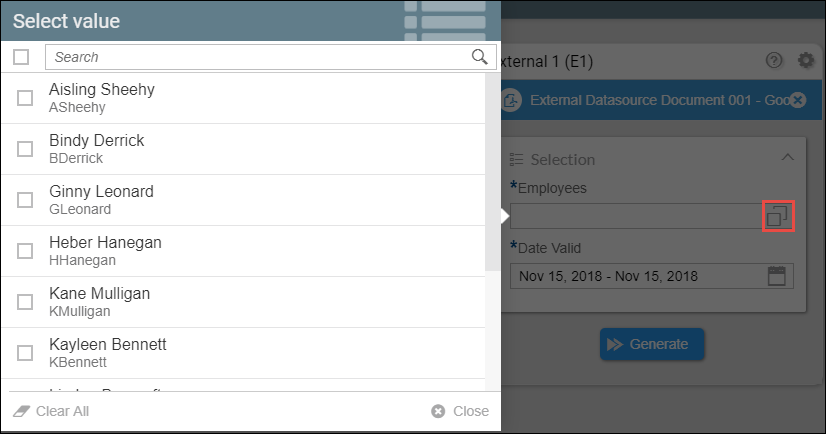
- Click the Employees button. A list of all the employees will appear. You can select all employees by clicking the tickbox at the top right corner. There is a search bar you can use to search for your employees. To deselect all employees you have a selected, click the Clear All button at the lower left corner. Once your are done with your selections, click Close.
- Set a Date Valid range and then click Generate.
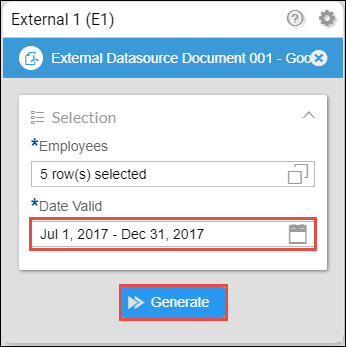
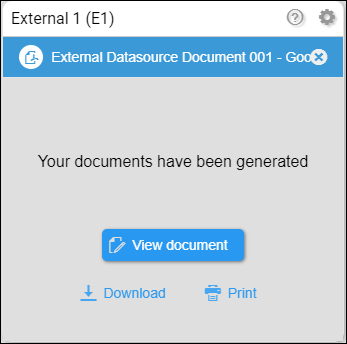
When the documents have been successfully generated, the widget should look like this.
- View document - the document will appear in a new tab.
- Download - this will download the document in a PDF file format.
- Print - this will launch the print setup in your browser.
Related articles
- Modules Activation
- Creating an External Datasource Type Widget
- External Datasource - Using a CSV file as a catalog
- External Datasource - Using a Google Sheet as a catalog