How to Get the Template ID from SuccessFactors for Strato Document Storage
Strato has the capability to store or upload documents created specifically for Strato in SuccessFactors (ex: uploading Offer Letter (Strato document) in the candidate's profile in SuccessFactors Recruiting). This capability is available in the following tools of Strato platform:
- Widget Settings (creating Application Widgets) - When configured to allow uploading documents in SuccessFactors, documents generated from this widget will be stored in the applicant's or candidate's profile in SFSF.
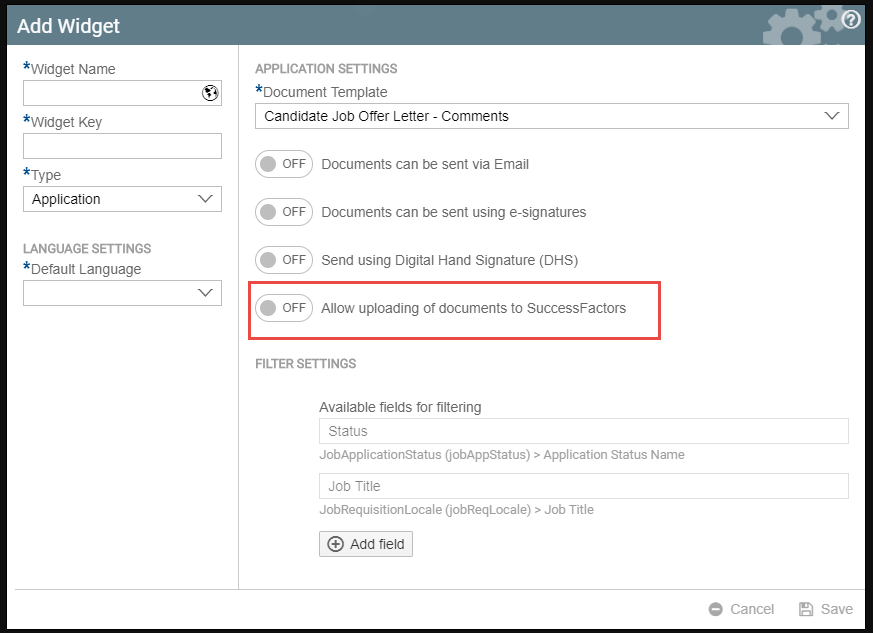
- Strato Workflow (Store Document step) - a workflow step in Strato Workflow templates where the storing of documents happens within the workflow execution.
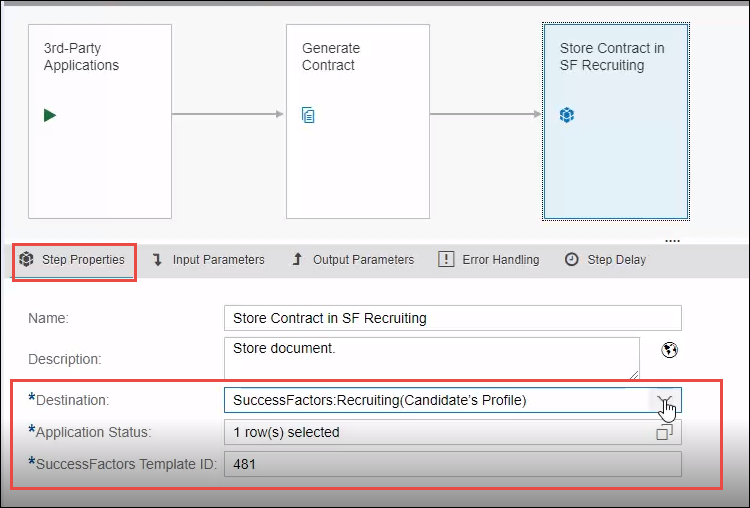
For setting these up, the SuccessFactors Template ID is required as a parameter in this configuration. This is referring to the template ID of the document to be stored in SuccessFactors. (Ex: Template ID for an Offer Letter template)
To get the Template ID, which is needed in the configuration in Strato, follow these steps:
- From SuccessFactors, go to the Admin Center.
- From the Tool search, search for the template that you need to get the template ID from. (Ex: Offer Letter Templates)

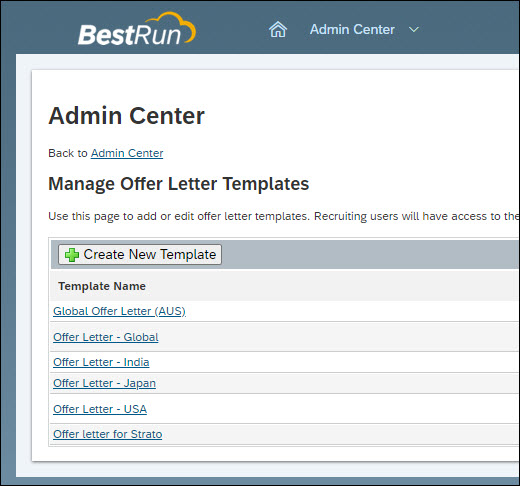
- From the list of the templates (ex: from the Manage Offer Letter Templates screen), click on the template that you need to get the Template ID from.
- This will open the template in Edit Mode.
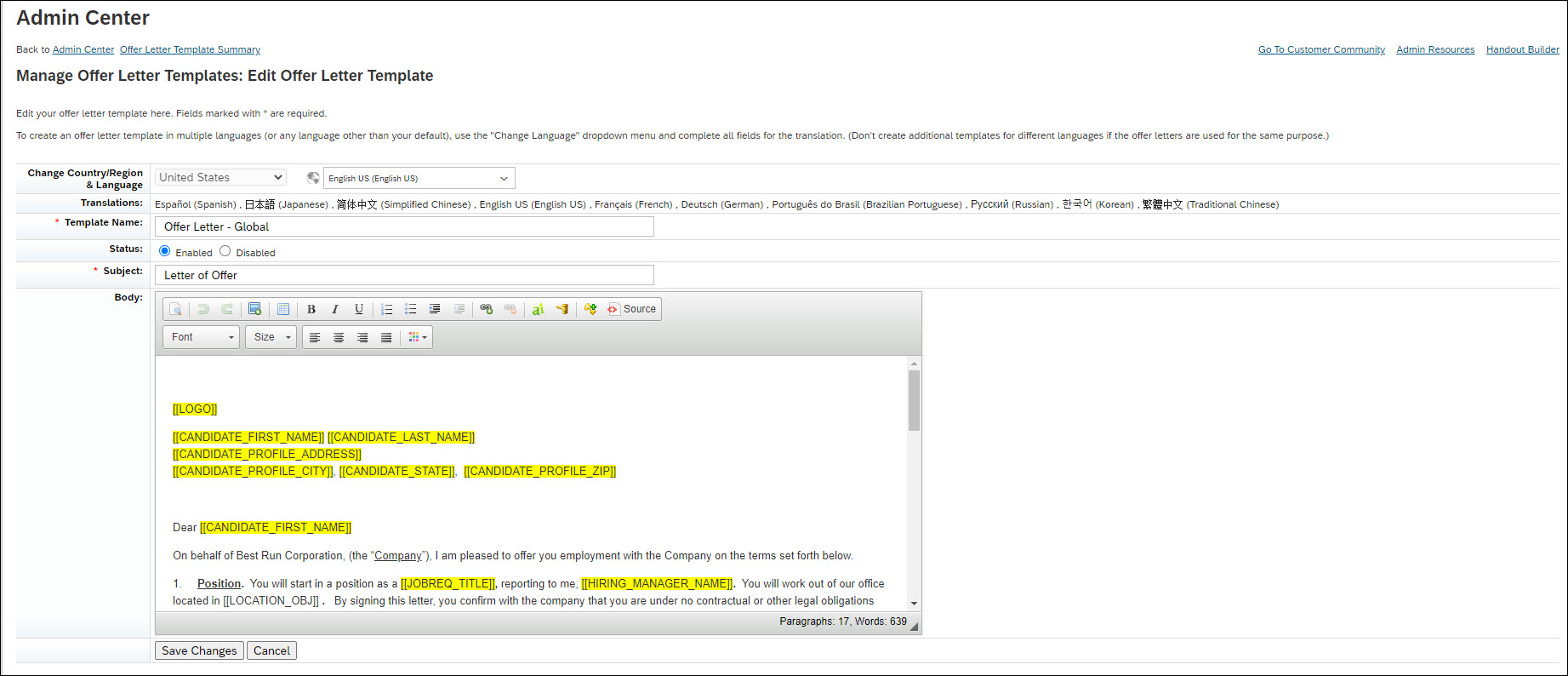
- This SuccessFactors template ID can be found at the end of the URL of a template.

- In the sample screen, the template ID is 127. This is what you need to supply in the SuccessFactors template ID field when setting up an Application Widget or a Store Document step in Strato Workflow. This then enables the capability to upload the generated Strato document in SuccessFactors Recruiting.