Improved Password Protection
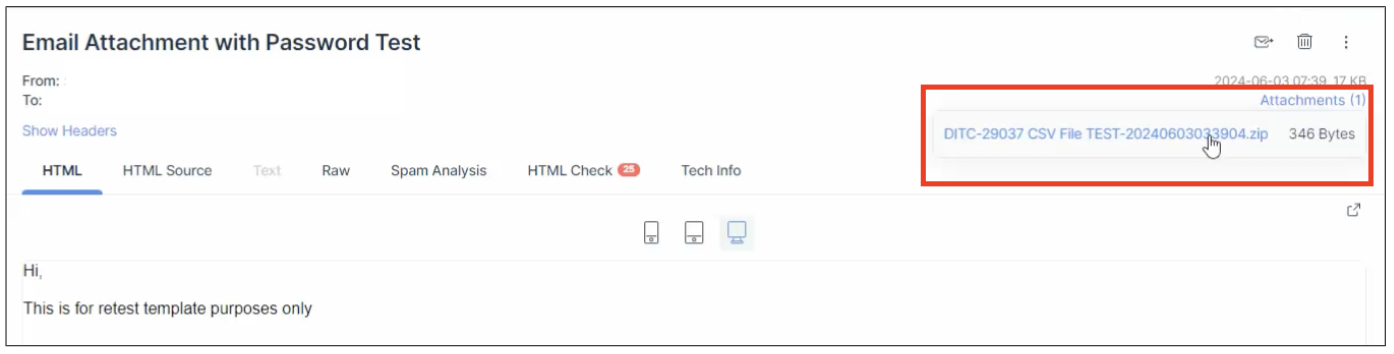
The Improved Password Protection feature enhances the security of Workflows by extending password protection to a broader range of non-PDF file types, including XLS, CSV, TXT, and XML. When password protection is enabled, these file types are automatically converted into password-protected ZIP files. PDF and XLSX files, however, will retain their original formats.
Requirements
Basic knowledge of the Send E-mail Step in Workflows is required.
Features
- Enhanced File Format Support: Applies password protection to a broader range of file formats including XLS, CSV, TXT, XML, and XLSX.
- Conditional Password Protection: Ensures password protection is only applied to supported file types to prevent corruption.
- Improved Workflow Reliability: Prevents file corruption issues by ensuring all attachments can be opened and viewed correctly.
Functionality
The Improved Password Protection feature applies to Workflows where Enable Password Protection has been toggled on for email attachments under the Send E-mail Step.
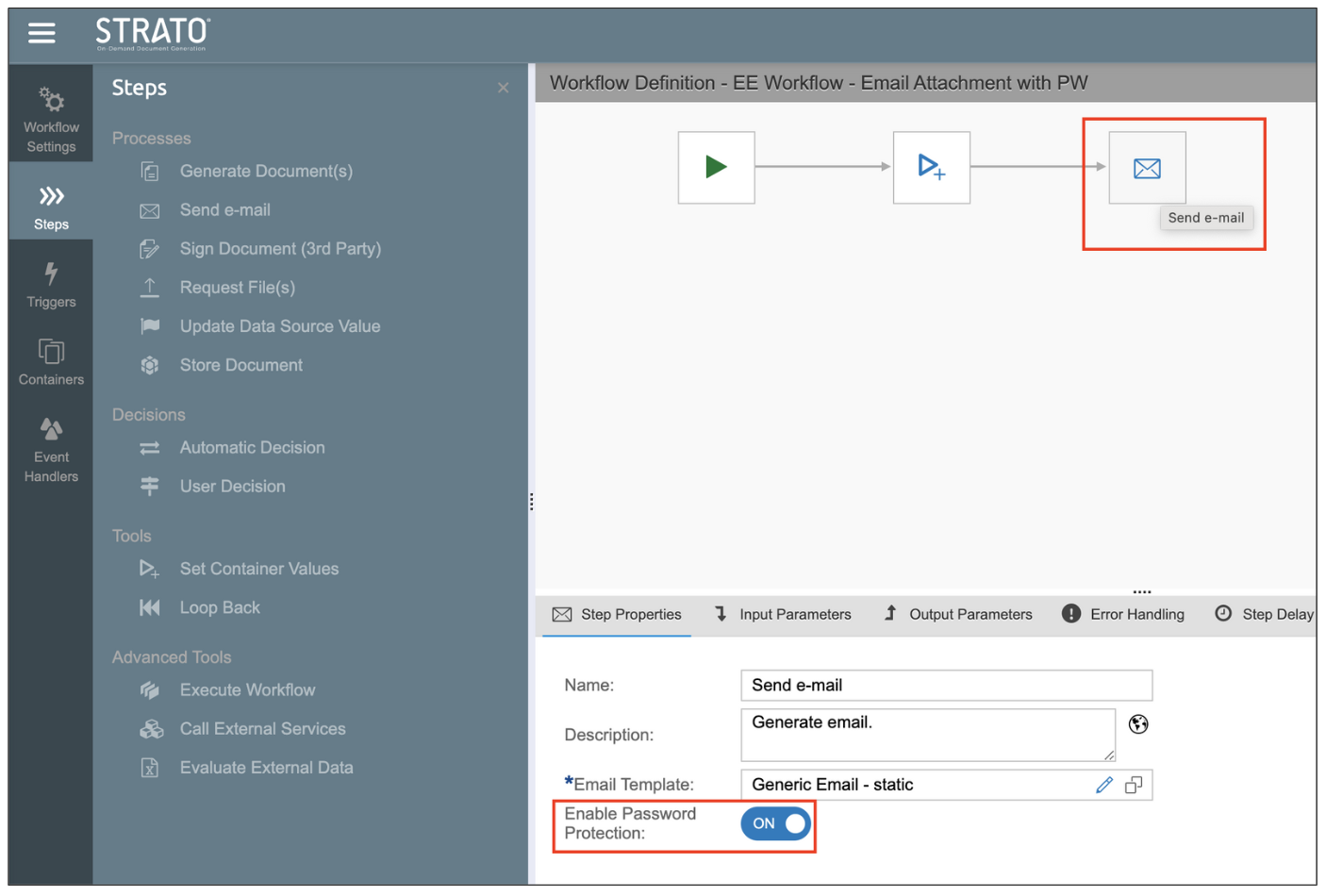
This feature is useful for scenarios where you may need to send email attachments that are not in PDF format, such as spreadsheets. This ensures that these non-PDF files retain their file format and avoids corruption by automatically converting the attached files to a ZIP file, while retaining the configured password.
The feature will convert the email attachments to a password-protected ZIP file when all of the following conditions are met:
- Enable Password Protection is toggled on under the Step Properties tab.
- A password is configured under the Input Parameters tab.
- The attachments under the Input Parameters tab are in XLS, CSV, TXT, or XML formats.
PDF and XLSX files will retain their respective formats, and the password will be applied to the files directly.
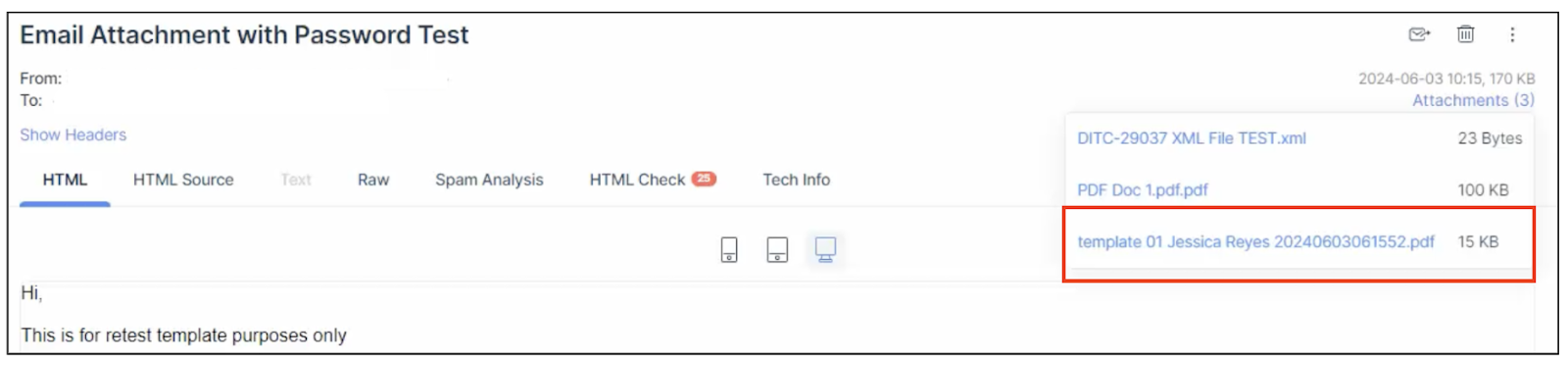
Entering the configured password will then enable access to the password-protected files.