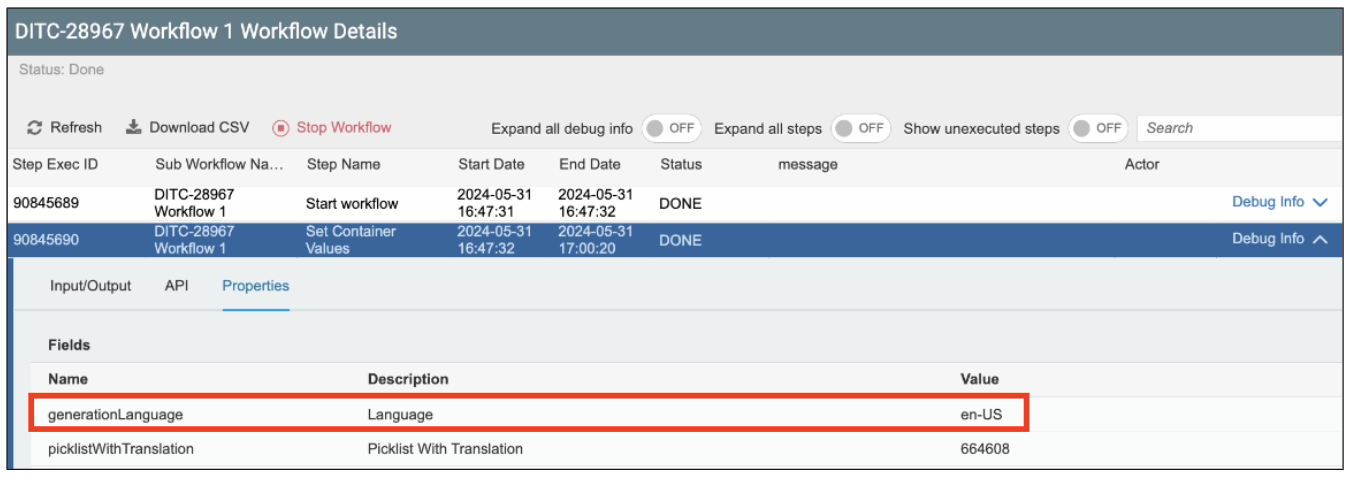
Language Parameter in Set Container Step
The Language Parameter allows users to set a language input parameter in the Set Container Values Step, allowing Workflows to be tailored to specific languages. This feature is valuable for organizations operating in multilingual environments, as it enables Workflows to adapt to different languages without requiring extensive modifications.
Requirements
Basic knowledge of the Set Container Values Step in Workflows is required.
Features
- Language Specification: Users can assign specific languages to workflows, ensuring that all communications, notifications, and instructions are delivered in the preferred language.
- Enhanced Localization: Language customization at the step level allows workflows to be localized more effectively, improving clarity during execution.
- Improved Workflow Management: This parameter streamlines workflow management across different regions, helping maintain consistency and accuracy.
Functionality
The Language Parameter can be found under the Input Parameters section of the Set Container Values Step.
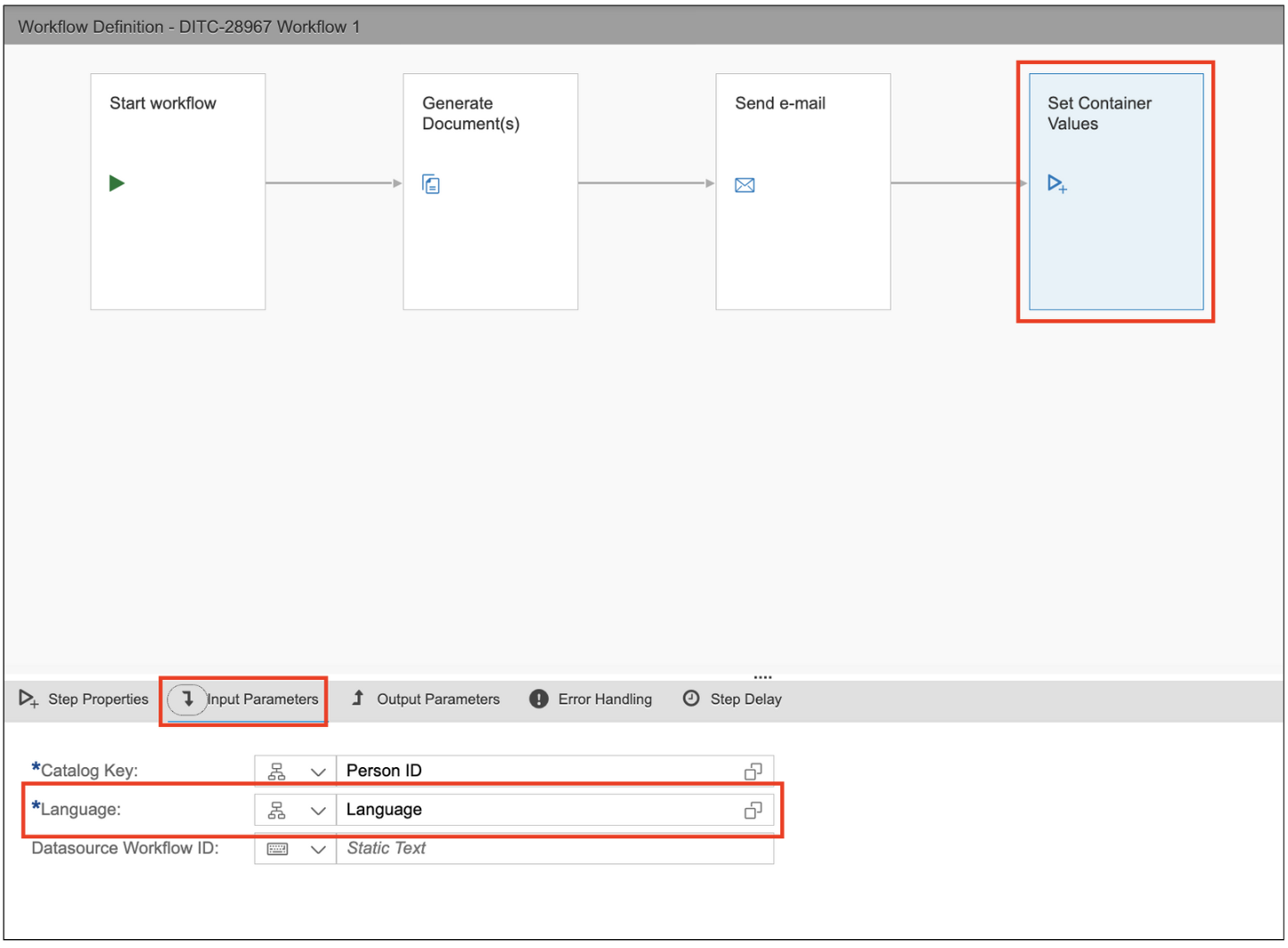
When configured and added as an input parameter, the Picklist fields in your Workflow will be translated to the set language.