File Name Customisation in Call External Services Output
With the File Name Customisation in Call External Services Output feature, Workflows with File Output enabled in a Call External Services Step can customize the file name using the Output Filename input parameter.
Requirements
Basic knowledge of the Call External Services Step in Workflows is required.
Functionality
The File Name Customisation in Call External Services Output feature applies to Workflows where the File Output setting has been toggled on under the Call External Services Step.
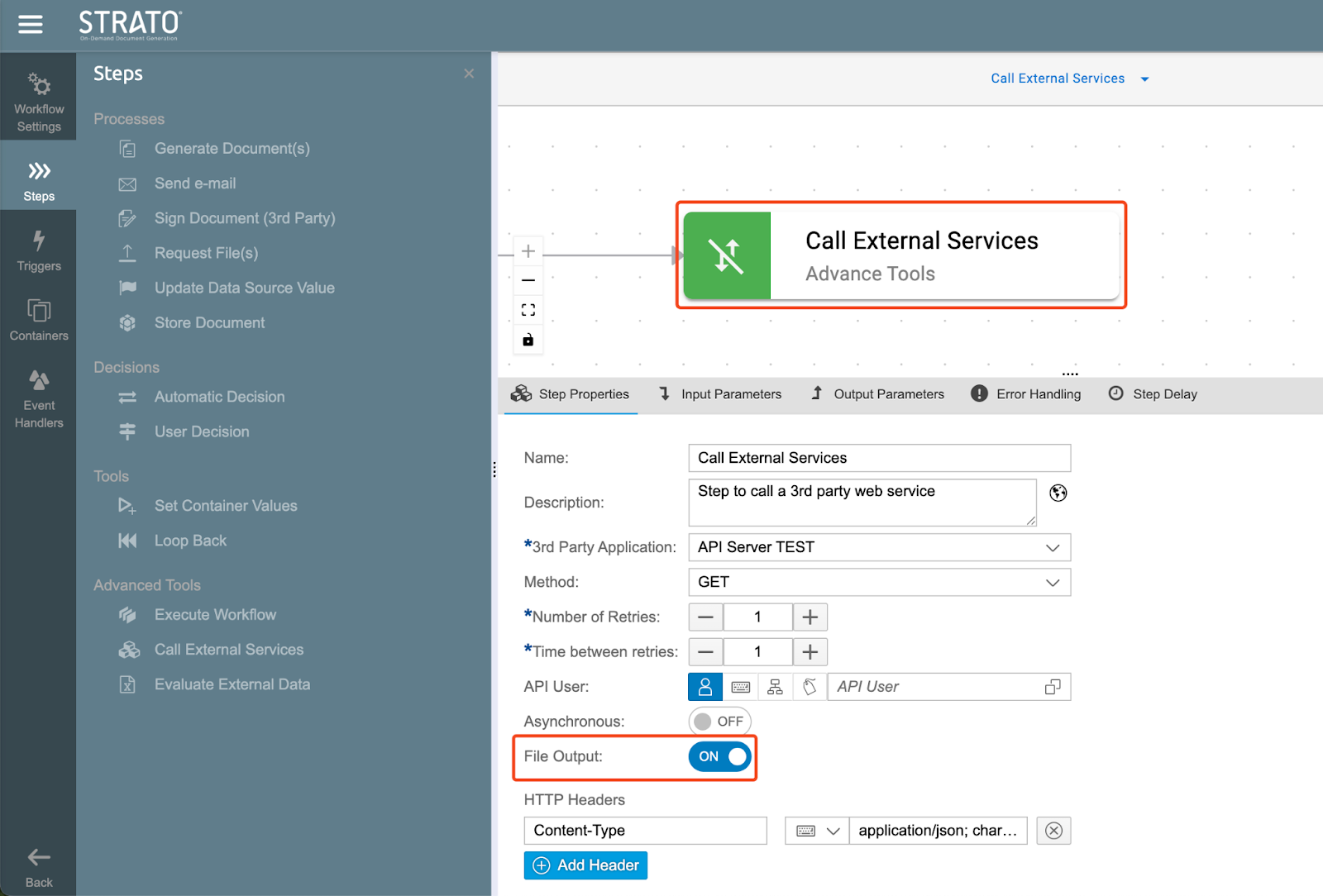
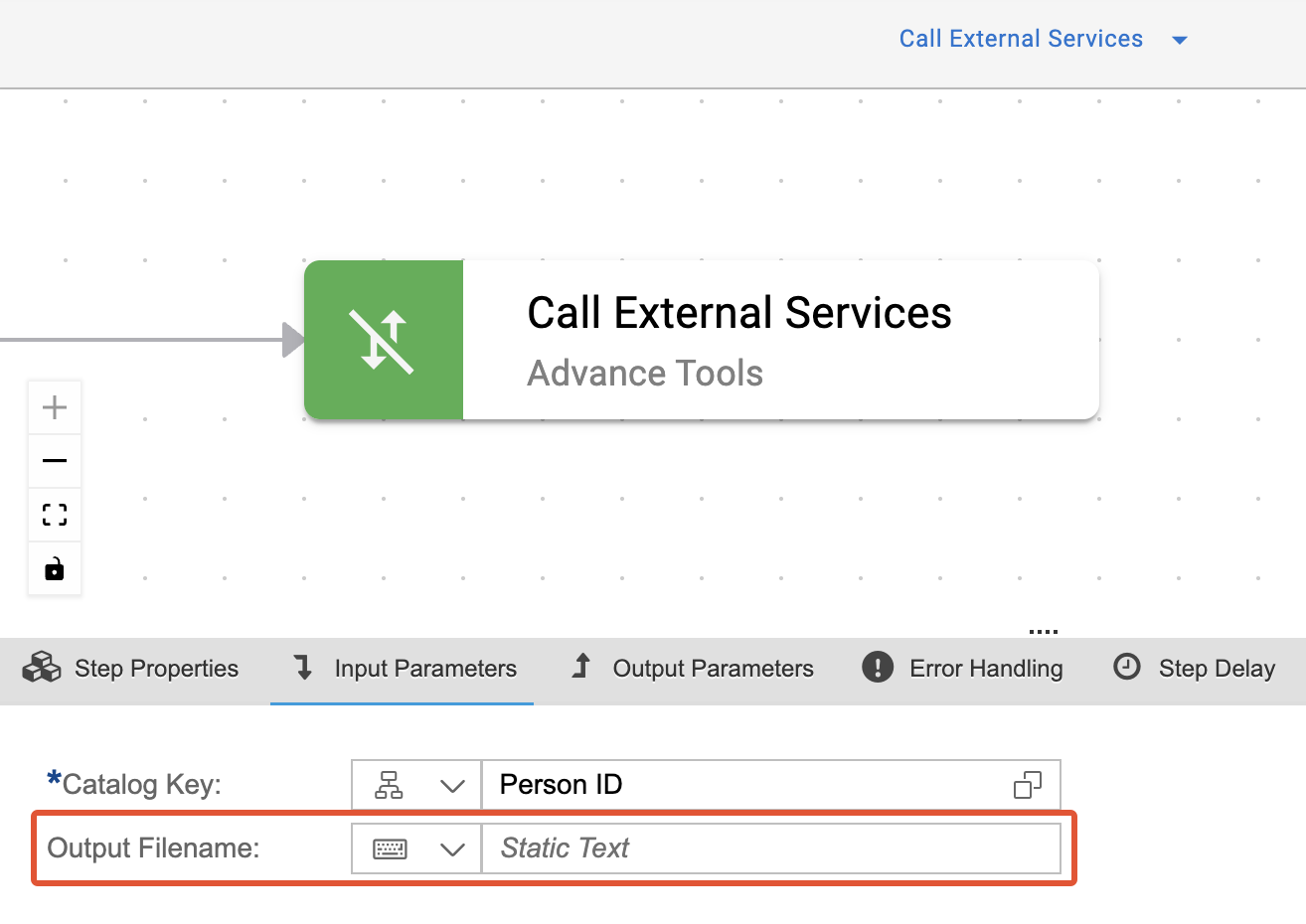
The Output Filename parameter can be used to map the file name of the file output in the step to one of the following:
- Static Text
- Container or Step Export Parameter
- Datasource Field
This feature is useful in scenarios where you need to use the Call External Services Step to download or merge files. While it is already possible to customize the file name when uploading to a third-party application by using the appropriate parameters in the API body response, this feature provides the option to use the Output Filename as a step export parameter in other Workflow Steps, such as the Store Document Step or the Send E-mail Step.