Policy Evaluation for Strato Document Management
The Authorisation Framework Integration with Storage allows you to manage how users can interact with files and folders in Strato Document Management. Once you select the Tool: Storage Data when you configure a Policy, the affected users’ level of access and control in Strato Document Management will change according to the defined permissions.
This article contains the following sections:
Requirements
Basic knowledge of Authorisation Framework and how to configure and manage Policies are required.
Scenario Parameters
The folder structure that will be used throughout the scenarios is based on a company named BestRun. It contains both global and country-specific documents, as well as general categories for documents and employee-related content.
- BestRun
- Employment Changes
- Employment Certificates
- Offboarding
- Legal and Compliance
- Incident Report Forms
- Disciplinary Action
- Payroll and Time
- Payroll
- Payslips
- Tax Forms
- Talent Management
- PIPs
- Performance Review
- Pre-Employment
- Application and Resume
- Qualifications
- Educational Certificates
Document Categories
- Education and Teaching Certifications
- Leave Application Forms
- Payslips
- Tax Forms
- Resume
- Incident Report Form
- Performance Improvement Plans
The following roles and user types are referenced across the scenarios.
- HR Team
- Operations Team
- Regional Managers
- Contract Staff
These folder, category names, and target populations will be referenced throughout the scenarios in the next section.
Scenarios
There are six user actions that can be managed through Policies:
Read
Read manages whether users can view specific files or folders. This action is often used alongside other actions as it grants the user's visibility into the folders or categories.
When a Policy with the Read action is assigned, access to folders is based on the folders selected under the Folders type of object in the Policy. However, to view the files inside those folders, the appropriate file categories must also be selected under the Categories (Employee Files) type of object.
The Target Population is not used to determine folder access in this case, only the folder selection in the Policy is applied.
Examples:
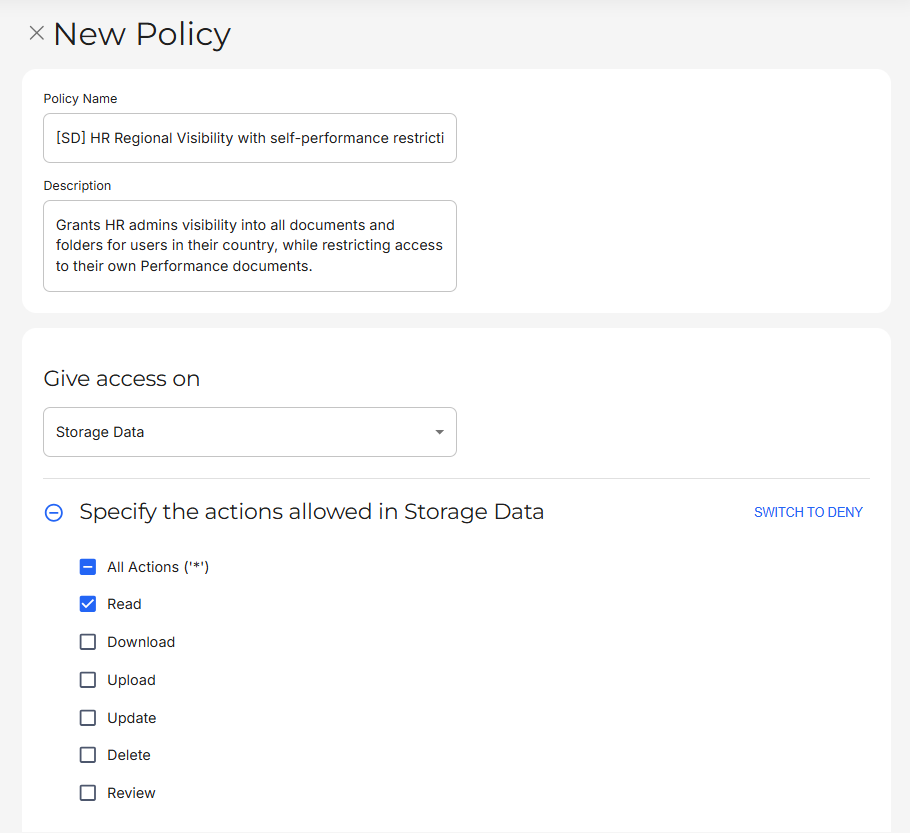
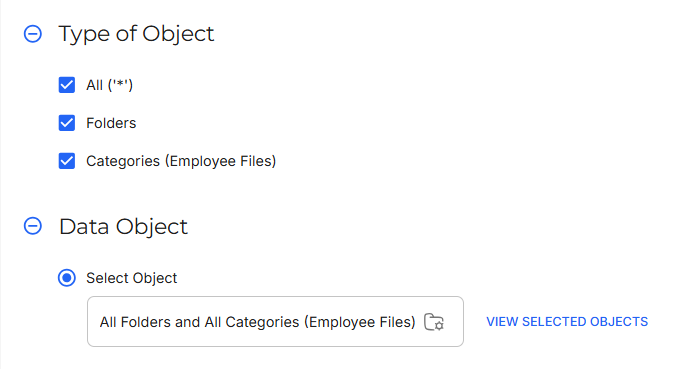
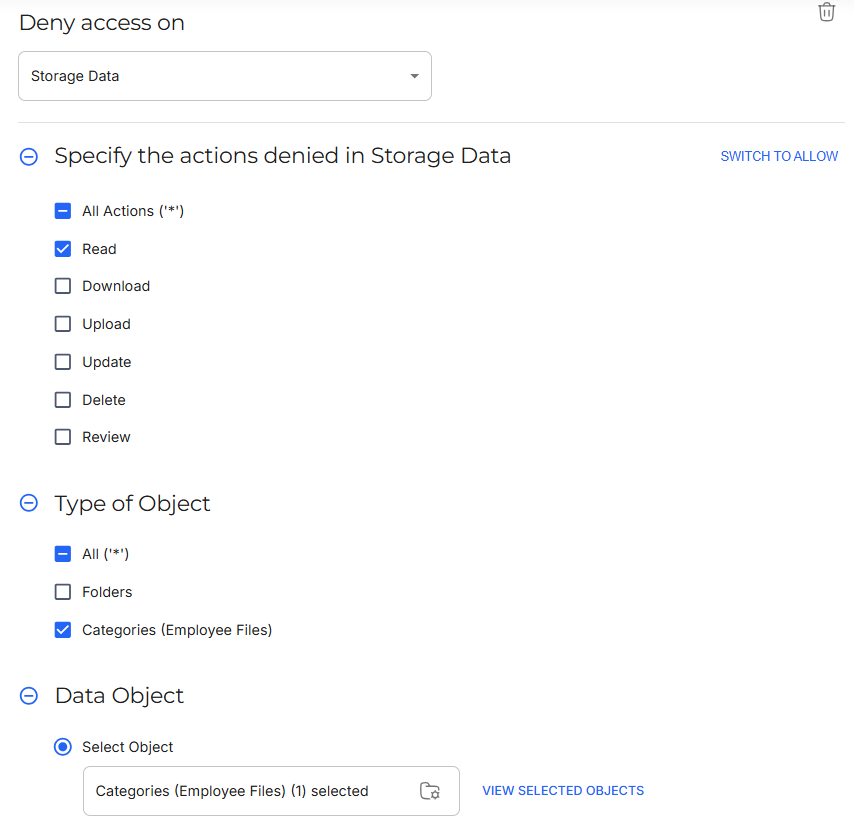
Policy Goal | HR admins should be able to see all files and folders for people within their own country, except for their own Performance Improvement Plans (PIPs). |
Policy Configuration |
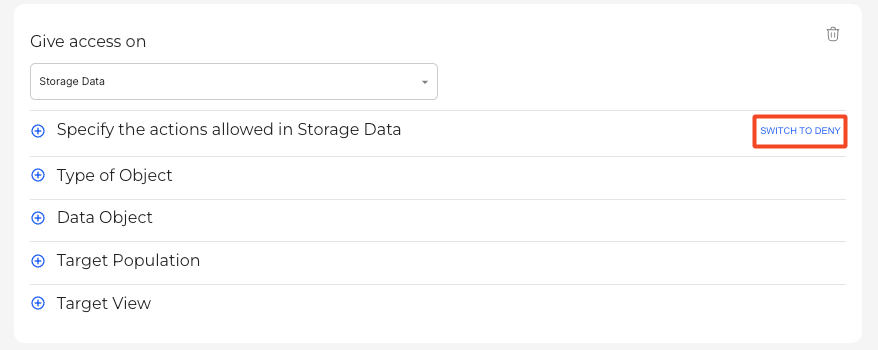
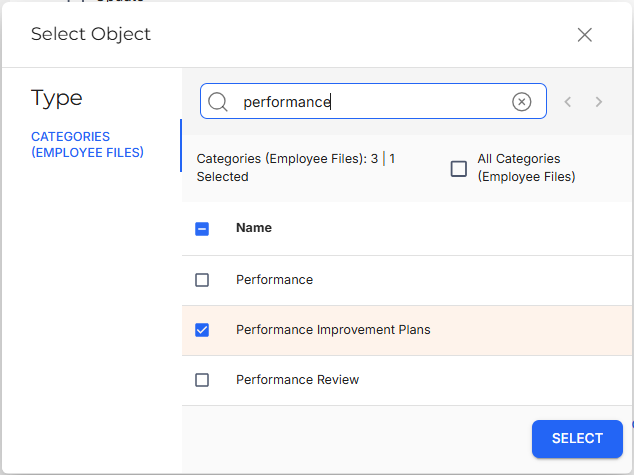
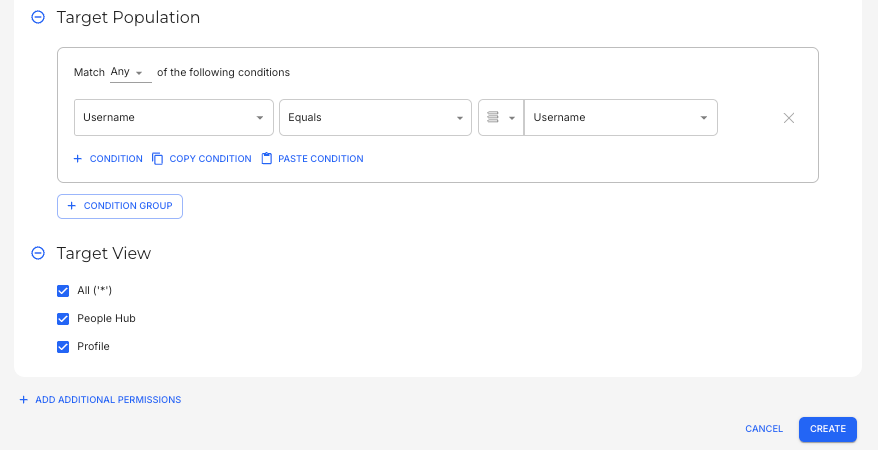
This configuration would allow HR admin to access all folders and documents for users in their country. To configure the next set of permissions for the policy, select ADD ADDITIONAL PERMISSIONS.
This configuration would restrict HR admins from accessing their own files that are under the Performance Improvement Plan category. |

Download
Download manages whether users can download selected files.
Examples:
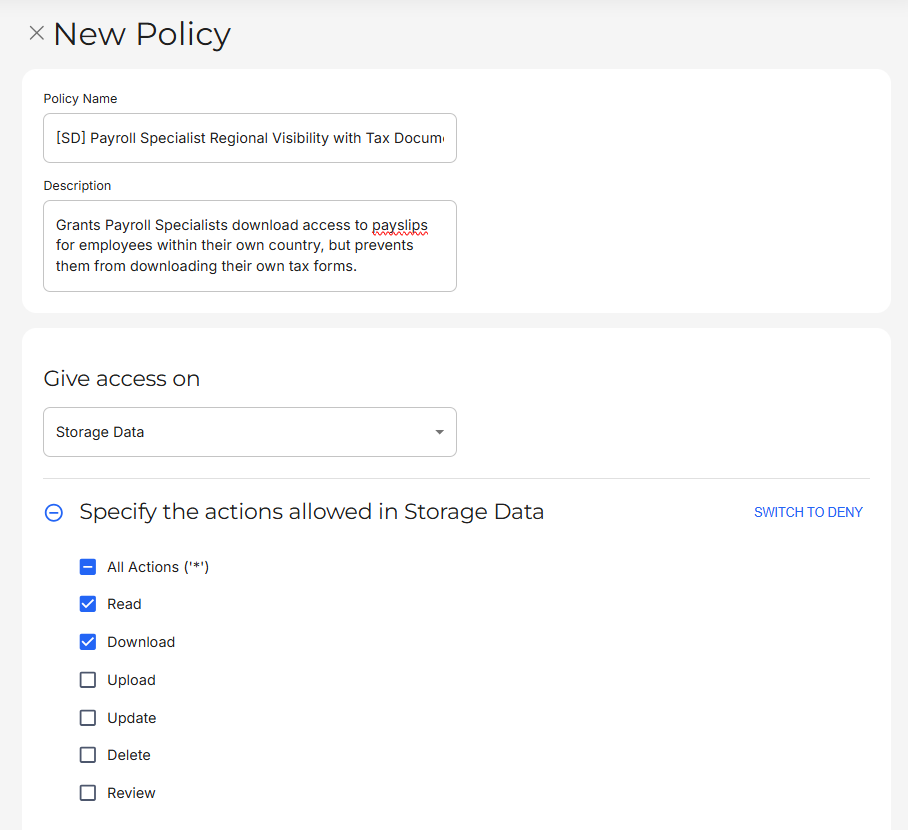
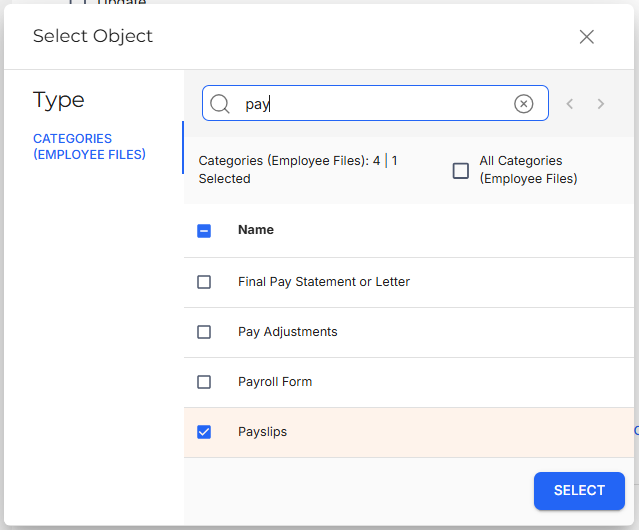
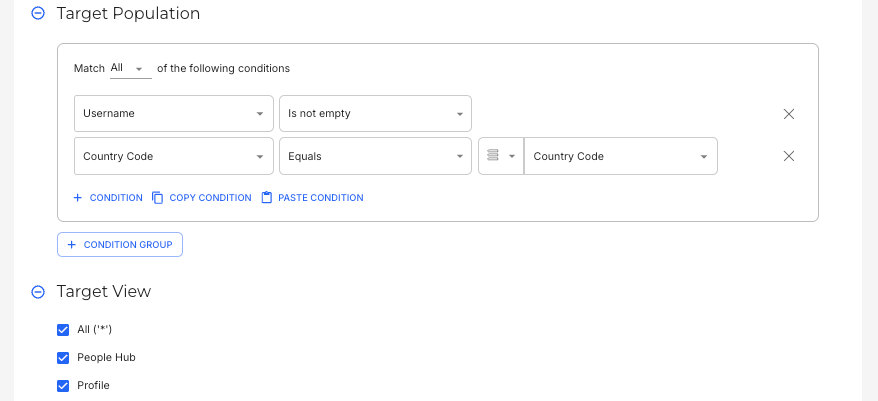
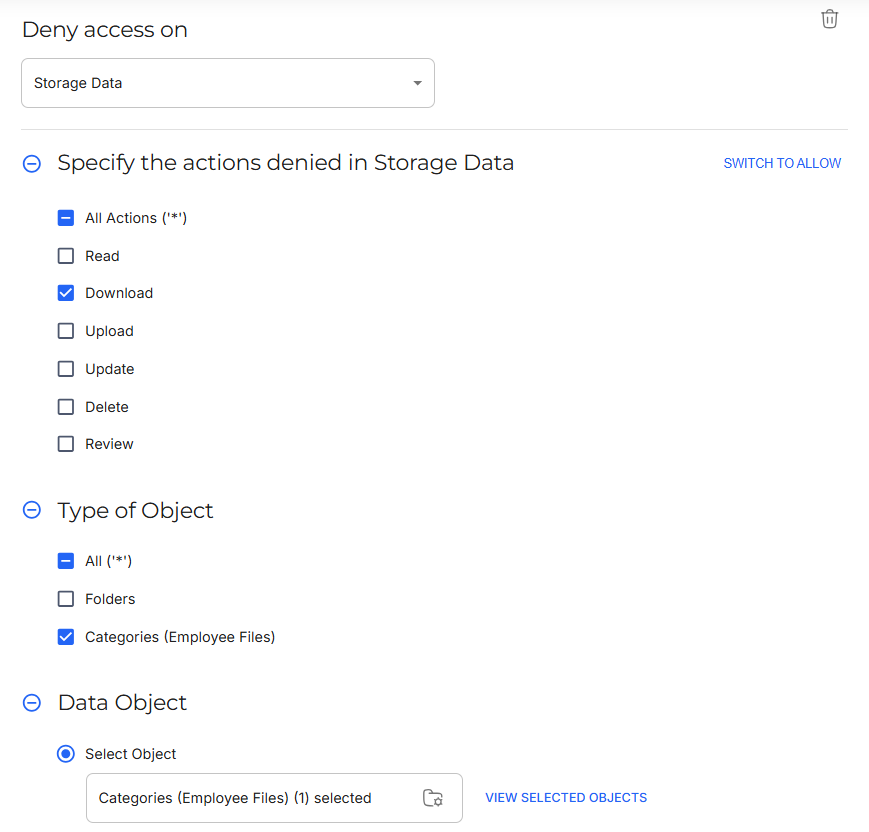
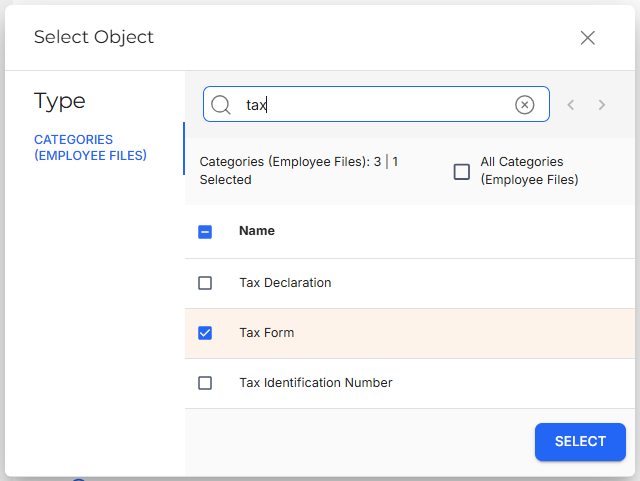
Policy Goal | Payroll team should be able to download payslips for employees in their region, but not their own tax documents. |
Policy Configuration |
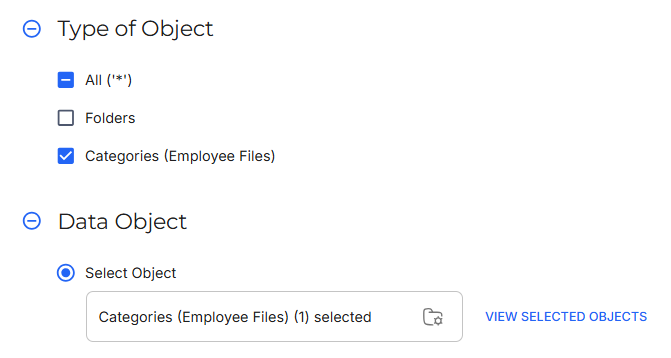
This configuration would allow HR admin to access all folders and documents for users in their country.
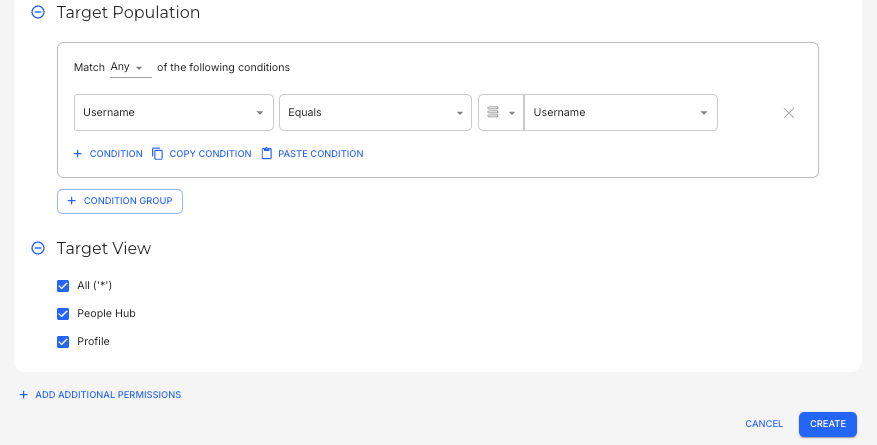
This configuration would restrict Payroll specialists from downloading their own Tax forms. |
Upload
Upload manages whether users can upload new files into a folder.
Examples:
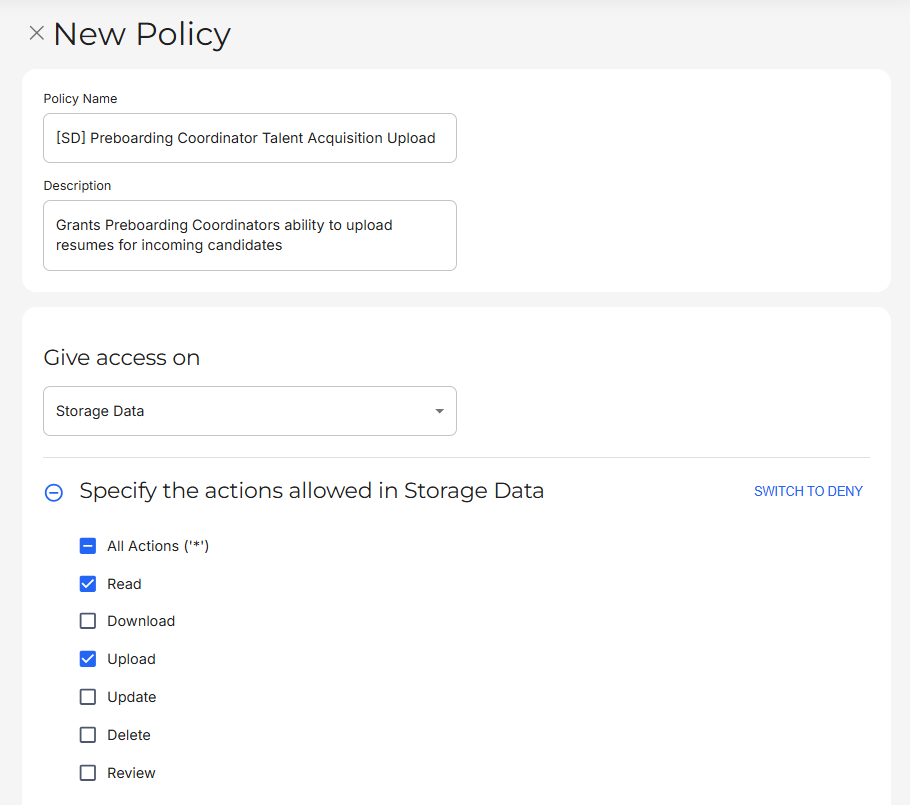
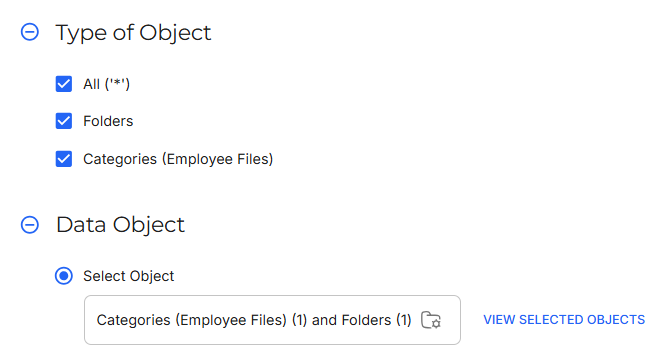
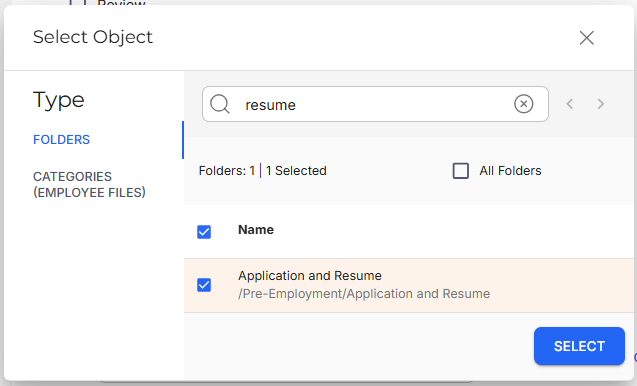
Policy Goal | Preboarding Coordinators should be able to upload resumes for incoming candidates. |
Policy Configuration |
This configuration would allow Preboarding Coordinators to upload resumes from incoming candidates. |
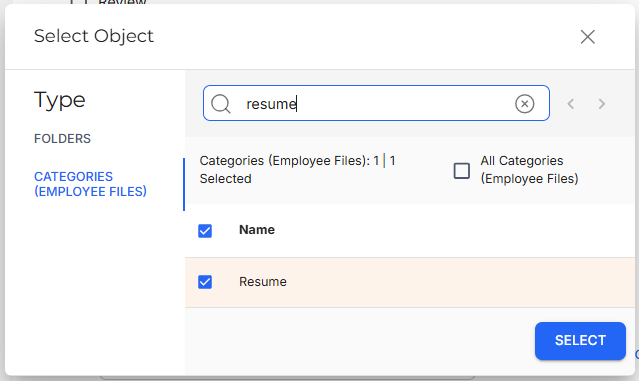
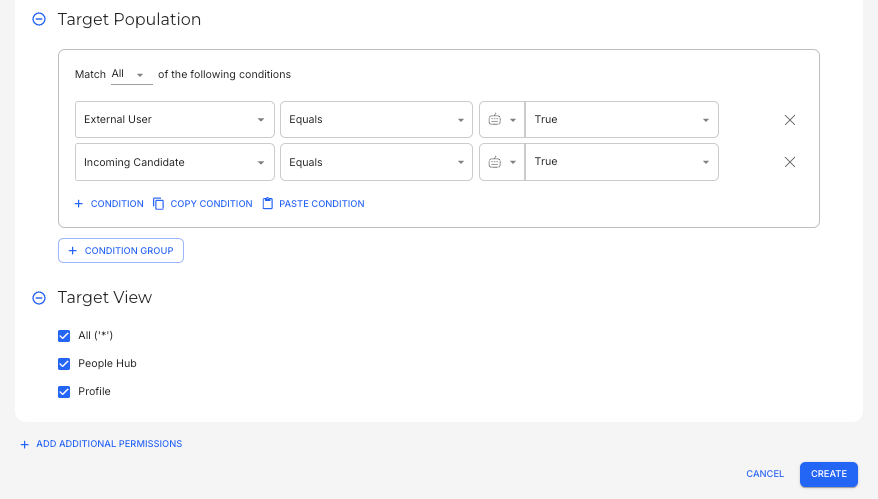
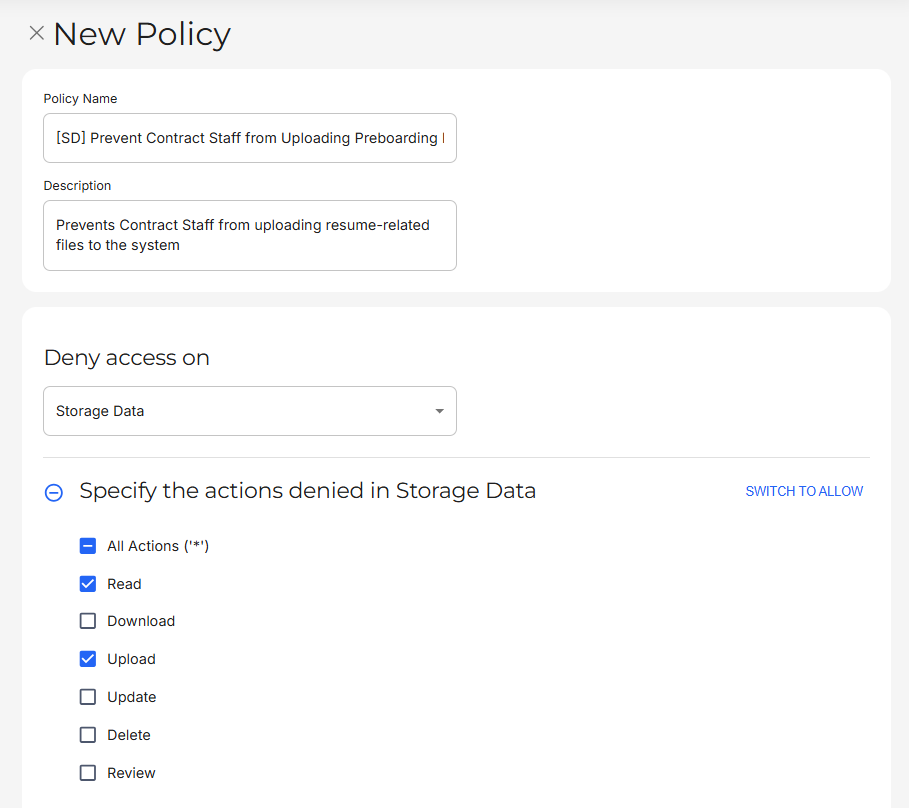
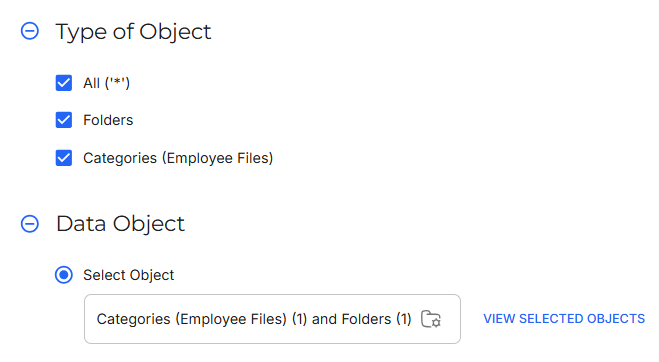
Policy Goal | Contract Staff should not be able to upload Resume documents. |
Policy Configuration |
This configuration would restrict Contract Staff from uploading Resumes. |
Update
Update manages whether users can modify existing files (does not include upload or delete).
Examples:
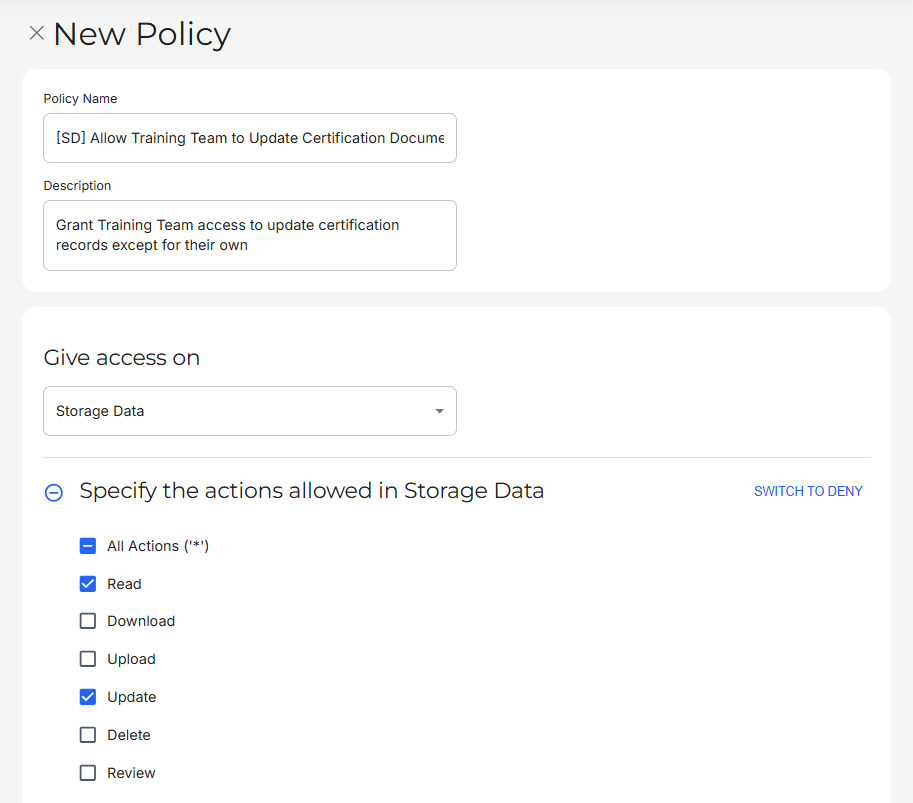
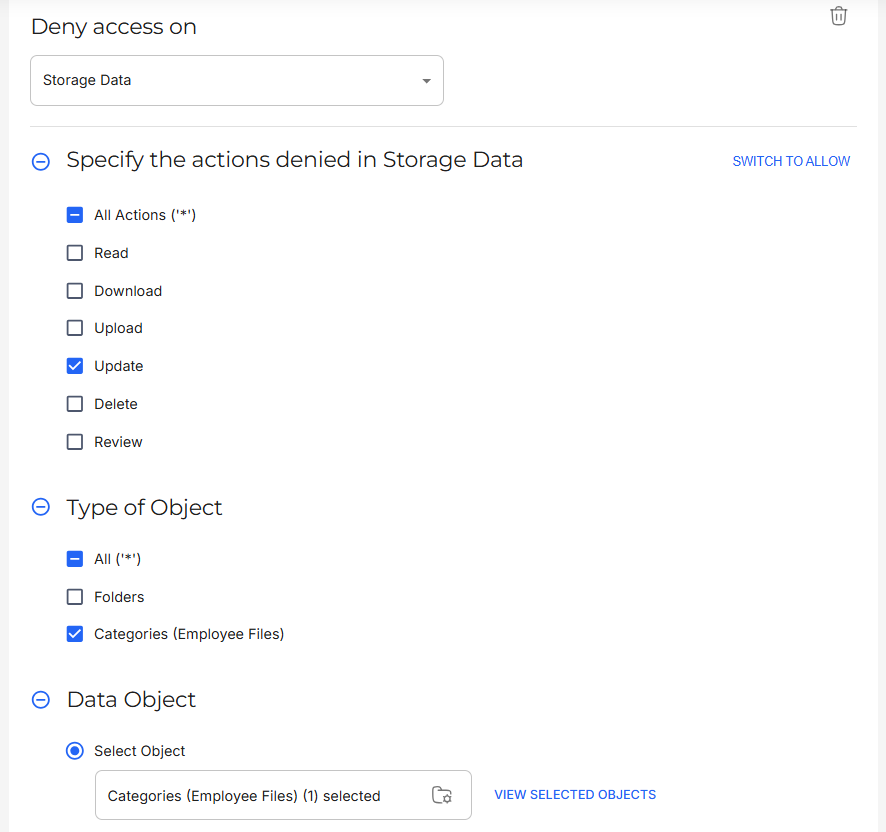
Policy Goal | The Training team should be able to update all Certification documents, except for their own. |
Policy Configuration |
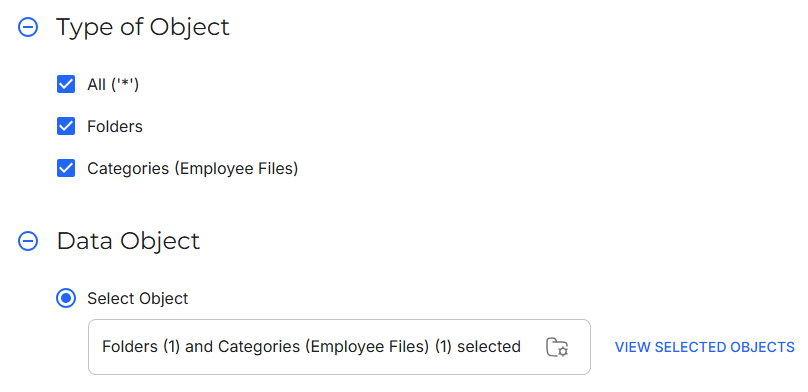
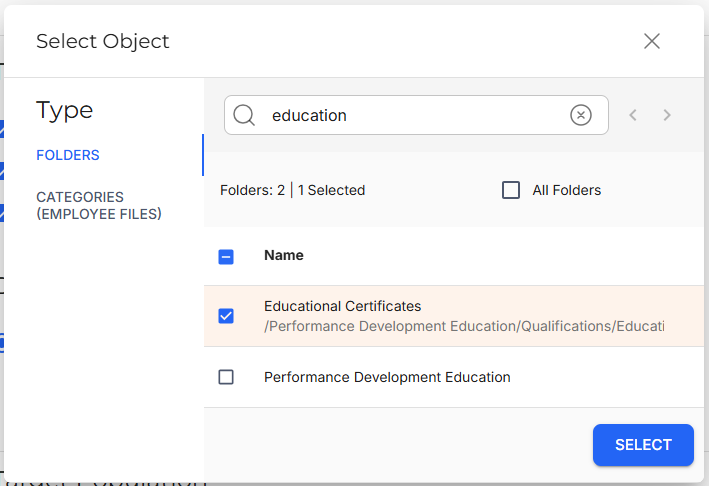
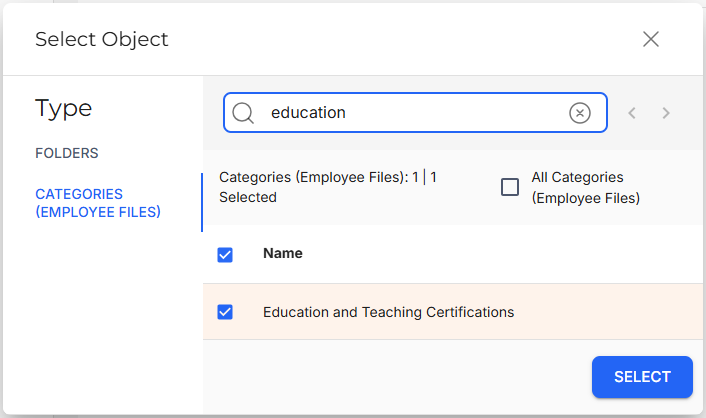
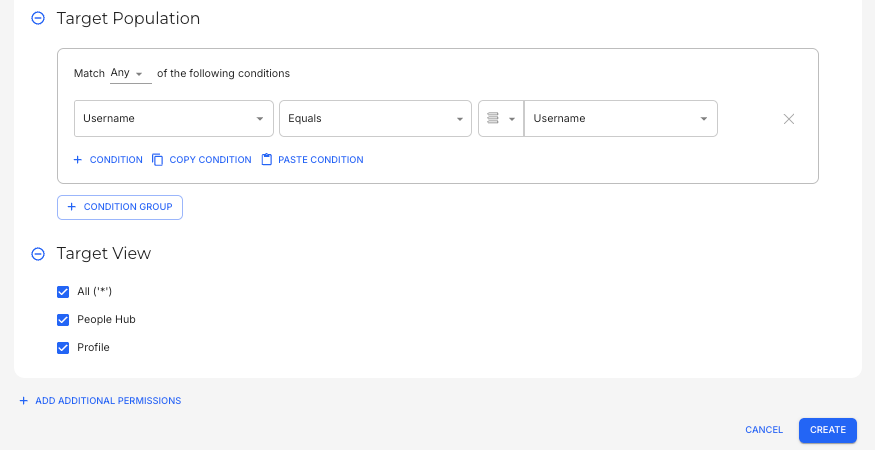
This configuration would allow the Training team to update documents under the Education and Teaching Certifications Category.
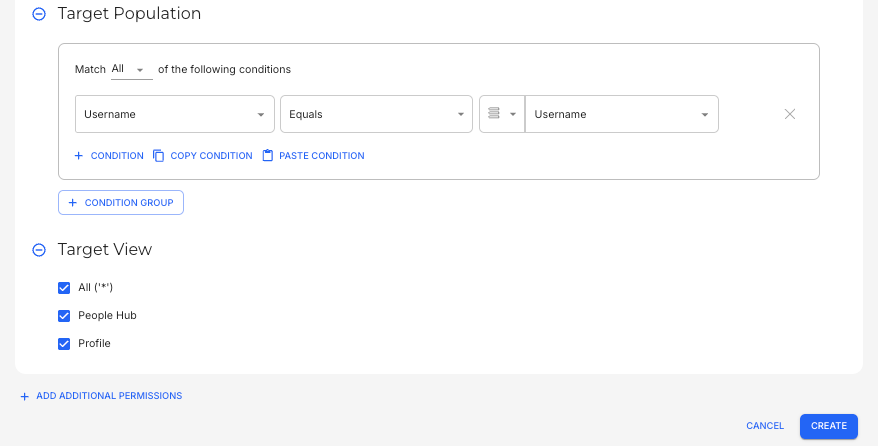
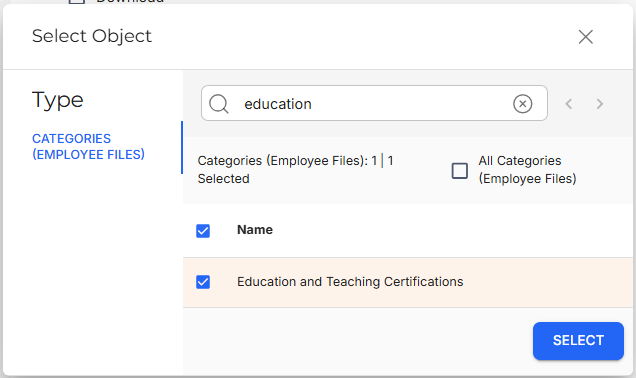
This configuration would restrict the Training team from updating their own Education and Teaching Certifications. |
Delete
Delete manages whether users can delete files.
Examples:
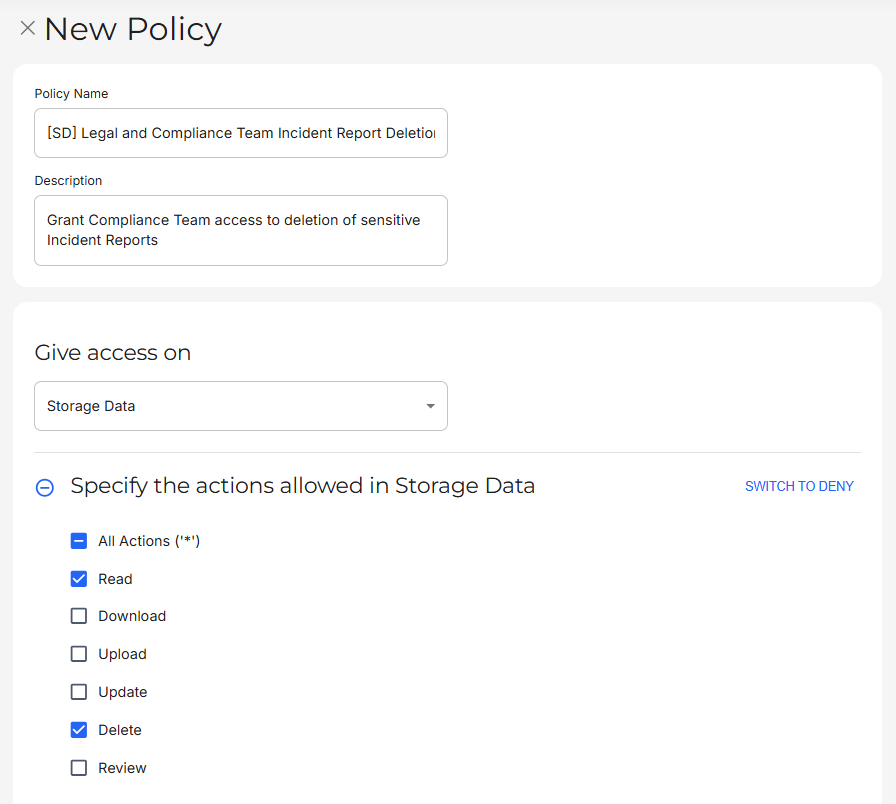
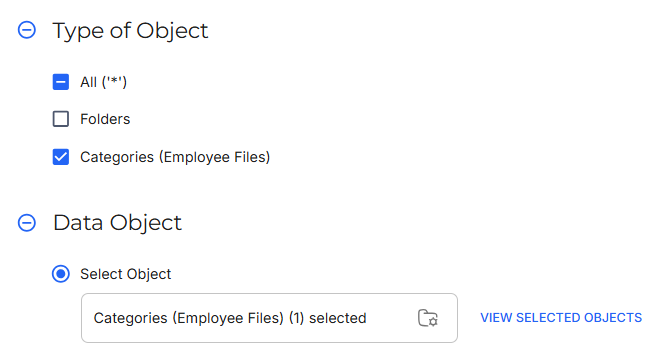
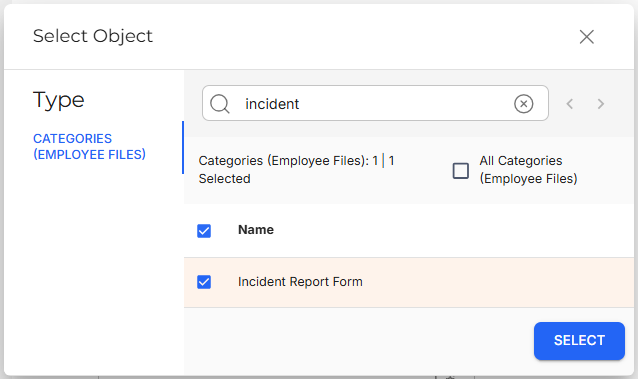
Policy Goal | The Legal and Compliance team should be able to delete Incident Reports. |
Policy Configuration |
This configuration would allow the Legal and Compliance team to delete Incident Report Forms. |
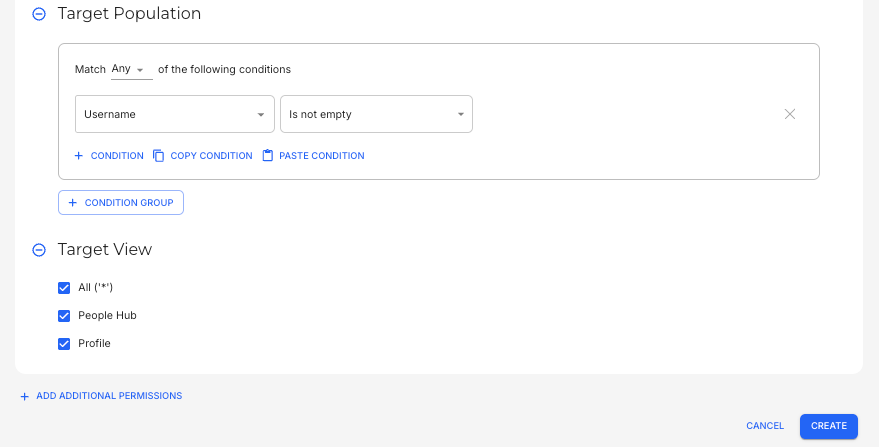
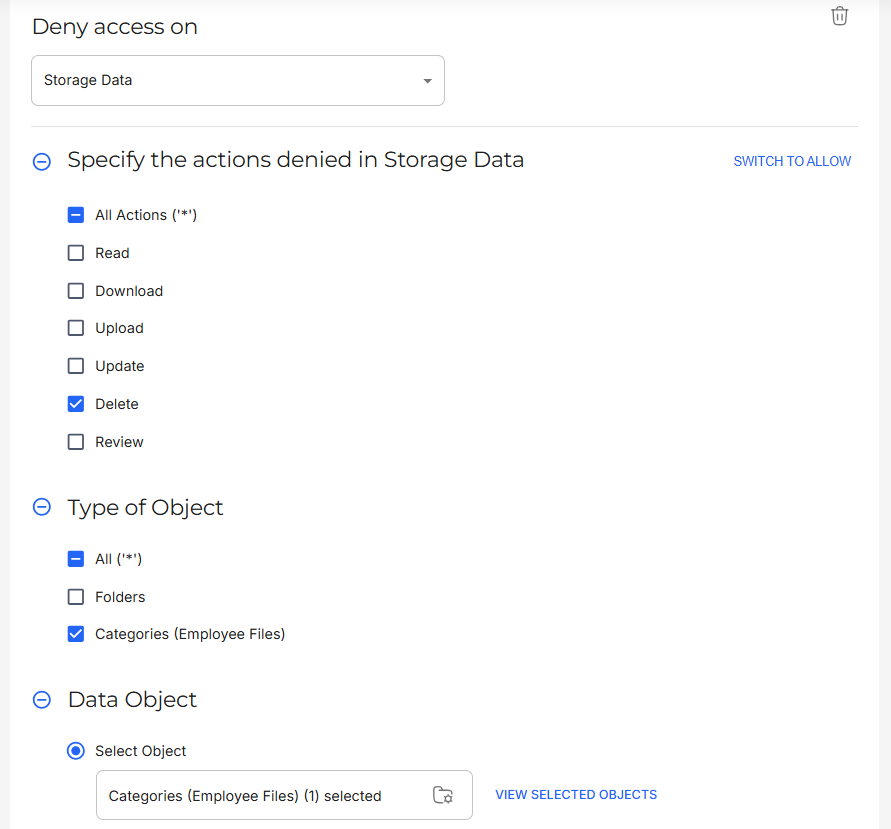
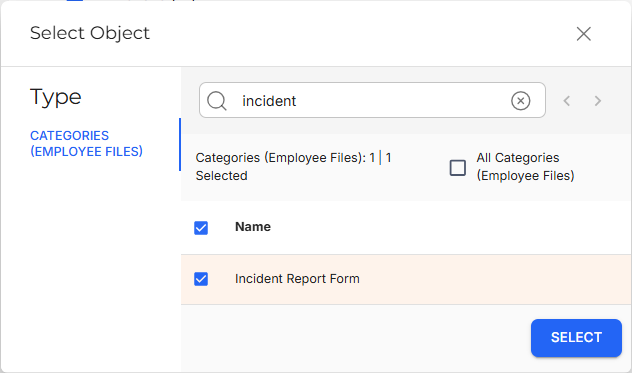
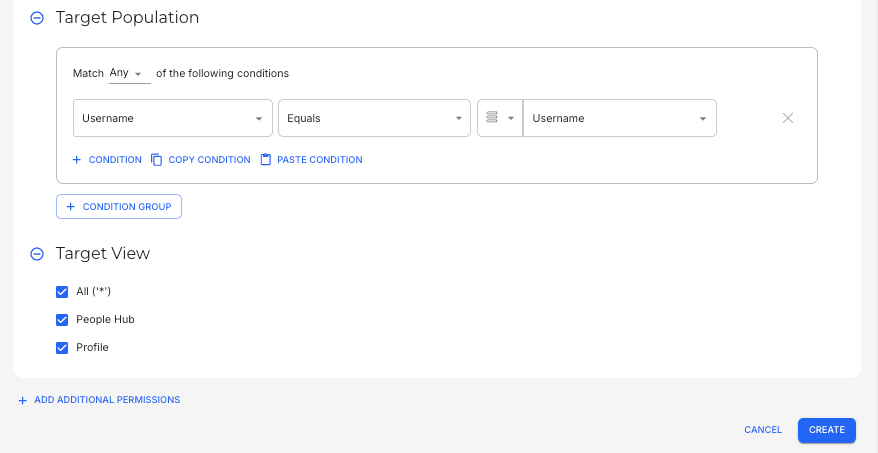
Policy Goal | All users should not be able to delete their own Incident Reports. |
Policy Configuration |
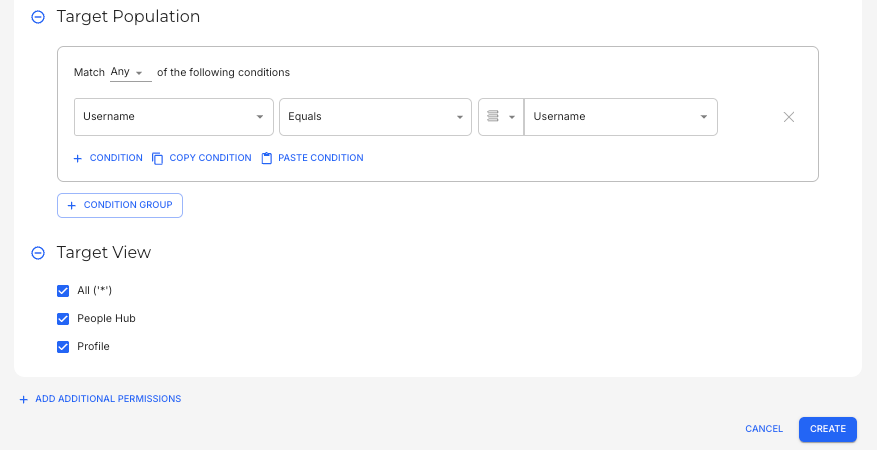
This configuration would restrict all users from deleting their own Incident Report Forms. |
Review
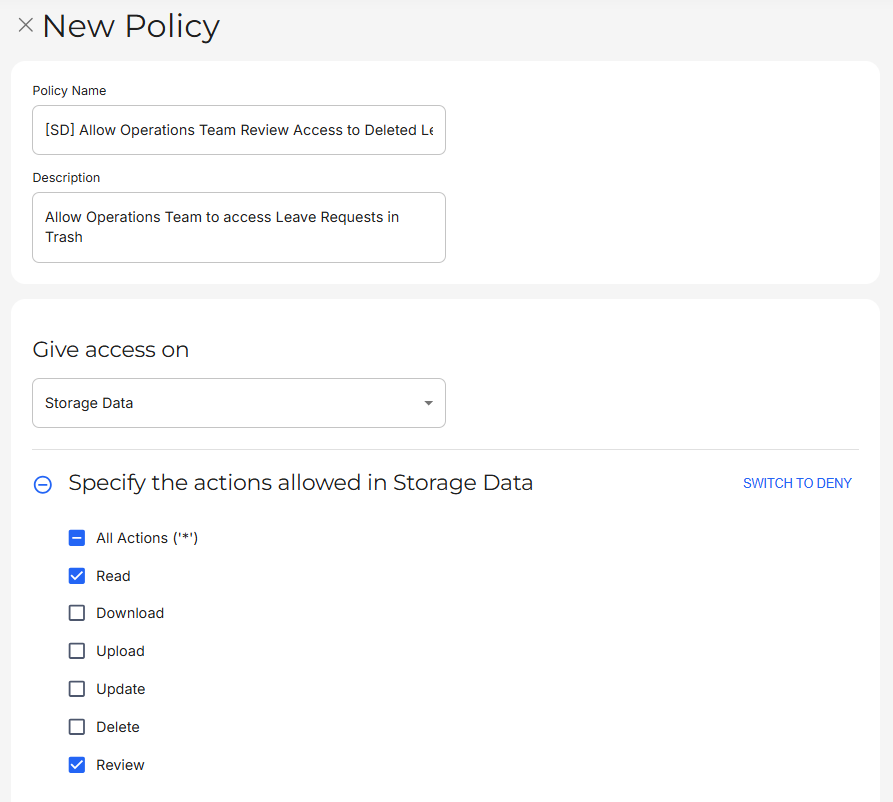
Review manages whether users can access the Trash feature.
Examples:
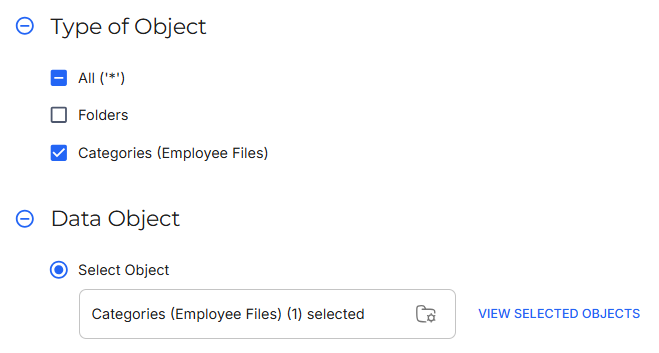
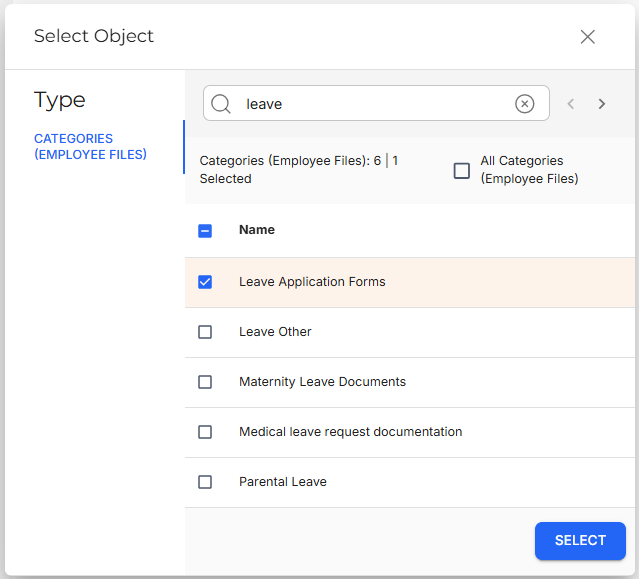
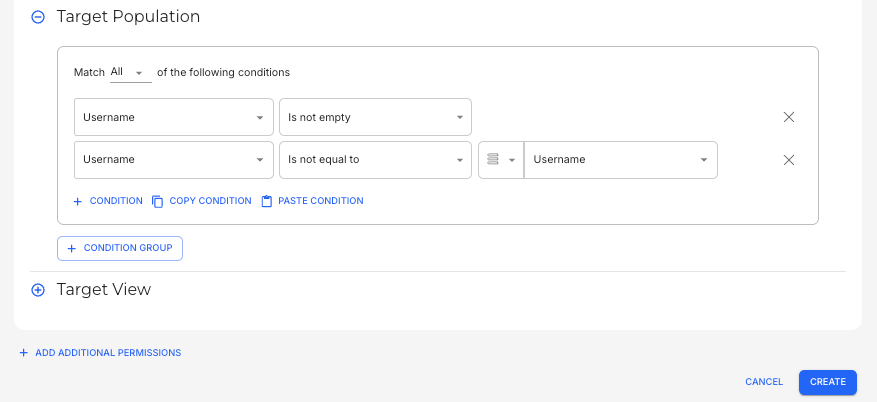
Policy Goal | The Operations team should be able to access all Leave Request Forms in the Trash, except for their own. |
Policy Configuration |
This configuration would allow the Operations team to access Leave Request Forms, except for their own, in the Trash. |