Error Handler
Error Handlers are applied to each Step in the Workflow. Every Step includes an Error Handling tab that specifies the actions to take when an error occurs or if the step fails to execute.
By default, all Steps are configured to stop the Workflow when there is an error.
Error Handling Tab
The following fields are shown when opening the Error Handling tab for each Step in the Workflow:
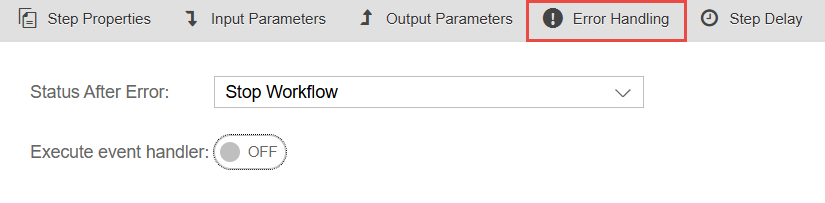
Status After Error | Defines what action to take when an error occurs:
|
Execute event handler | If enabled, the Step will run the selected Workflow defined in the Event Handlers tab. This requires the Error Handler in the Event Handlers tab to be enabled. |
Event Handlers Tab
When Error Handler is enabled in the Event Handlers tab, the following fields are shown:

Select Workflow Handler | Set the Workflow to be executed if a Step encounters an error and has Execute event handler enabled. |
Importing Containers from the selected Workflow | Only shown when a Workflow has been set in Select Workflow Handler. Allows you to set the values of all Containers within the selected Workflow that are set to Importing. |