Retrieve OAuth Token via API
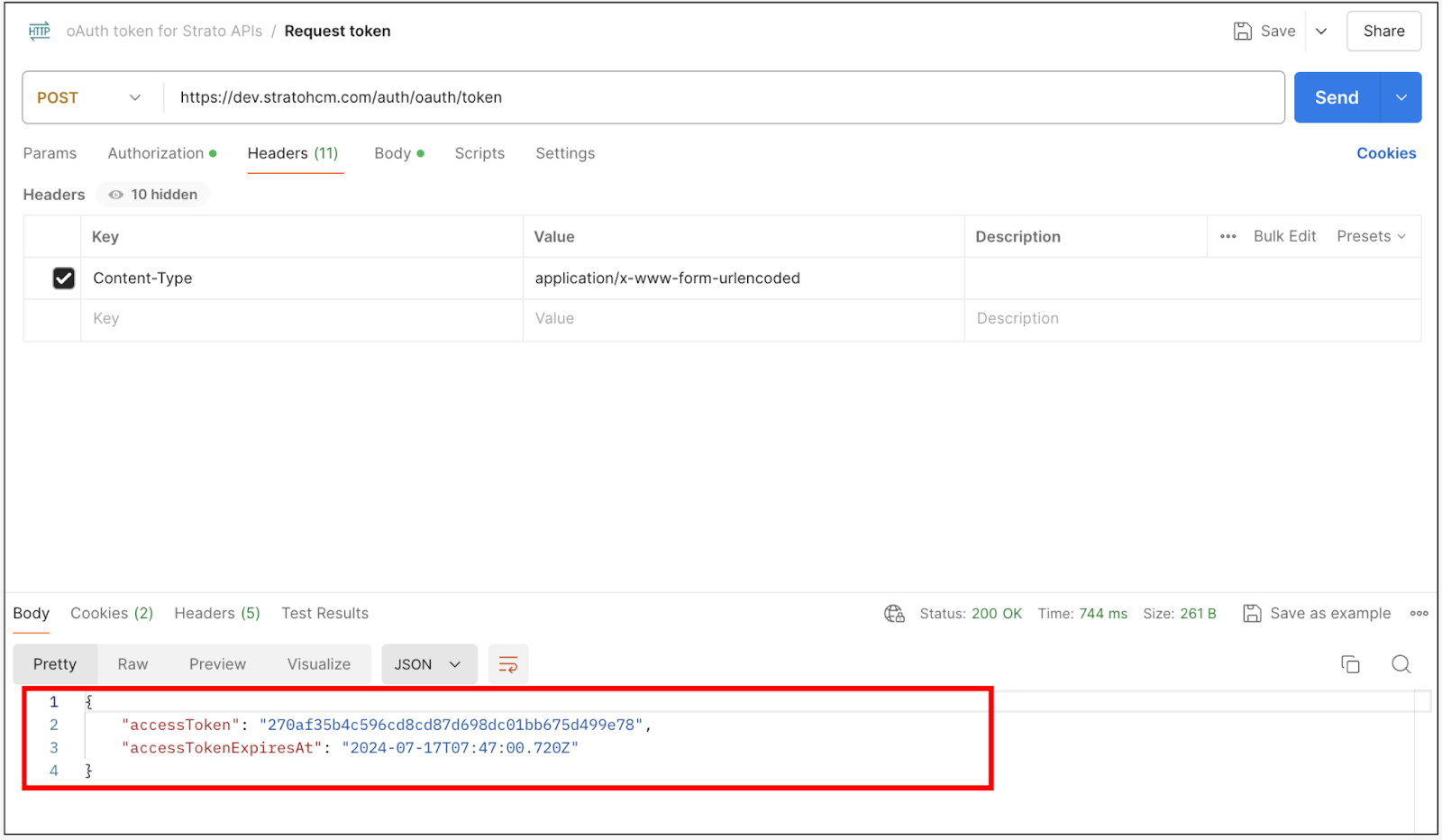
The following demonstrates how to conduct an API call to retrieve an oAuth token via POST method.
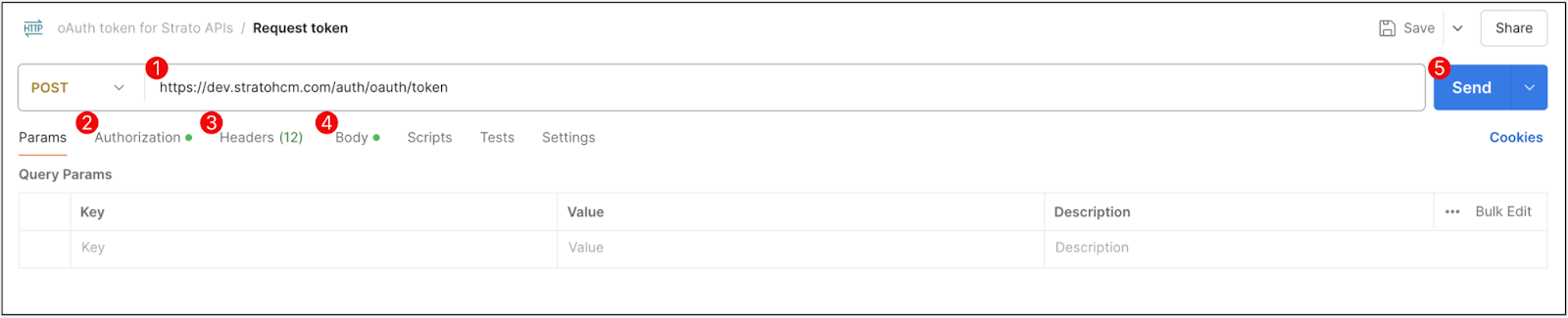
- Load Balancer URL: The load balancer URL is an automatically generated URL for a system. This can be found under General Settings in the Admin Tool, and can be conveniently copied via the copy button
 provided.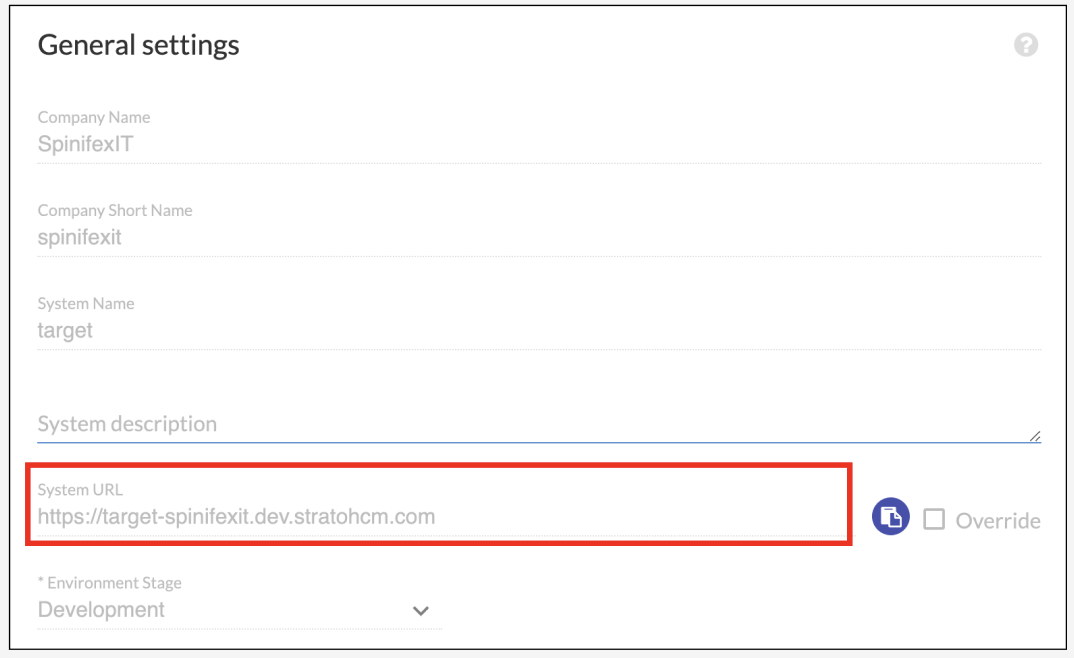
- Authorization: Ensure that the Authorization type selected is Basic Authorization. This type of authorization requires a username and password to authenticate the request.
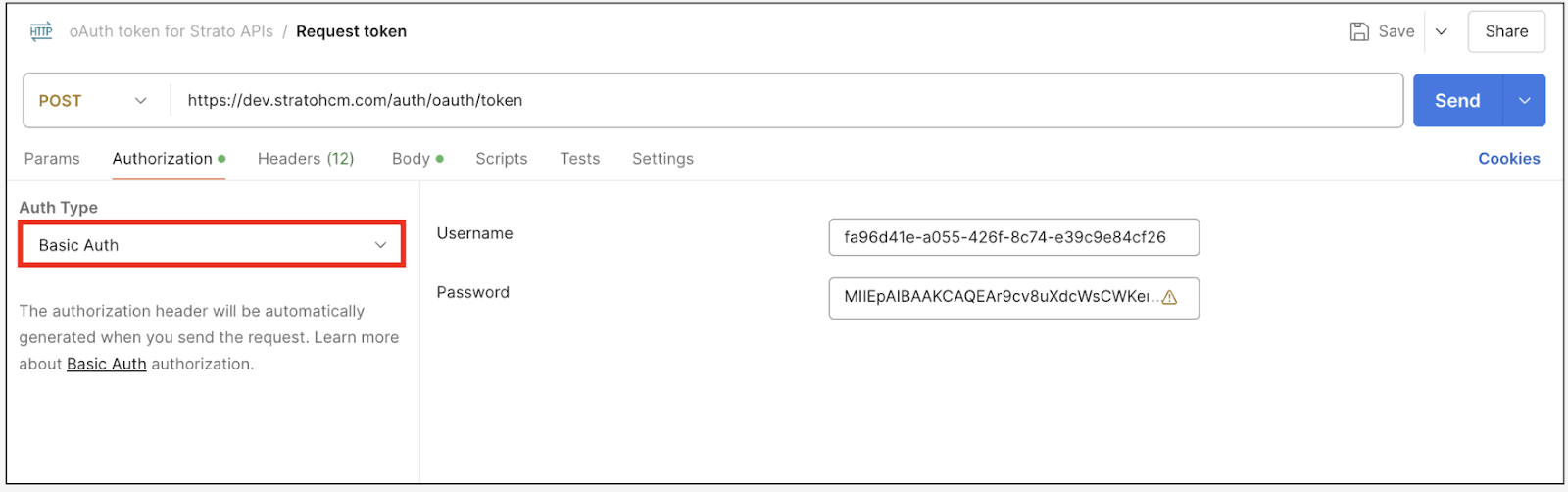
The required fields are obtained from the Strato API Configuration within Admin tool. Use the API key as the username and the certificate as the password. These credentials are necessary for the system to validate your request and provide access to the token. 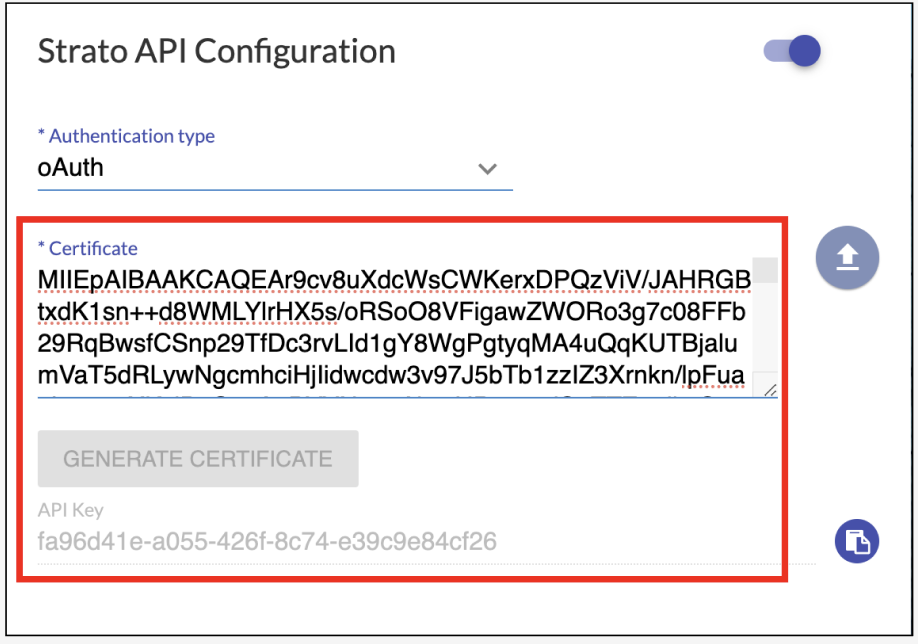
- Header: In Header, add Content-Type. Set the value of this field to
application/x-www-form-urlencoded. Tick the checkbox to the left of this field to include it in the request header.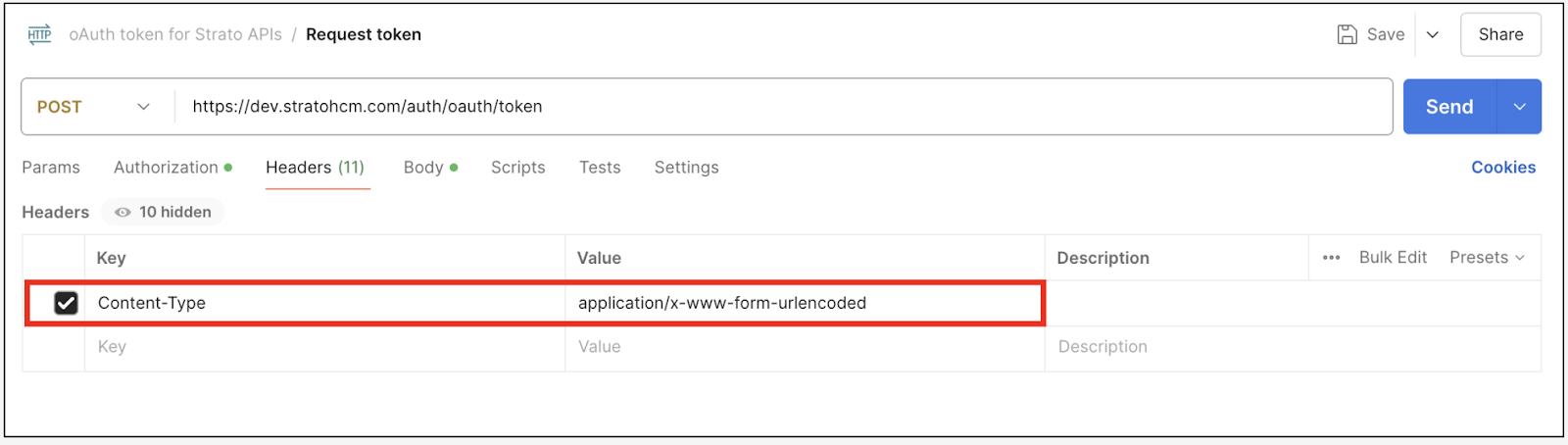
- Body: In the body of your API call, ensure to add the following JSON object:
{"grant_type":"client_credentials"}.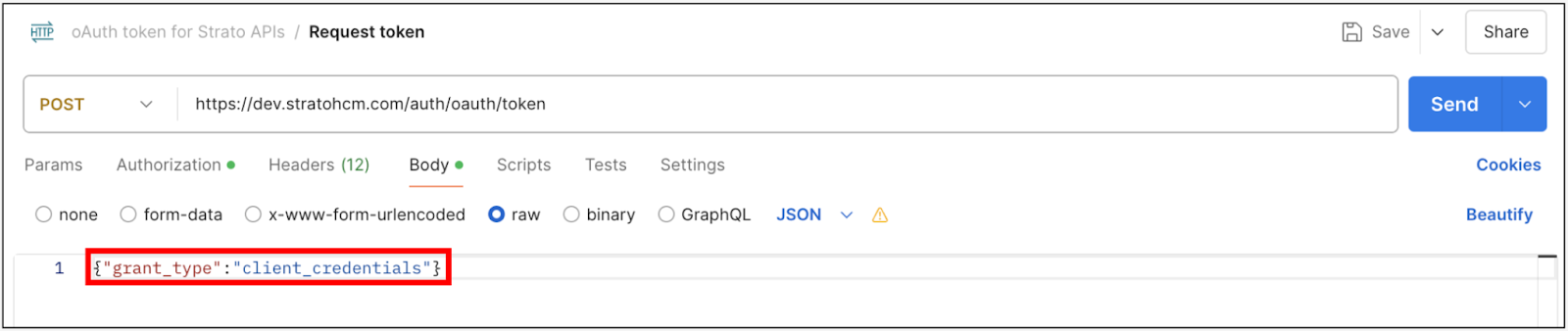
- After completing these steps, click on the Send button to initiate the API call. The system will process your request and return a response containing the token and its expiration date.