Create Constant Fields
Constant Fields are Fields that display the exact value entered or selected when the Field was created. This is best used for displaying static content or values.
This article shows how to create Constant Fields.
Requirements
Basic knowledge of Field Settings / Manager is required.
Instructions
- In the Field Settings, select the Catalog and Field Group where you want to create a new field.
- From the configuration panel below, click Create A New Field under the Actions section.

- The Create A New Field window will appear. Enter a name for the Constant Field, and set the Field Type to Constant Value.
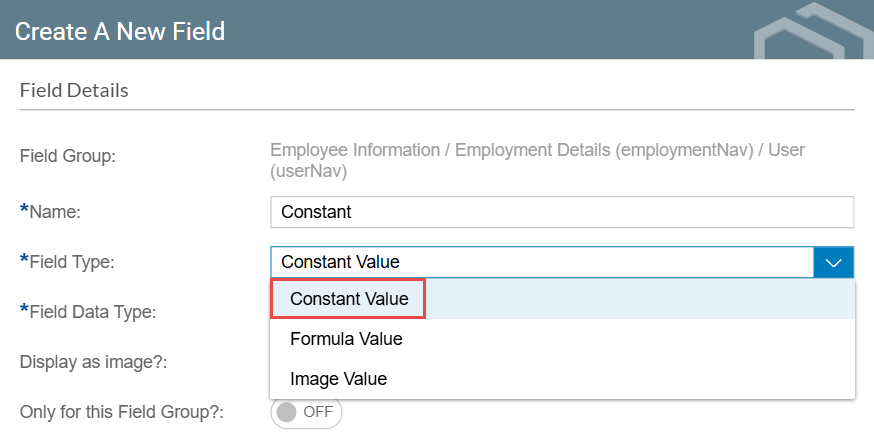
- Set the Field Data Type from the following options:

- Text: Displays and outputs a text string value.
- Number: Displays and outputs a number value.
- Date: Displays and outputs a date value.
- True/False: Displays and outputs either True or False.
- Optionally, you can set the Constant Field to only be available for your selected Field Group by enabling the Only for this Field Group? toggle.
- When the Field Data Type is set to Text, an additional toggle lets you display an image link as an actual image rather than text.

- Enter the value for the Constant Field. Then, after configuring your Constant Field, click Save.
