Set Up Metadata Framework Objects in SuccessFactors
This article guides you through setting up MDF (Metadata Framework) objects in your SuccessFactors instance. These objects allow Strato to upload documents and attach them directly to an employee record.
In this guide, you will create a Child MDF object (to hold the attachment) and a Parent MDF object (to link the child object to a user).
In this article, we will create:
- Child MDF object that has an "attachment" field and "auto number" external code
- Parent MDF object that has the Child MDF as an association and User as external code.
Requirements
A SuccessFactors instance with Employee Central is needed since the documents is being upload and will then be attached to a specific employee. Also, you will need a user account in SuccessFactors with the following permissions:
- Metadata Framework > Configure Object Definitions
- Metadata Framework > Read/Write permission on Metadata Framework
- Metadata Framework > Admin access to MDF OData API
- Metadata Framework > Manage Configuration UI
Instructions
Creating the MDF Objects
- Create the Child MDF object
This object will store the actual document attachment.- Navigate to Configure Object Definitions.
- Set the following important fields:
- Effective Dating must be "From Parent"
API Visibility must be "editable"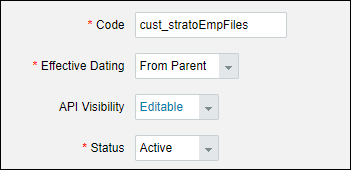
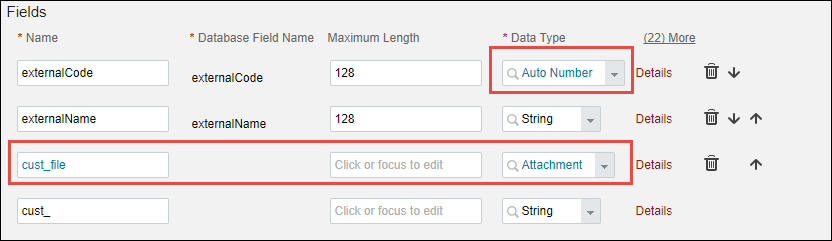
- externalCode must have Data Type of "Auto Number"
- Add a new field and set "Attachment" as the Data Type
- Create the Parent MDF object
This object acts as the container that links the attachment to the user.- Navigate to Configure Object Definitions.
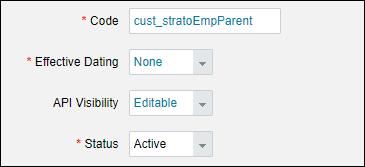
- Set the following important fields.:
- Effective Dating must be set to "None"
- API Visibility must be set to "Editable"
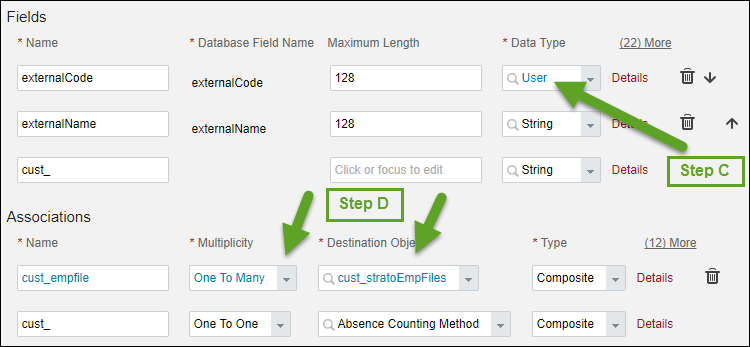
- external Code Data Type must be set to "User"
- Add an association that is "one to many" of the child MDF object type.
- Refresh metadata in SuccessFactors
- Go to the Admin Center. In the Tool Search box, search for OData API Metadata Refresh.
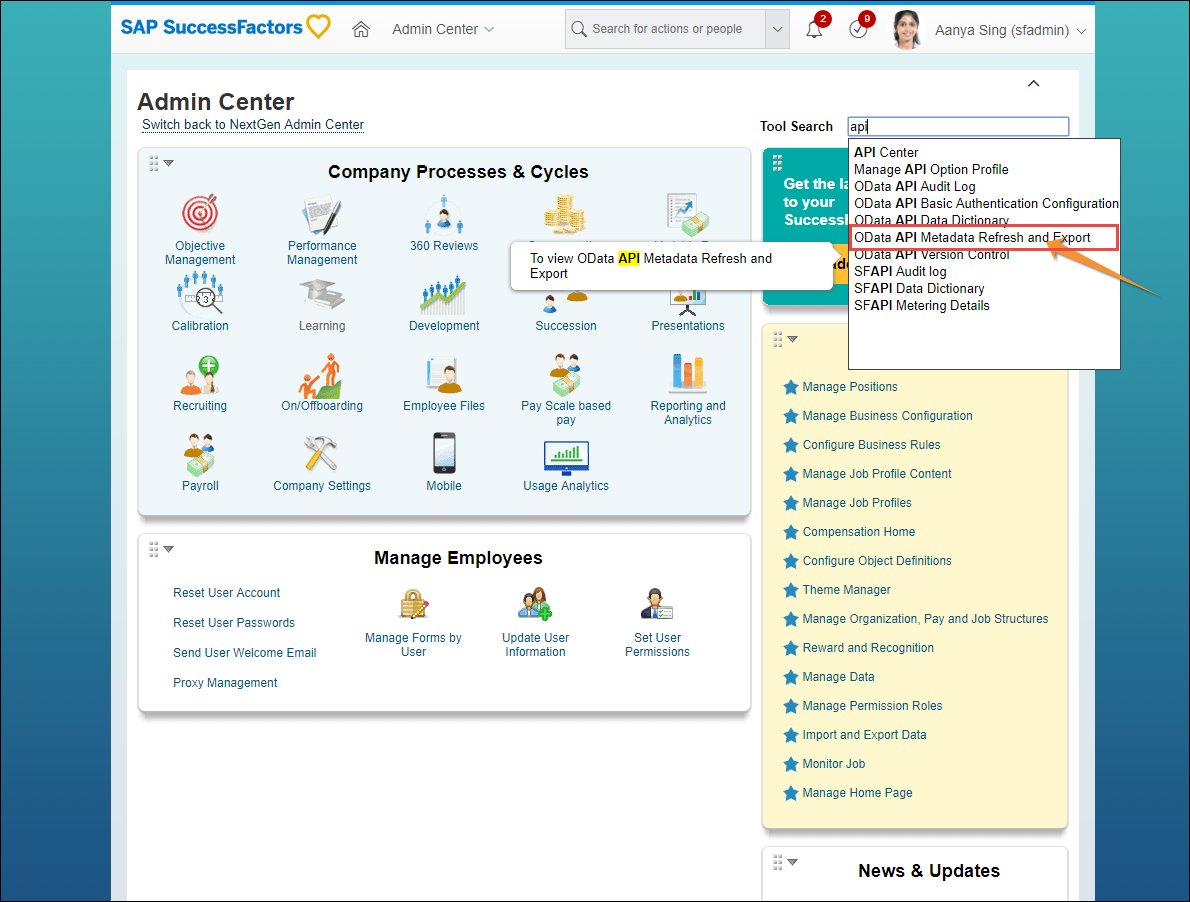
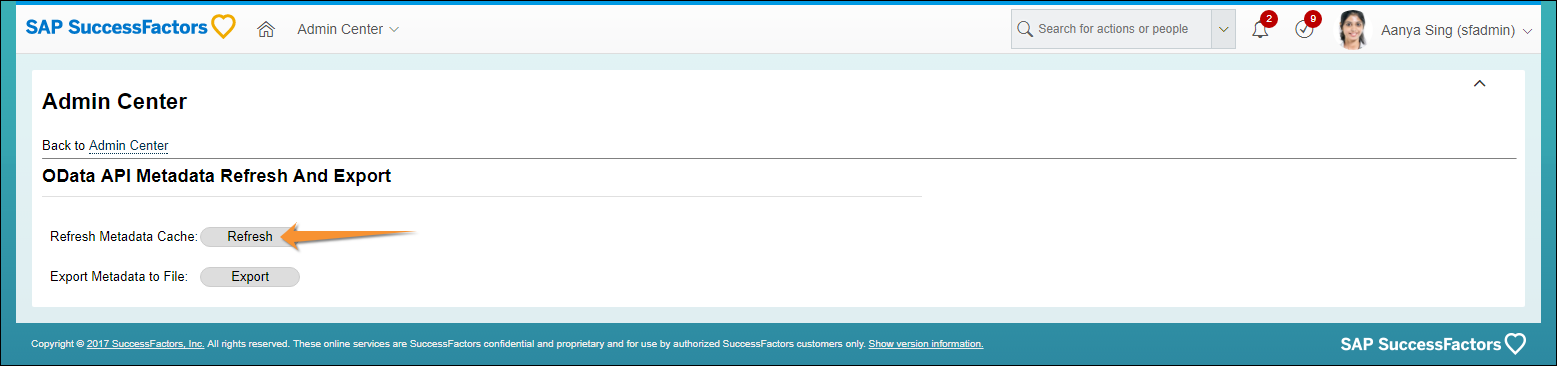
- Click on the Refresh button.
To add your MDF objects to Strato, read Adding MDF objects to Stato.