Set Up SuccessFactors Role-Based Permissions for Strato
Strato follows the authorisations and permissions defined in SuccessFactors's Role-Based Permissions (SF RBP).
Before users can fully utilize Strato, it is advised to verify that all required authorisations for each role are properly set up. This article serves as a guide on how to set up SF RBP for each role.
Requirements
Your SF user should have permissions to view and edit RBP. Contact your SF administrator if you do not have access to RBP Settings.
A foundational knowledge of SF is required.
Authorisations for HR Administrators
These permissions are required for HR Administrators to gain access to data from users they manage. This is also necessary for third-party applications.
Metadata Framework
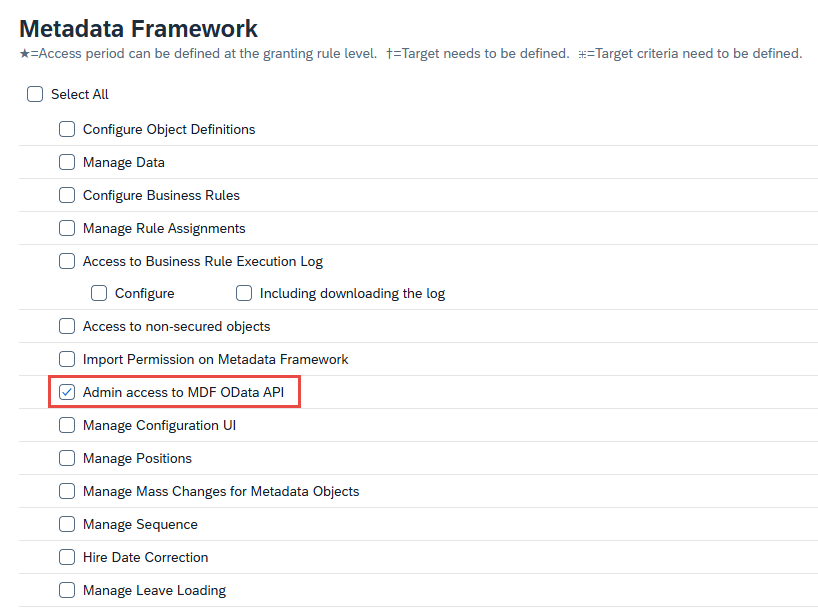
- Admin access to MDF OData API
Employee Central API
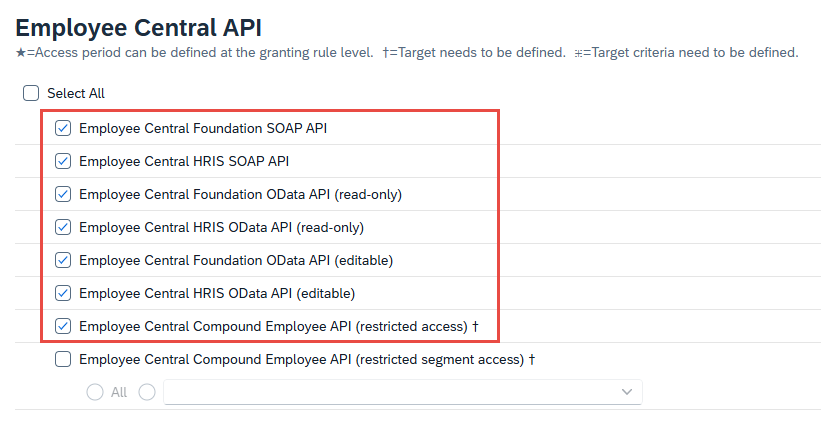
- Employee Central Foundation SOAP API
- Employee Central HRIS SOAP API
- Employee Central Foundation OData API (read-only): This authorisation is necessary for retrieving foundation data such as Department, Legal Entity, and more.
- Employee Central HRIS OData API (read-only): This authorisation is necessary for retrieving Employee data. This will not grant additional permissions to the end-user, but only allows third-party applications to retrieve data that the user has access to.
- Employee Central Foundation OData API (editable)
- Employee Central HRIS OData API (editable)
- Employee Central Compound Employee API (restricted access)
Manage User
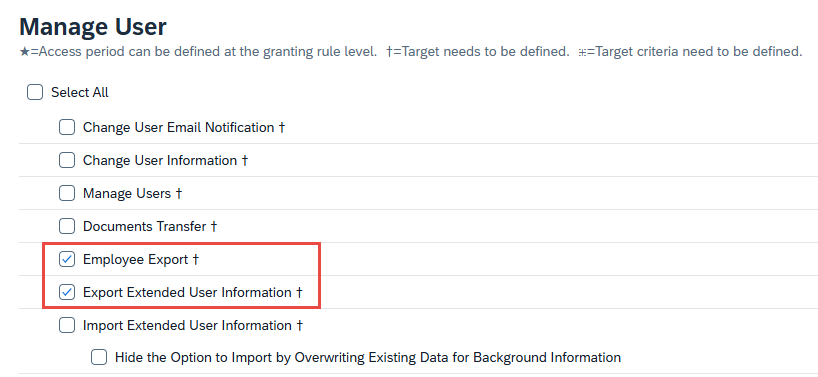
- Employee Export: This authorisation is necessary for gaining access to Talent entities (for example, entities that start with Background_).
- Export Extended User Information
Authorisations for ESS / MSS
These permissions are required for employees and managers to get their own data through API.
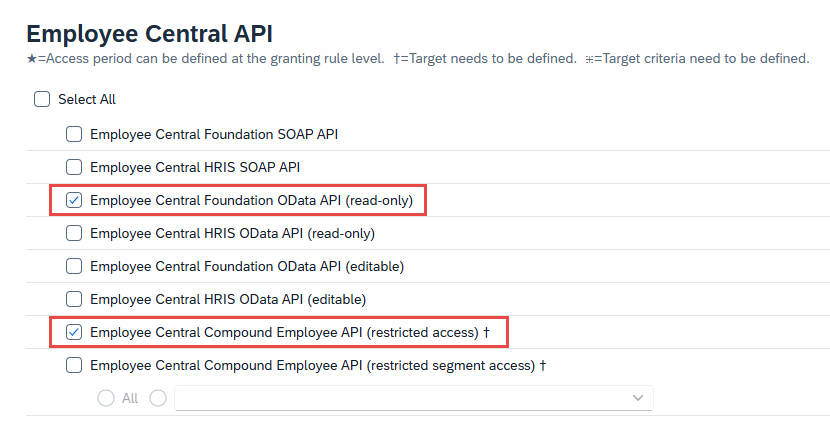

- Employee Central Foundation OData API (read-only)
- Employee Central Compound Employee API (restricted access)
- Employment Detail MSS: Enable the View permission only, as the Edit permission is unnecessary for MSS.
Authorisations for Talent
Users that deal with Talent require the following RBPs:
Employee Central API
- Employee Central Foundation SOAP API
- Employee Central HRIS SOAP API
- Employee Central Foundation OData API (read-only): This authorisation is necessary for retrieving foundation data such as Department, Legal Entity, and more.
- Employee Central HRIS OData API (read-only): This authorisation is necessary Employee data. This will not grant additional permissions to the end-user, but only allows third-party applications to retrieve data that the user has access to.
- Employee Central Foundation OData API (editable)
- Employee Central HRIS OData API (editable)
- Employee Central Compound Employee API (restricted access)
Manage User
- Employee Export: This authorisation is necessary for gaining access to Talent entities (for example, entities that start with Background_).
- Export Extended User Information
Authorisations for Recruitment
Users that deal with Recruitment require specific RBPs to access and manage Application, Candidate, Job Requisition, Job Offer, and Offer Letter data.
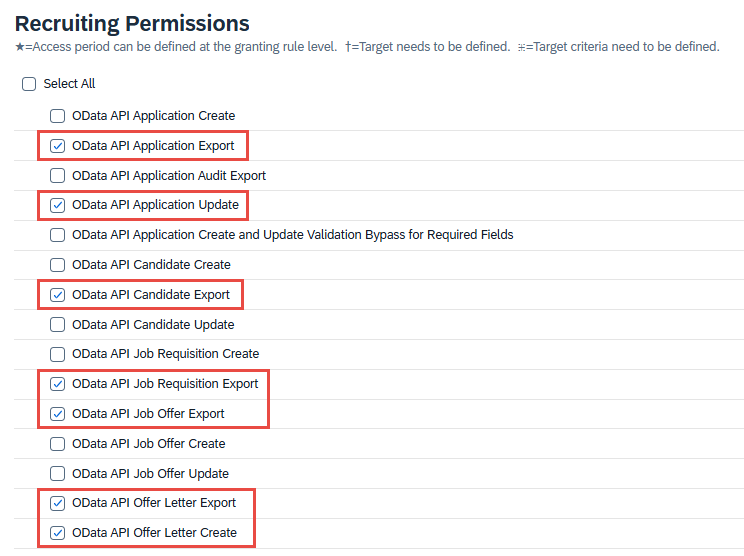
- OData API Application: The Export authorisation is necessary for gaining access to Application information. If updating an application status is necessary, include the Update authorisation as well.
- OData API Candidate Export: This authorisation is necessary for gaining access to Candidate information.
- OData API Job Requisition Export: This authorisation is necessary for gaining access to Requisition information.
- OData API Job Offer Export: This authorisation is necessary for gaining access to content of Job Offers for the Candidates.
- OData API Offer Letter: The Export authorisation is necessary for gaining access to Offer Letter information, while the Create authorisation is necessary for uploading an Offer Letter back to SF
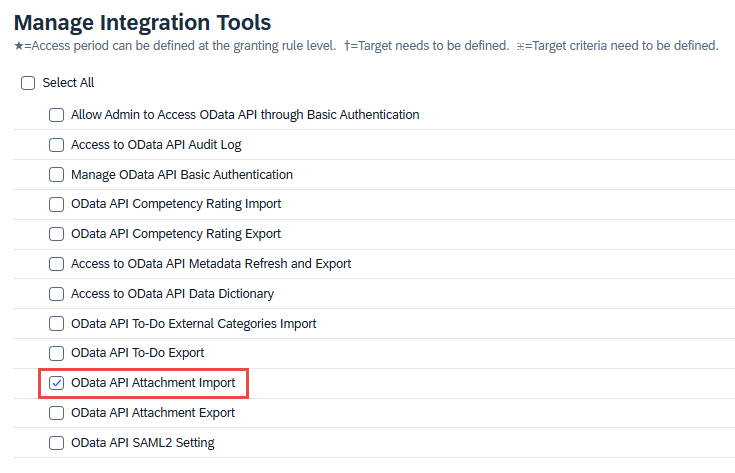
When executing a Workflow in Strato Document Generation that has a Store Document Step (for example, storing generated Job Offer Letter from Strato back to SF Recruiting), the OData API Attachment Import authorisation should also be enabled for the user running the Workflow.
The OData API Attachment Import authorisation can be found under the Manage Integration Tools section.
To learn more, read the official SAP documentation on the Offer Letter entity.
Authorisations for Strato Admin and API User
For Strato Admins and API User, include all the authorisations mentioned above.
Additionally, include the following authorisations as well:
Manage Integration Tools
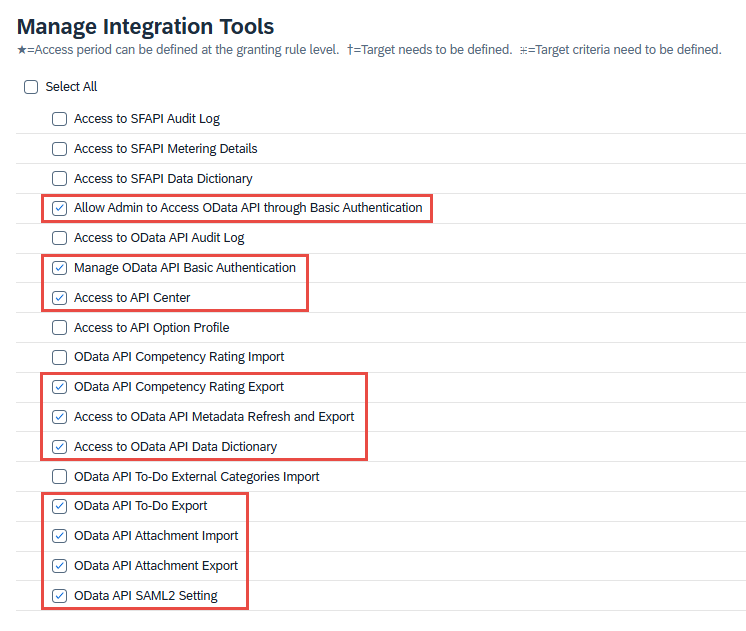
- Allow Admin to Access OData API through Basic Authentication
- Manage OData API Basic Authentication
- Access to API Center
- OData API Competency Rating Export
- Access to OData API Metadata Refresh and Export: This authorisation is necessary for Strato to get the list of fields available in SF, including MDF objects.
- Access to OData API Data Dictionary
- OData API To-Do Export
- OData API Attachment Import: Refer back to the note under OData API Offer Letter in the Authorisations for Recruitment section for more information on this authorisation.
- OData API Attachment Export
- OData API SAML2 Setting
Manage System Properties

- Picklist Management and Picklists Mappings Set Up
Employee Data
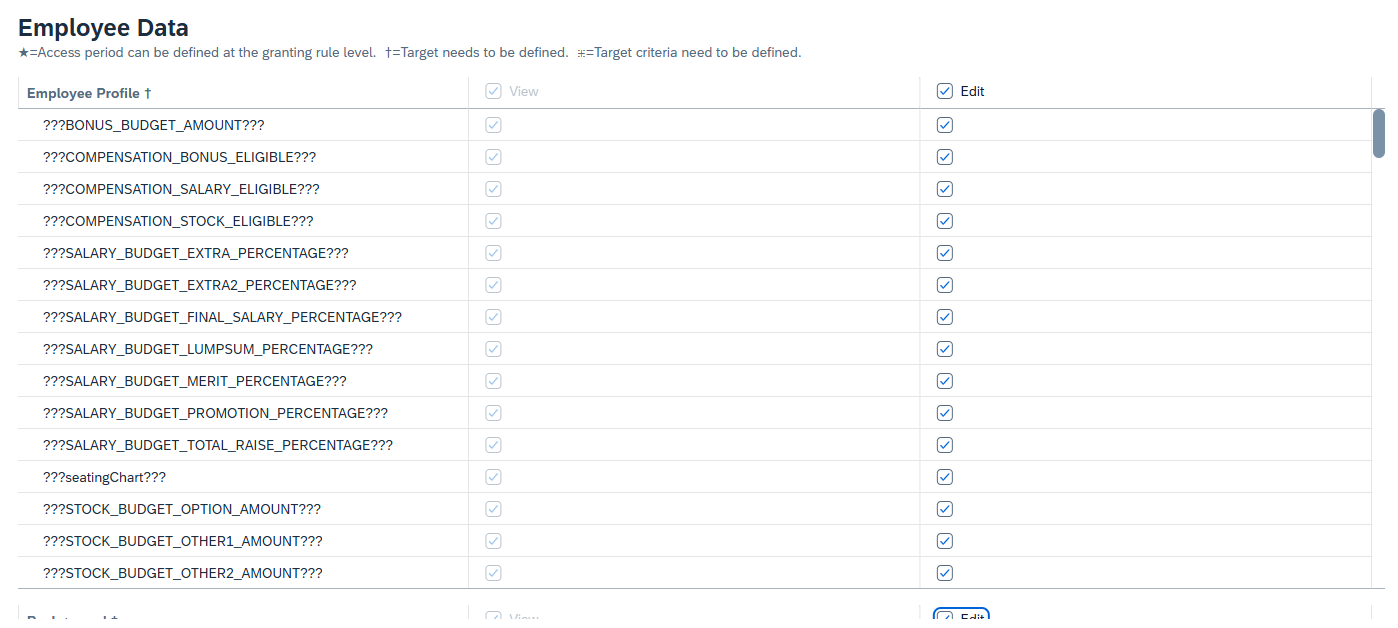
- Select Edit for every table under Employee Data. The View permission is automatically enabled if the Edit permission is enabled.
Access to RBP from Strato
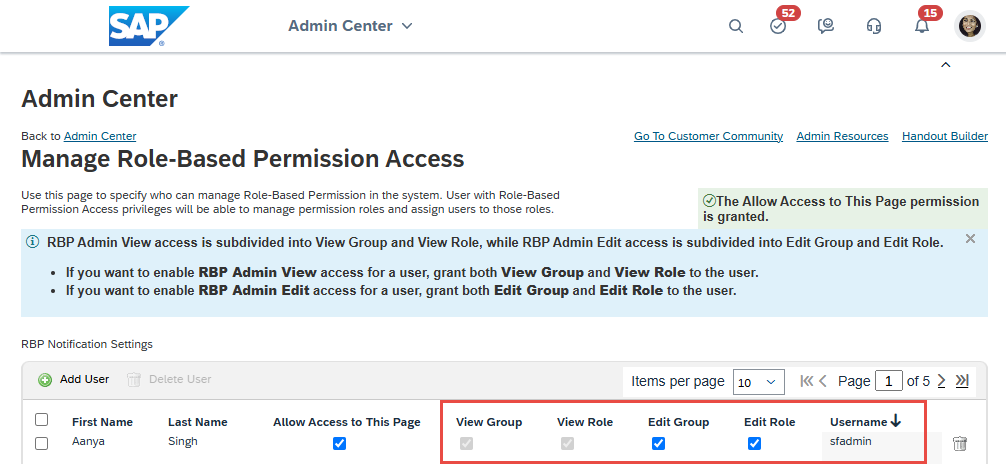
If using RBPs in Strato is necessary (for example, automatically assigning a Strato Group to an employee by checking if they are a member of a specific SF RBP Group), Strato requires the View and Edit authorisations for both Group and Role in your SF's Manage Role-Based Permission Access page. Note that this will enable the Admin menu access for all users.
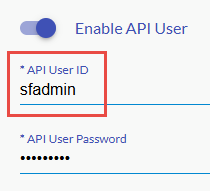
In the Strato Admin Tool, the API User defined under the SuccessFactors oData Settings panel should also have the same authorisations.
Optional Authorisations
These authorisations are not required, but may be useful in certain situations.
Recruiting Permissions
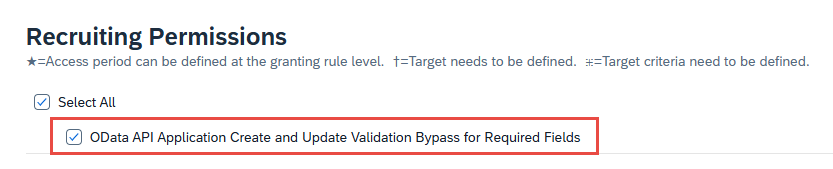
- OData API Application Create and Update Validation Bypass for Required Fields: This authorisation allows Strato to ignore missing or blank mandatory fields when moving a Candidate to a new status, preventing errors from stopping Workflows.
Errors from Missing RBPs
If your system's RBPs are incomplete, the following errors may occur:
- Error 403 - Forbidden
- Error 500 - Internal Server Error
When you encounter errors, check your RBP configurations and try again.