Set Up SAP Cloud Platform Integration as Proxy
Before setting up the oData Settings in Strato Admin Tool, install first the Strato SAP-CPI integration package in the client’s SAP CPI tenant following the instructions from this article: Strato SAP Cloud Platform Integration (Strato SAP-CPI).
Configuring SAP OData Settings
To enable connectivity using SAP CPI, set the toggle “Allow to use a SCI proxy for SAP” from Strato Admin:
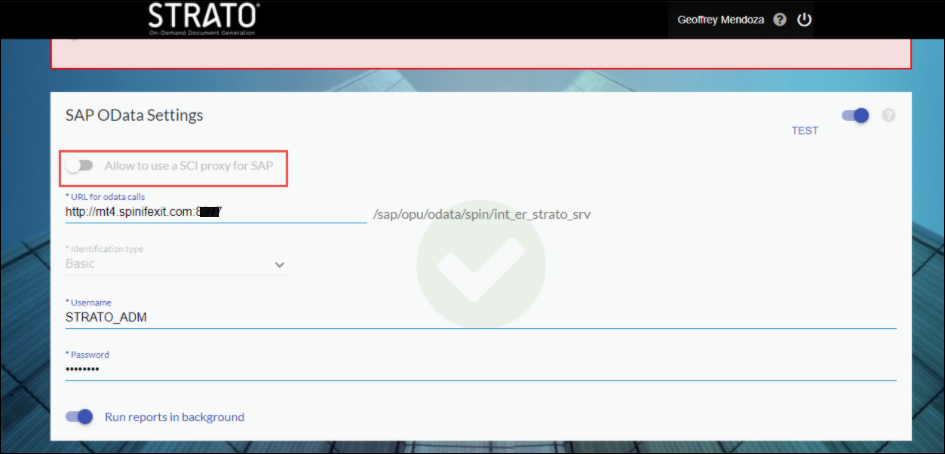
Enter the following details:
- URL for odata calls : This is the URL from the SAP CPI tenant which will be provided by the customer.
- Identification type : Select option Bearer.
- Username : This should be a value API user from customer’s SAP system.
- Certificate : Click the button “Upload from file” located at the rightmost side of this row to upload the PFX certificate file from your local (Note: You may get the PFX file and its passphrase from the SpinifexIT team).
- Passphrase - enter here the passphrase given by SpinifexIT team that came together with the PFX file.
Configuring SuccessFactors OData Settings
To enable connectivity using SAP CPI, set the toggle “Allow to use a SCI proxy for SuccessFactors”:
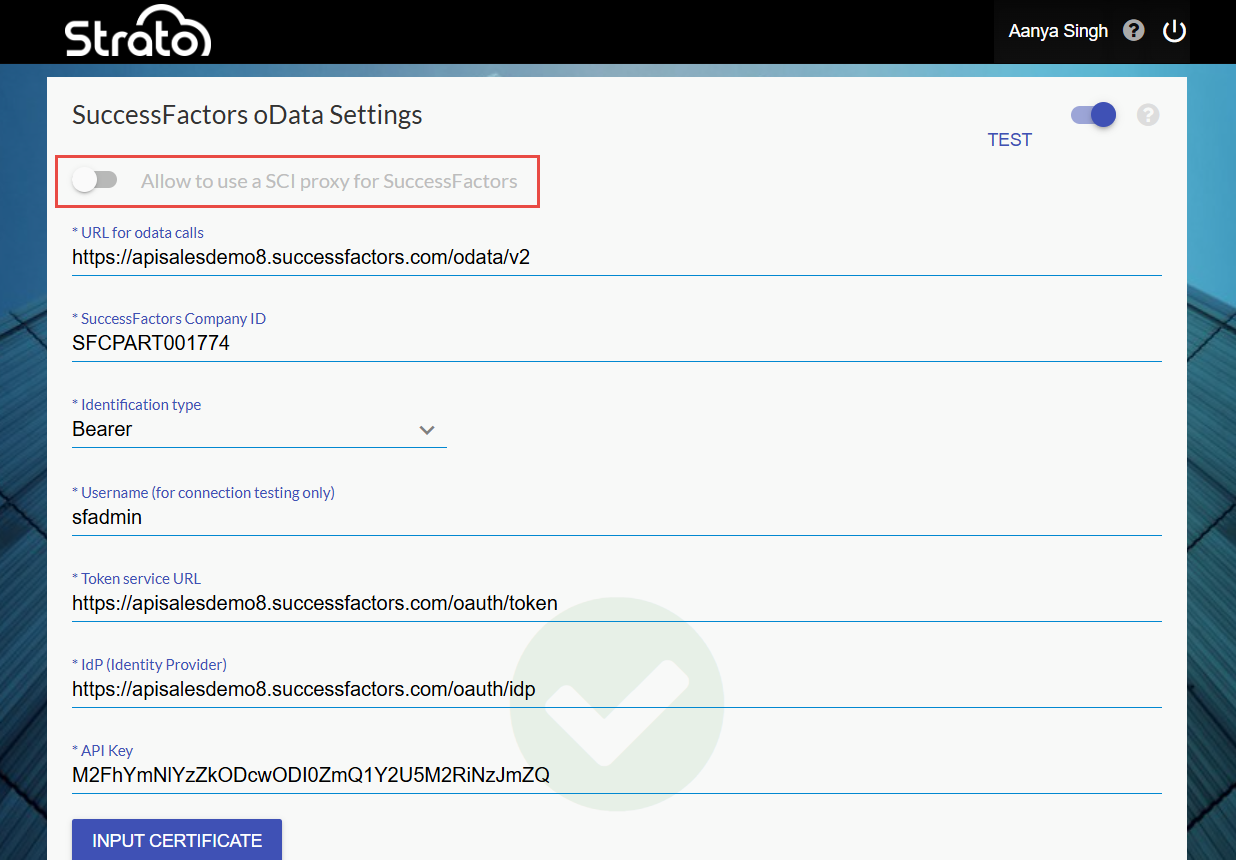
The setup is almost exactly the same as SAP OData Settings. Enter the following details:
- URL for odata calls - this is the URL from the SAP CPI tenant which will be provided by the customer
- Identification type - select option Bearer
- Username - this should be a value API user from customer’s SuccessFactors system
- Certificate - upload the same PFX file from SAP OData Settings
- Passphrase - enter the same passphrase from SAP OData Settings