Field Selector [V1]
When creating a document template, fields to insert into your document is pulled from the Field Selector.
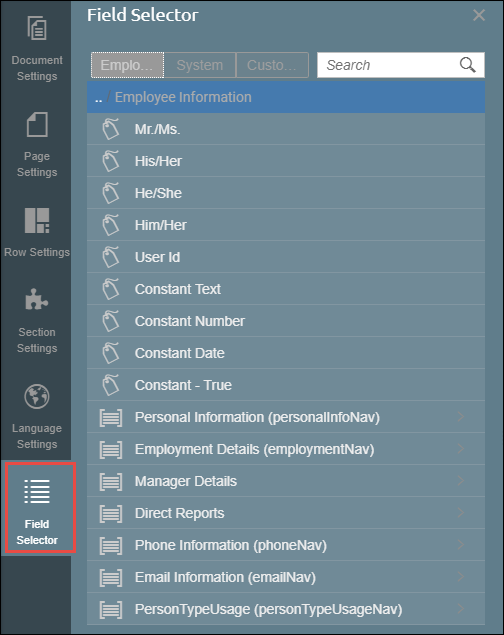
The Field Selector tab has 3 tabs:
- Fields from your chosen Catalog (Employee, Application, Requisition, Easy Reporter, User, External Data)
- System - contains fields and field groups stored in Strato (By default the system tab only has one field - the Date Today field.) Starting release version 1.12, the Page Number and Total Pages field have been added in the System tab of the Field Selector tab. These 2 fields have been added to allow you to indicate page numbers in your document.
- Customer - contains fields and field groups that are intended for customers. The contents of this tab may vary per customer. Customers can also create their own fields.

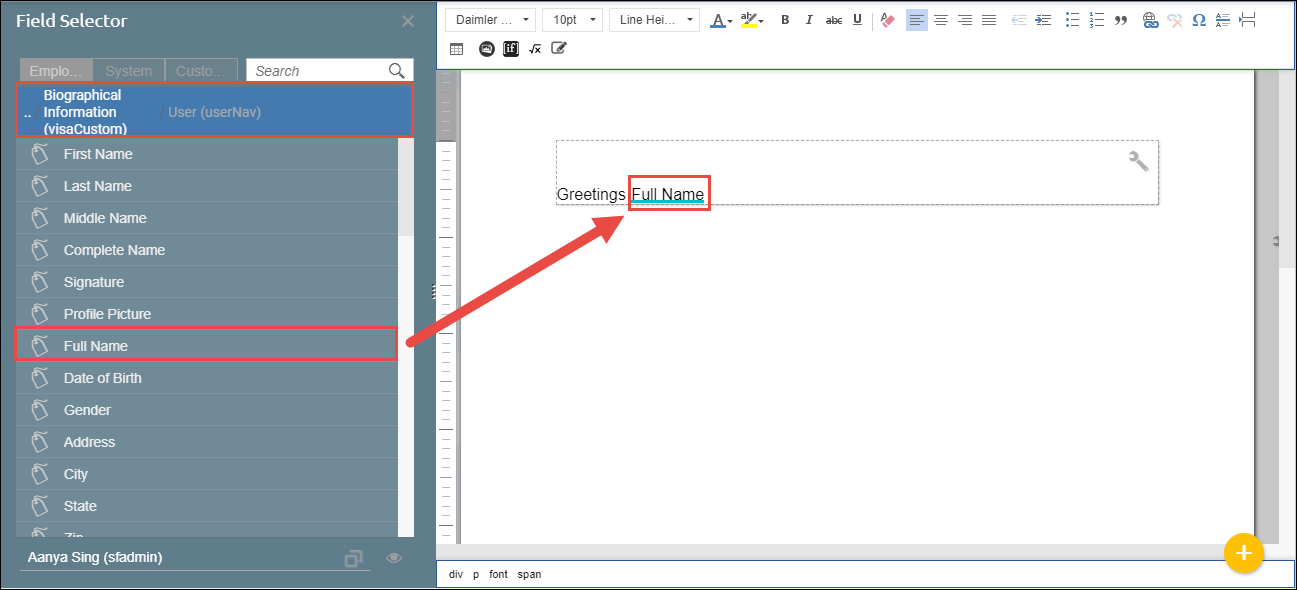
To add a Field to your Text Section, simply click on Field from the list of fields displayed. When selecting a field from a field group, the breadcrumbs will be displayed at the top. You can also look for fields using the Search bar.
In addition to field groups and fields from your selected catalog, merged field groups and merged fields can also be used in your document.