Troubleshoot DocuSign Integration
When generating job offer letters with a signature via DocuSign, you may encounter an issue where neither the signed letter nor the comments are reflected in the Candidate's Profile in SuccessFactors Recruiting.
Cause
This issue occurs when the Connect settings in DocuSign are not properly configured. Specifically, the system is missing the callback configuration required for Strato to receive confirmation of the signature.
Instructions
To resolve this issue, you must configure the missing callback in DocuSign.
- Log in to DocuSign.
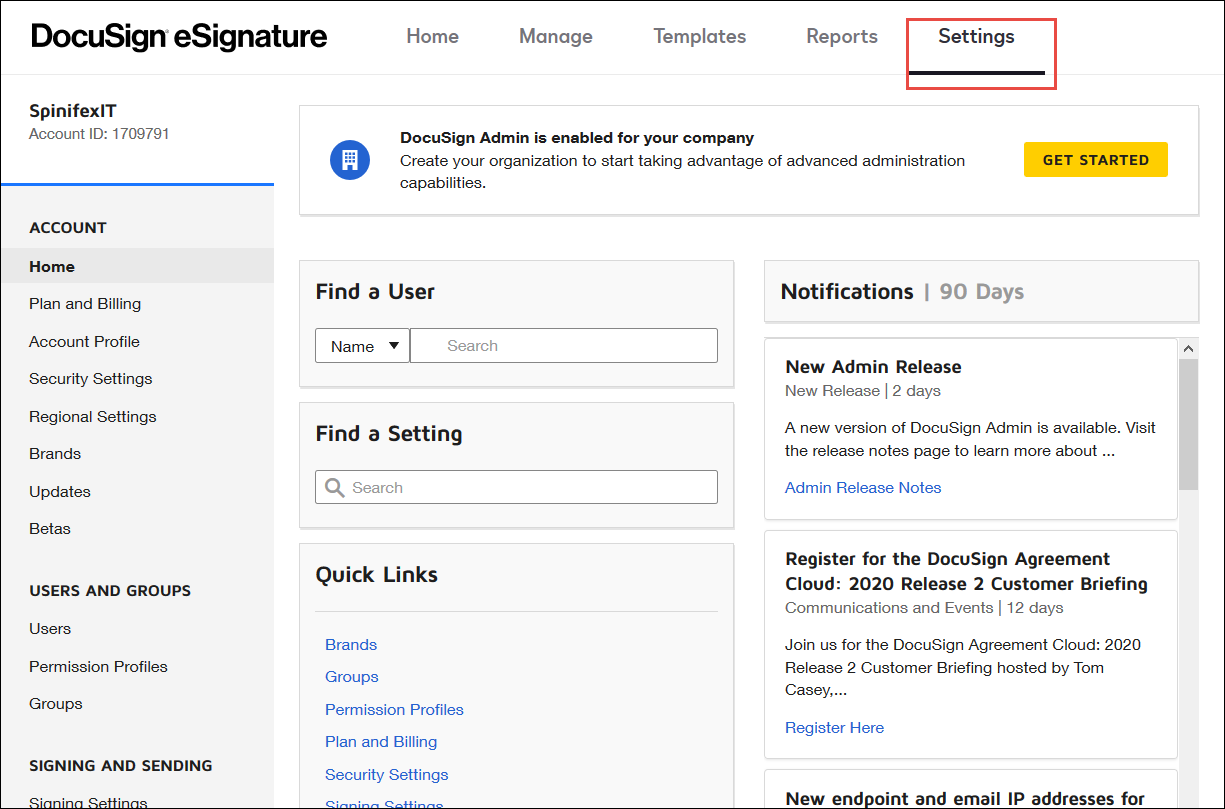
- Click Settings.
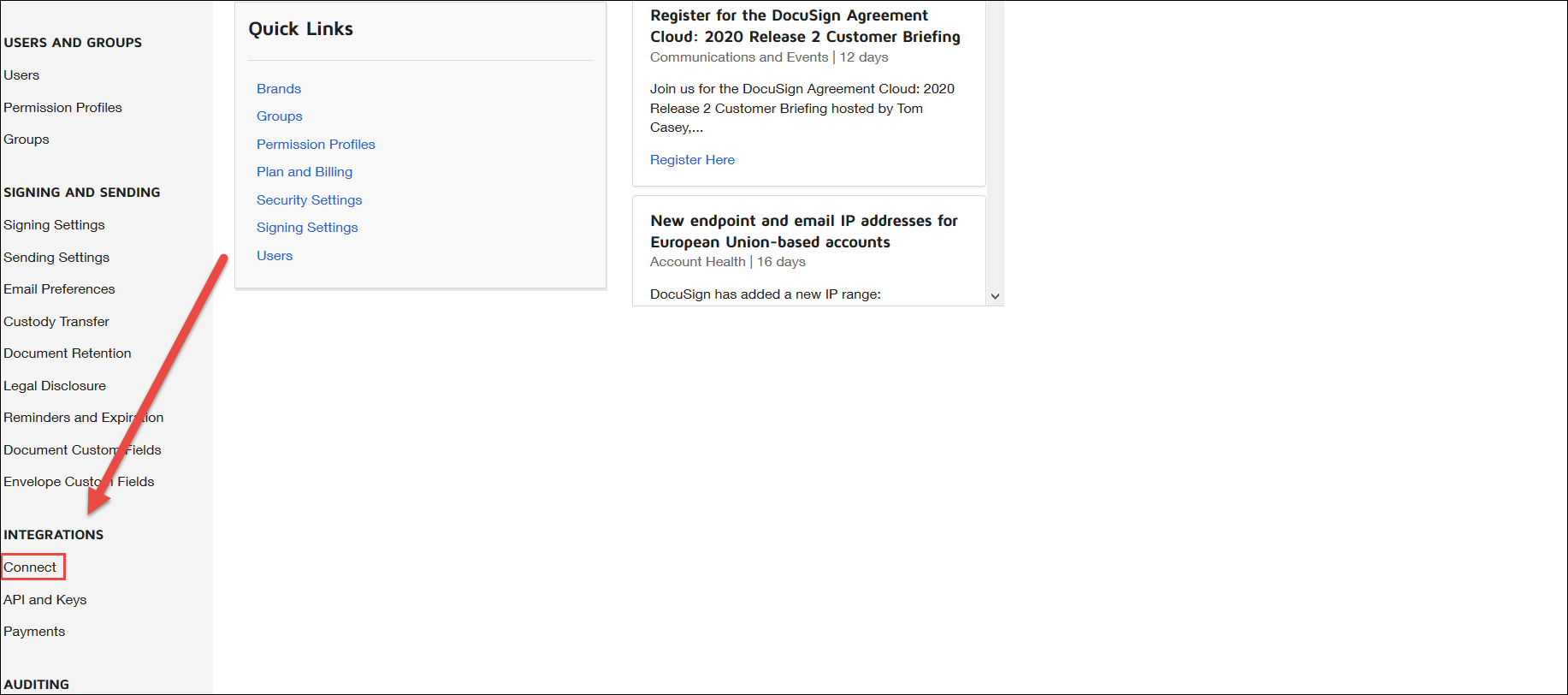
- Click Connect.
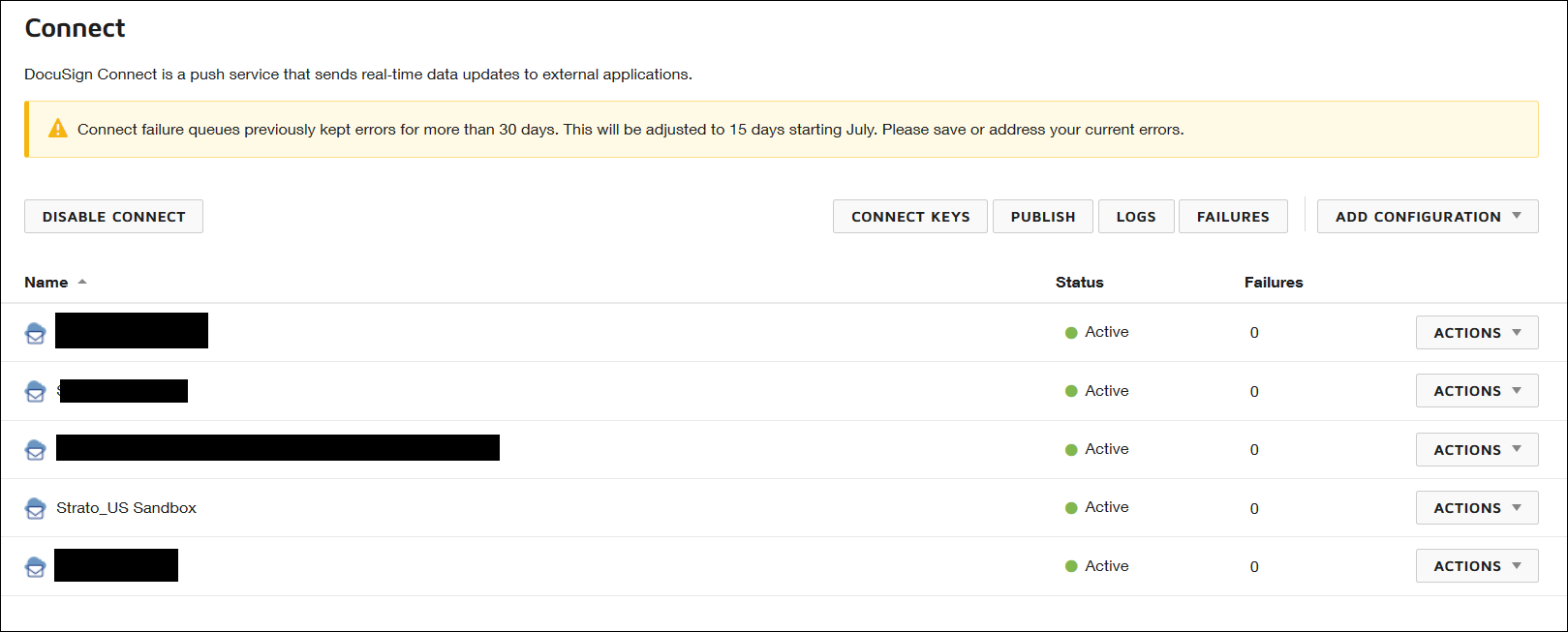
- Add a connection to your system.
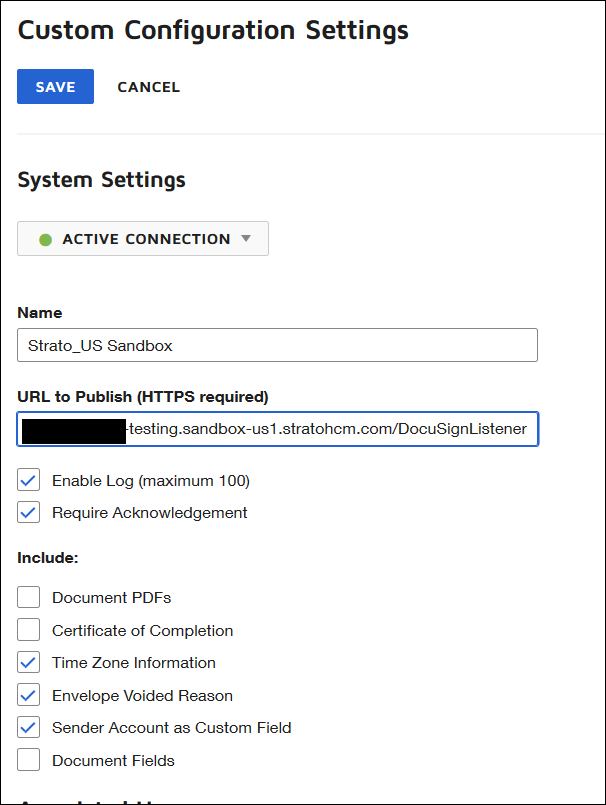
- Configure the URL and other required information.
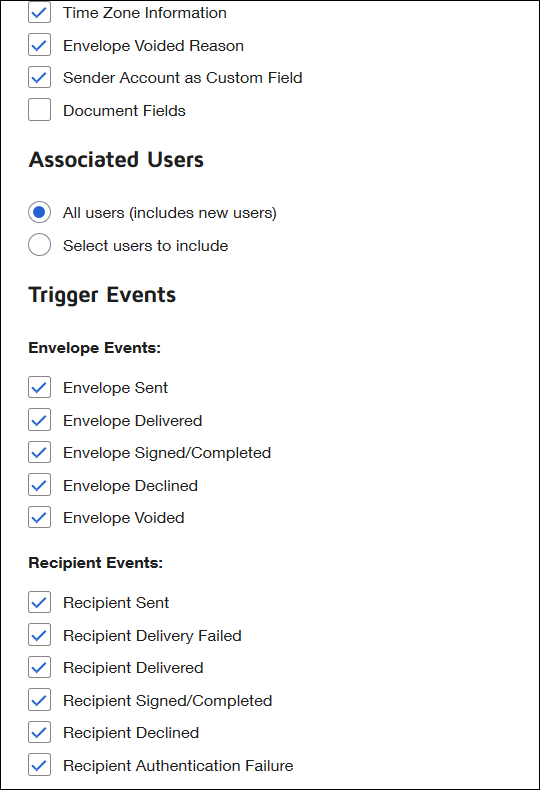
Once this configuration is complete, Strato will receive confirmation from DocuSign when documents are signed. The system will then automatically send the document and comment to the candidate in SuccessFactors Recruiting.