Date Math Calculation Enhancement
The Date Math Calculation enhancement enables users to use date fields as parameters in Formula Fields. Specifically, users will be able to use Sum and Difference formulas with these date fields.
Requirements
Basic knowledge of how to create Formula Fields is required.
Functionality
With Date Math Calculation enabled, users can use datasource fields with date values as parameters in Formula Fields. The available operations are Sum and Difference.
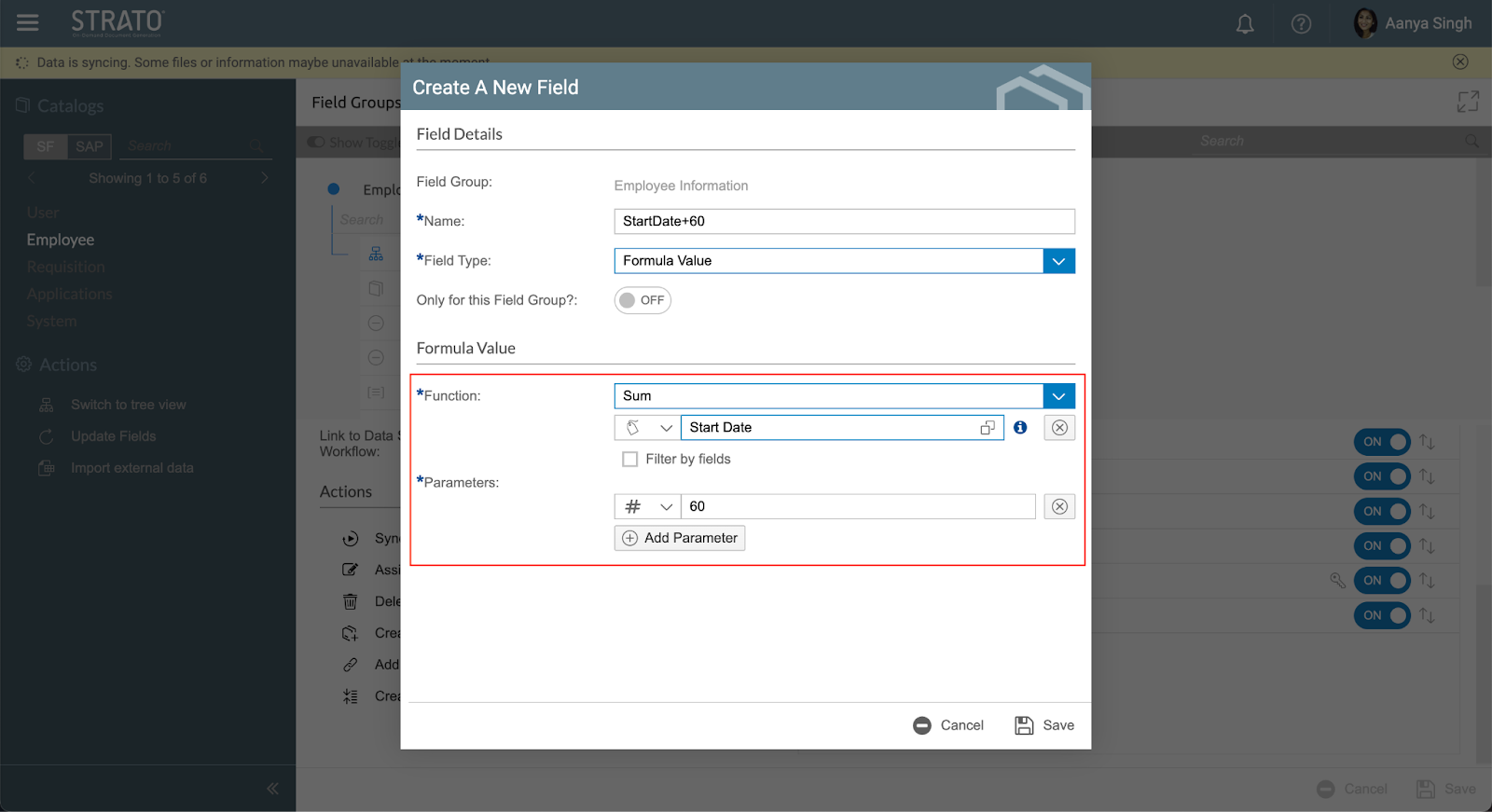
Here are the different parameter type combinations and their expected results:
Parameter Type Combinations | Results |
Date and Number 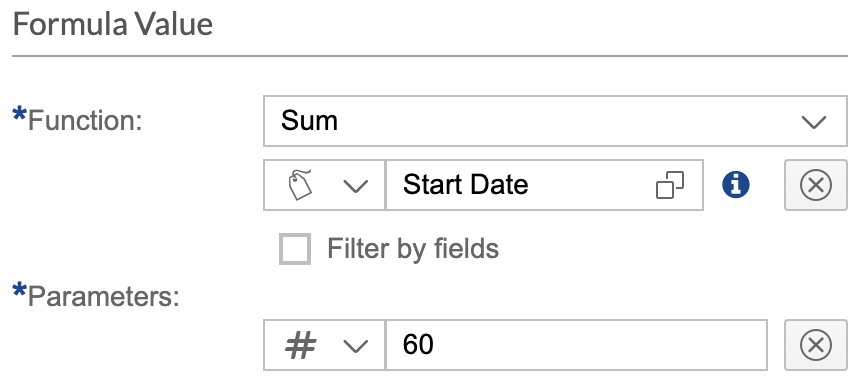 | Date 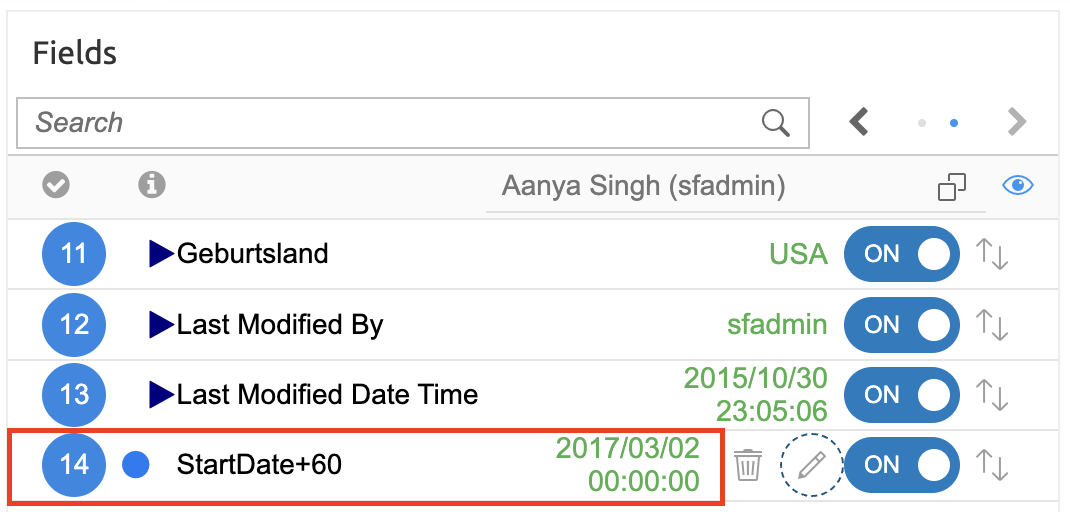 |
Number and Date 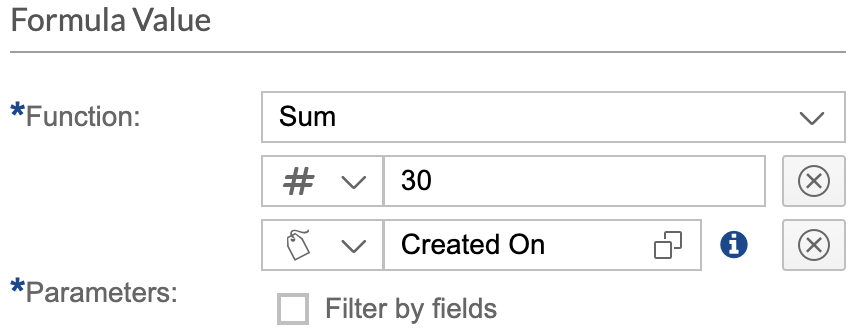 | Date 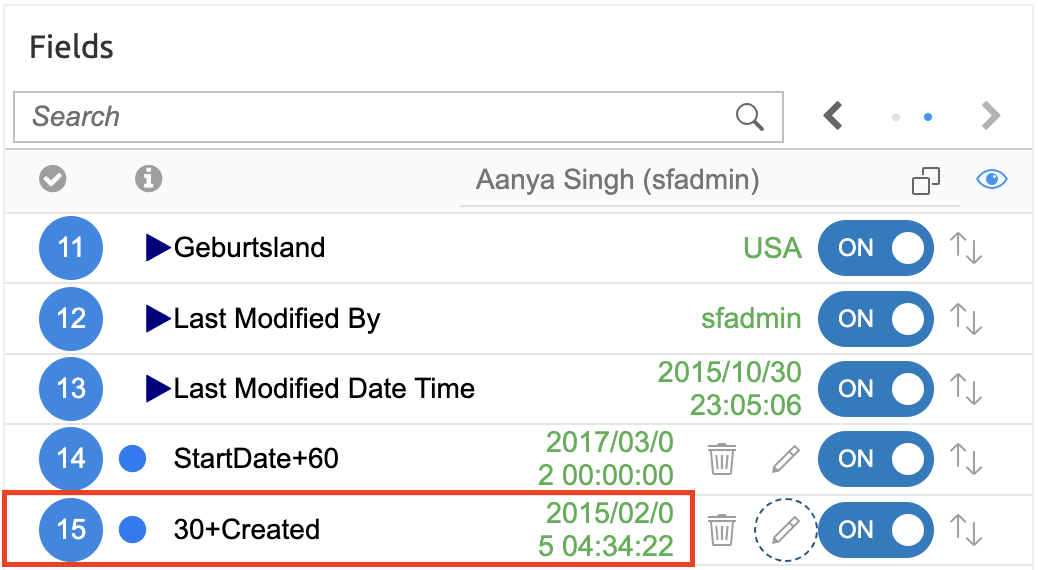 |
Formula and Formula (combination of any of the above) 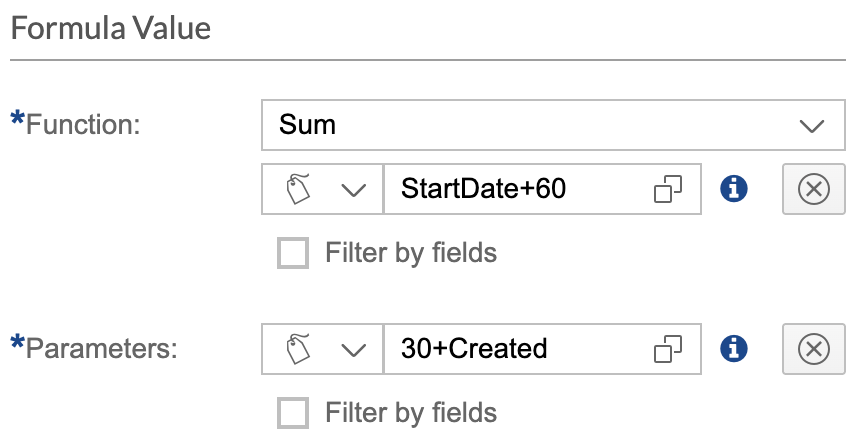 | Date 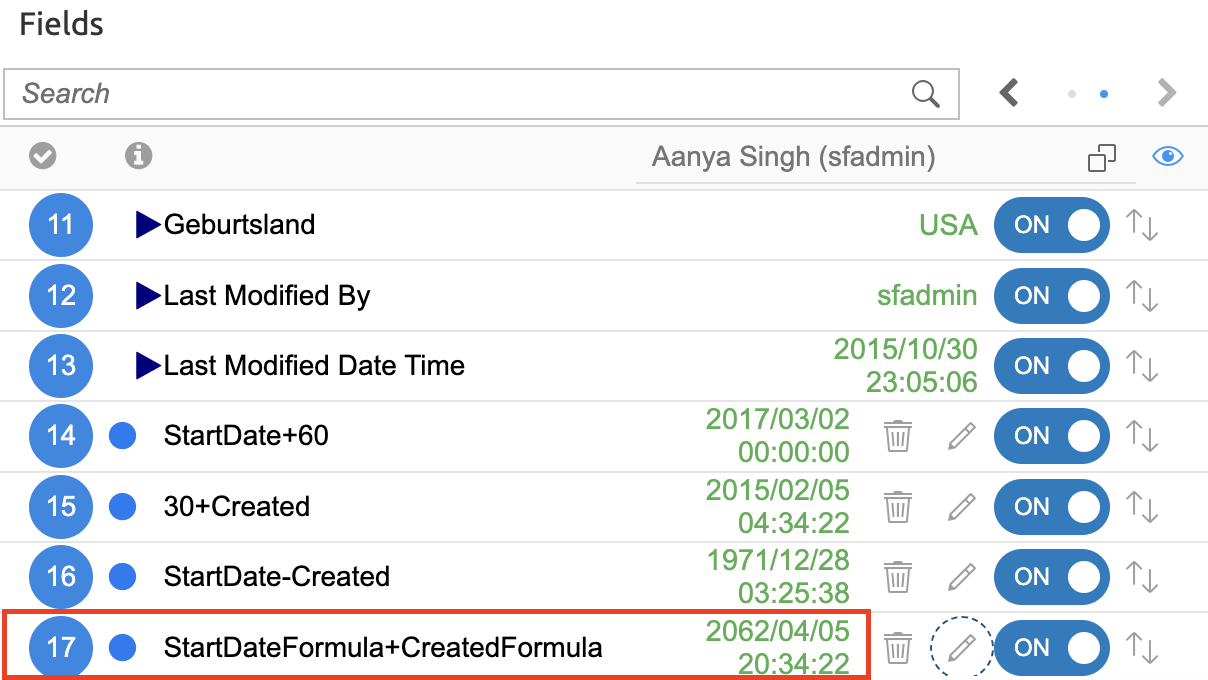 |