New Design - Workflow Editor Version 2
This enhancement updates the look and feel of the Strato Workflow Editor, providing a more efficient Workflow creation experience.
Requirements
Basic knowledge of Workflows is required.
Features
New Workflow Viewer
The Workflow Viewer provides a clear visualization of your Workflow's process flow, featuring a cleaner and more vibrant design for improved readability and navigation.
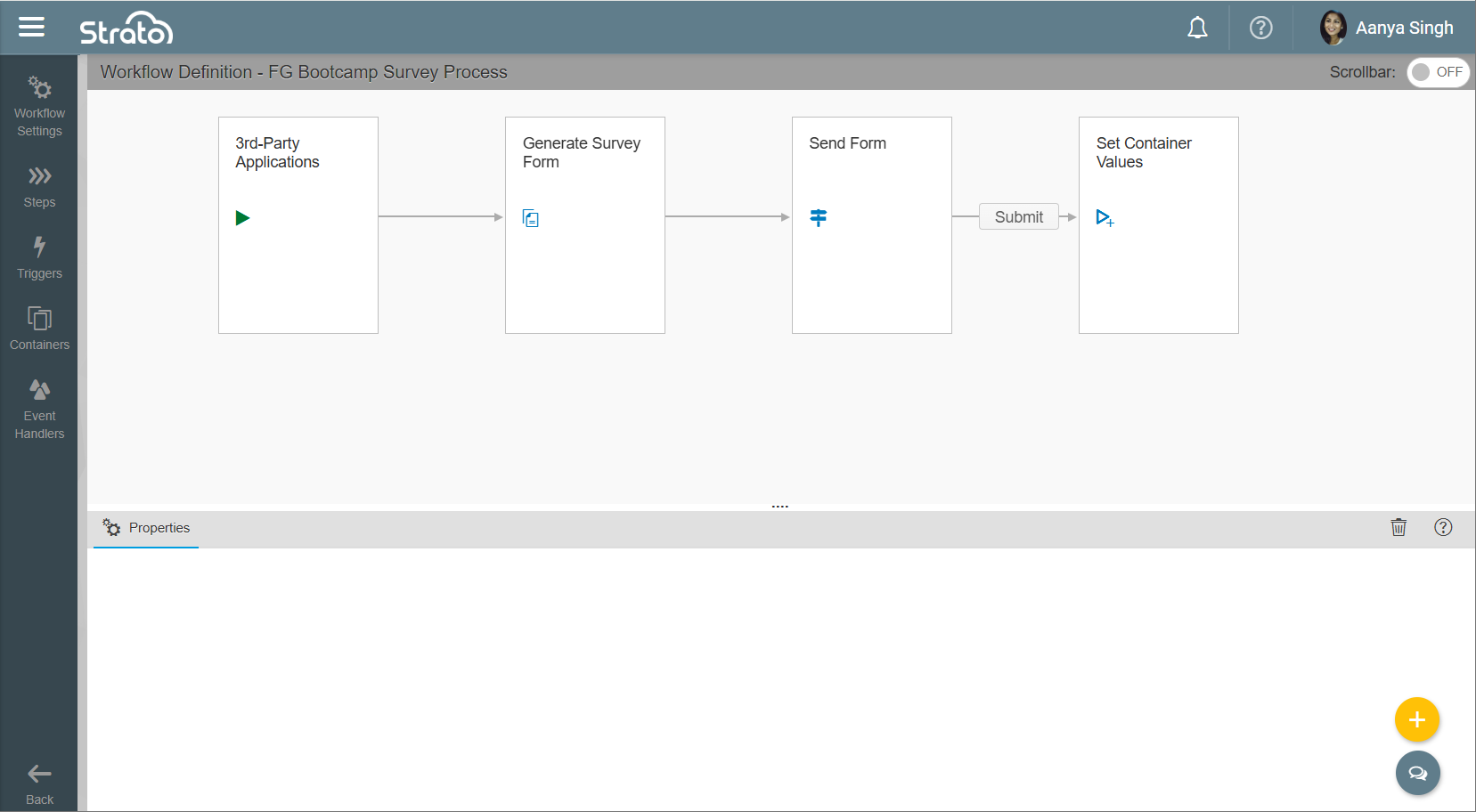
Old Layout
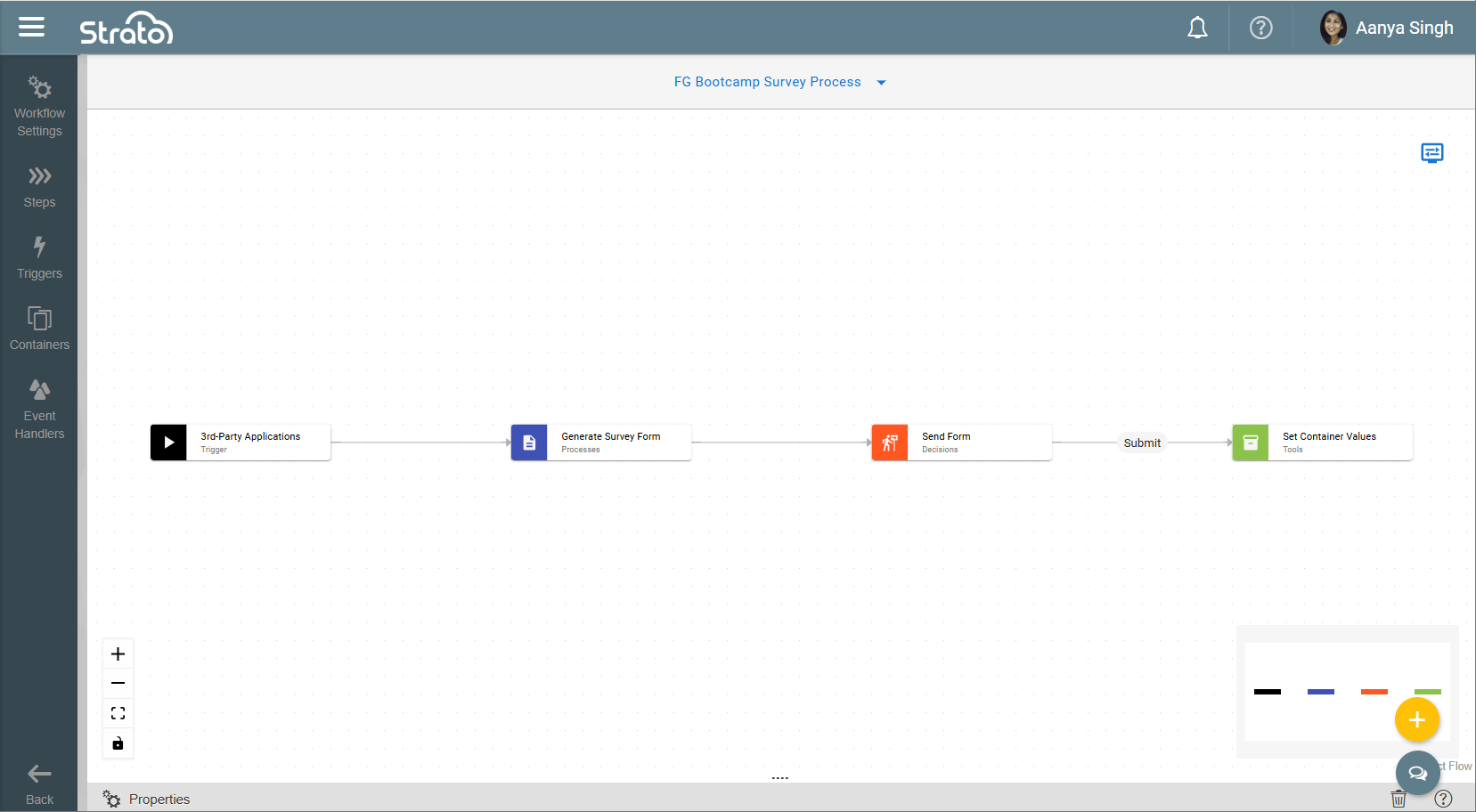
New Layout
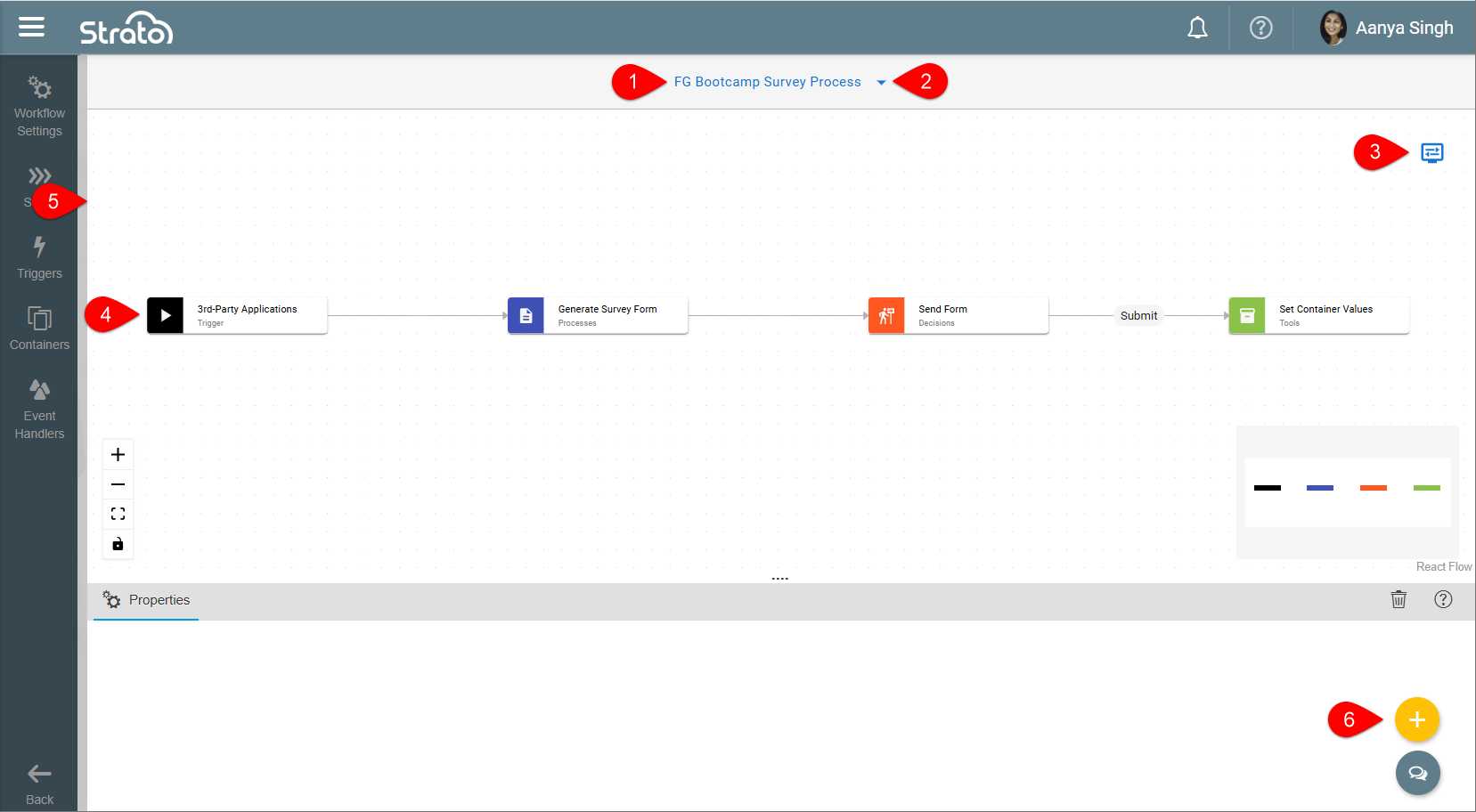
- Header: Displays the name of the Workflow. This reflects the name set in Workflow Settings > General Settings > Name.
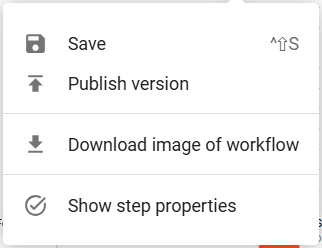
- Top Menu: Provides quick access to actions such as saving, publishing, downloading an image of the Workflow, and showing properties of the Steps.
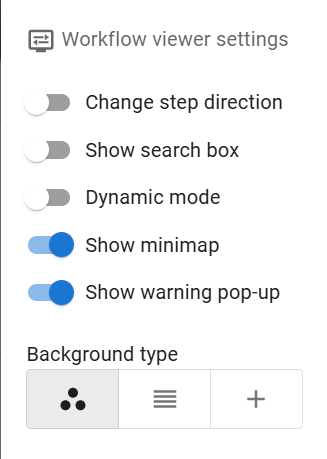
- Workflow Viewer Settings: Allows you to customize their viewer by changing the step direction (left-to-right or top-to-bottom), searching for steps, enabling dynamic positioning of steps, activating the minimap and warning pop-ups, and modifying the background design.
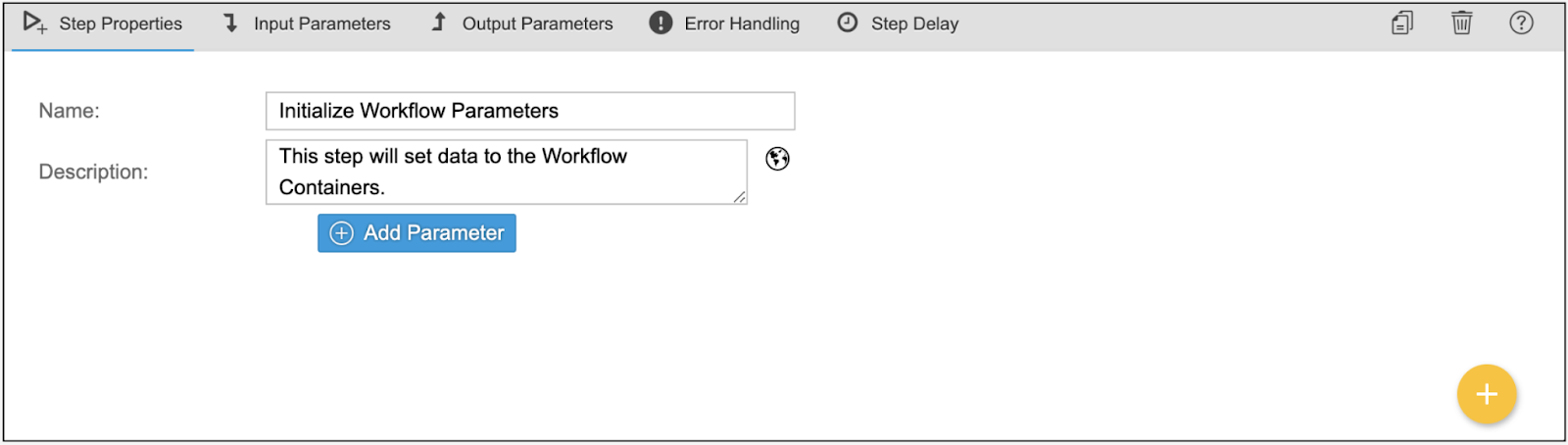
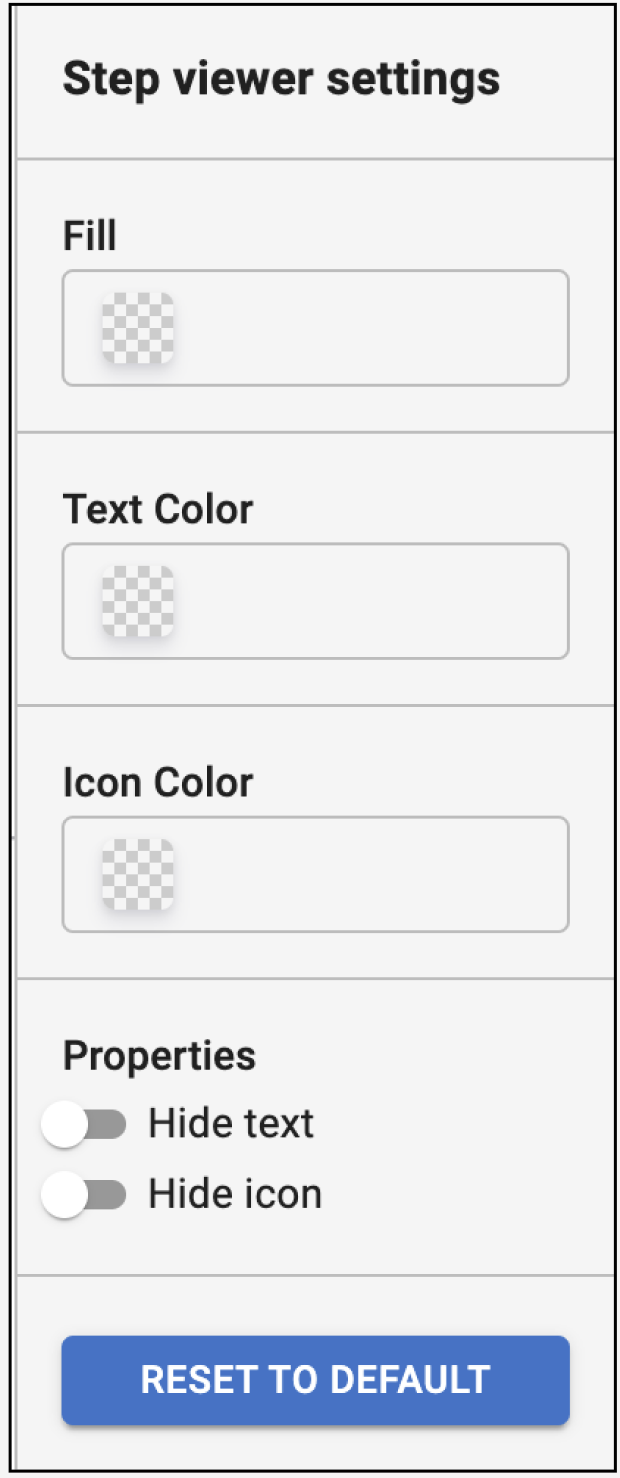
- Triggers and Steps: Clicking these will display the properties of the Triggers and Steps. When Show step properties is enabled from the Top Menu, you can also modify their appearance by changing the fill, text and icon colors, or by hiding the text and icon through the Step Viewer Settings.
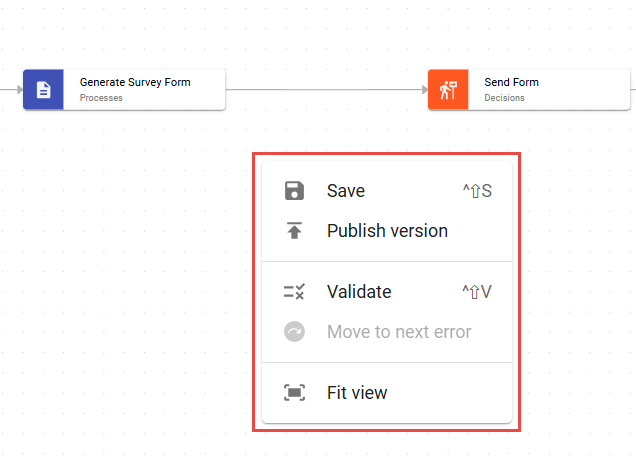
- Workflow Viewer: Right-clicking anywhere on the Workflow Viewer provides quick access to actions such as saving, publishing, validating, navigating to the next error, and fitting the entire Workflow to the screen.
- Floating Action Button: Clicking this button displays available actions for the Workflow, such as validating, publishing, and duplicating.