Allow Default Values in Dropdown List Form Fields
This article describes the new functionality that allows setting default values for Dropdown List Form Fields in Form Templates. This enhancement helps pre-select options that appear by default when the form is opened, making form completion more efficient for end users.
Functionality
Default Value Field in Form Field Settings
When a Dropdown List field is added to a Form Template, a new Default Value field appears in the Form Field Settings panel. This field allows form editors to select one or more values from the dropdown options to be used as the default when generating the Strato Form.
This field is only visible when the following configurations are already provided in the Dropdown List Options section:
- A list source has been selected.
- For most sources, both the Assigned Key and Assigned Label values must be defined to generate the available options.
- For Custom Lists, Template Parameters (from the Customer Catalog), or Picklists, a Default Value can be selected without assigning a key and label.
If these required configurations are later removed or modified, the Default Value field is cleared and rest.
Most Sources | Custom Lists, Template Parameters from the Customer Catalog, and Picklists |
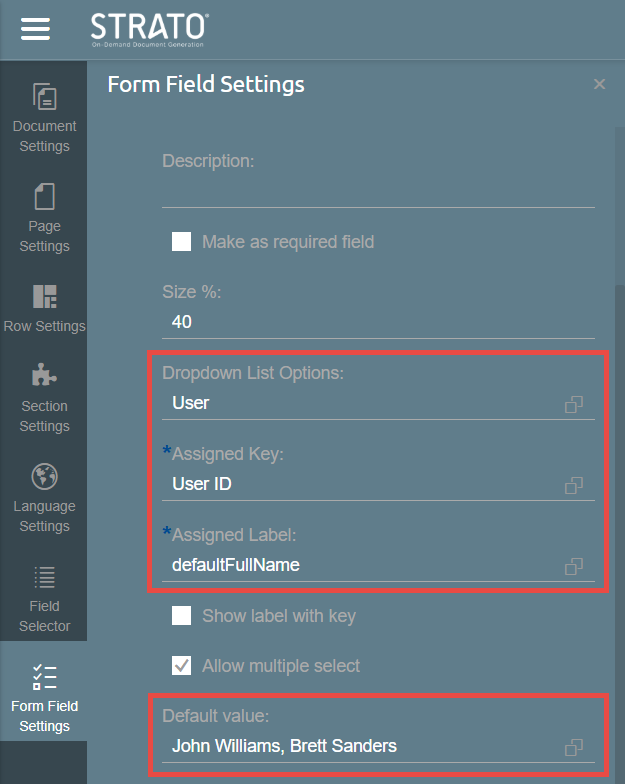 | 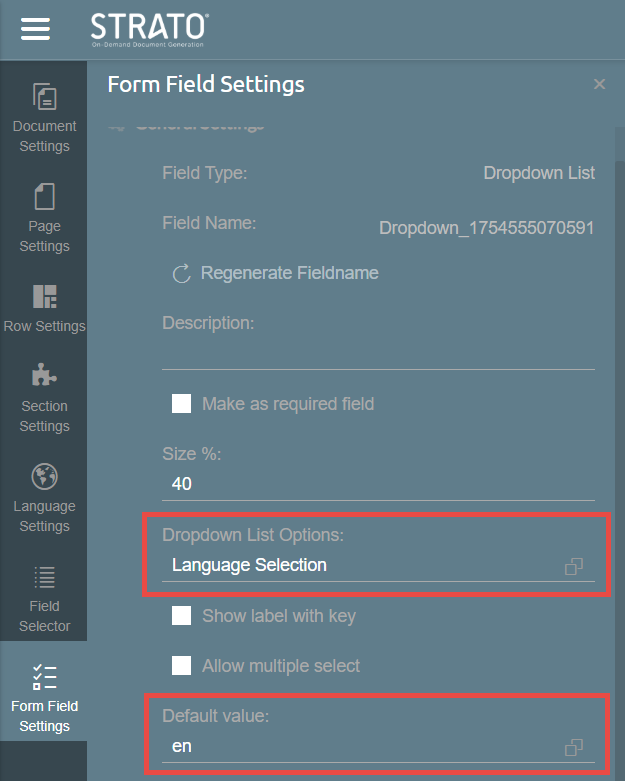 |
The Default Value field fetches and displays items from the configured list object. Form editors can search for the values they want to set as the default. It is also possible to keep the field empty if no default values are desired.
For Forms created before this feature was installed, the Default Value will appear in the Form Field Settings only when the Form Template is opened in Edit mode. By default, this field will be blank and will not trigger any form changes unless edited. No retroactive changes are applied unless the Form Template is updated and saved.
When a Form Template with default values in Dropdown List fields is exported and re-imported via Package Manager, the configured default values are preserved and included in the import.
Default Value in Form Preview
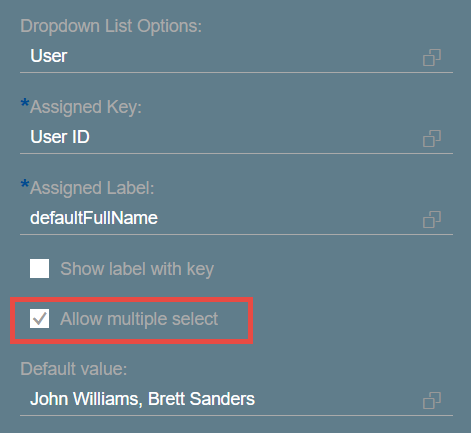
When the user answers the Form or views it in Form Preview, Dropdown Form Fields are automatically populated with their defined Default Value. If the field allows multiple selection and the Default Value includes more than one option, all specified selections are automatically pre-filled.