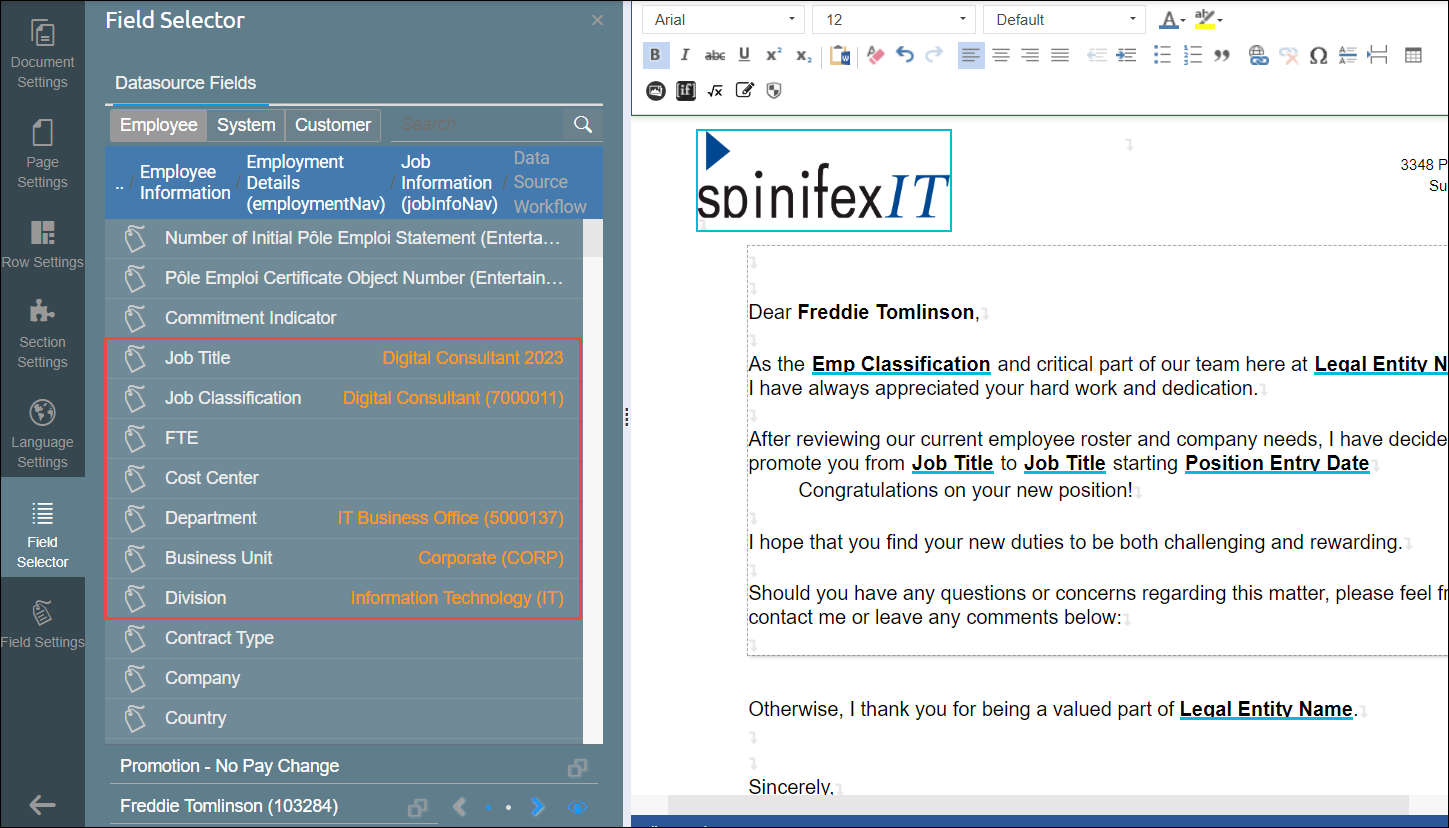
Preview SuccessFactors Pending Data in the Document Template Editor [V1]
Administrators can preview data from pending SuccessFactors workflows directly within the Strato Document Template Editor. This feature allows you to access datasource workflow actions and verify pending data for specific employees before finalizing a document.
This article guides you through the steps to locate and preview this pending data.
Instructions
To preview a pending SuccessFactors workflow, follow the steps below.
- Open your document in the Document Template Editor.
- Navigate to the Field Selector tab and locate the required Datasource Workflow field group.
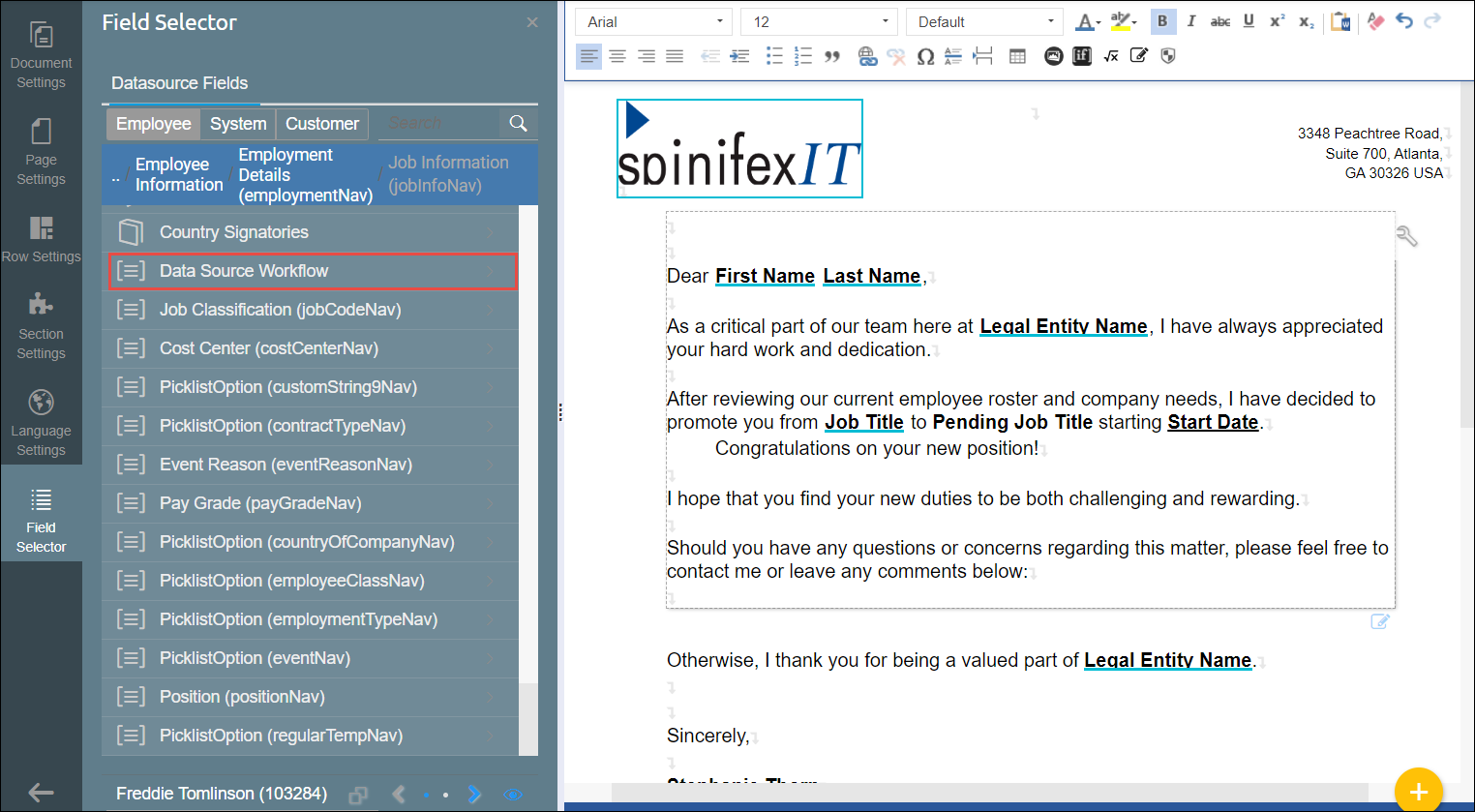
- Click on the Datasource Workflow field group. A selection field for available datasource workflow actions will appear at the bottom of the tab.
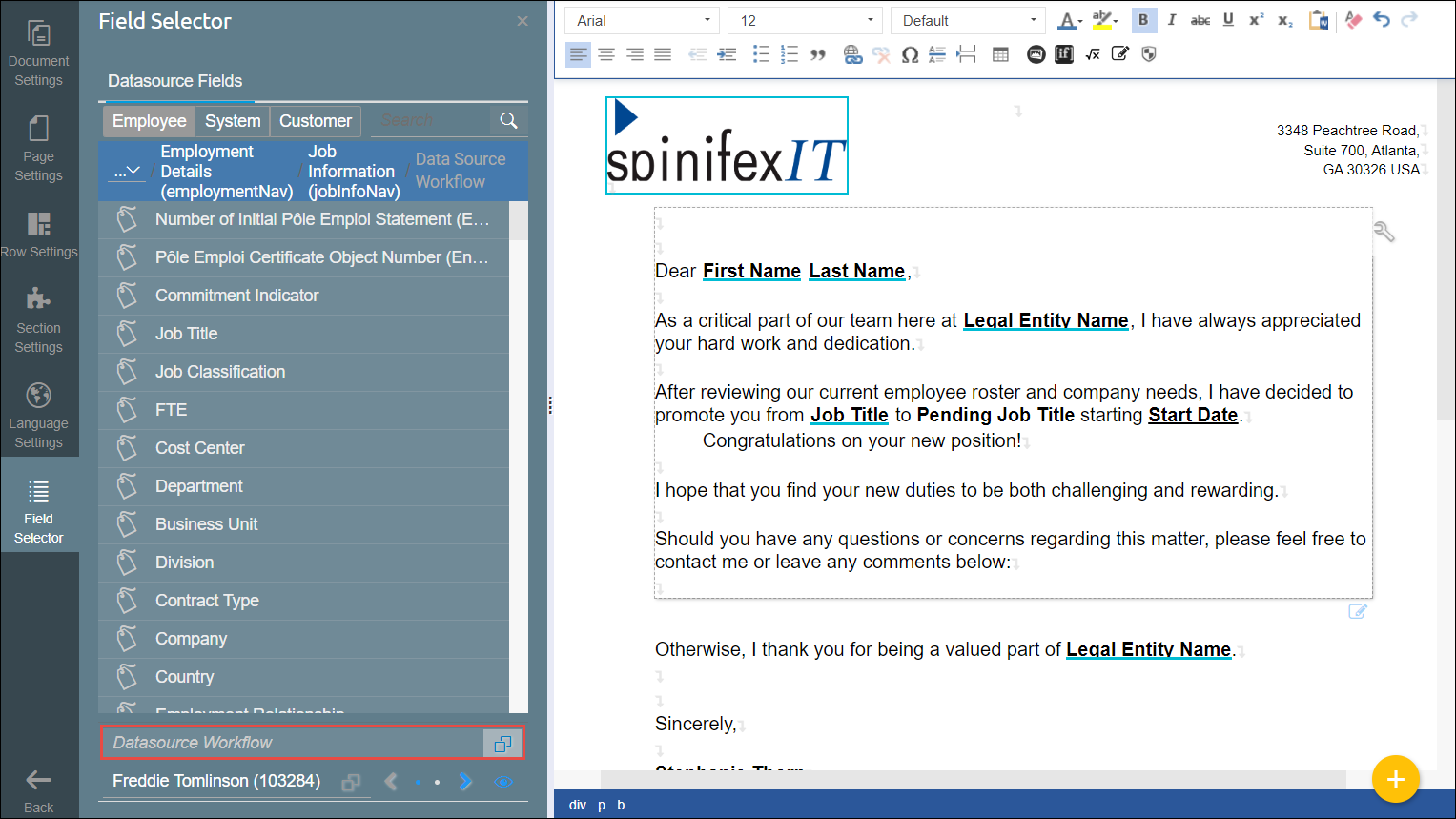
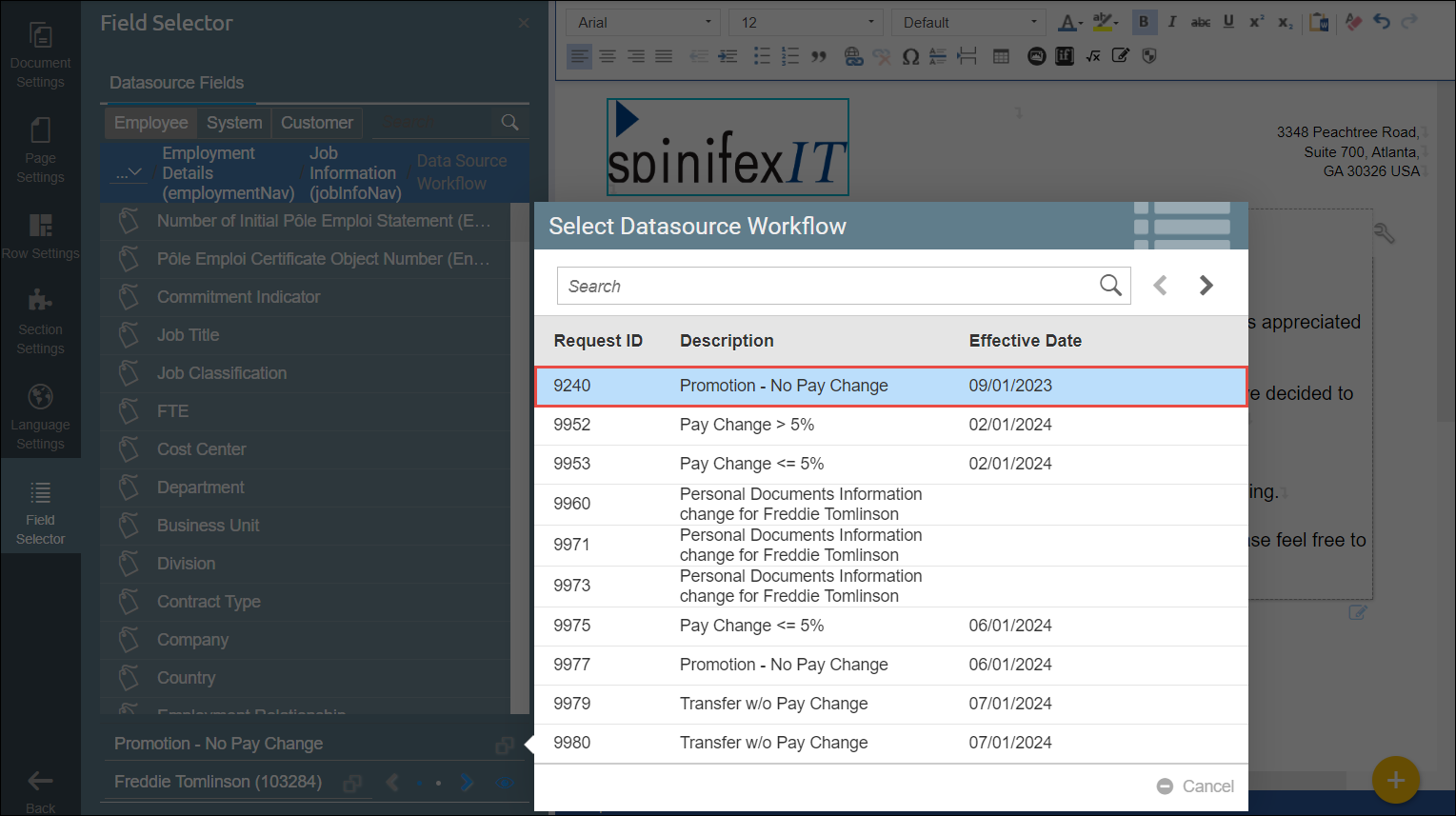
- From this new selection field, choose the specific pending SuccessFactors workflow for the selected employee (for example, Promotion - No Pay Change).
- Once selected, fields containing the pending data corresponding to that workflow will become available for use in your Field Selector list.