Configure Average Formula Fields
Average Formula Fields compute the average of fields or static inputs that contain numbers.
This article explains how to configure Average Formula Fields.
Requirements
Basic knowledge of how to create Formula Fields in the Field Settings / Manager is required.
Instructions
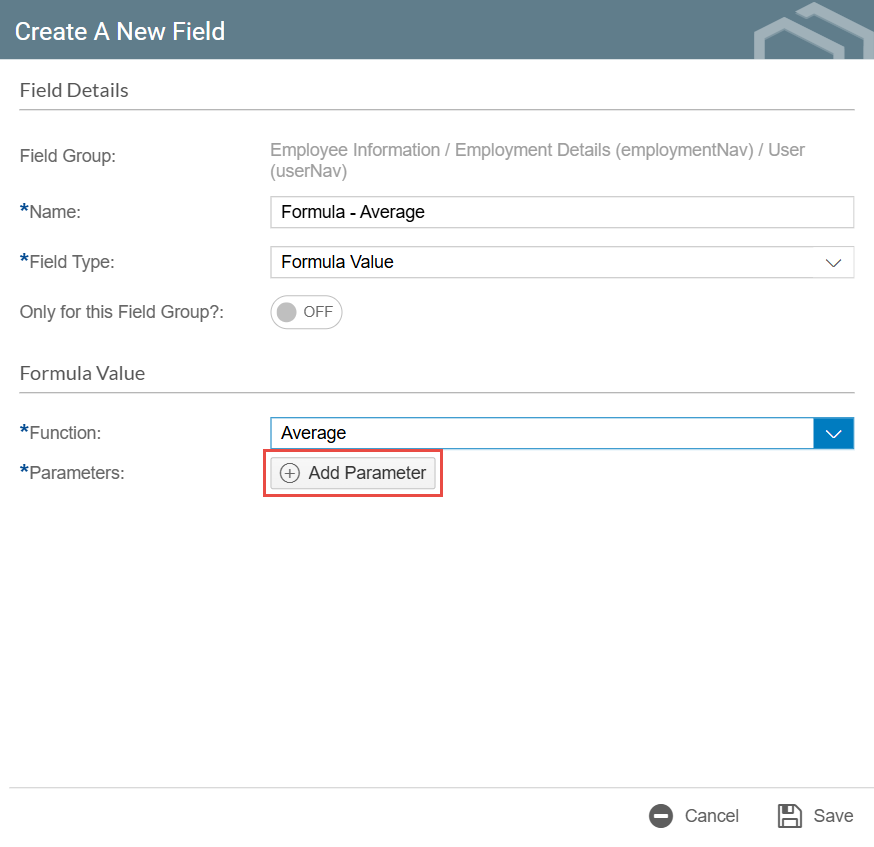
- After selecting Average as the function for your Formula Field, click the Add Parameter button. This will add a parameter where you can define the values to be averaged. You can manually enter number values or use a Datasource Field in the parameters.

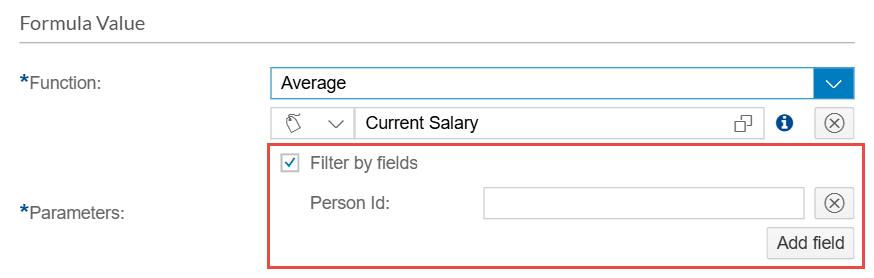
- For Datasource Fields, you can enable Filter by fields. This allows you to filter the selected Datasource Field with a value coming from another field. You can add more filters by clicking the Add field button.
- Repeat step 1 to add more parameters as needed.
- After configuring your Formula Field, click Save.
