Configure SMTP Server Settings
Strato Administrators can configure their email sending options using the SMTP Server Settings section in the Strato Admin Tool.
Simple Mail Transfer Protocol (SMTP) simplifies the communication of email messages between email servers. User-level client mail applications like Strato's email feature use SMTP mainly to send emails, not to receive them.
This article provides an overview of configuring the SMTP Server Settings section in the Strato Admin Tool.
Instructions
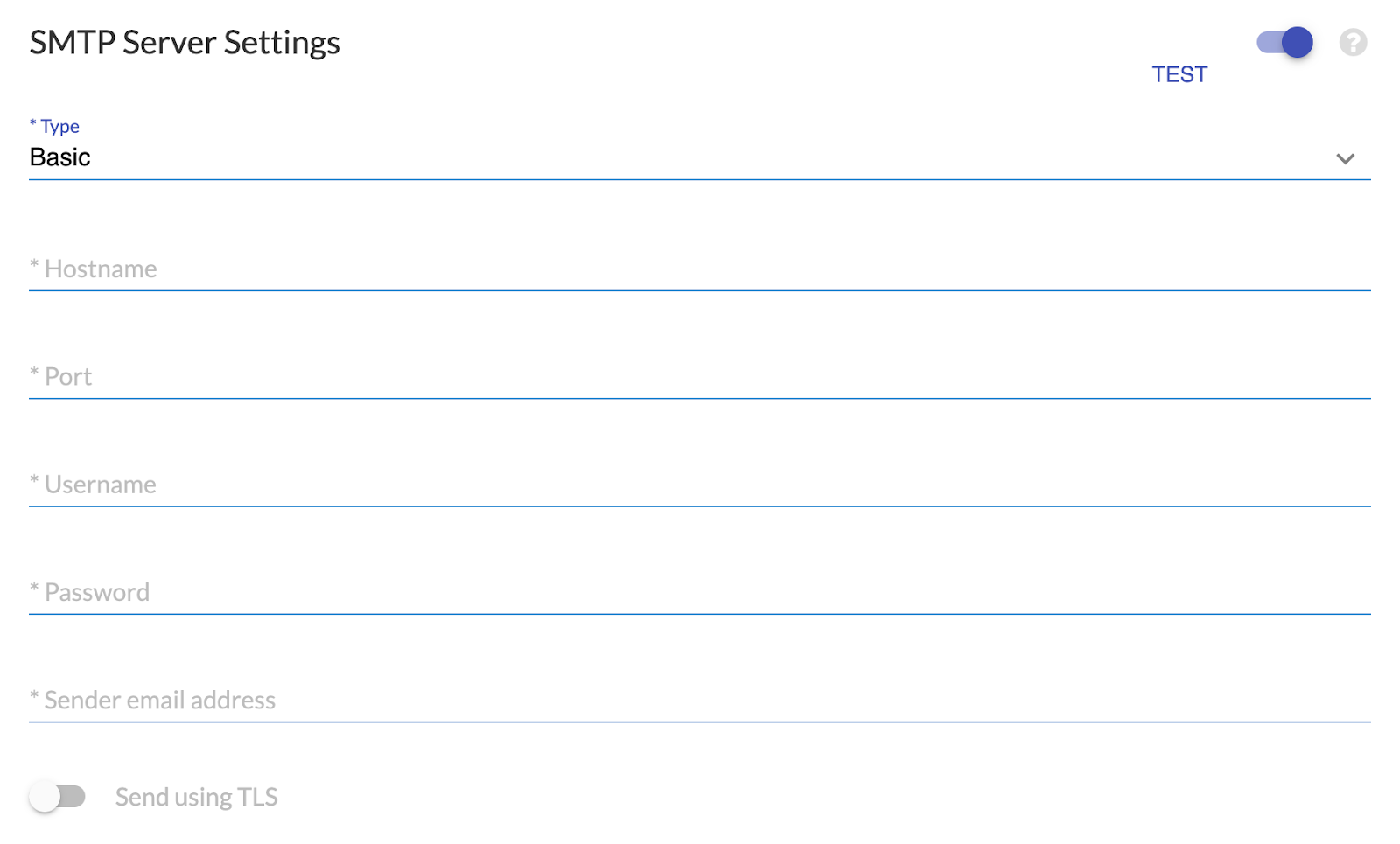
To configure your SMTP settings, you must first select the Type of authentication between Basic or Bearer. After you have selected the authentication type, you must complete the information for the respective fields.
Clients who prefer to use their own SMTP server for sending emails should provide their server details to configure the SMTP settings.
For Basic authentication, here are the fields you must complete:
| Field | Description |
| *Hostname / *Username / *Password | These are based on your email configuration. You may ask your local IT team about your settings. |
| *Port | The port used for SMTP. The default SMTP port is 25, unless you have a different one depending on your requirements and ISP. |
| *Sender email address | This will be the default sender for all of your Strato emails. As this is an SMTP server configuration, Strato can only send emails and cannot receive them. Ensure that it is clear to your recipients that the mailbox you are using to send your communication cannot receive emails. A different option should be provided to them should they want to respond to your email. |
| Send using TLS | It is recommended to enable this for the server to send emails securely. When enabled, sent emails will be encrypted using Transport Layer Security (TLS). |
Fields with * are required.
For Bearer authentication, here are the fields you must complete:
| Field | Description |
| *Email Provider | Only Microsoft SMTP is supported for now. |
| *Hostname | For Microsoft SMTP: This is the server endpoint, which is usually smtp.office365.com. |
| *Username | The email address used to authenticate. For Microsoft SMTP: This must be a valid Microsoft 365 mailbox. For example, [email protected]. |
| *Port | The port used for SMTP. For Microsoft SMTP: The default SMTP port is 587, unless you have a different one depending on your requirements and ISP. |
| *Sender email address | This will be the default sender for all of your Strato emails. As this is an SMTP server configuration, Strato can only send emails and cannot receive them. Ensure that it is clear to your recipients that the mailbox you are using to send your communication cannot receive emails. A different option should be provided to them should they want to respond to your email. For Microsoft SMTP: This should be the same as the Username. |
| *Client ID | For Microsoft SMTP: The Application (client) ID registered in Azure Active Directory (AD). |
| *Client Secret | For Microsoft SMTP: A secret key generated from the Azure portal, used for authenticating your app. |
| *Tenant ID | For Microsoft SMTP: The Directory (tenant) ID for your Microsoft 365 organization. |
| Send using TLS | It is recommended to enable this for the server to send emails securely. When enabled, sent emails will be encrypted using Transport Layer Security (TLS). |
Fields with * are required.
Emails sent via the SMTP server of SpinifexIT must be limited to a maximum of 50 recipients. This is following the limitations of Amazon Simple Email Service (SES):
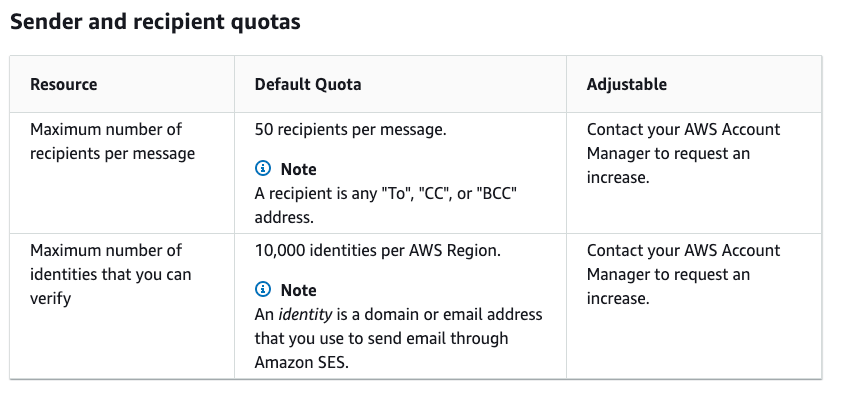
This limitation is not applied when using customer SMTP servers.