Configure Integration Flow Between Strato and Easy Reporter
Follow the steps below to configure the Strato SAP-CPI to Easy Reporter:
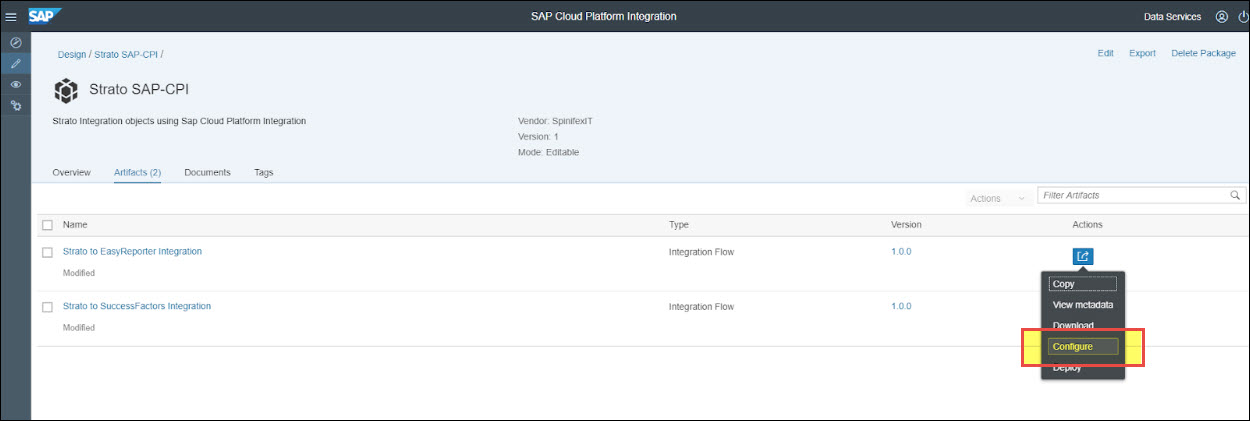
1. Click on the Actions button on the right on the integration flow and then click Configure.
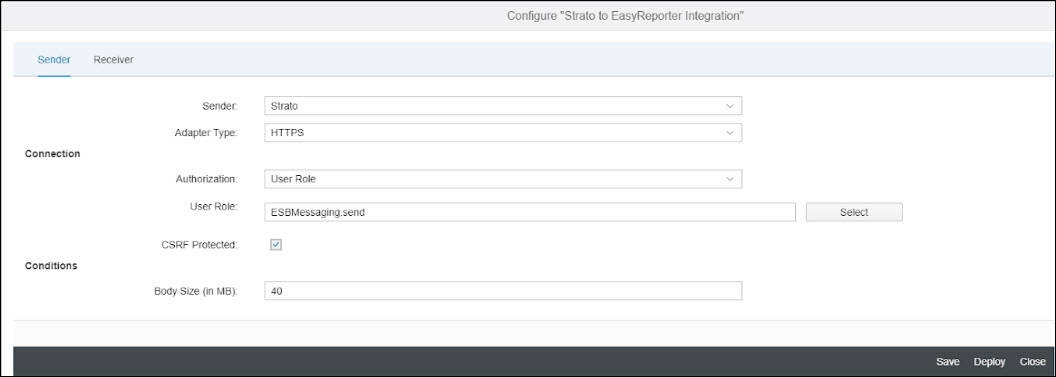
2. In the Sender settings, if you like to use Basic Authentication or Certificate-to-user Mappings between Strato and CPI, you can leave the settings as is and just change the User Role to your custom role if needed.
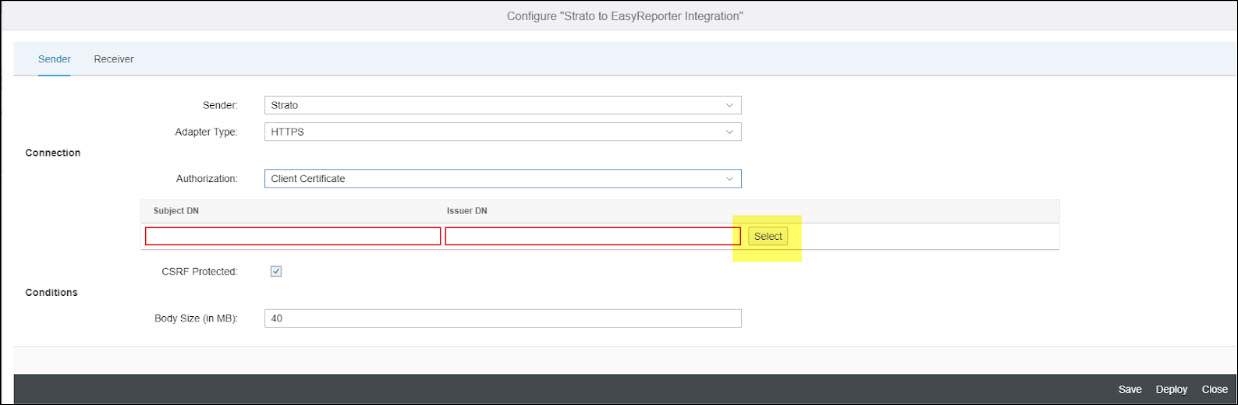
3. If you will use Client Certificate authentication, change the Authorization to Client Certificate and then upload your client certificate by clicking the Select button.
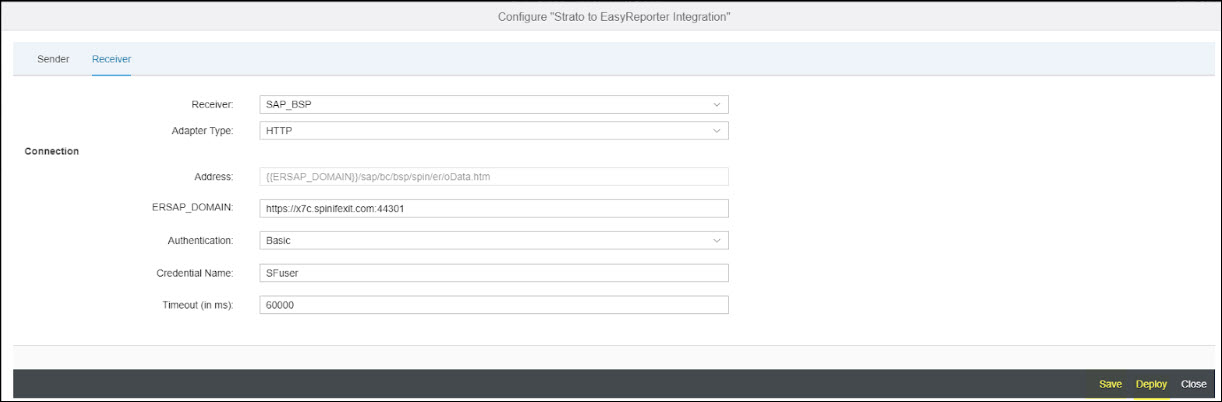
4. In the Receiver settings, there are three different receivers: FetchToken, SAP_BSP, and SAP_oData. All three will use the same Connection details. Use the parameters below as a reference.
ERSAP_DOMAIN - Enter your SAP systems URL (example:
https://x7c.spinifexit.com:44301)Authentication - The default is Basic (for Basic Authentication), you can change this depending on the authentication that you would like to implement between your CPI and your SAP HCM system.
Credential name - For Basic Authentication, enter the credential name you created from Manage Security Material section. If you choose other authentication types, please enter the appropriate credential names.
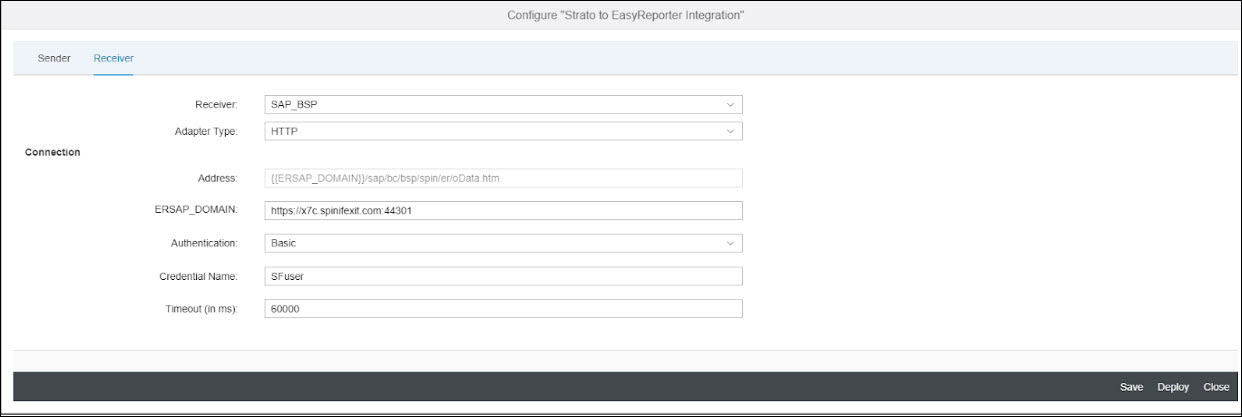
5. Once done, click Save and then click Deploy.