Documents with Pending Data from SuccessFactors Workflow - Overview
Strato has the capability to generate documents with pending information from SuccessFactors Workflow. This means that workflows in SuccessFactors (such as promotion, relocation, employee movement) involve the changing of field values in an employee's profile. These workflows may still be ongoing but the data change is already needed to be displayed and indicated in a document. Strato can retrieve these pending data field values and display these in a document even though the SuccessFactors workflow hasn't been completed yet. For example, generating a Promotion Letter for a promoted employee using future-dated promotion details.
This capability is available in the following Strato components:
- Strato Dashboard via Generator Card
- Strato Workflow via Generate Document step
Sample Use Case
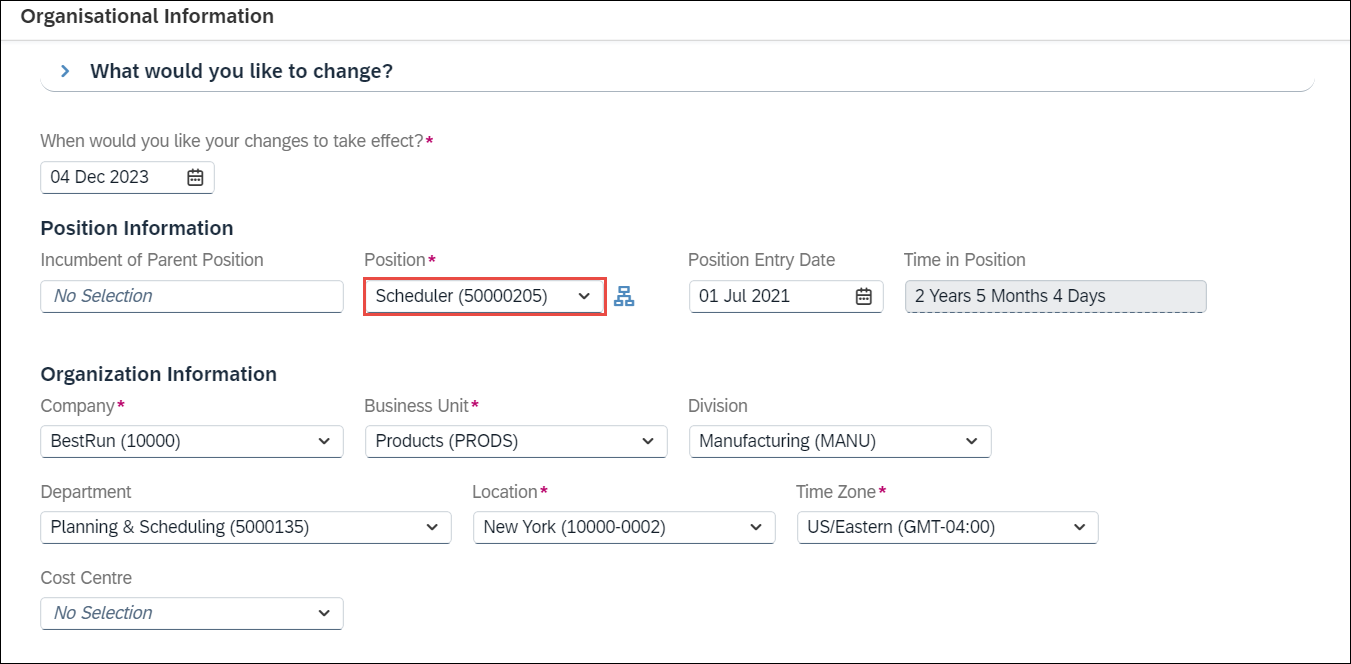
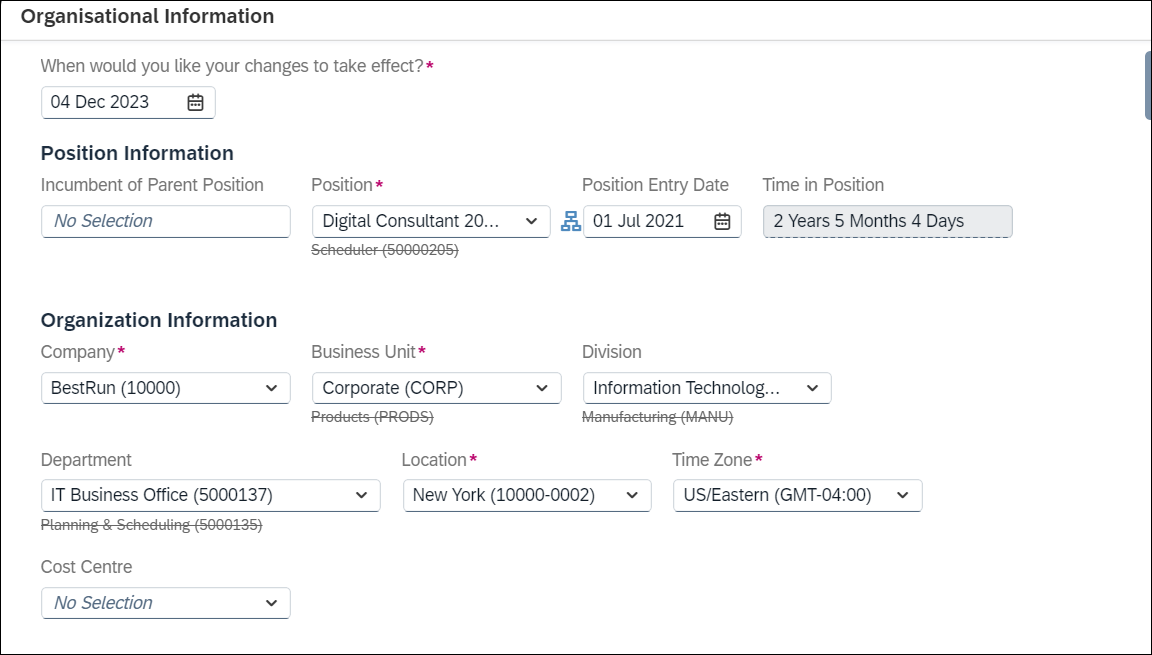
In this sample use case, an employee will have a Position Change from Scheduler (current position) to Digital Consultant (new position). This will be applied within the employee's Job Information in SuccessFactors, as shown in the screens below.
Current: Scheduler
Position Change: Digital Consultant
Together with the Position Change for approval, other Job and Compensation information will change as well such as the new Supervisor's name, Job Classification, Job Title, and Pay Grade information:
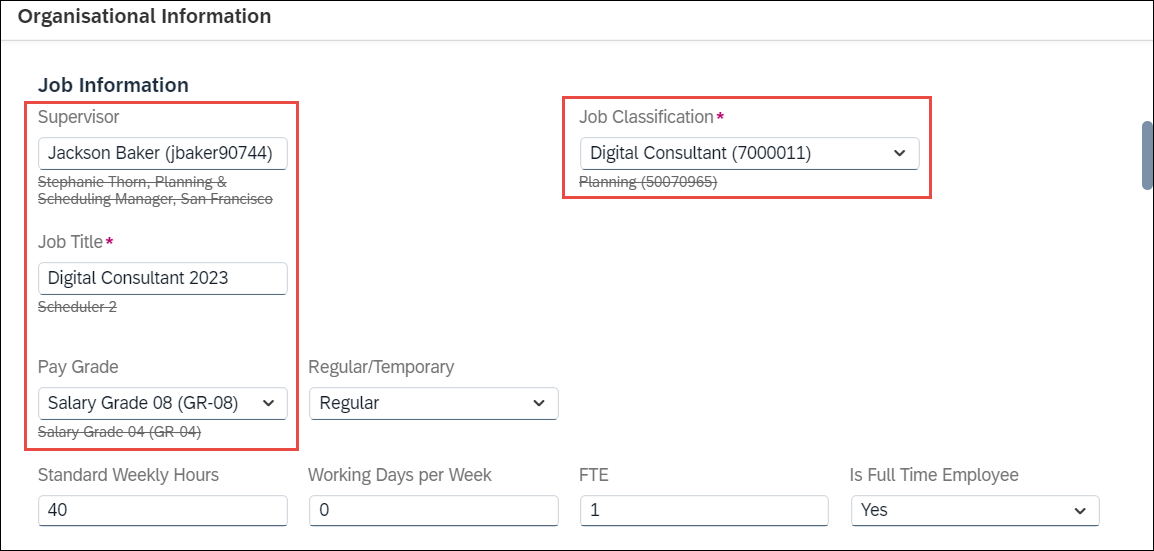
Although these pending data are yet to be approved and to be applied at a later date, these data can already be retrieved by Strato to be generated and displayed in a document either from Strato Dashboard (via Generator Card) or via Strato Workflow (Generate Document workflow step). For example, generating a COE document displaying these pending job information highlighted from the screens above.