View/Edit and Delete Categories
Categories in File and Storage Management are used to effectively manage and organize files, as well as apply validity rules to documents and files to set their validity period. (Read: Set Validity Rules to Documents)
Within Category Management, categories can be viewed, edited, and deleted via the ellipsis button (more options) found on the right of each category. There's also a Refresh option and a Search feature via the Search bar.
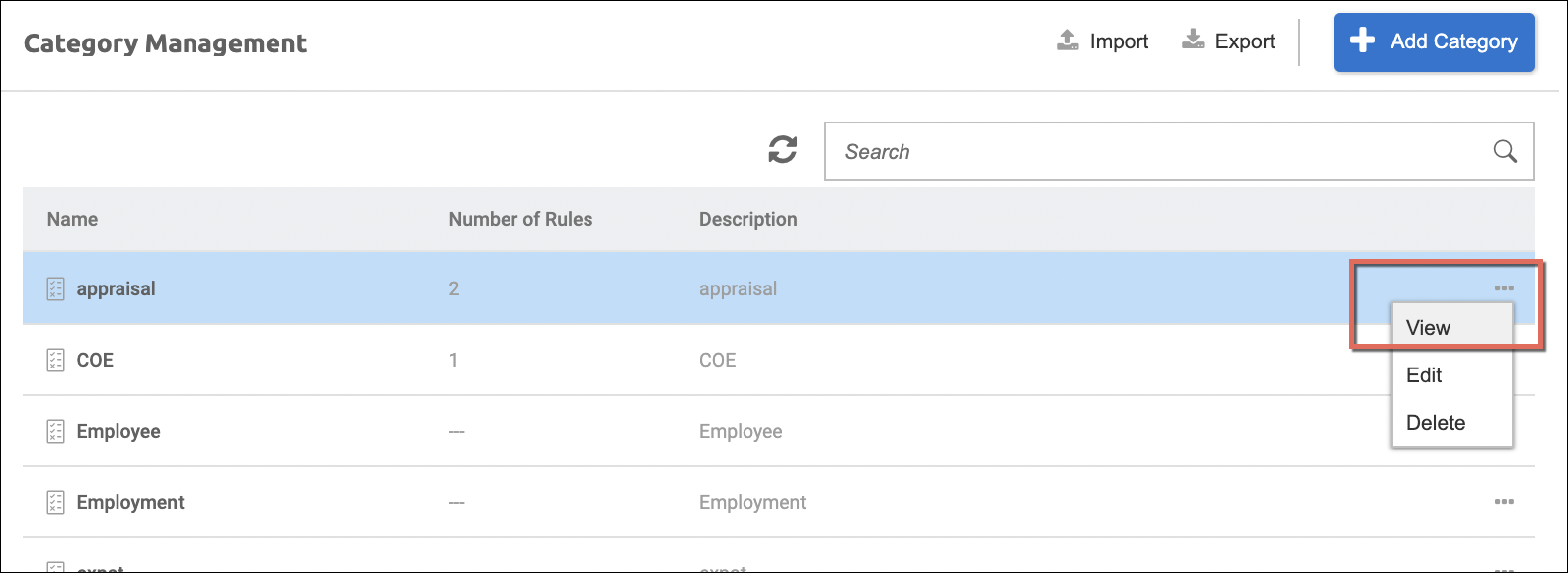
Simply click View to view the following details of a category:
- Category Name
- Description
- Number of Rules (if there are any)
- Name of each rule attached to the category and its Status
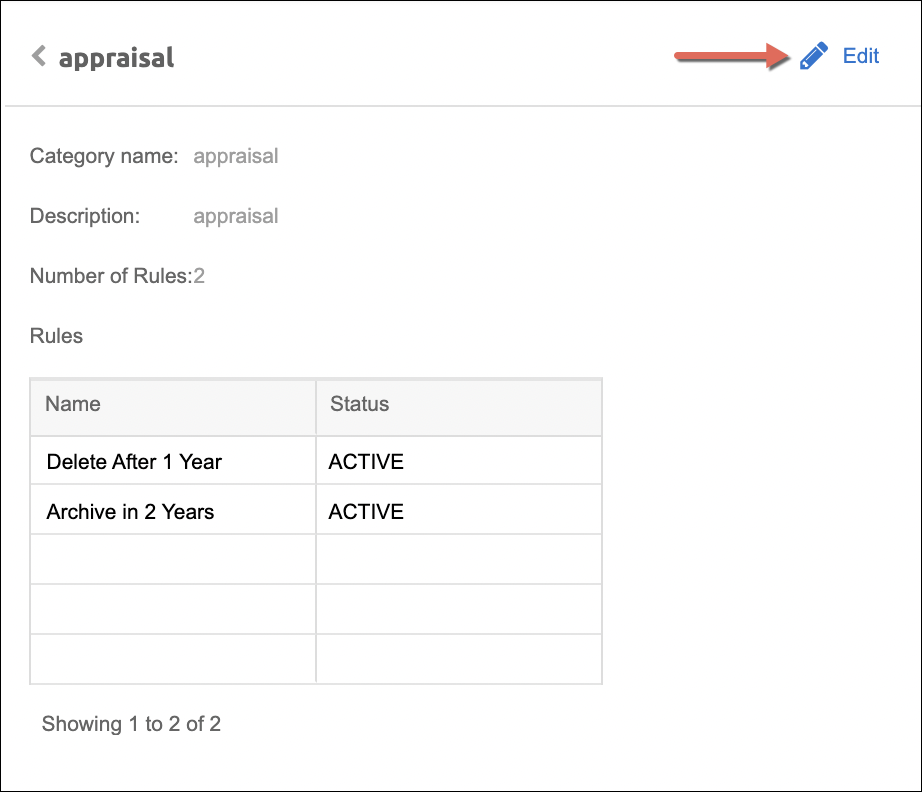
To edit, simply click on the Edit option (either from the More actions button from the main screen, or the Edit button from the upper-right of the View screen).
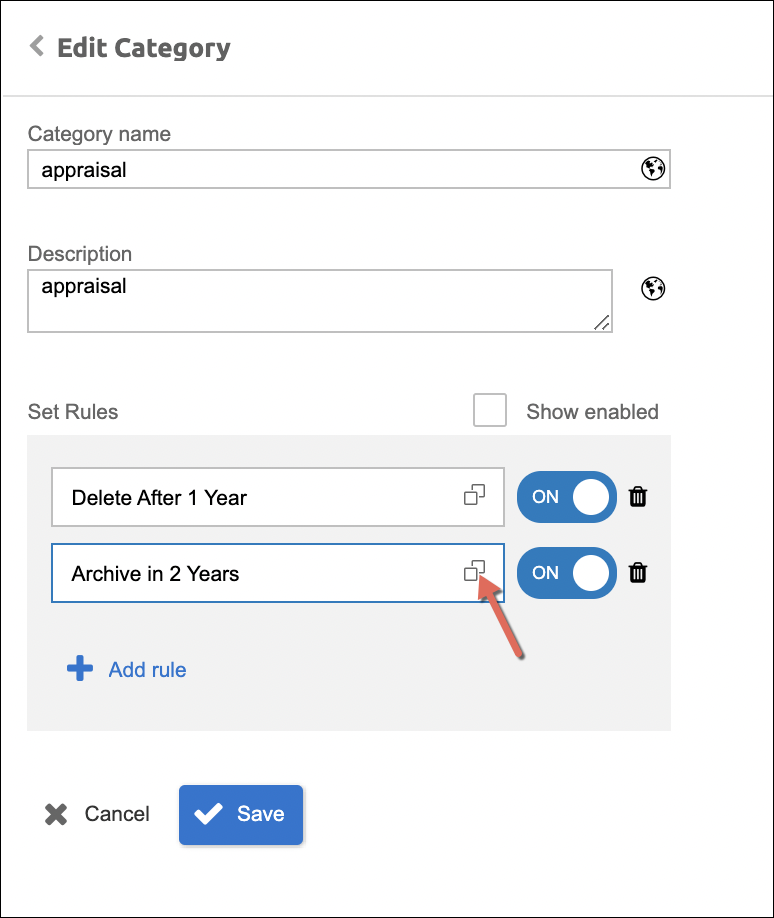
Here are the properties of a category that can be modified in the Edit mode:
- Category name
- Description
- Set Rules:
- Show enabled - option to only show enabled rules set to the category (if there are already any set)
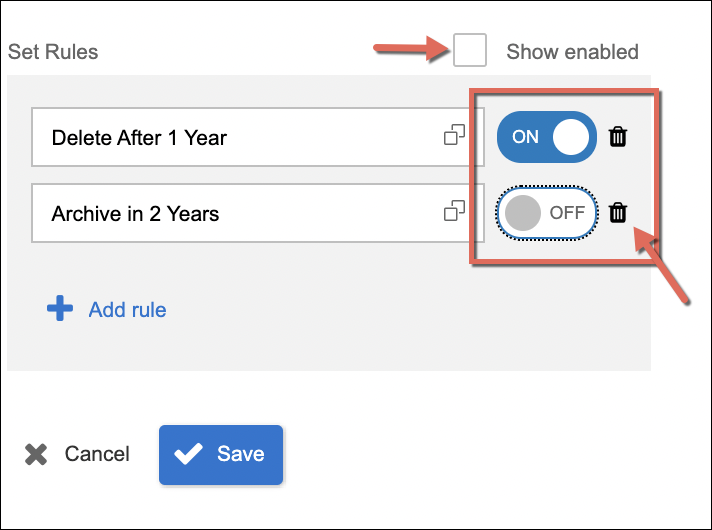
- Option to Enable, Disable, and Delete a rule(s) assigned to the category.
- Add Rules - to add and assign validity rules to the category. It can be one or more rules and the selection of rules is set and configured from the Rule Definition module of the File and Storage Management.
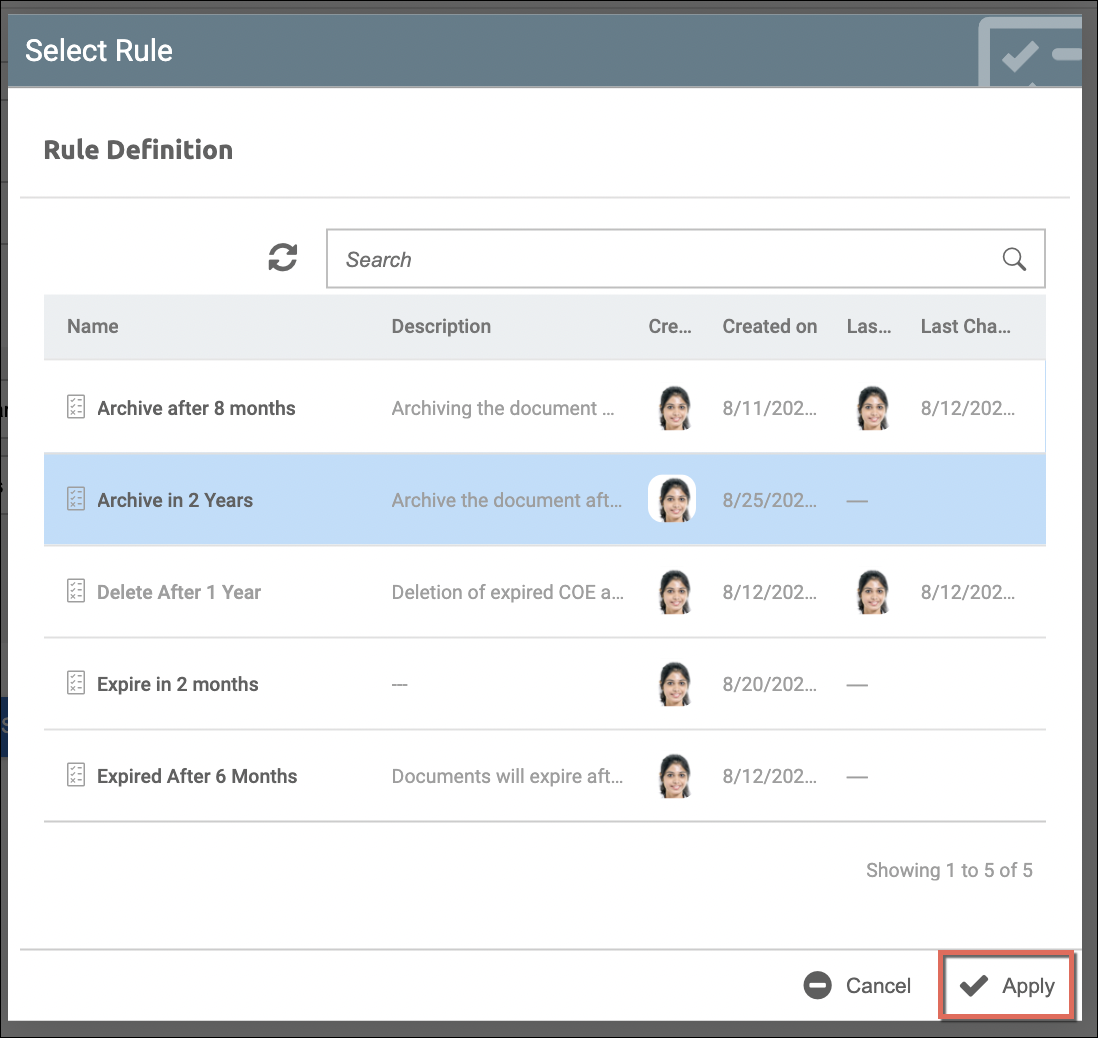
- Set/Change Rules - the already assigned rules can be changed just by clicking the selection icon. This pops up the list of rules defined (from Rule Definition). Clicking Apply will adapt the selection/change:
- Show enabled - option to only show enabled rules set to the category (if there are already any set)
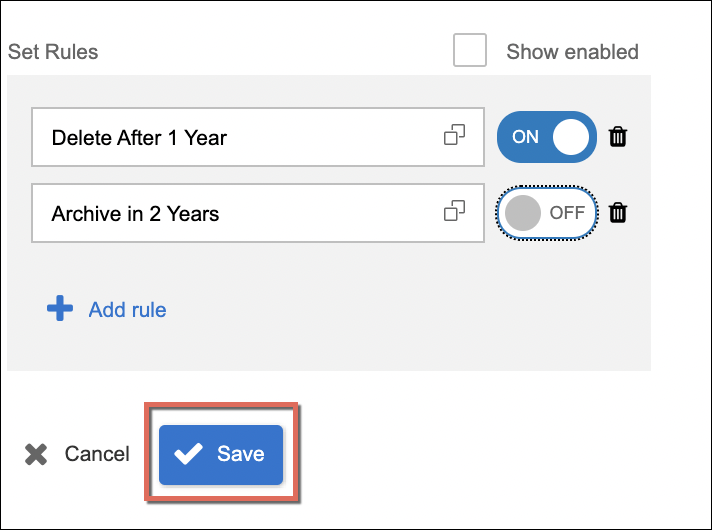
When there are changes done in a category, simply click Save to apply the changes.