Rule Definition to Set Validity Rules and Assign Metadata to Documents
Company and employee documents and files within File Management / Storage Management of Strato can have validity rules set for them. This is to apply the validity period per document which will depend on the document type, as well as the organization's requirements when storing files. (For more information on this functionality, please read: Validity Period of Documents in Storage Management)
In addition, Metadata can also be assigned to documents stored in Strato Storage through the Rule Definition functionality. (For more information about the assigning metadata to documents, please read: Metadata / Properties Manager Overview)
Before you can set a validity period for documents, Rule Definition should be configured first where validity rules and metadata for documents can be defined. These validity rules and defined metadata can then be applied to Categories, which can then be assigned to documents and files. (Read: Create a Category in Strato Storage (with Validity and Metadata))
These rules to be configured, which are then assigned to Categories, will be used to automatically calculate the validity date of a document to set its new status and to assign metadata. For example, setting a Visa Form document to be Archived on the date of employee's termination, or to Delete the document in storage after 1 year.
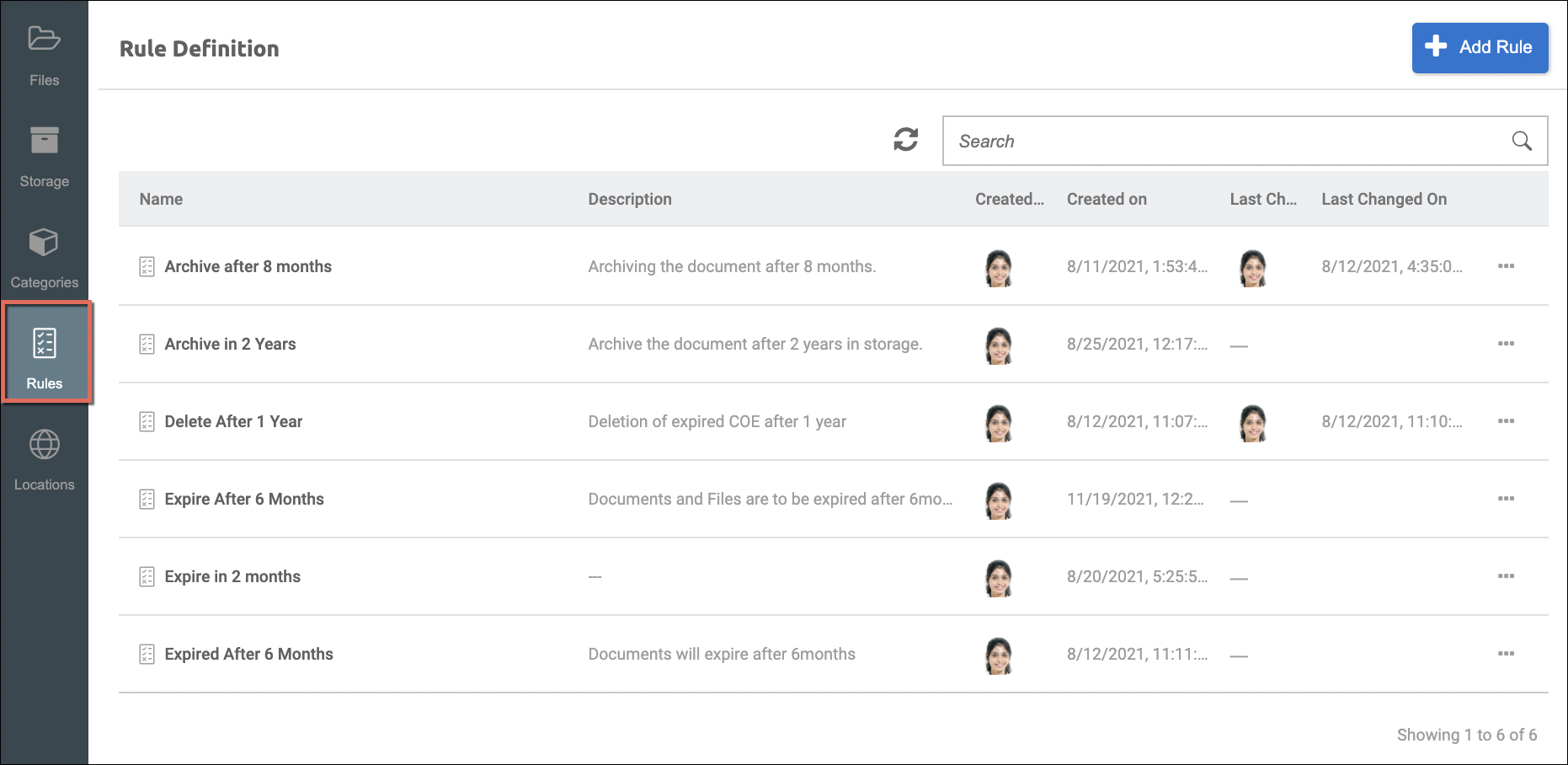
Functionality
In defining Rule Definition in Storage Management, to be assigned to Categories, you can:
- Define rules to automatically set validity dates to documents
- Settings to set validity rules via conditions using SuccessFactors data
- Define dates to use for the validity rule which you can choose from the following options:
- Set a date (specific date)
- Document Creation date (to offset by days, months, or years)
- Data source date field
- Set document status from Active to the following available options:
- Expired
- Archived
- Deleted
- Add properties to set Metadata to documents (Related overview article: Metadata / Properties Manager Overview)
Access Rule Definition
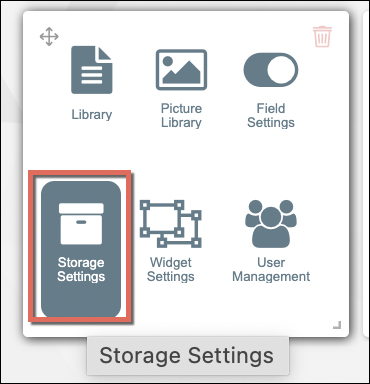
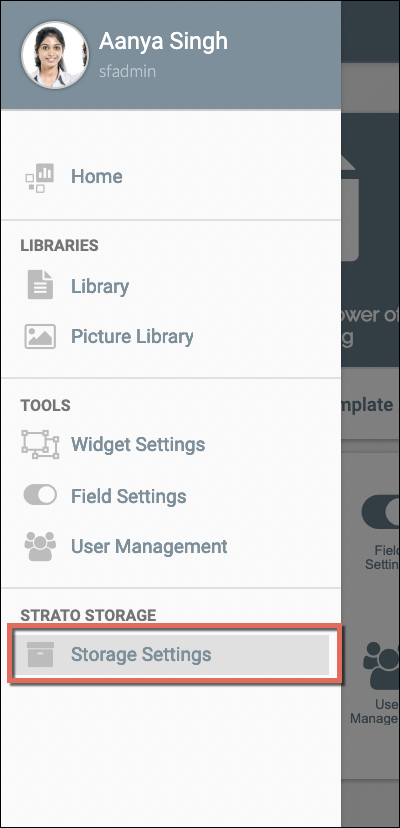
Either from the main Strato dashboard/screen or from the left menu panel, access the Storage Settings tool. From there, access the Rule Definition tool.
 |  |
Create / Edit Rule Definition
When adding or creating validity rules to set a validity period for documents in Storage Management, simply:
- Access Storage Settings.
- Click on the Rule Definition tool from the left panel.
- Click Add Rule.
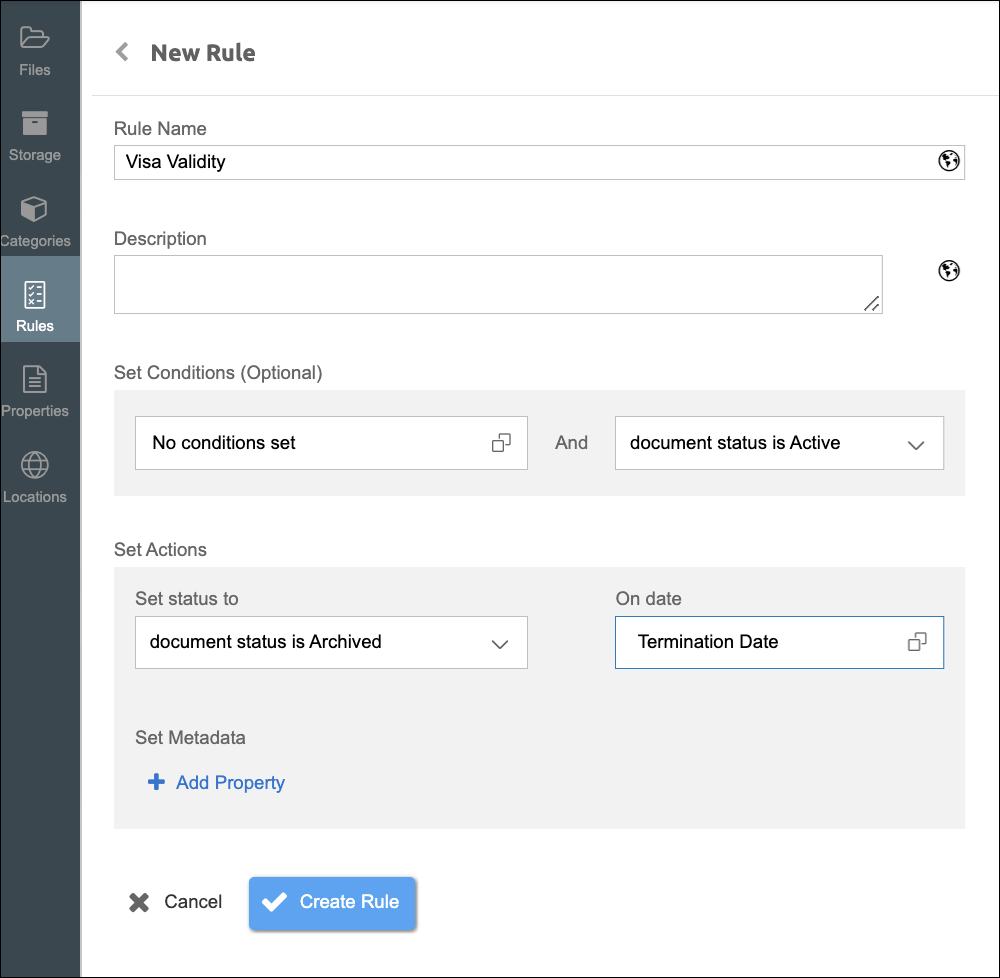
- Start defining the validity rule that you require:
- Enter the Rule Name.
- Enter Description.
- (Optional) Set Conditions if required via the Add Condition settings. (About the Tooltip function and Assigning Key Fields, please read: View Datasource Field Properties and Assign Key Fields (Tooltip))
- Set the Status from the Set Status to selection.
- Set Effective Date by choosing a calculation method from one of the following options:
- Set a Date - Choose a specific date in the calendar.
- Document Creation Date - From the date that the document has been uploaded or saved in storage, offset the validity period by days, months, or years.
- Data Source Date Field - Using a date field from the data source, offset the validity period by days, months, or years.
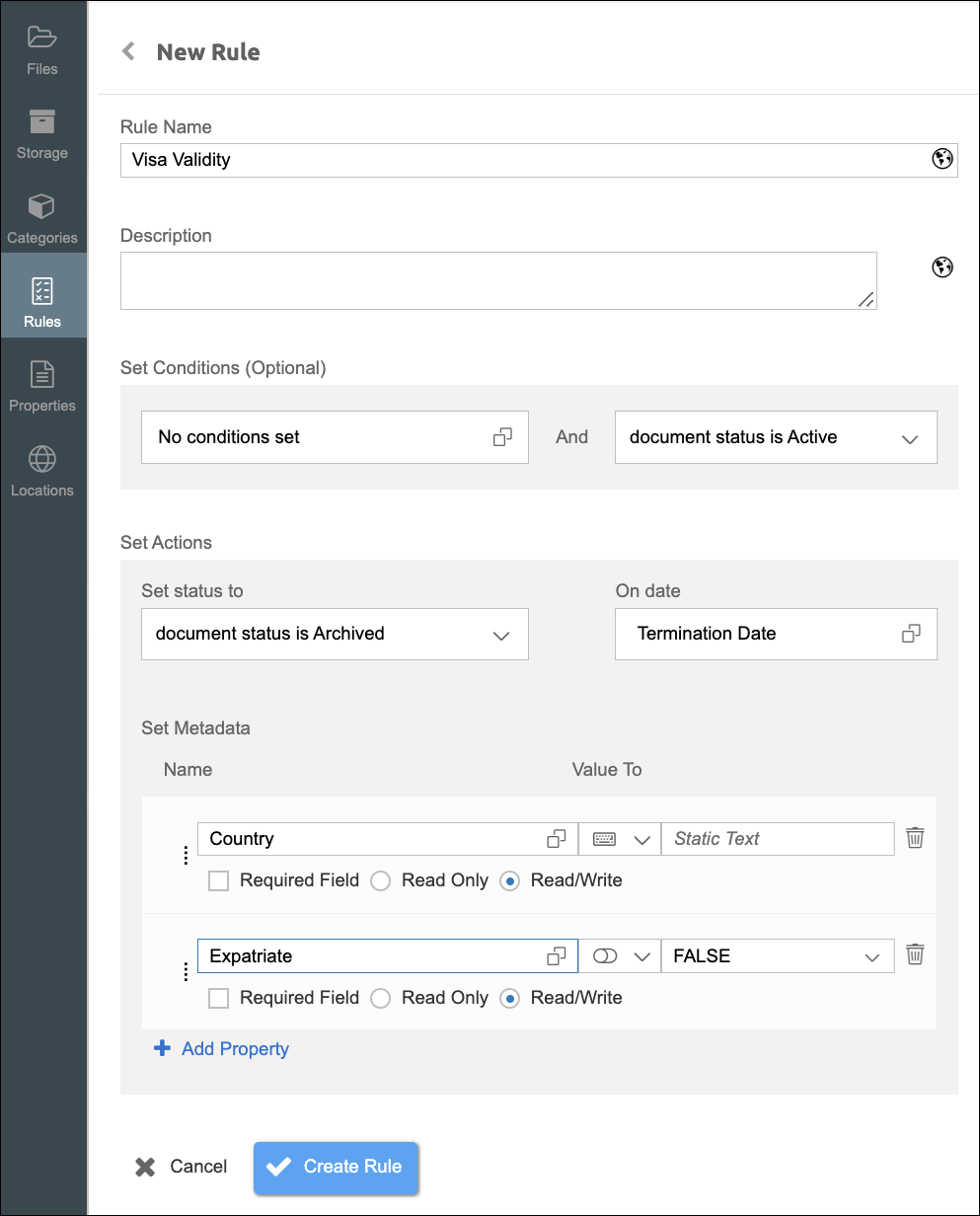
- Set Metadata by adding Properties. The properties to add here should have already been created from the Property Manager. (For reference, please read: Manage File Properties)
- When done, click the Create Rule button.
After clicking Create Rule, you should now be able to view the details of your newly created rule, with Metadata assigned as shown in the sample screen below.
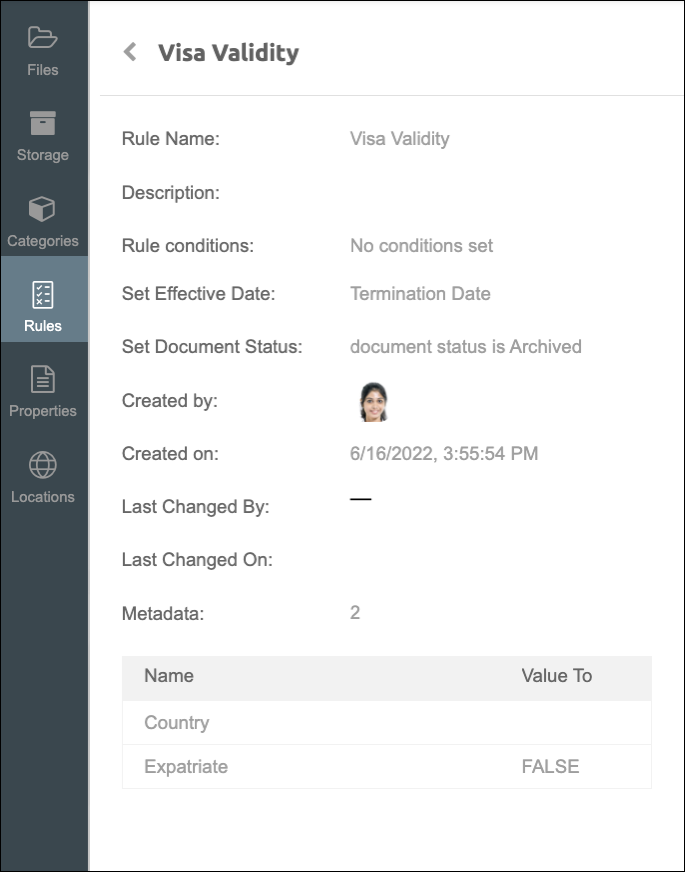
When editing an existing Validity Rule, simply click on the Edit button from the View screen. If from the main Rule Definition screen, the Rule can be viewed, edited, and deleted via the ellipsis button (more options) found on the right of each rule.
Apply Validity Rules to Documents
The configured Rule Definition or Validity Rules can be applied via Categories when uploading or storing documents in Strato Storage. Moreover, Validity Dates can be applied individually, and set the status of the document when that period has been reached. For more information, please read :