Validity Period of Documents in File and Storage Management (Setting Validity Dates)
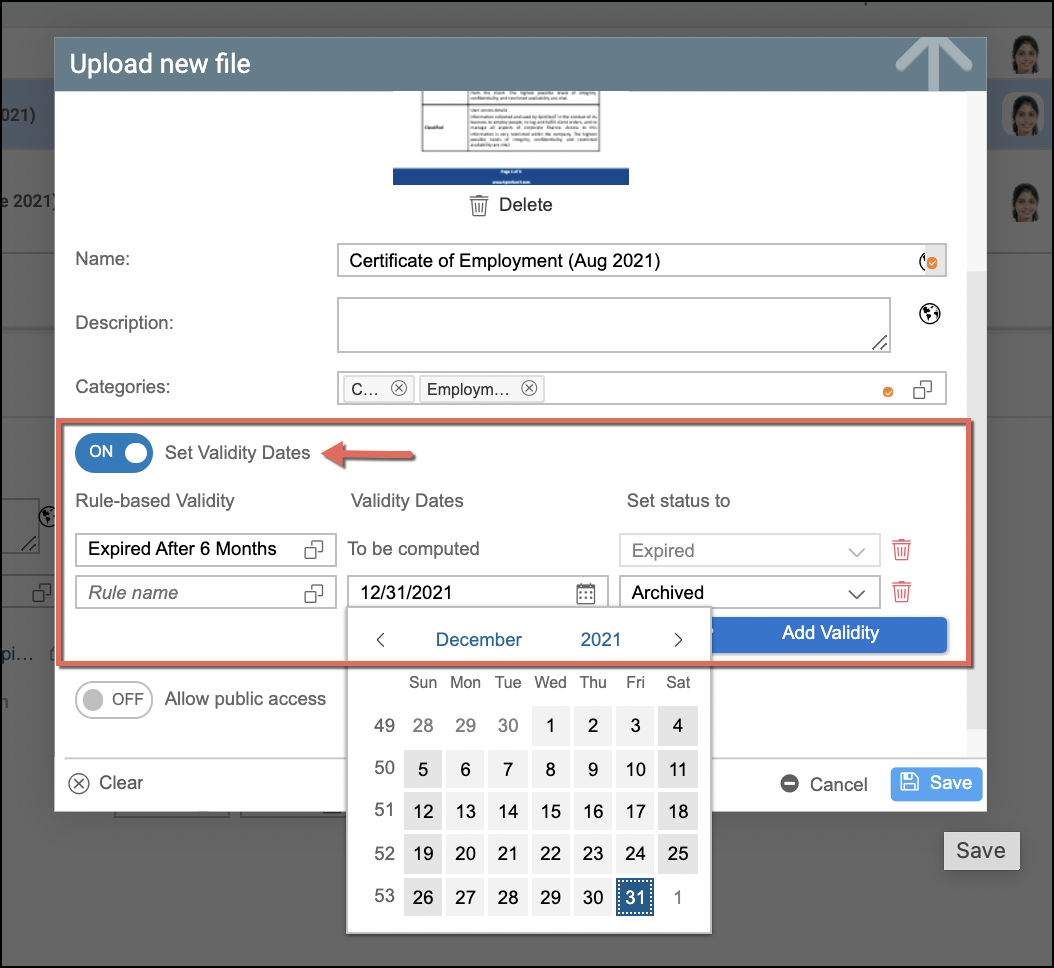
Company employee documents and files within File Management / Storage Management of Strato can have validity dates set to them depending on the document type and the organization's requirements when storing their files. For example, setting validity dates for uploading VISA or Work Permit documents for expat employees.
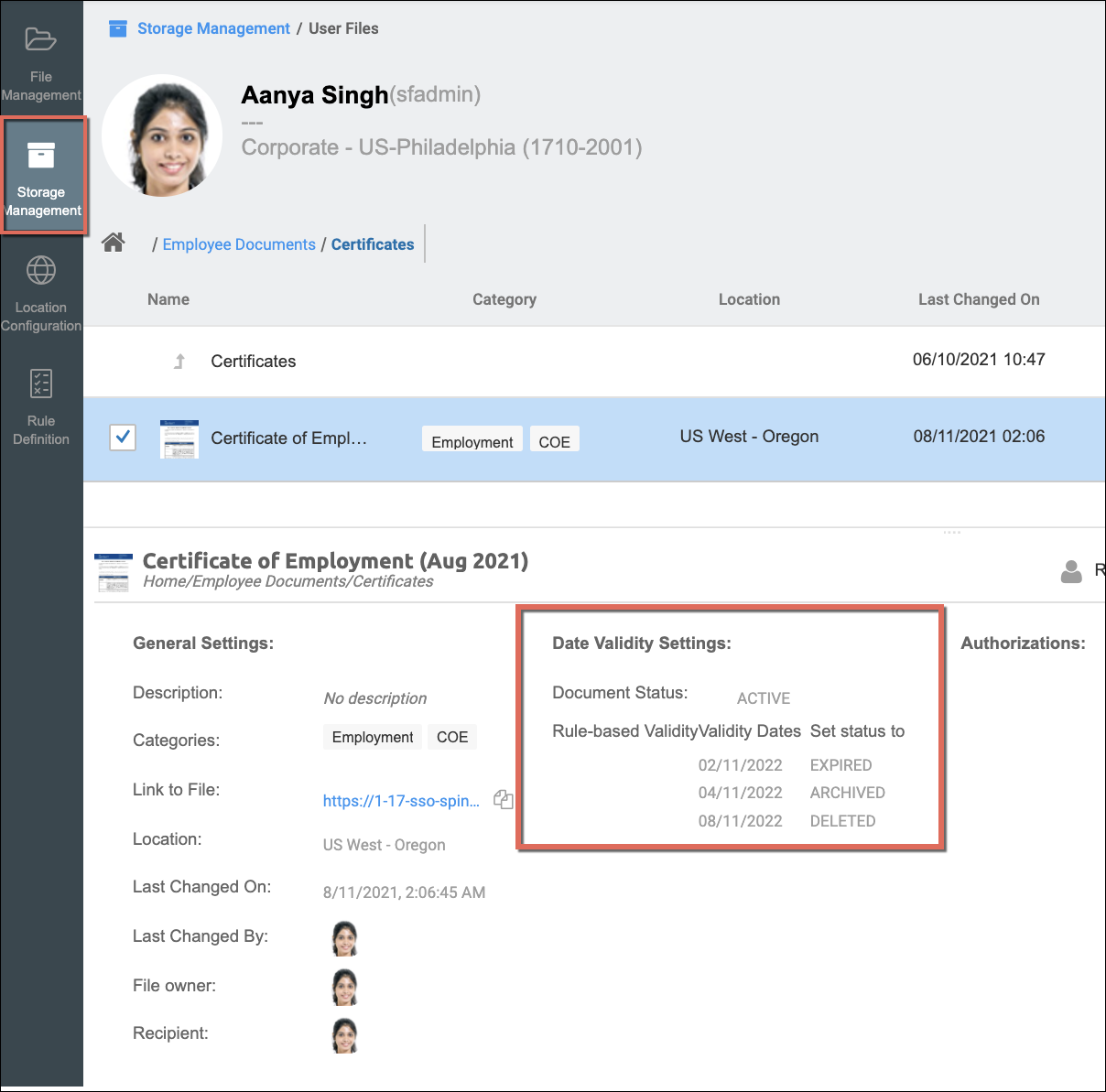
By default, documents are on Active status when stored and can have validity rules applied to them upon creation or being added in storage. They can be configured or changed as well.
Functionality
When uploading files for employees in Storage Management, the following can be done for the documents' validity period:
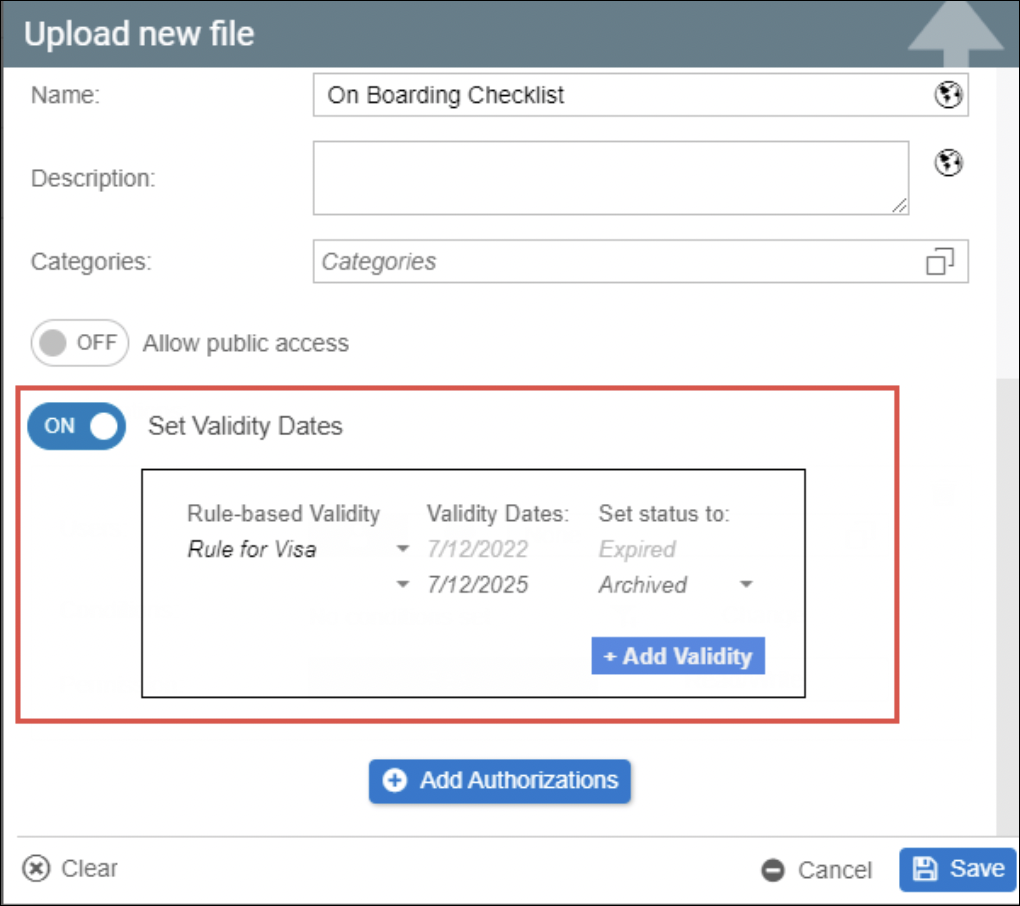
- Setting and adding validity dates (these should be future dates)
- Can set more than one validity dates which will be sorted from earliest to latest
- Configuring Rule-based Validity
- Setting a new status once the set validity date has been reached:
- Expired - indicates that the document will be expired on the dates set up as its expiration date. This means that the document might no longer be legally valid, but will still be available within the employee's stored documents (this depends on the organization's requirements for storing expired documents)
- Archived - indicates that the document will no longer be available to the employee to access but will still be in his HR records.
- Deleted - indicates that the document will be deleted on the given period/dates. A deleted document will no longer be available in the file storage.
Sample Use Case and Enabling the Validity Dates Features
In some countries, there are some rules around the validity of a document. Typical GDPR would look like the following scenarios:
- A document will be archived after 2 years
- A document that is archived will be deleted after 5 years
- A document, for a German employee, will be archived 6 months after termination
In the sample screen below, there are already configured Validity Rules from the Rule Definition of Storage Management. The sample configuration includes:
- Setting the document as expired after 6 months
- Archiving the document after 8 months
- Deleting the document after 1 year
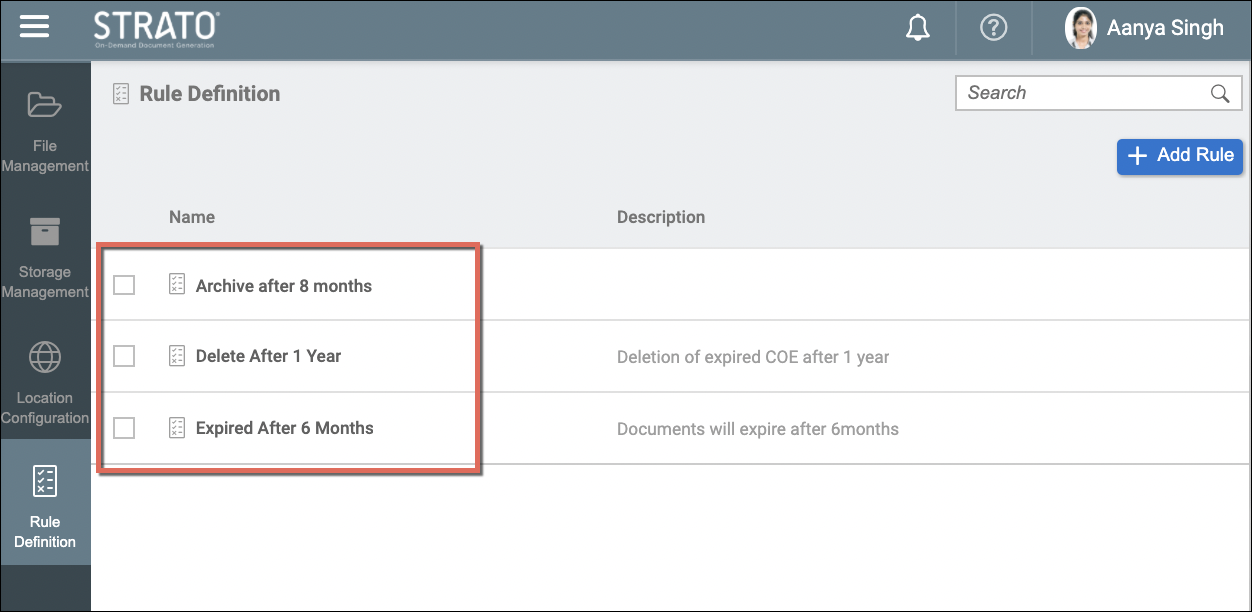
The Validity Rules configured within the Rule Definition tool can then be applied to documents in File/Storage Management. You can apply validity rules when (click the linked articles for more details):
When setting the Rule-based Validity for documents, you can apply one or multiple validity rules depending on your requirements. They can be from the:
- selection of the already configured Rule Definition that will be automatically calculated; and/or by
- manually selecting a specific date from the calendar and selecting the document Status when that date is reached.
The image below shows a sample screen of setting validity rules when uploading a new file.