Mass Application of Validity Rules (File and Storage Management)
In File Management or Storage Management, there is a feature to apply validity rules (or validity dates) to multiple documents. This is simply done by clicking the Set Validity Dates button after selecting the multiple files that need validity dates to be set.
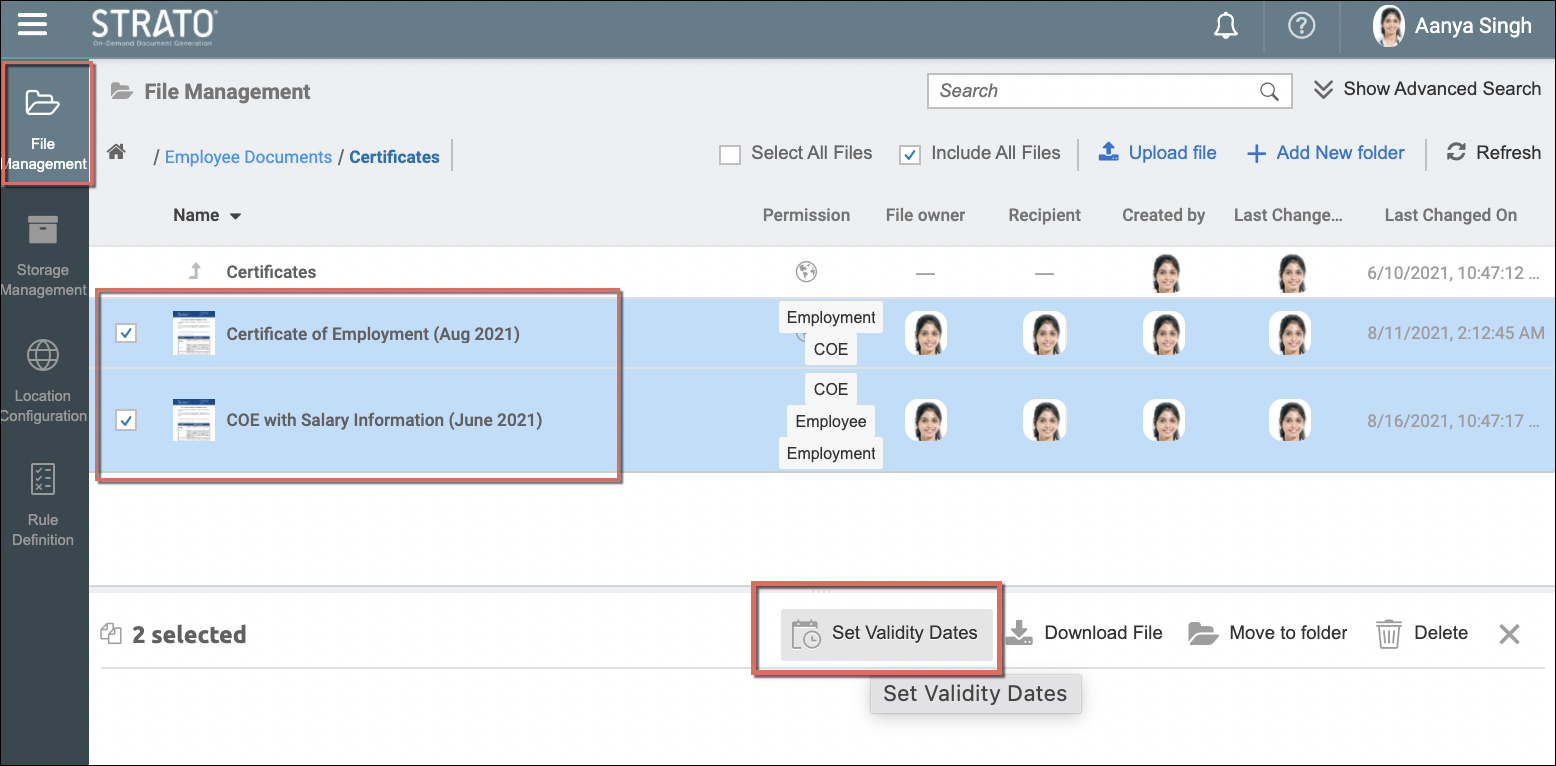
Prerequisite: Admins should have the proper authorization to create and/or change document validity rules. (Read User Roles)
From the Set Validity Dates screen, set the Rule-based Validity for the selected documents. You can apply multiple validity rules depending on your requirements. They can be from the:
- selection of the already configured Rule Definition that will be automatically calculated; and/or by
- manually selecting a specific date from the calendar and selecting the document Status when that date is reached.
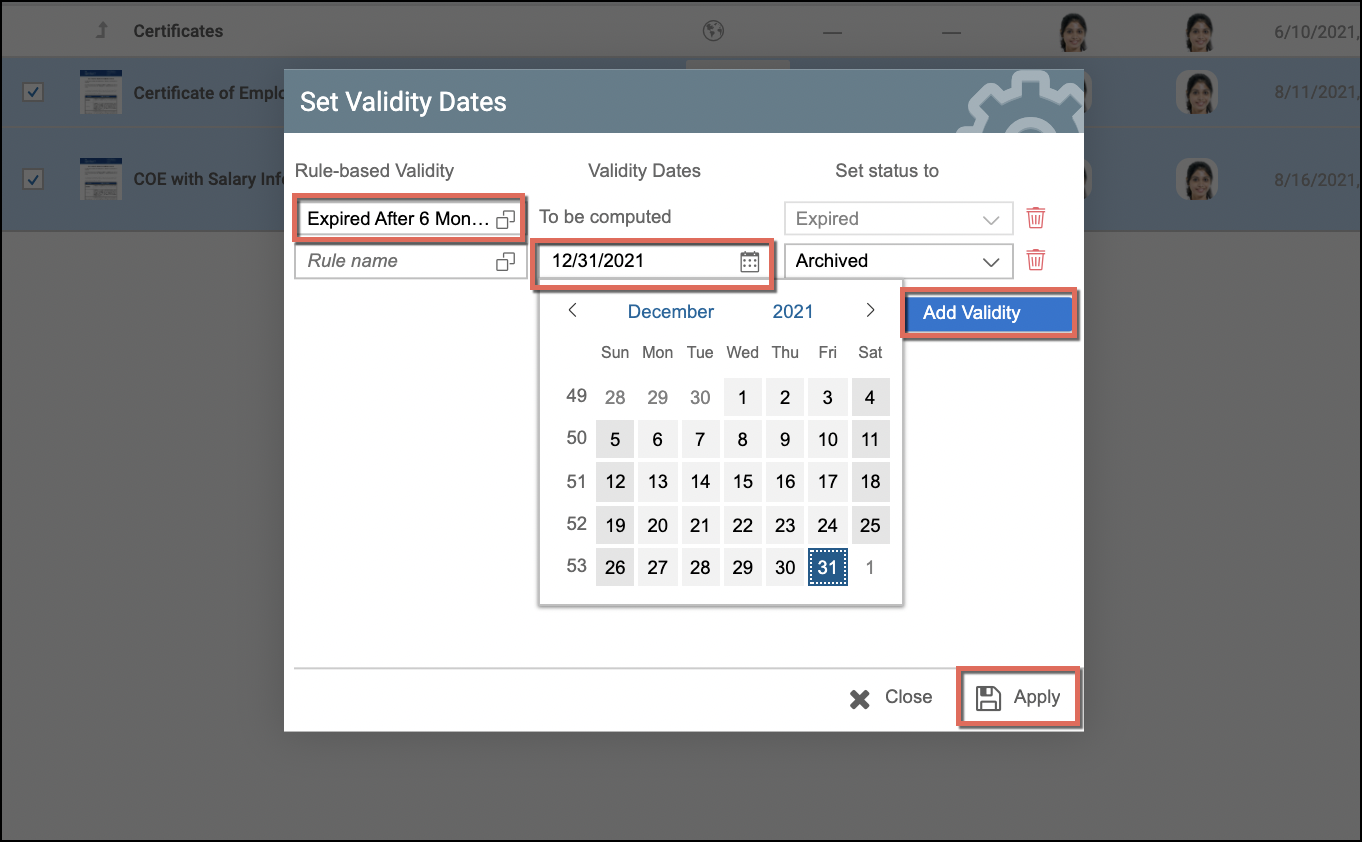
After setting the Rule-based Validity for the multiple documents, simply click Apply.
In addition, if the selected documents already have a set of validity dates prior to the mass update, the new validity dates will overwrite the previous settings once the new mass update has been applied.