User Roles
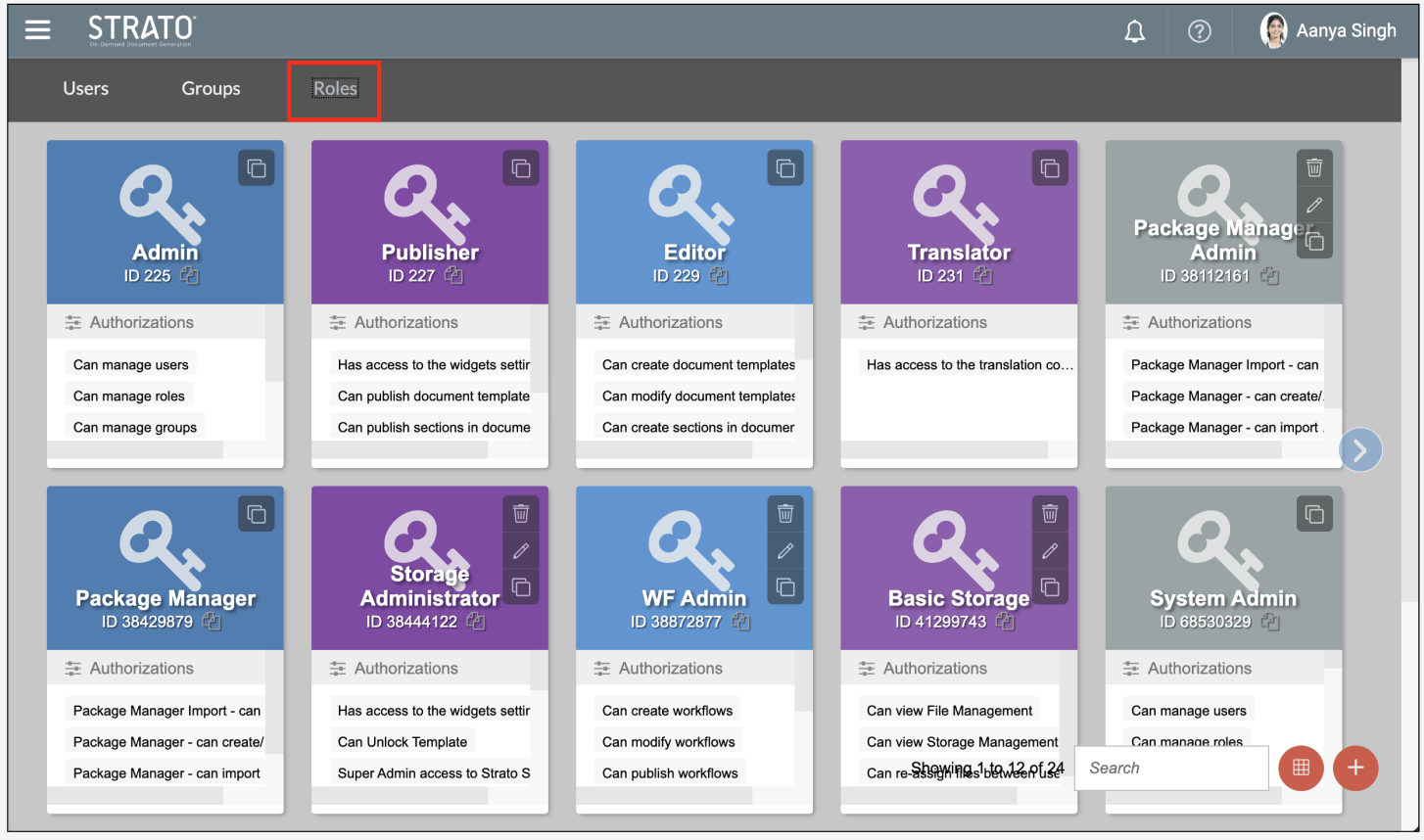
Roles are a group of authorisations that are assigned to a user. The ability to create and modify users and contents is only restricted to authorised users. Same with assigning Users and Groups, assigning User Roles is modified within User Management.
Roles can be combined to create a group. Multiple users can be assigned to a group.
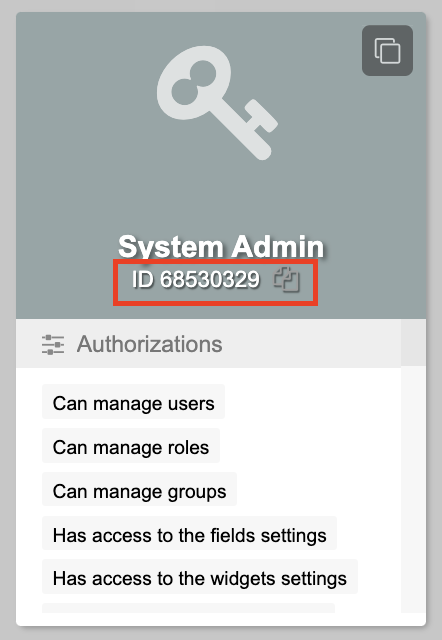
 The Role ID, which is used to assign specific role/s via API, is displayed under the role name labeled ID. The copy-to-clipboard icon to its right allows convenient copying.
| User Type | Capabilities | Limitations |
| User Administrator | The User Administrator manages who can access Strato's features by assigning groups and granting roles to specific users. They also have access to the fields manager and is the POC for licence requests | They cannot change the set rules and parameters set in Strato and would need to contact a Strato Administrator for any change in requirements and request for licences. |
| Editor | The Editor can create, modify, and delete Document Templates, Text and Table Sections, and Photos. They can access the global album and can make changes as necessary. | They have no control over User Management and Field Settings. |
| Publisher | This is the default access for all employees in Strato. | They cannot create or modify their own templates or change their details unless it is changed in the data source. |
| Translator | The Translator can view and translate Document Templates, Sections, and images into a specific language. | They can only view Document Templates, Sections, and images but will not be able to apply changes to its overall structure or content. |
| Workflow Admin | A Workflow Admin can create, modify, view, publish, can act on behalf of a workflow actor, can | (TBA) |
| File Management Admin | A user with super admin access to stored files and folders will have full access to all files and folders under File Management regardless of the authorisations configured to those files and folders. This includes viewing and modifying folders and stored files. A super admin can also delete files. | For non-super admin users, files and folders that have specific authorisations where the current user is not part of will be hidden. Non-super admin users cannot delete folders and files. |
| External User Viewer | Enables users to perform the following actions:
| If additional actions are required other than viewing, additional specific-based authorisations are needed. |
Authorisations per Role:
| Role | Authorisations |
| System Admin |
|
| Admin |
|
| Publisher |
|
| Editor |
|
| Translator |
|
| Workflow Admin |
|
File Management Admin (Super Admin role) |
|
File Management Admin (HR Admin role) |
|
File Management Admin (Manager role) |
|
File Management Admin (Recruiter role) |
|
| Legal Hold |
|
| Package Manager |
|
| External User Viewer |
|
| Upgrade Centre Access |
|
| Upgrade Centre (Alpha Access) |
|
| Upgrade Centre (Beta Access) |
|
| Upgrade Centre (All Access) |
|