Create a Category in Strato Storage (with Validity and Metadata)
Categories in File and Storage Management are used to effectively manage and organize files, as well as to:
- Apply validity rules to documents and files to set their validity period
- Set metadata (assign properties)
This article covers the steps on how to create a Category with Validity Rules and Metadata set, which can then be assigned to documents and files for File and Storage Management.
In this example, a category Visa will be created that can be assigned to any visa forms or visa-related documents in Strato Storage.
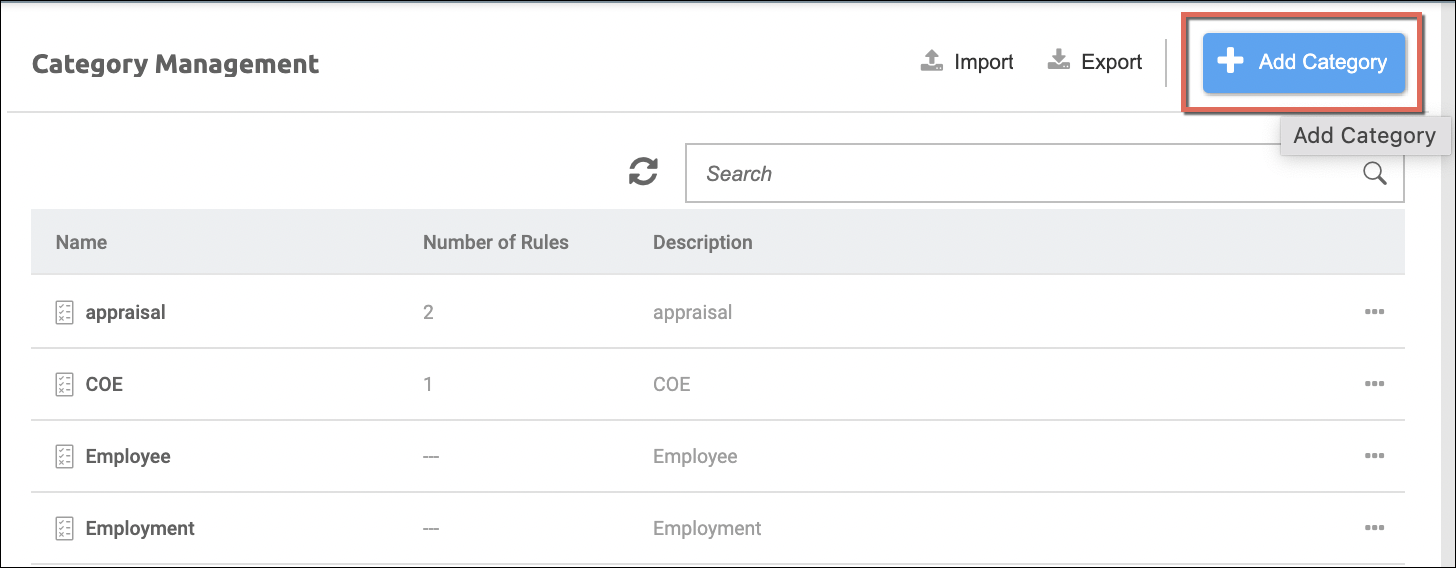
- Access the Category Management module
- Click the Add Category button
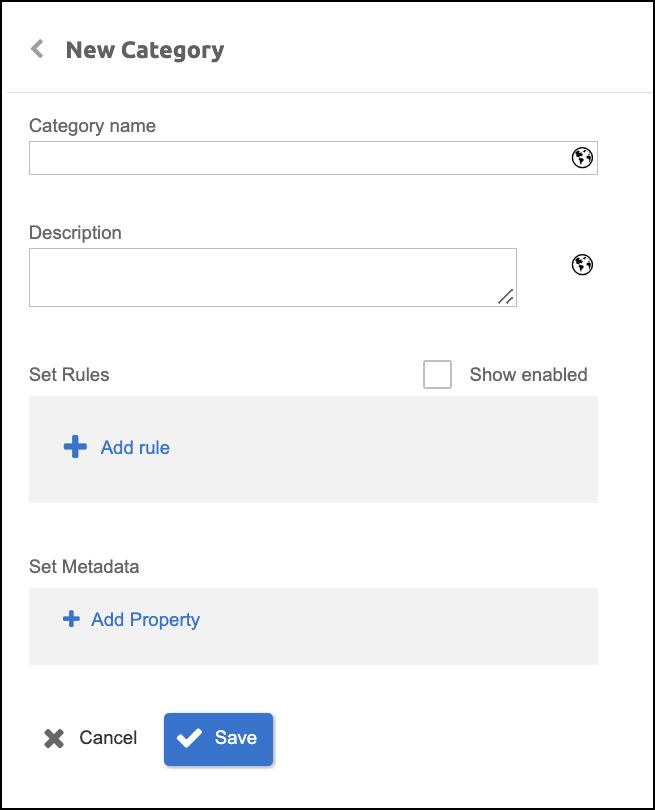
- From the New Category screen, populate the necessary fields:
- Category Name (in this example, it's Visa)
- Description - To set validity rules to documents for this category, click Add Rule, then click on the selection option. As a prerequisite, rules should have already been configured from the Rule Definition module of the File and Storage Management.
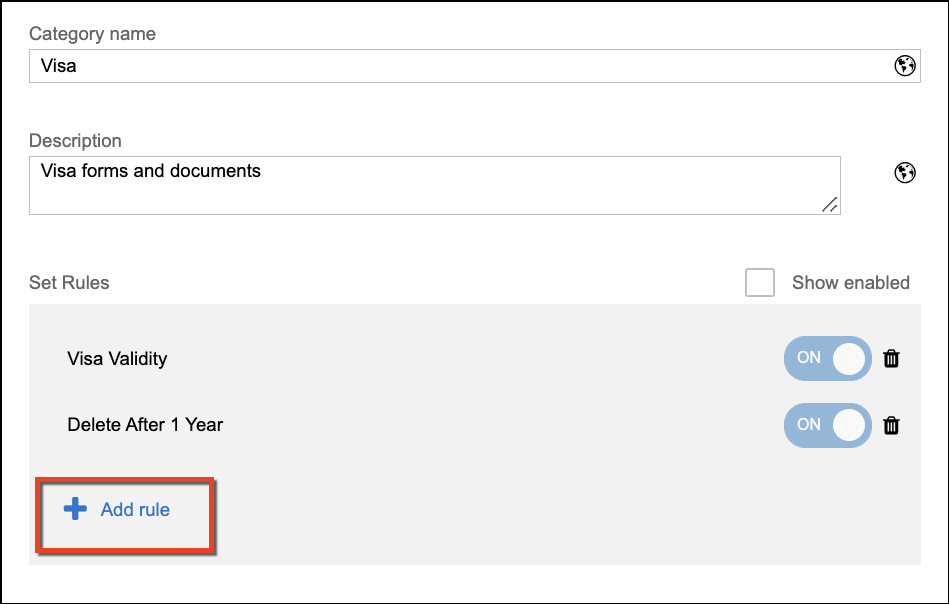
- From the list of the pre-configured rules, select the required validity rule for this category. If the required rule is not yet in the list, this should be configured from the Rule Definition tool. One or multiple rules can be assigned - just click on the Add Rule button again after the first selection if more rules are required. (A defined rule can already have Properties/Metadata assigned to it as well. Please refer to this article: Rule Definition to Set Validity Rules and Assign Metadata to Documents)
After selection, click Apply.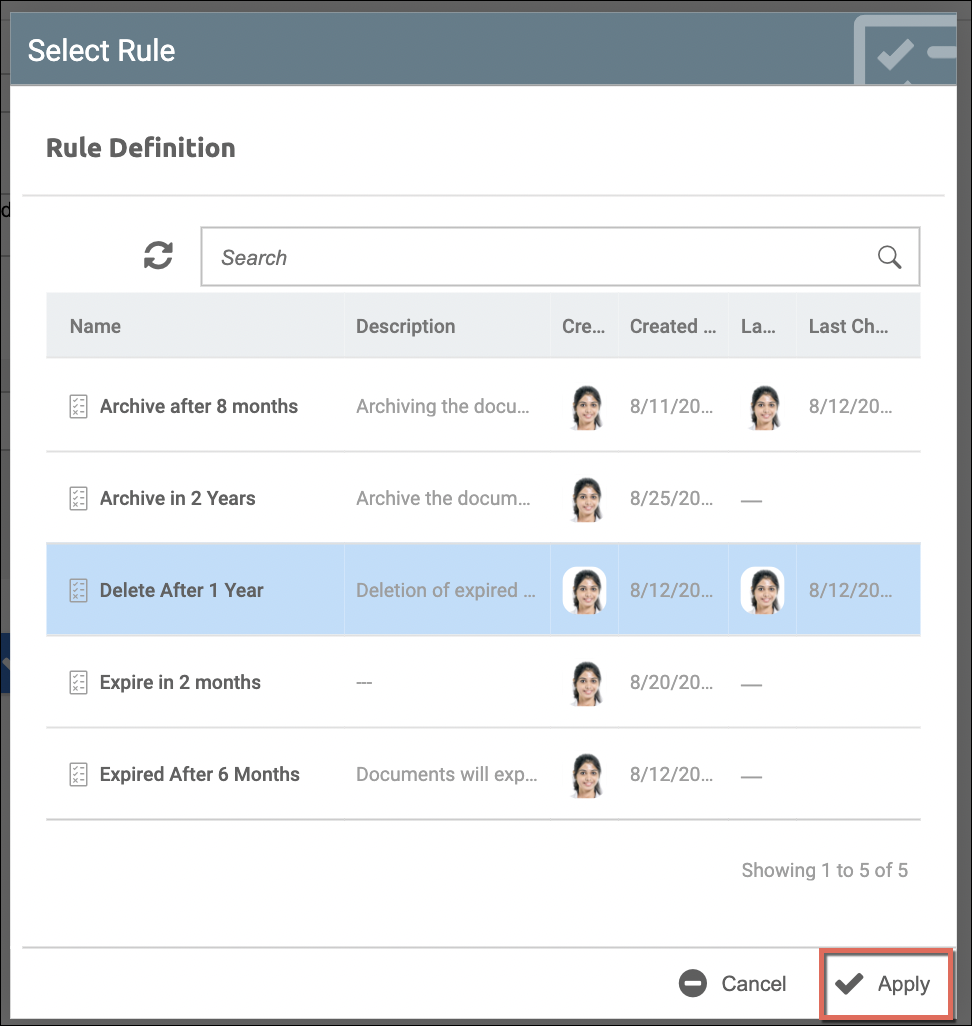
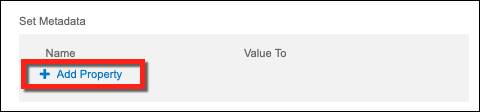
- Next, to set Metadata, click Add Property.
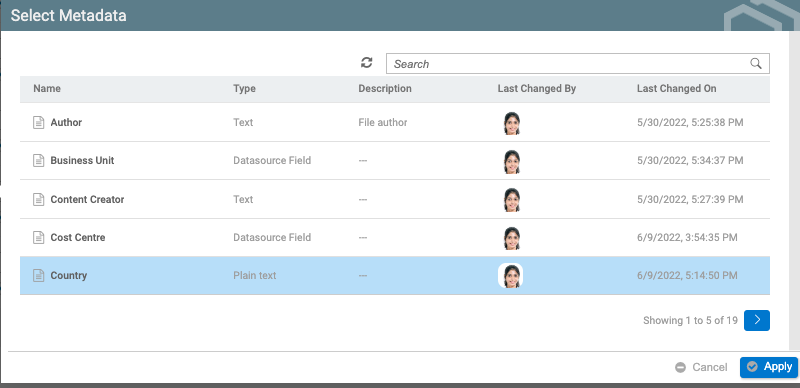
- From the already created Properties, select the required Property as a Metadata to set for this Category, then click Apply. In this example, the property called Country is selected. (This sample property is configured to be in Plain text property type.)
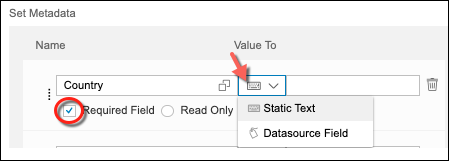
- After selecting a property, set the value to either keep the Static Text (as this property is configured to be in Plain text) or change it to a Datasource Field value. The Property can be set with the following:
- Required Field (When uploading a document in Strato Storage, required Properties should be populated first before it can be stored/saved)
- Read Only (The Property's value will only be displayed and it is not editable)
- Read/Write (The Property's value is editable)
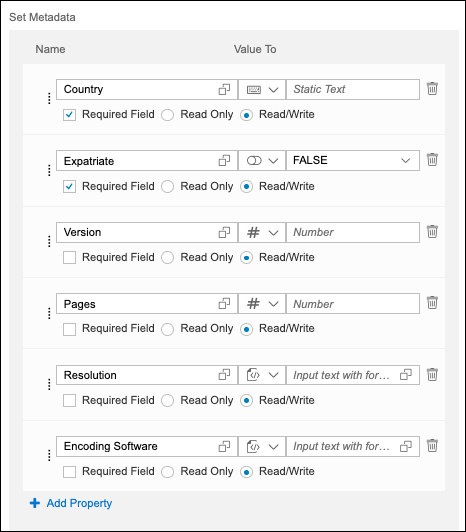
- Keep adding more Properties as required in the Category. (The sample screen below shows multiple properties assigned to the Visa category, in different property types.)
- Once done adding Validity Rules and setting Metadata, click Save.
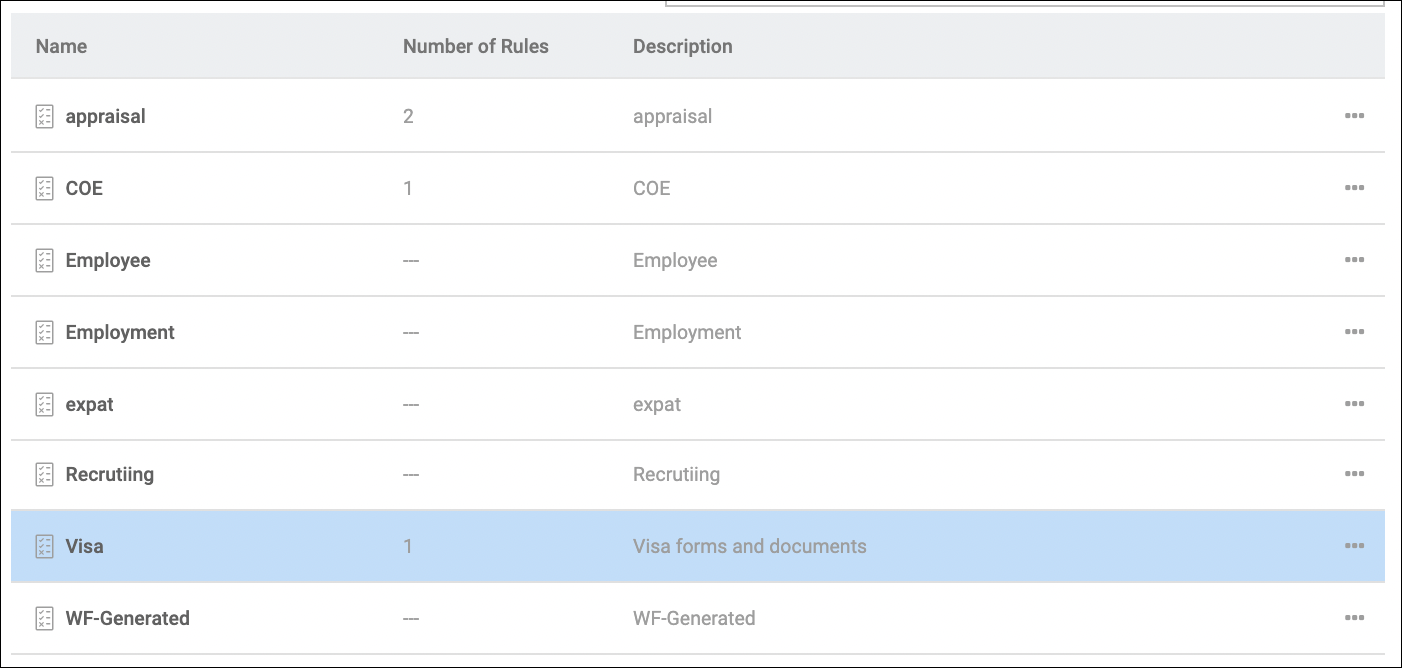
This newly created category should now be available in the list of the categories, and should now be ready to be used and assigned to documents required to have the Visa category.
For assigning Categories with validity rules, please read: