Access and Navigate Category Management
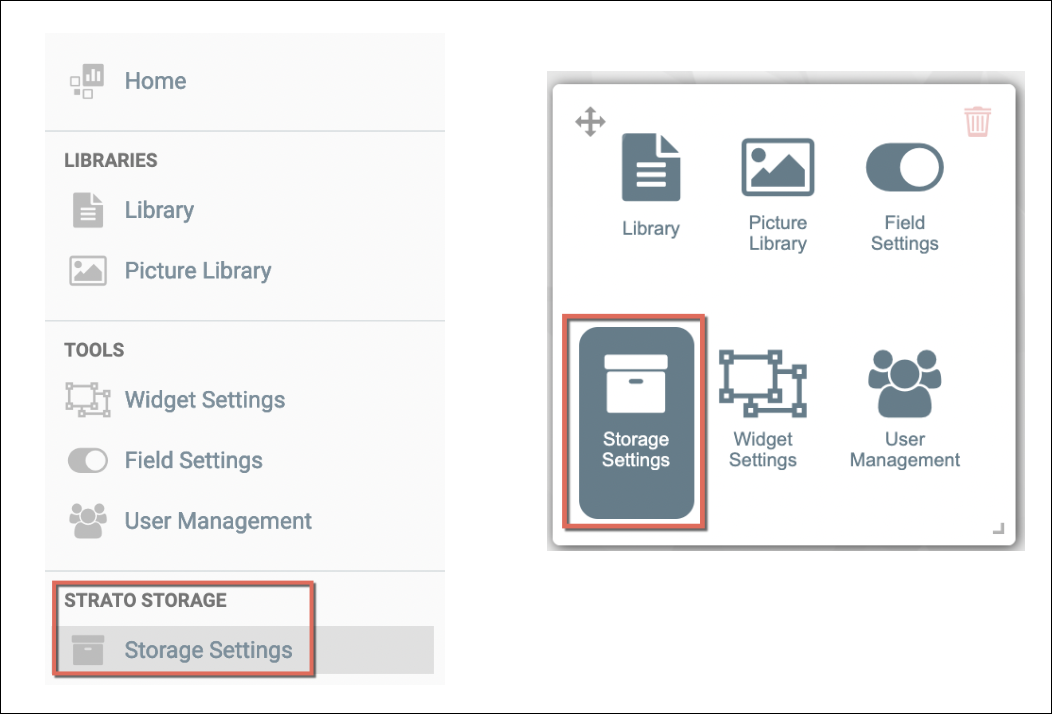
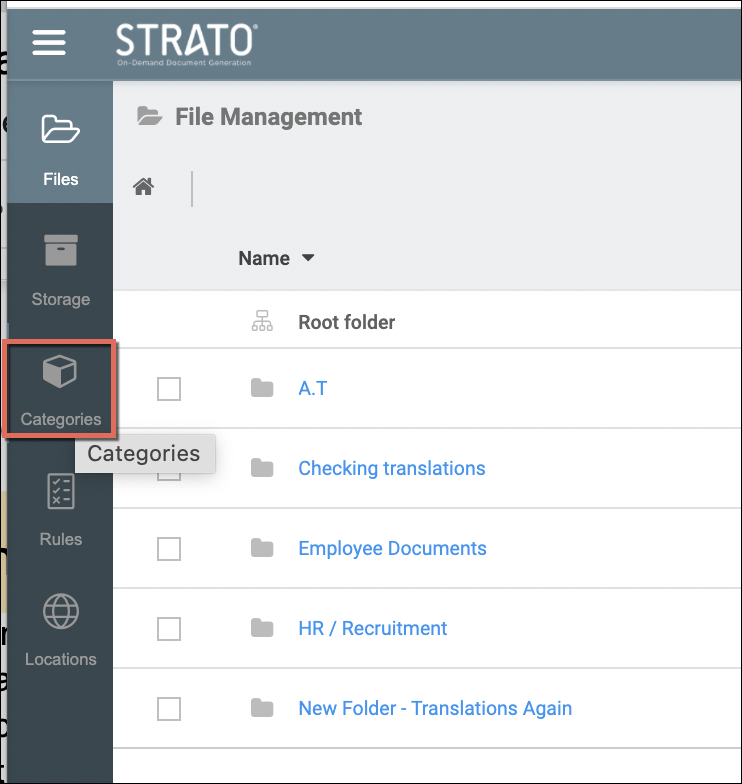
To access the Category Management module in Strato, access the Storage Settings either from the left menu panel or from the tools widget from the main screen/dashboard of Strato, as shown in the screen below. Then click on the Categories menu. (Access here will depend on the organization's Category Management users' authorization settings.)
The image below is what the Categories screen looks like when loaded:
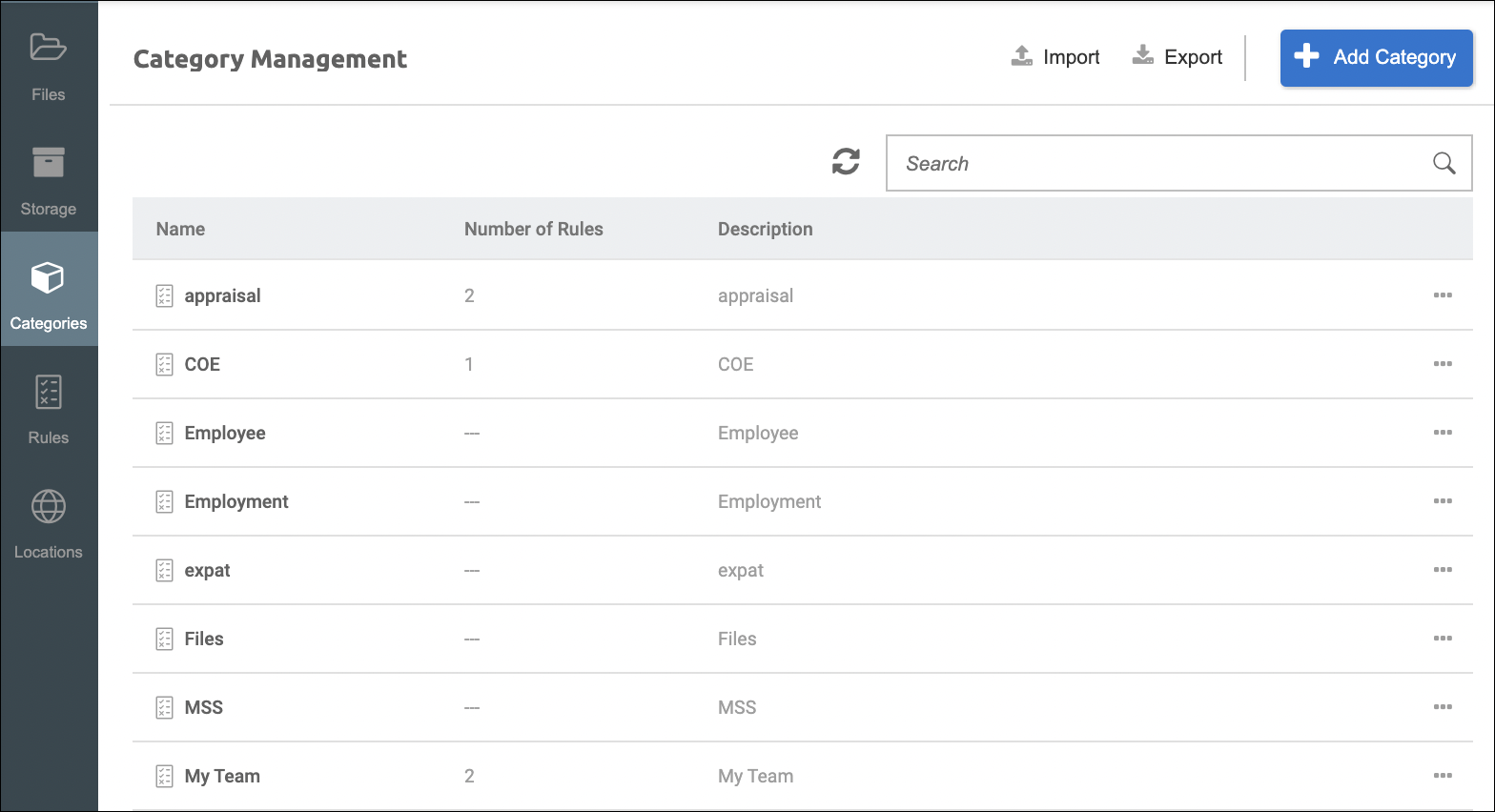
In navigating this screen, you will be able to see the following properties and options:
- Name of the categories (if already created)
- The number of rule(s) attached per category (if there's are any)
- Category description
- Ellipsis button (More Options) to:
- Import or Export
- Add a Category
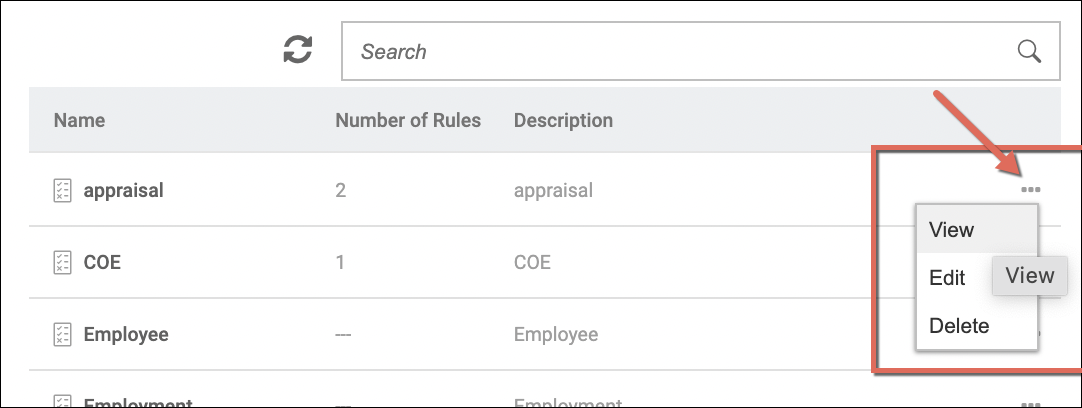
- Action button per category with options to: View, Edit and Delete