Metadata / Properties Manager Overview
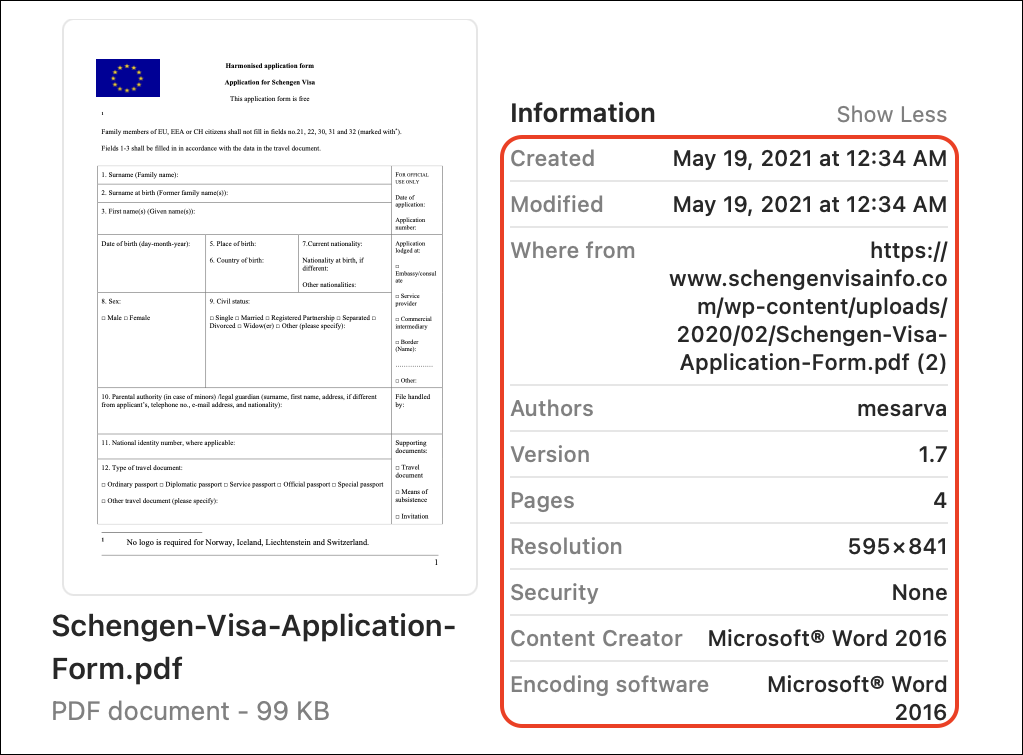
As an overview, Metadata is a set of data that describes and gives information about a document/file. For example, a document can have important details embedded in it that describe the document itself such as its title and descriptive information, the author of the document, the time and date the file was created, or last modified, and so on. The screen below is a generic Visa Application document with its metadata highlighted to give an example of what metadata is.
In Strato's Storage Management solution, Properties can be assigned as Metadata to documents/files. The screen below shows an example of an uploaded document in Strato Storage for a specific employee (COE document for Aaron Chan in this example). With its general settings and all of its other details, is a specific section where the assigned properties or Metadata is displayed.
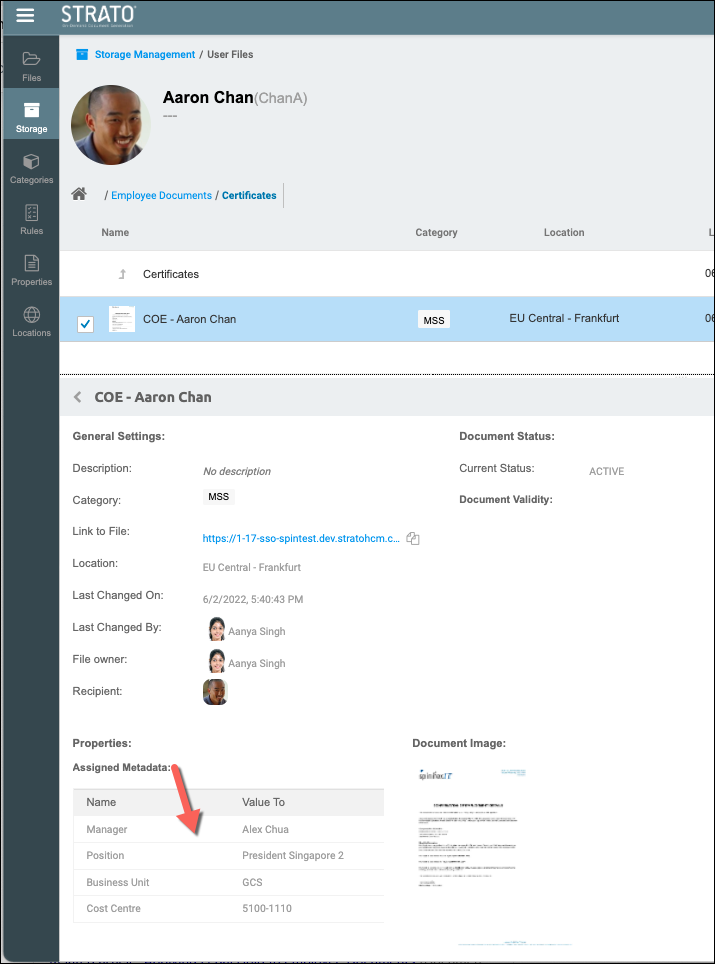
These Properties / Metadata are assigned to uploaded documents via Categories, and this is explained in this separate article: Assign Metadata to Files via Categories
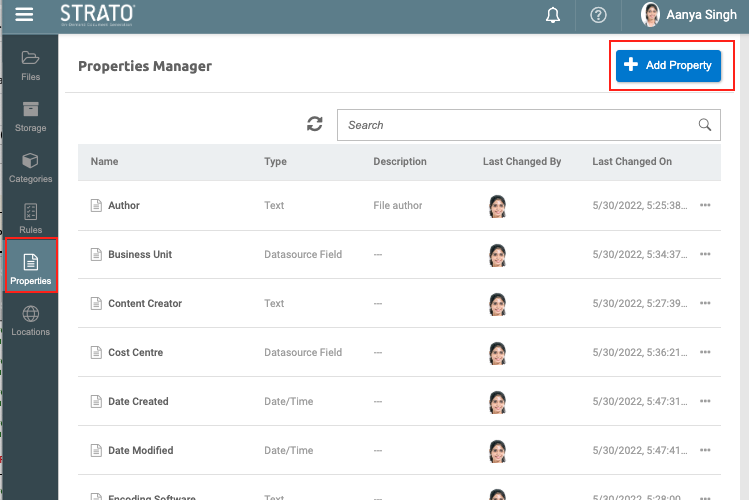
Furthermore, before assigning metadata to files and documents, properties should be created first from the Properties Manager tool highlighted below. (related article: Create Properties to Use as Metadata in Storage)
Functionality
With the Properties Manager, administrators (depending on the authorization) can:
- Create properties to be used as metadata for documents/files in Strato Storage
- Assign property type (i.e, Text; Number; Date/Time)
- Edit the already created (existing) properties
Integrated Features and Tools
- Strato Storage - Properties Manager is one of the main tools within Strato Storage along with Files and Storage Management, and Categories Management. Properties are created and can then be assigned to Categories and Validity Rules. These categories and validity rules (with their assigned properties) are then applied to the documents within Strato Storage. All the properties that a category or a validity rule carries are then assigned to the documents as Metadata.
- Strato Automate (Workflow) - Uploading documents in Strato Storage can be enabled in the Store Document step. From this workflow step, Categories can be set to the documents that are going to be uploaded to Strato Storage. If the categories set also have Properties assigned to them, then these properties will be the Metadata automatically set to the uploaded documents.
- Generator Card (Strato Dashboard) - Uploading documents in Strato Storage can be enabled in the Generator Card. Categories can be automatically assigned to the documents generated from Strato Dashboard. If the card is properly configured, Categories can be assigned to the documents that are going to be uploaded to Strato Storage. If the categories set also have Properties assigned to them, then these properties will be the Metadata automatically set to the uploaded documents.
Access Properties Manager
To access the Properties Manager, please read: Access and Navigate Properties Manager