Catalogs in Document Creation (Data Source)
Catalogs are groups of field groups which contain the specific fields needed for your document type. Depending on which modules are enabled in the admin settings, the available catalogs to choose from will vary. (Read: Module Activation)
The fields which are made available to your document template depend on the catalog you select. (Read: Field Settings)
Employee
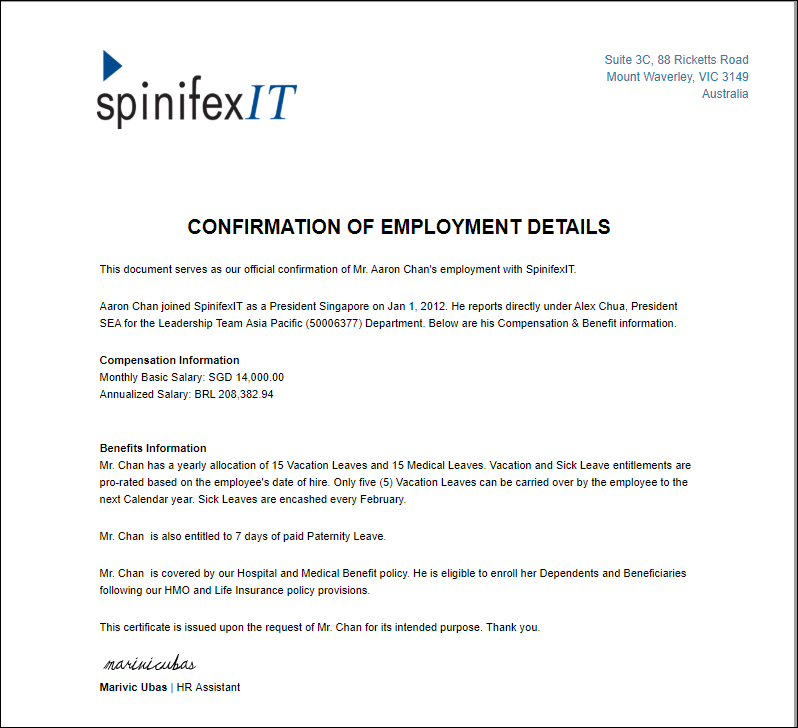
This catalog has fields and field groups which contain employees' information such as their date of hire, role, compensation, tenure and more. It fetches its contents from SuccessFactors' employee files. This catalog also contains these field groups.
Sample Field Groups & Fields
| Personal Information | Employment Details | Compensation Information |
| First Name, Last Name | Job Title | Monthly Salary |
| Addresses | Department / Division | Annual Salary |
| Dependent's Information | Hiring Manager | Pay Type |
| National ID | Contact Information | Cost Center |
| Civil Status | Employment Status | Spot Bonus |
Here is a sample document output:
Application
This contains fields and field groups which focus on the Candidate's Information and Requisition information. Letters sent to a Candidate will be coming from this Catalog. The Recruitment Team or Human Resources Team may use the available fields and field groups to send job offers and contracts, send rejection letters, and endorse an applicant for interview.
Sample Field Groups & Fields
| Candidate | Offer Letter | Requisition Information |
| First Name, Last Name | Job Title | Hiring Manager Information |
| Addresses | Salary | Recruiter Information |
| Primary E-mail | Allowances | Job Division |
| Contact Numbers | Stock Grants | Cost Center |
| Candidate Background | Target Bonus Amount | Job Requisition ID |
Requisition
This contains fields and field groups that focus on filing hiring requisitions which will be the basis for Job offers and contracts. Both the Application and Requisition catalogs get their information from SAP SuccessFactors Recruiting. Documents used by Hiring Managers to create requisitions, job descriptions, and candidate endorsements are filed under the Requisition Catalog
Sample Field Groups & Fields
| Job Requisition |
| Job Level |
| Job Department |
| Job Division |
| Number of Openings |
| Openings Filled |
Easy Reporter
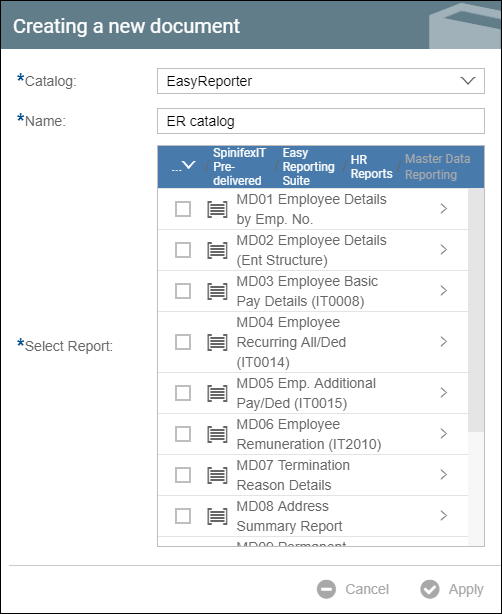
You can use fields from Easy Reporter when this catalog is selected. Upon selecting this catalog, you will be asked to select a report or multiple reports.
User
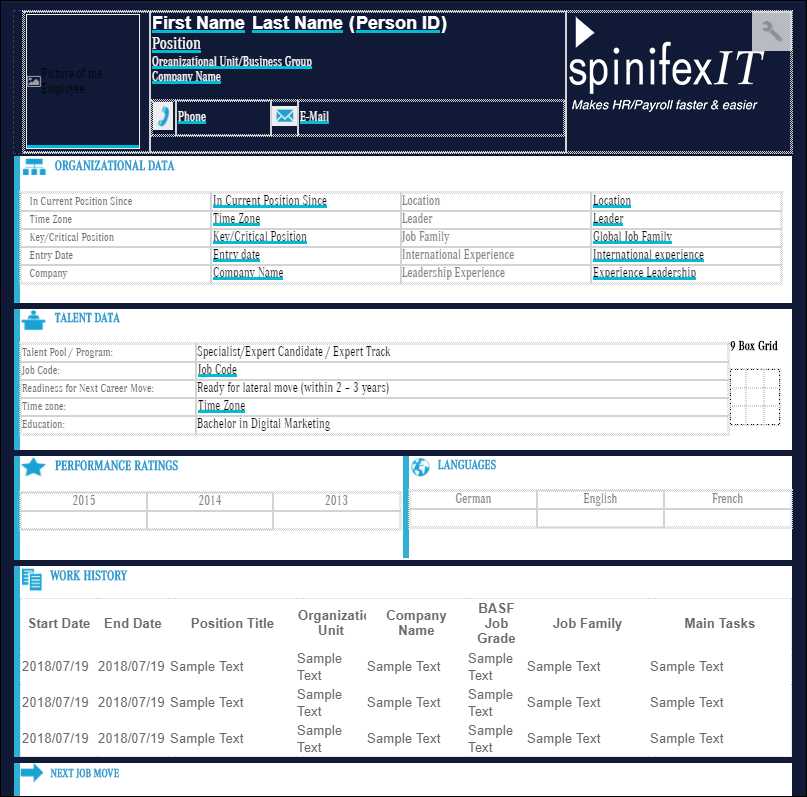
The User catalog is a sub catalog for Employee. This contains fields and field groups which focus on the Talent Management module of SuccessFactors. A sample document that can be created under this catalog would be a Talent Card form as shown in the sample screen below.
External Datasource
An external datasource such as a CSV file or a Google Sheet can be uploaded to be used as a catalog.