Viewing Running Workflows via the Workflow Admin Card (Dashboard)
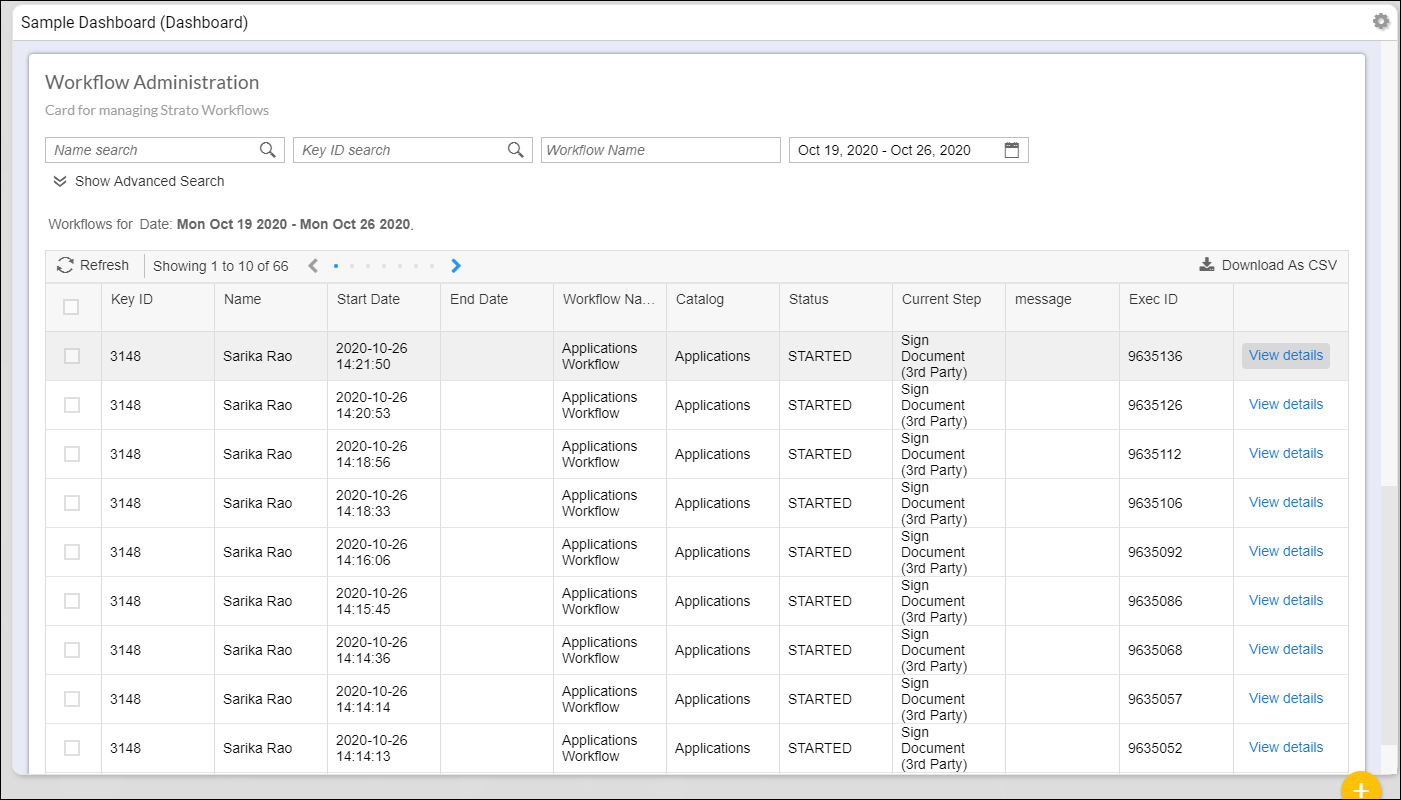
To be able to view all the running or completed workflows, you should have a Workflow Administration Card configured in your Strato Dashboard widget. (For more details about this card, read: Card Type - Workflow Admin Card (View Mode))
It is from the Workflow Administration Card where administrators can see which workflows have been completed and which ones encountered an error. (Read: Analyzing Errors in Admin Card)
In this card, you can search for specific workflows using the Search function. By clicking the View Details function for each workflow, more details about the workflow can be viewed for further analysis.
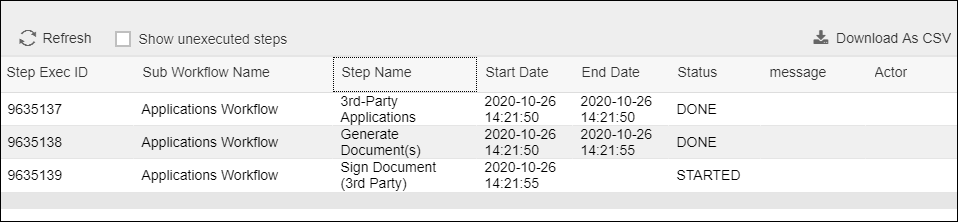
Depending on the user role, other actions such as forcing a workflow to stop, or restarting a workflow that encountered an error are also available.
To know more about the other Workflow Actions for Admins, read:
To have a Workflow Administration Card in your dashboard, you have to create/add the following:
- Create a Dashboard Widget
- Add a Card in a Dashboard Widget (add Workflow Administration Card)
- Add and Enable your Workflow Administration Card