Workflow Actions for HR Admin via Cards in Dashboard Widget
This article covers the following:
Workflow Actions for HR Admin via Workflow Administrator Card
The Workflow Administration Card is used to track and investigate all the workflows that have been executed in the system. With this card, HR Admins will be able to view all workflows that are pending and items that require action from a manager or a recruiter.
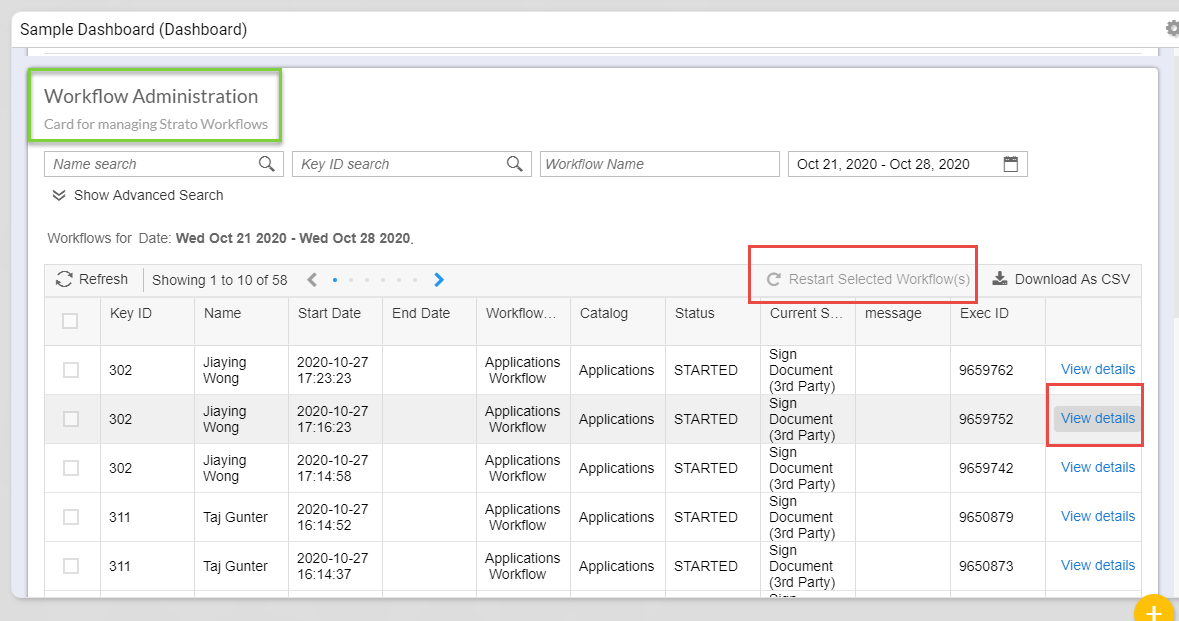
With this card, HR Administrators will be able to:
(For more information, click the links below to direct you to their corresponding articles.)
- View or search for any running workflows via Workflow Admin Card
- See any workflows that resulted to an error, investigate and gather information about the error
- Have the ability to force stop/end a running workflow
- Restart a workflow that encountered an error
- Perform action on behalf of the recipient (workflow actor) of the workflow item (via To Do Card)
Workflow Actions for HR Admin via Generator Card
A Strato Workflow automatically executes by manually triggering the workflow(s) from the Dashboard widget via a Generator Card. For more information for its use case and How-To, read: Manually Trigger a Strato Workflow via Dashboard Widget (Generator Card)
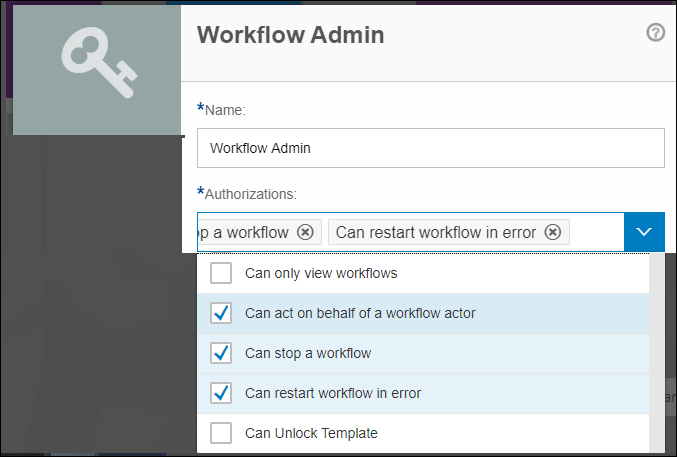
User Roles / Authorization
The available actions mentioned above are only going to be available for users that have those actions enabled for their roles. This is set within the User Management tool of Strato. (read: User Roles).