Storage
Strato Storage provides a secure, centralized repository for all employee-related documents generated through Strato. It simplifies how HR teams and employees access, manage, and store files directly within SAP SuccessFactors.
Documents can be automatically stored upon generation, securely encrypted, and organized into logical folders for easy retrieval. Employees can view their own documents through the Strato Tile in SuccessFactors, while administrators can manage company-wide files and control access through the File Management module.
Strato Storage also enables the Document Management System capability in Strato, allowing organizations to manage both personal employee documents and shared corporate files from one place.
Requirements
To use Strato Storage, administrators must first enable it in the Strato Admin Tool.
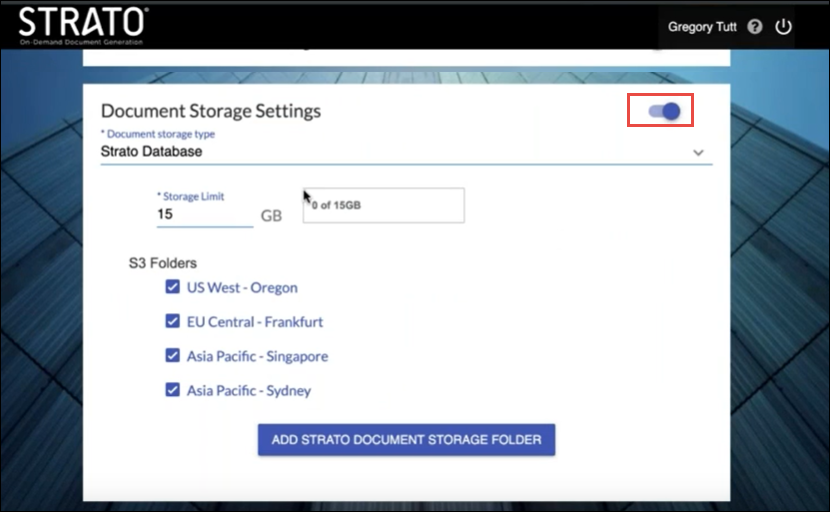
Once the Document Storage Settings toggle is switched on, the Strato database becomes active, and associated storage folders (such as AWS S3 folders) can be configured.
After enabling, the feature becomes available for setup in Widget Settings and Workflows, allowing document upload and storage options to be defined per use case.
Features
Strato Storage offers a range of capabilities that improve file management and security across your organization:
- Secure, cloud-based document storage: All generated and uploaded files are encrypted and stored in the cloud.
- Single Sign-On access: Users can securely access documents through SuccessFactors authentication.
- Logical folder organization: Store files by region, department, or employee attributes for easier retrieval and reporting. Documents can be stored immediately after generation through Strato Workflows or Widgets.
- Granular access control: Administrators can assign folders and define who can view or manage specific documents.
- Storing signed employment contracts and change-of-employment documents.
- Keeping historical and current pay increase letters.
- Archiving total rewards statements for future access.
Configure Storage in Widget Settings
When creating or editing a widget, the Document Storage Settings section allows admins to enable document upload options and define a default storage folder (for example, based on region).
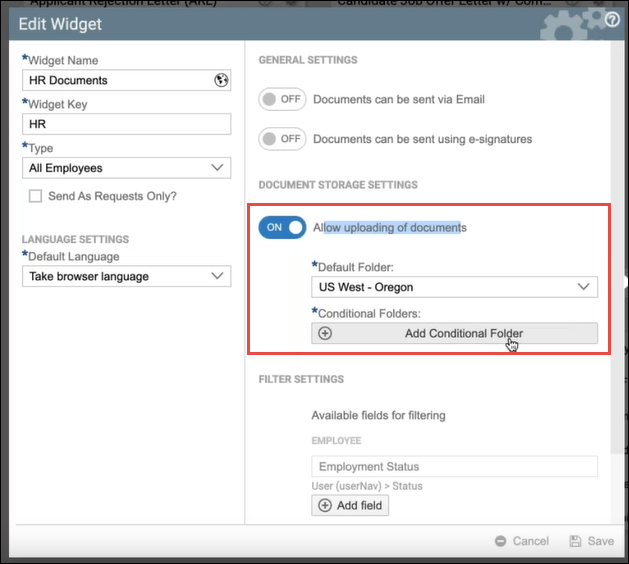
Administrators can also set Conditional Folders, which automatically route documents based on employee attributes.
For example, if a folder is assigned for “Australia,” documents for employees in that region will automatically be stored in the Australian storage location.
Document Generation
Once Strato Storage is configured, documents generated from Widgets with Storage enabled can be directly uploaded to the assigned folder.
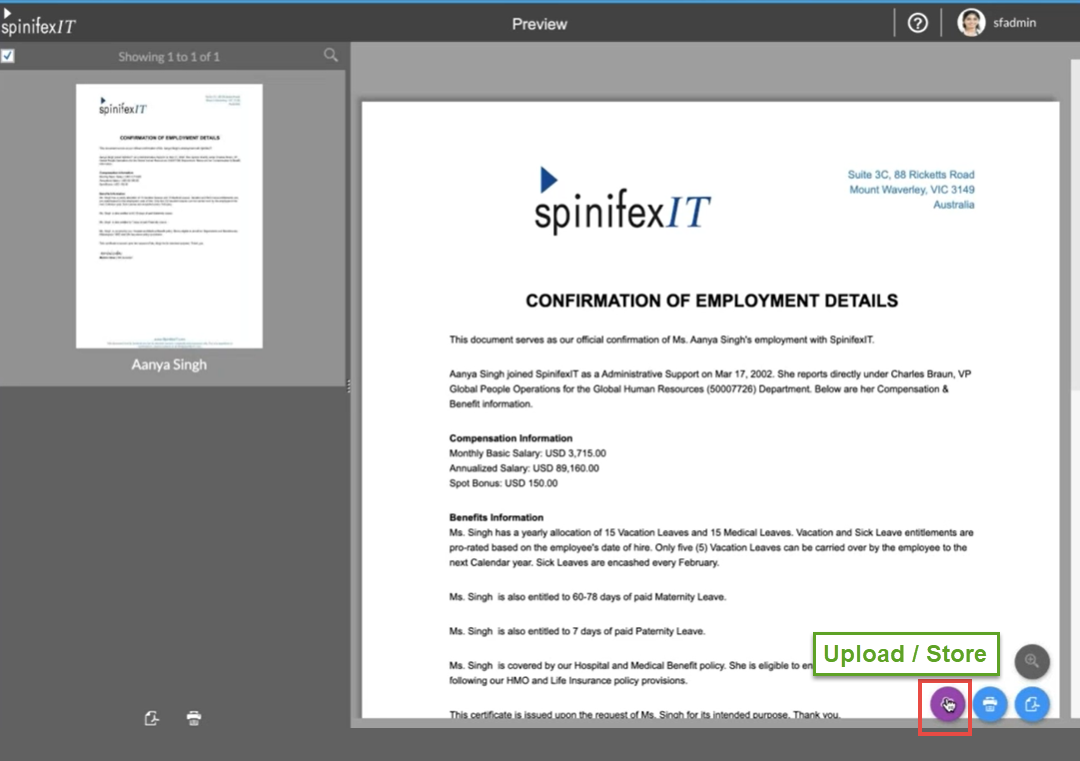
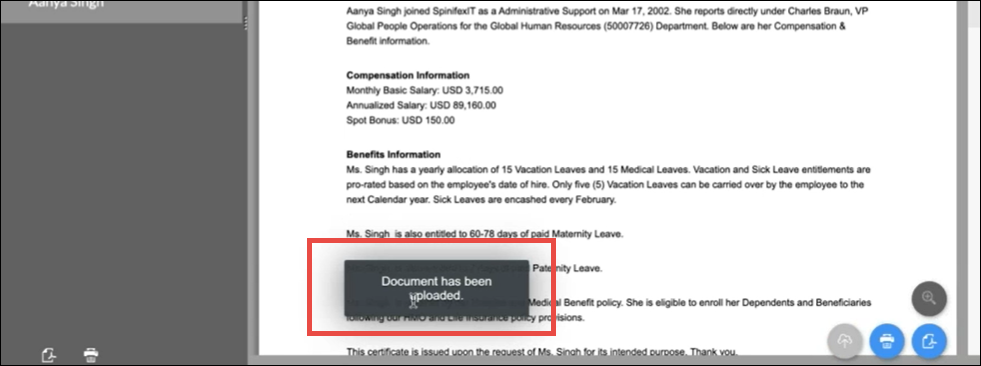
Files can be stored individually or in bulk, depending on workflow requirements.
Stored files are automatically reflected in each employee’s My Files section within the Strato Dashboard Widget.
Strato Workflow Storage
In addition to widget-based storage, Strato also supports automated document saving through Strato Workflows.
Workflow Storage enables generated documents to be automatically stored in Strato Storage, or synced to external systems such as SAP SuccessFactors Employee Central or Recruiting.
This automation helps ensure that documents are consistently captured and stored in the correct location, reducing manual effort and improving compliance.
Related articles
- Enable Strato Storage in Strato Admin
- Store Document Step
- File Management Overview
- Storage Management Overview
- Location Configuration Overview