Enable Strato Document Management
This article shows where and how to enable and setup the Strato storage for Strato Storage (Database) and Strato workflow Storage within the Strato Admin tool.
Under the Document Storage Settings section, the storage types that can be enabled here are the following:
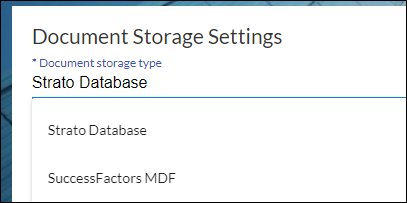
- Strato Database - enable this to be able to save documents in Strato Storage.
- Successfactors MDF - enable this step to be able to save documents in Employee Central custom attachment fields.
Strato Database
The Strato Database is hosted on the AWS Cloud Storage. Below are the available settings when enabling the Strato Database.
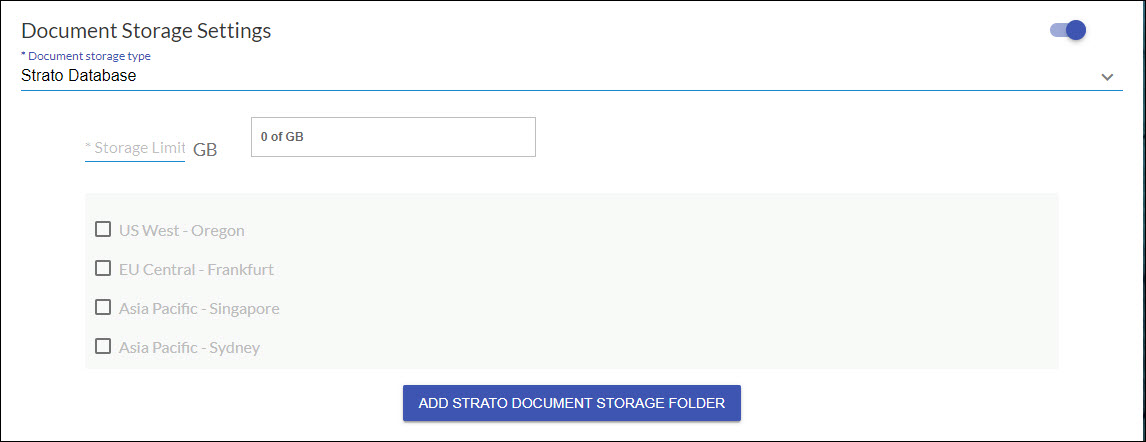
- Storage Limit - This is the capacity of the storage that is allotted to your system.
- Region - These are the predefined available region selections for you to choose from.
- Add Strato Document Storage Folder - if you have / need a different folder location, you can easily add a custom folder.
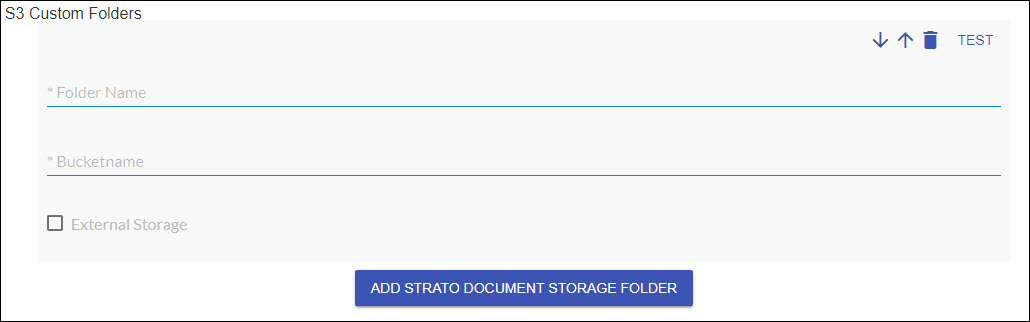
- Folder name - enter a name for your folder. This will be the name that will appear when setting up your widget in Widget Settings.
- Bucketname - enter the bucketname that you will use from AWS S3.
- External Storage - when ticked, this indicates that the (AWS) S3 Custom Folder does not belong to SpinifexIT
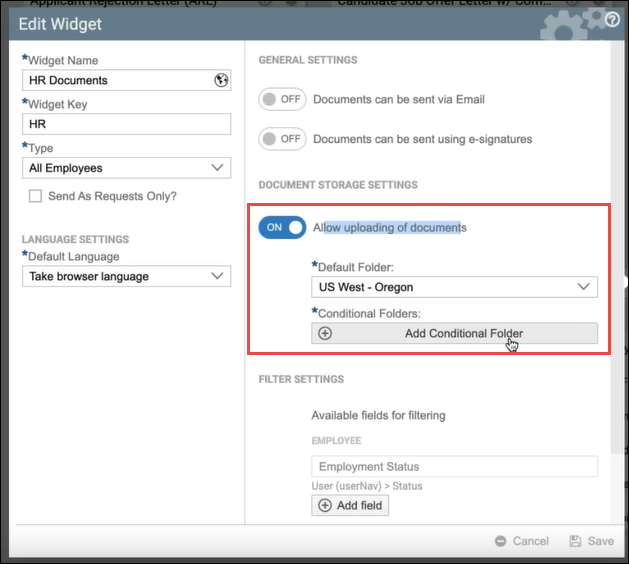
When this is already set-up or enabled, the selection for storing or uploading documents to the storage will then be available when setting up a widget in Strato (as highlighted in the screen below):
SuccessFactors MDF
Enable this storage type to be able to save documents in Employee Central custom attachment fields via the Strato Workflow. This screen has the following settings:
MDF Settings:
- MDF Object in SuccessFactors
- Field of MDF Object
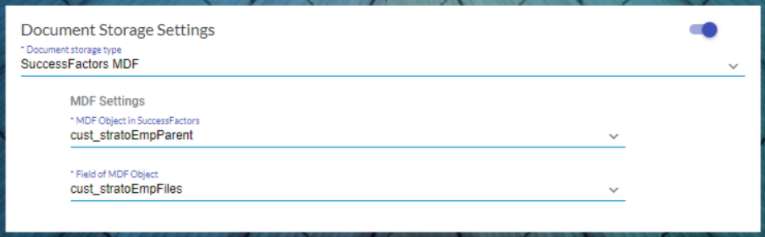
When enabled, this selection will be available when configuring the Store Document step in a Strato Workflow template which automates storing of the generated document within the workflow to SuccessFactors. A good example is storing the generated job offer letter to the candidate's profile in SuccessFactors.
For the overview of the Strato Workflow Storage, read: Strato Workflow Storage.