Location Configuration (Storage Settings)
In line with the Storage Management capability, Storage Administrators can define rules to consider and apply when storing employee files to different data center locations. This capability of Strato ensures that companies are GDPR compliant which is crucial in managing and storing company/employee files, in the proper location.
Strato Storage made this possible by allowing Storage Administrators to configure and add multiple storage locations when saving files and documents via the Location Configuration tool. (Access here will depend on the organization's File Management users' authorization settings.)
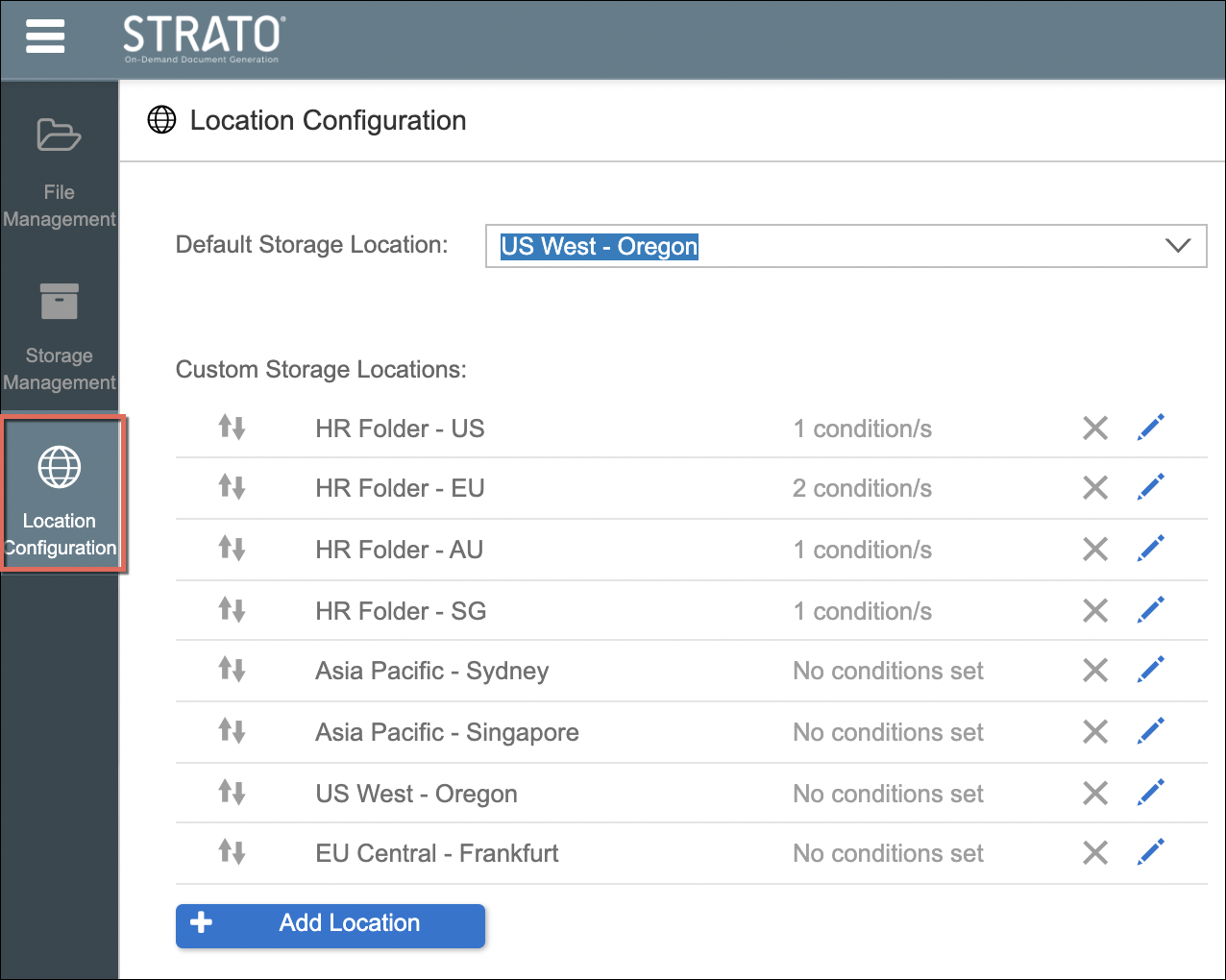
For companies to become GDPR compliant, files of each employee should be physically stored in their respective regions. This will then depend on several business requirements per employee.
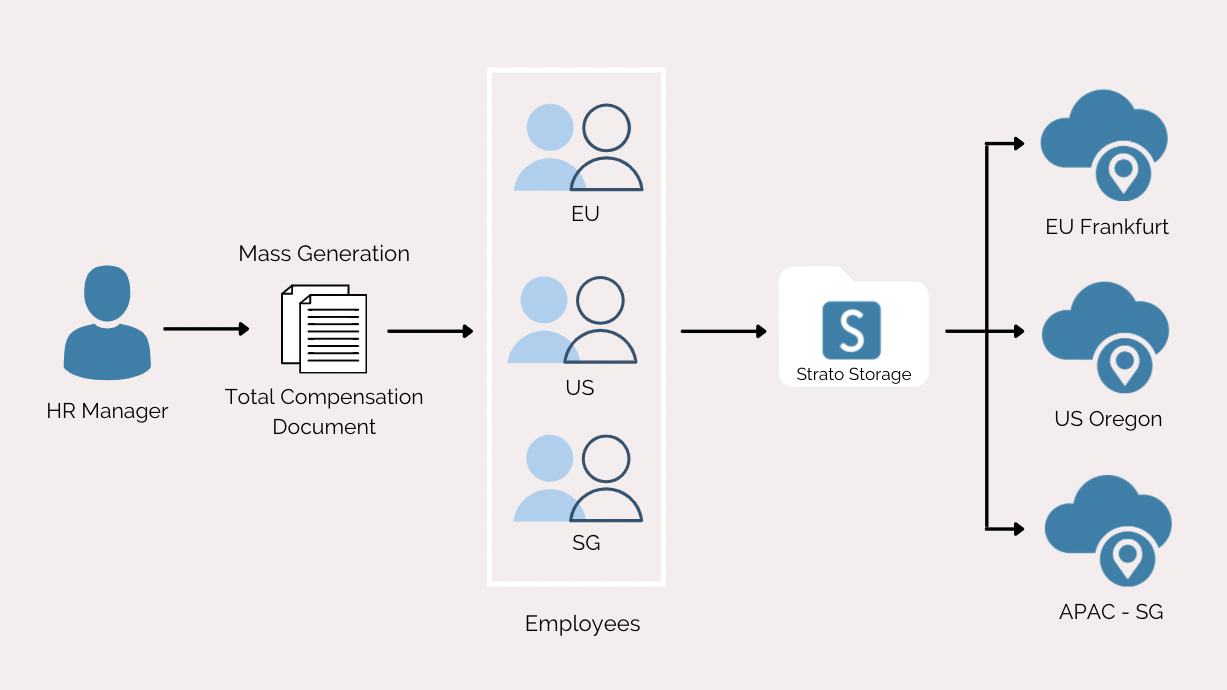
As an example, when an HR Manager does a mass generation of a Total Compensation document from an MSS Generator Card (Strato Dashboard Tile), it will also execute mass storage to Strato Storage. In line with the GDPR Compliance, files per employee should only be stored within their respective regions (ex: Employees that are stationed in Germany would have their files stored in the EU Frankfurt location while employees stationed in the USA would have theirs stored in the US Oregon location).
For recruitment, a good use case would be for a Recruiter to generate a Job Offer for a candidate that is initially stored in the candidate's own user account. Once the candidate has become an employee, the Recruiter re-assigns the Job Offer file to that employee and the location is also changed to the employee’s current location.
Functionality
- Assign a default Storage Location for uploading employee files
- Add and configure multiple custom storage locations
- Apply conditions for storage locations based on employee locations
Integrated Features / Tools
- Strato Storage
- File Management
- Storage Management
- Strato Workflow (Store Document Step) - Automatically store documents generated within a Strato Workflow to the configured Strato storage locations via the Store Document Step.
Access Location Configuration
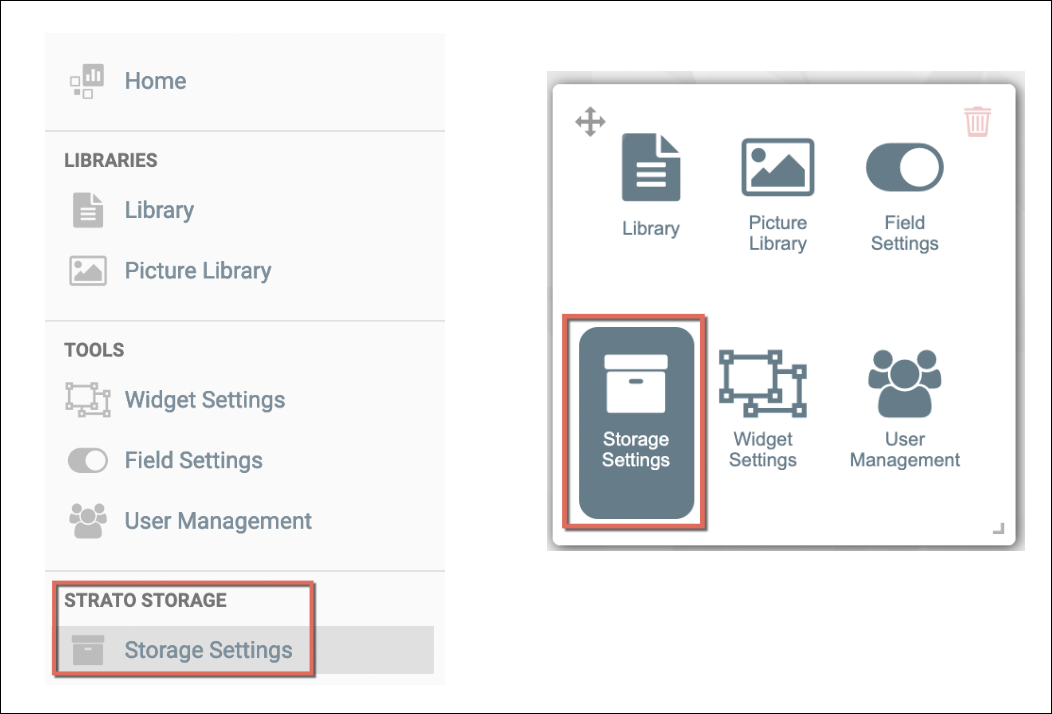
Simply access and navigate this tool from the Strato Storage Menu, as shown in the screens below. Then click on Location Configuration menu.