Custom Filters
Custom Filters in People Hub make it easier to find and organise employee information. Instead of repeatedly setting the same search criteria, admins can create filters and make them available to specific user groups. Users can then apply these filters from a convenient dropdown menu, streamlining how they view and manage employee lists.
Access
Custom Filters are available under People Settings in the Configurations page.

Features
This feature lets admins manage all filters in the system, with tools such as:
- A searchable table that lists all available filters
- An Add Custom Filter button to create new filters
- Quick actions like Edit or Delete
When creating a new filter, admins can define the following:
- Name: The label of the filter.
- Conditions: Built using the condition builder, similar to the one in Policies, to define which users should be included in the filter.
- Target Groups: Groups of users who will be able to access the filter.
- Enable Filter: A toggle to set the status of the filter. This is toggled On by default.
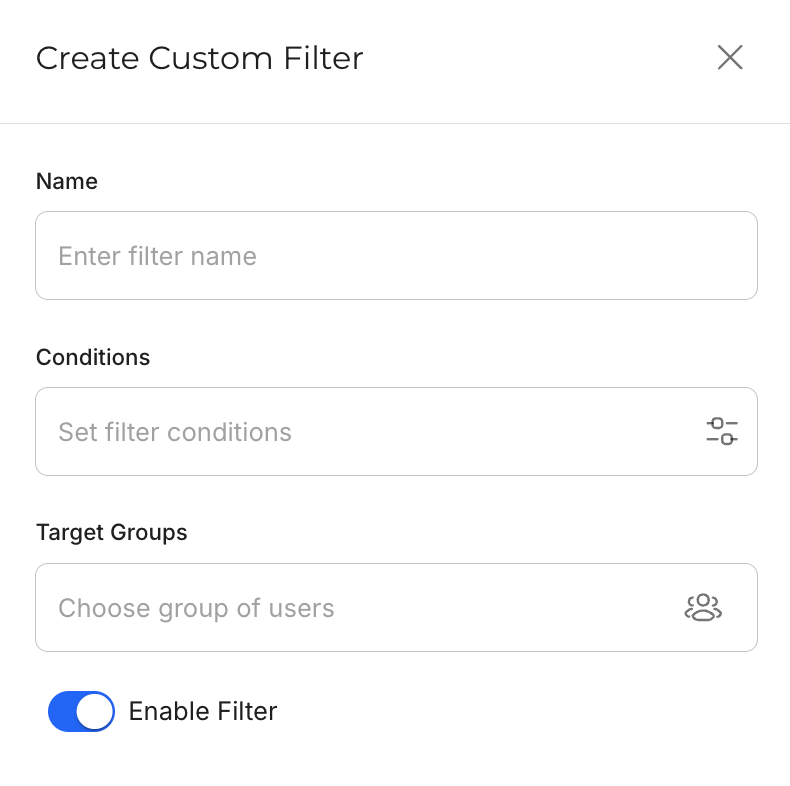
All fields are required before saving a new filter. Filter can also be edited later from the same page.
Once available, filters appear in a dropdown menu in People Hub. Users can apply them to quickly adjust the employee list they see.
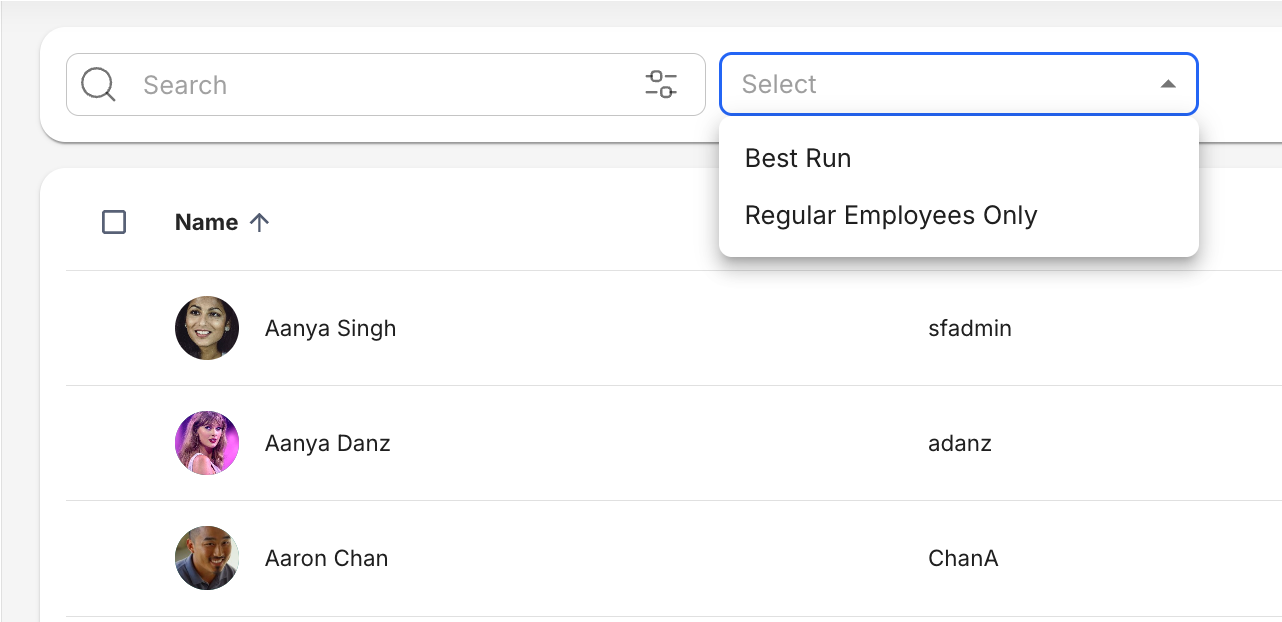
Custom Filters work together with both Basic and Advanced Search. When used with Advanced Search, the applied Custom Filter functions as an AND operation.
Use Cases
This section provides the sample configurations and scenarios to help you visualize how Custom Filters can be applied to your own system.
- During annual performance review cycles, HR may need to focus only on regular employees since probationary or contractual staff follow a different evaluation process. This filter configuration will help the Global HR team to quickly view all regular employees.
- Name: Regular Employees Only
- Conditions: "Is Regular Employee" Equals "True"
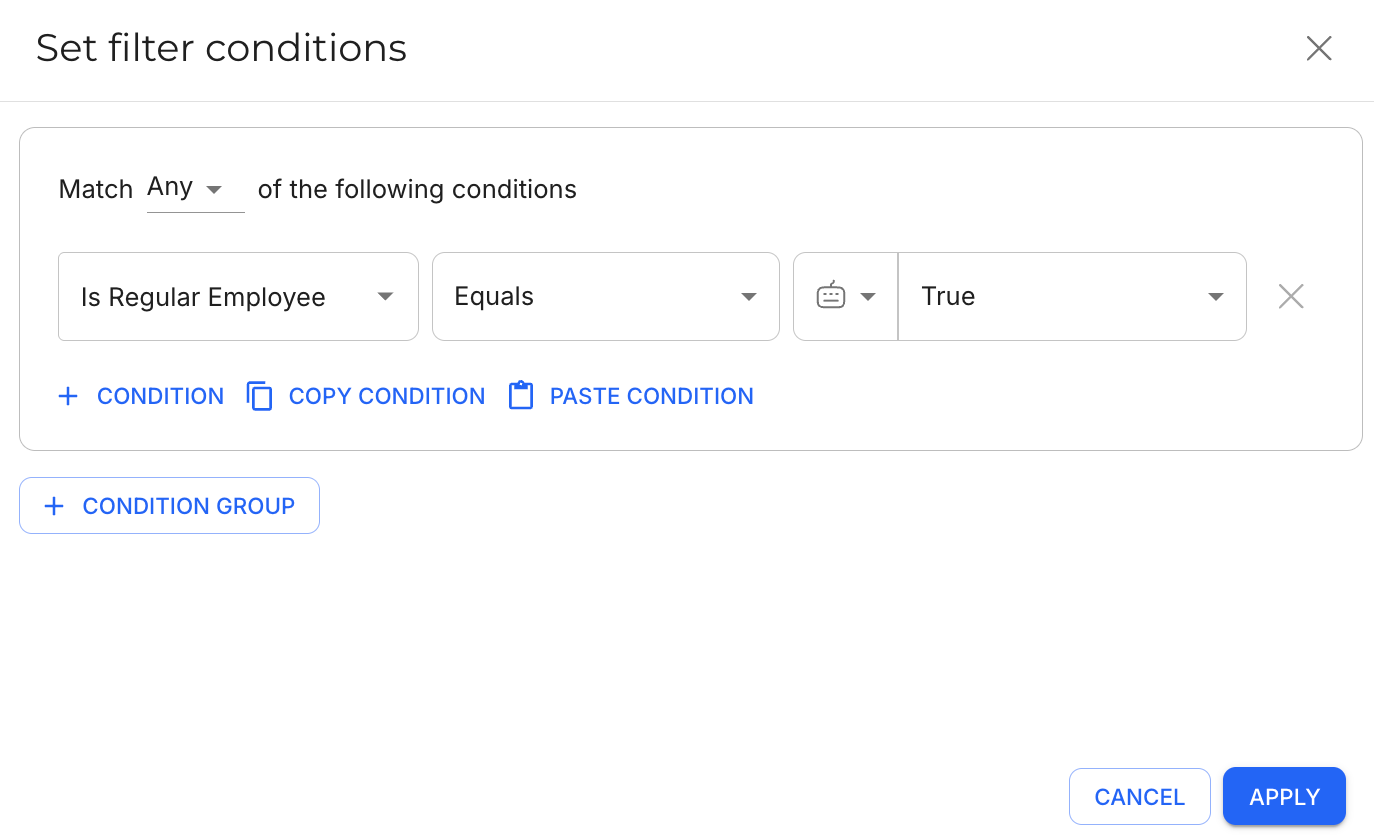
- Target Groups: HR Employees
- Enable Filter: ON
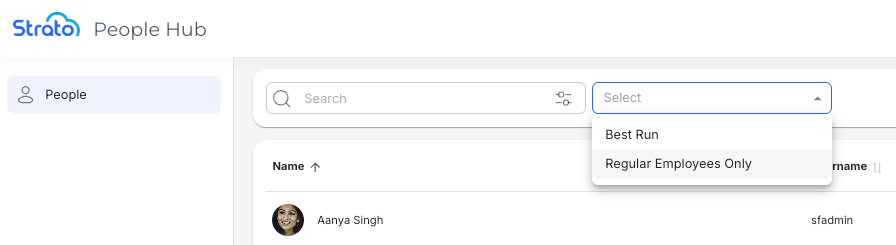
- The filter will appear on the dropdown menu, like this:
- A Marketing Manager may need to see only their division's staff when assigning resources for a new campaign. This filter configuration will help Marketing Managers focus on their own team, avoid unrelated entries from other divisions, and make quicker, more accurate staffing decisions.
- Name: Marketing Division Staff
- Conditions: "Division" Equals "Marketing"
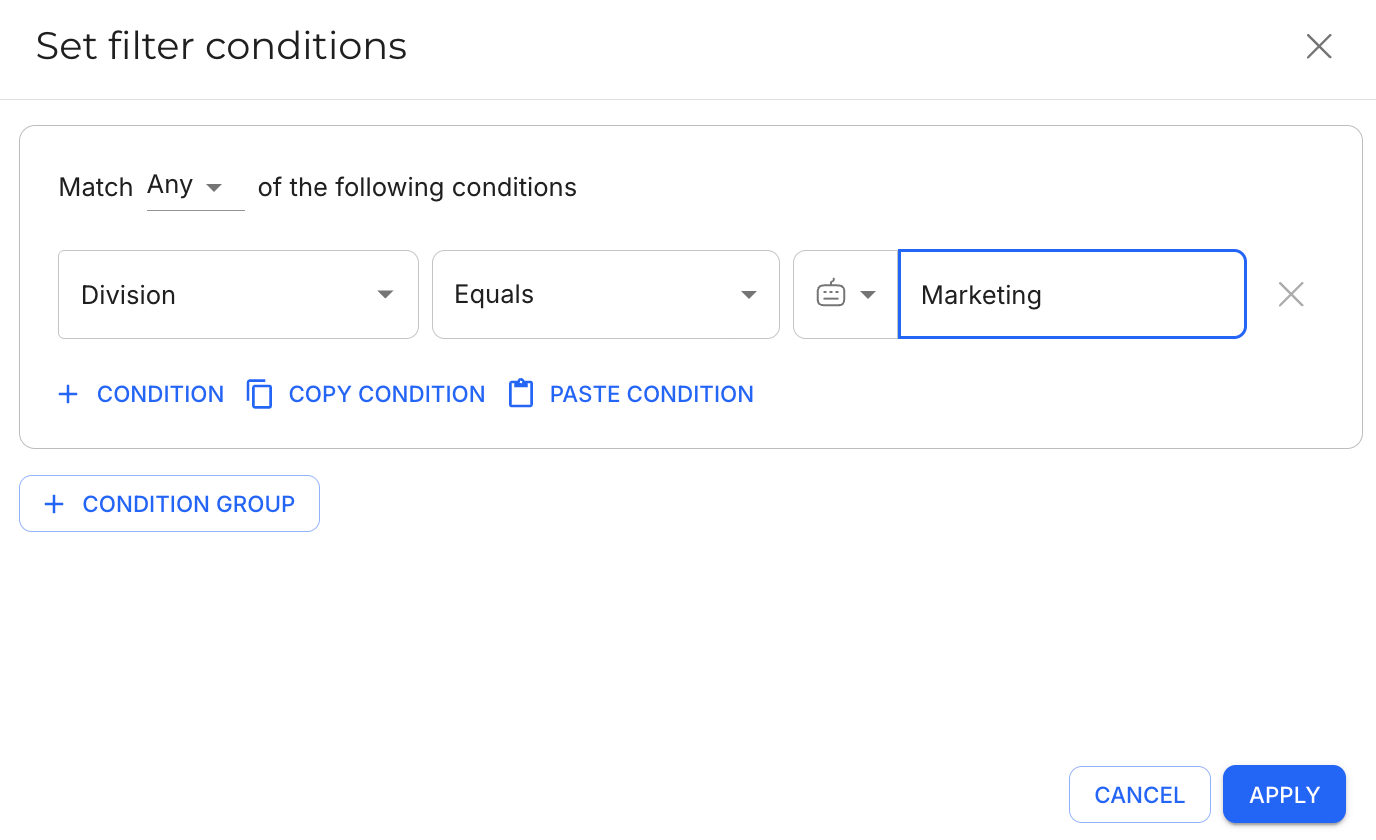
- Target Groups: Marketing Managers
- Enable Filter: ON