Strato Reporting for Documents
Strato Reporting simplifies and optimises the tracking of file-related actions in Strato Document Management.
By offering a comprehensive high-level report overview, Strato Reporting enables admins to effectively monitor employee documents, and generate reports for auditing purposes.
Requirements
Basic knowledge of Strato Reporting is required.
Document Management Reports
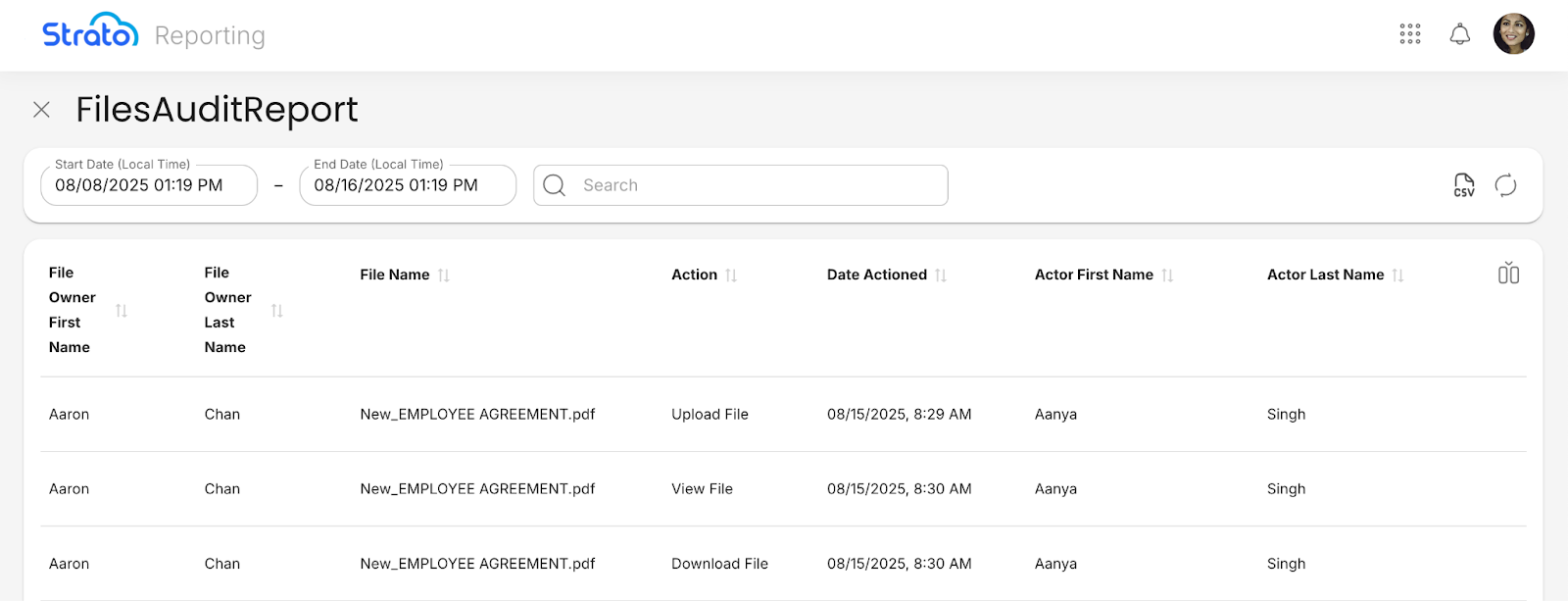
Strato Reporting can be used to monitor and track the actions done to files in Strato Document Management. Each action is represented as a separate row, along with relevant details such as the date and time of the action, and the actor’s name. This can serve as an auditing tool for tracking the actions done to employee documents.
OData Entities
Strato Reporting makes use of the following OData entities in Document Management reports:
Stored Document Audit (Entity Name: StoredDocumentAudit)
Stores logs of actions performed on files in Strato Document Management, such as viewing, editing, or deleting, including which files the actions were performed on and timestamps.
Property | Explanation |
|---|---|
ID | [KEY] An auto-generated ID number to identify each entry in this entity. |
File Name with Extension | The name of the file with its extension. |
Last Changed On | The date and time when the file was last changed. |
Action | The name of the action done to the file. Actions include:
|
Action Date | The date and time the action was done. |
S3 Key | The unique reference used to locate and retrieve the file in Amazon Simple Storage Service (S3). |
Log Key | The unique reference that links this entry to a specific log entry. |
Stored Document (Entity Name: StoredDocument)
Contains the information about files stored in Strato Document Management, including the file type, status, and other file details.
Property | Explanation |
|---|---|
ID | [KEY] An auto-generated ID number to identify each entry in this entity. |
File Name with Extension | The name of the file with its extension. |
File Type | The type of the file. |
Status | The status of the file. Statuses include:
|
Expired On | The date when the file will expire. This is based on the validity dates of the document, and will show the earliest date if there are multiple expiration validity dates. If the file has no validity dates set for expiration, it remains blank. |
SRN | The System Resource Name (SRN), a unique reference used to locate the file. |
File Link | The URL to access the file directly. |
Created Date | The date the file was created. |
Last Changed On | The date and time when the file was last changed. |
User Definition (Entity Name: UserDefinition)
Contains the information about the users in a Strato system, including identifiers, names, and email addresses.
Property | Explanation |
|---|---|
ID | [KEY] An auto-generated ID number to identify each entry in this entity. |
User ID | The source ID of the user. |
First Name | The first name of the user. |
Last Name | The last name of the user. |
User Name | The username of the user. |
Alt User Name | The alternative username of the user. |
Last Changed On | The date and time when the user’s details were last changed. |
Person ID External | The unique identifier of a person in SuccessFactors Employee Central. |
Last Login Date | The date when the user last logged in. |
Email | The email address of the user. |
SRN | The System Resource Name (SRN), a unique reference used to locate the user. |