Workflow Template Settings in Generator Card
This article briefly describes the settings that can be applied in a Workflow Template added in a Strato Dashboard - Generator Card:
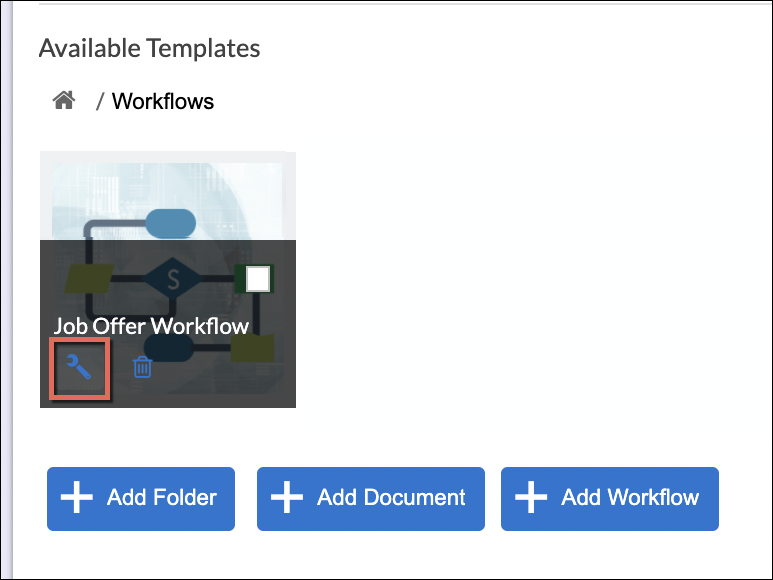
When configuring a Workflow Template added in a Generator Card, the following settings can be applied:
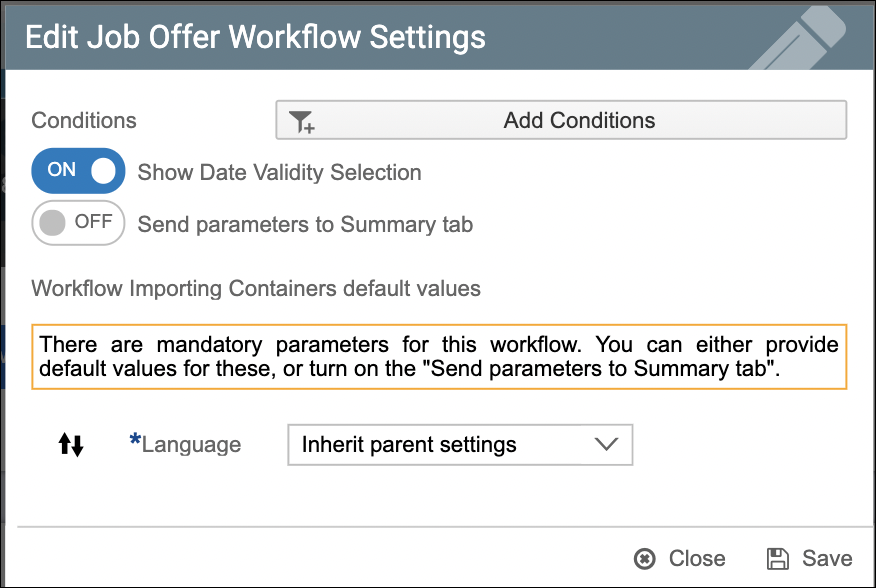
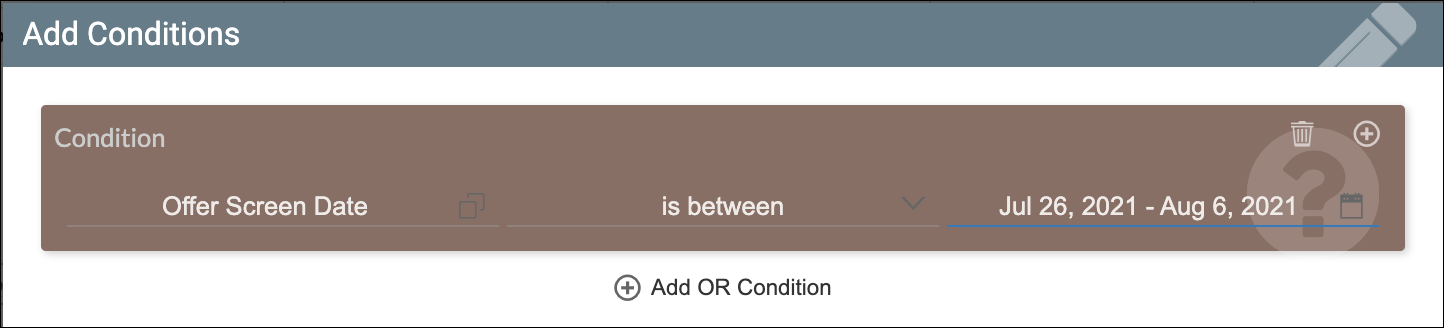
- Conditions - Apply specific conditions for executing or triggering a workflow template in the Generator Card. The sample condition below is configured to only generate the Job Offer letter workflow to candidates with Offer Screen Date between a specific period:
- Show Validity Date Selection - This feature is for generating documents with a given date range (begin date and end date). This capability allows users to provide a date range in the workflow that will be passed to Strato Documents in order to generate templates with validity dates. (Please read: Documents with Validity Date in Strato Workflow)
- Send parameters to Summary tab - Toggle this on if you want to manually provide the required input parameters of the workflow to the last tab (Summary tab) of the workflow template selection of the dashboard.
- Workflow Importing Container default values - When a workflow template has a mandatory parameter(s)
(the required Language for example), this can already be captured from the workflow template if configured properly within the workflow. Alternatively, you can also provide the default values manually. If you want to skip the parameters part here, and set this up in the Summary tab of the Generator Card instead, turn on the Send parameters to Summary tab option.