Strato 2025-08
The 2025-08 release delivers performance enhancements and key usability improvements across Strato, making it easier to manage documents and streamline Policy evaluation.
The Delete button is re-enabled when selecting all pages in the Files tab without any search criteria, helping users more easily manage large volumes of files, while ensuring that only intended files are deleted.
Strato 2.0 now includes access to Trash from Strato 1.0, with new Policy-based controls that define who can view deleted items.
Policy evaluation has been optimized to focus only on records related to the affected user, improving system performance and efficiency when Policies or User Properties change.
See all of these new features and enhancements documented in detail below:
New Features
Strato Platform
Optimized Policy Evaluation
Policy evaluation is now optimized to focus on records involving the affected user when changes occur.
Whether a user is assigned or unassigned from a Policy, the system now evaluates only that user's relevant records instead of reprocessing all Policies. Additionally, when a User Property is modified, only the Policies tied to that specific user and Property are reevaluated.
This enhancement improves system performance and ensures more efficient Policy management.
Strato Document Management
Delete Using Select All Pages When Search Criteria is Empty
Previously, the Delete button was disabled when selecting all pages in the Files tab of the User Information page to prevent unintended deletions. This functionality has now been restored, enabling the Delete button when Select all pages is selected and no search criteria is applied.
This enhancement improves document management, while ensuring that only the intended files are deleted.
Trash v1 in Strato 2.0
Strato 1.0's Trash is now accessible through Strato 2.0 via the Trash button. In addition, Policies in Strato 2.0 can now be used to define access to Trash.
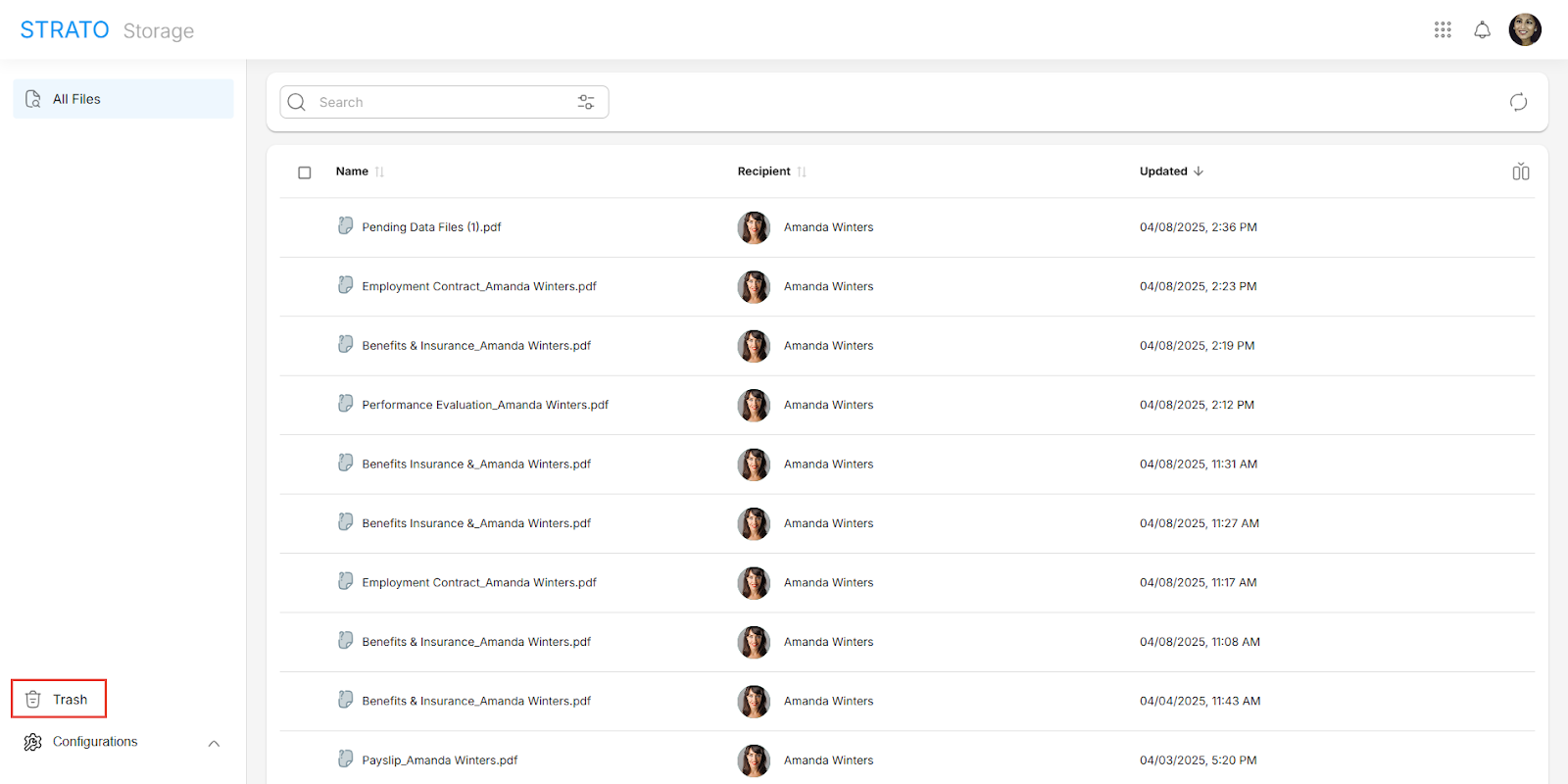
Learn more about Trash.
Other Updates and Corrections Delivered
Strato Platform
Users Lost Access to Pages Granted by Policies Attached to Group After Modifying User Properties
[Component: Authorization Framework]
An issue was identified where users lost access to their Profile page after a member's User ID was updated. This occurred for users whose Profile page access was solely granted through a Group with an associated Policy.
The root cause was the reevaluation process for Groups removing all Policy evaluation data. This has been fixed by including additional information during the reevaluation to keep the Policy evaluation data from being removed.
Strato Document Management
Error When Refreshing Files After Removing a Rule
[Component: Validity Rule]
An error occurred when refreshing files after a Rule was removed. The process of unlinking previously linked files to the Rule failed because the associated Rule no longer existed. This has been fixed by adjusting the timing so that the Rule is unlinked first before deleting it.
Strato Document Generation
Different Email Templates in a Workflow Share the Same Content After Import
[Component: Workflow, Email Template]
Previously, when importing Workflows with multiple Email Templates that share the same section name but have different content, the content of those sections end up being the same. This is due to the import function checking for section names when copying the data over to the imported email templates. This has been fixed by using the section's unique ID instead of the section name during import.
Widget No Longer Available Message When Loading Dashboard
[Component: Dashboard]
When accessing a Dashboard, a "Widget no longer available" message would incorrectly appear while the Dashboard is loading. The message has now been removed, and an error page now correctly shows if the Dashboard is no longer available.
Form Preview Redirects to the Last Page
[Component: Form Preview]
Previously, when opening the Preview for a Form, it would redirect to the last page of the Form. This issue has now been fixed, ensuring that users previewing a Form from a review link will now correctly start at the beginning of the Form.