Interface and Behaviour Changes with Authorisation Framework Integration to Storage
Enabling the Authorisation Framework Integration with Storage feature updates how users interact with Strato Document Management. It removes some elements from Strato Document Management V1, aligns labels with folder-based management, and disables certain file-related actions to better support policy-driven access control via the Authorisation Framework.
These changes ensure that users interact with a simplified and more secure folder-centric interface, while still retaining access to key features such as Set Legal Hold in a restricted form.
Requirements
Make sure that New Feature - Authorisation Framework and New Design - Strato Storage are installed in the Upgrade Center.
Functionality
Navigation Changes


Once the integration is enabled, the navigation experience in Strato Document Management is updated. The File Search tab is removed from the side navigation.
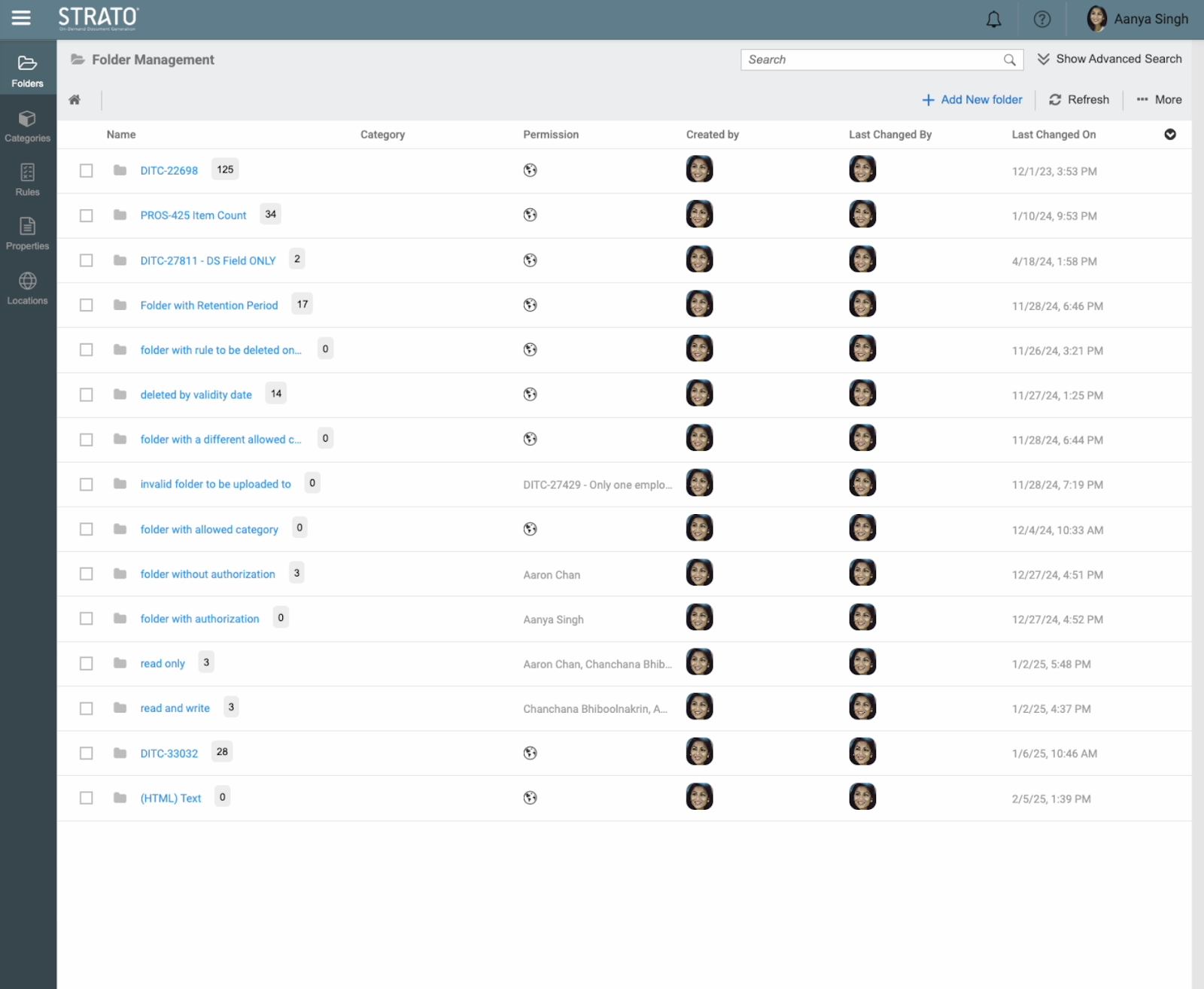
Label and Terminology Updates
Several labels across the interface are updated to reflect the shift from file-level to folder-level access control.
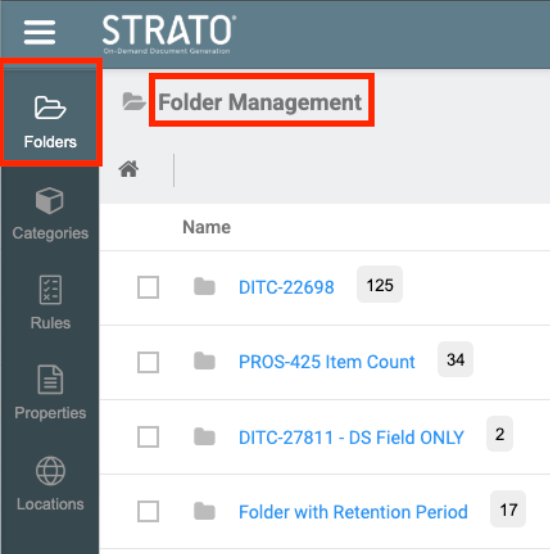
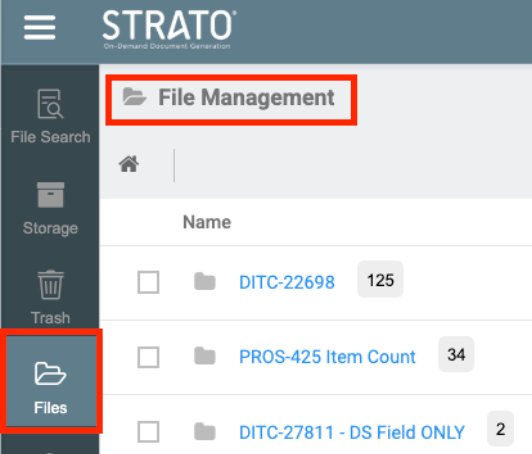
The Files tab is renamed to Folders, and all mentions of File Management are updated to Folder Management.
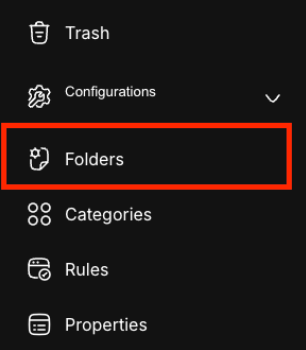
In Strato Document Management V2, File Organizer is also renamed to Folders. These updates are applied consistently across tabs, section titles, action buttons, and tooltip texts.
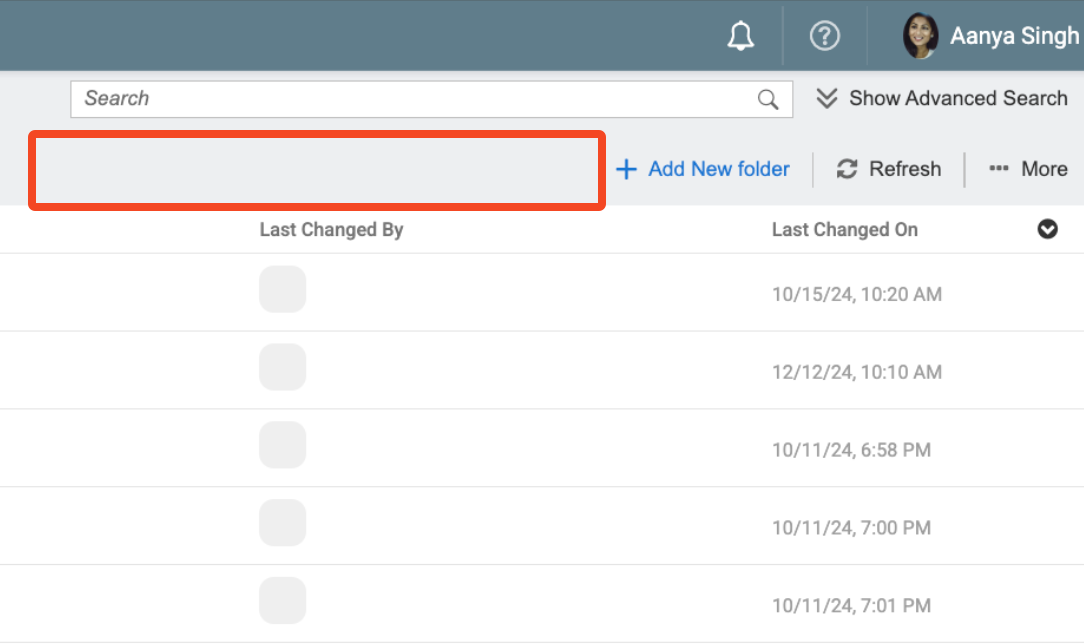
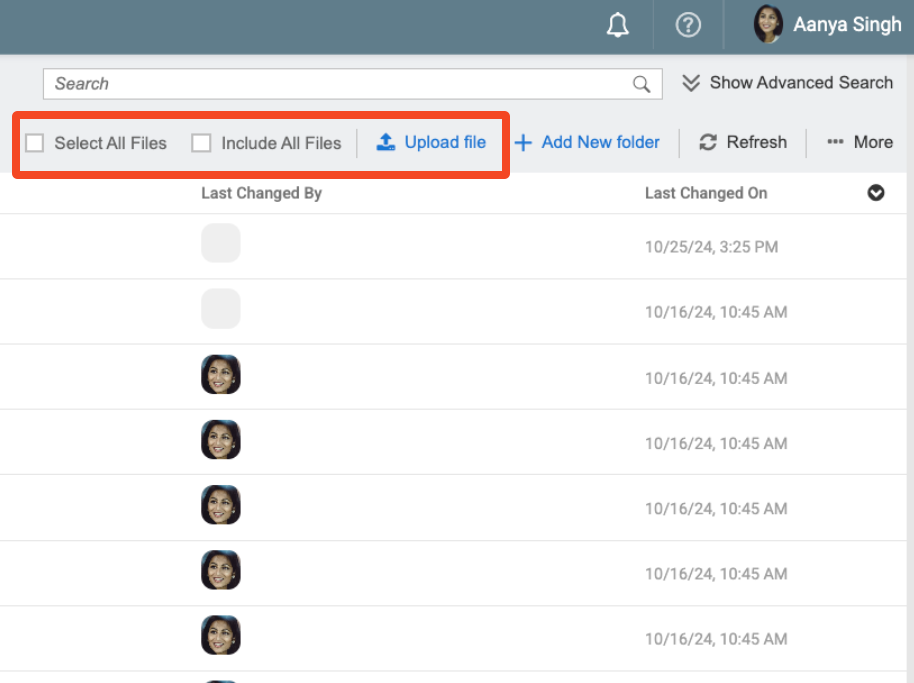
The Folder Management view is simplified to support policy-based access control. File upload functionality is removed, including the Upload button and drag-and-drop support. Users can no longer select all files or include all files in bulk actions. Only global files will be displayed, and access is governed by configured policies in the Authorisation Framework.
Storage Management - Limited Access
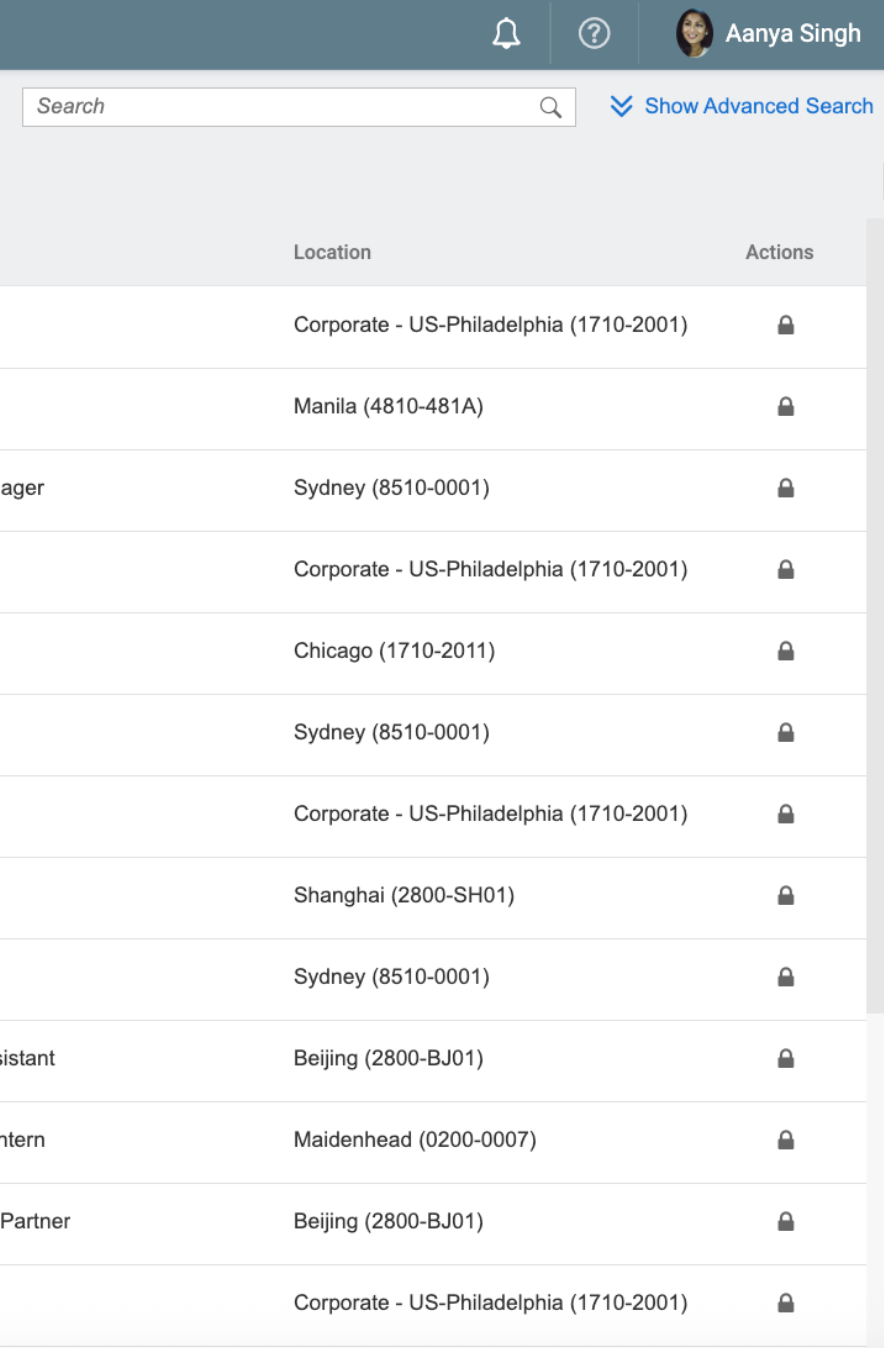
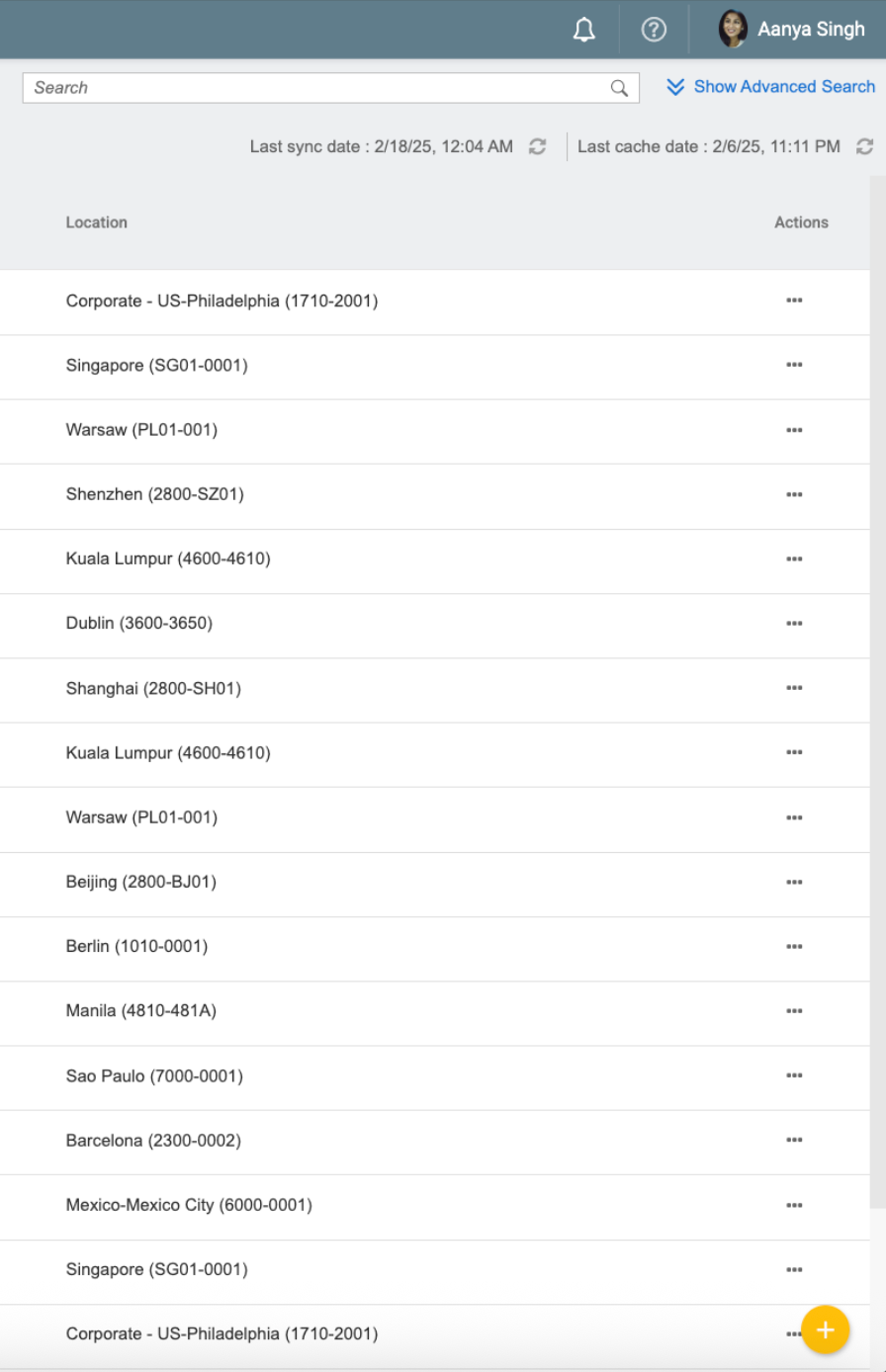
Although no longer accessible through the main navigation, the Storage Management view remains available for executing Set Legal Hold actions. However, its functionality is limited. Row checkboxes are removed, and clicking a record no longer redirects to folder contents.
The usual “More” action button is replaced with a dedicated Set Legal Hold button. Additionally, the floating action button (FAB) is hidden, and all sync-related labels, such as Last Sync Date and Last Cached Date, are removed, including the associated refresh option.
Behaviour When Feature Is Not Installed
If the Authorisation Framework Integration is not installed, the system retains its original configuration. All tabs, including File Search and Storage Management, remain accessible.
Users can upload files, select and include all files, and use drag-and-drop. Navigation redirects and all action buttons are fully functional, and labels reflect the legacy file-based terminology.