New Design - Strato Document Management
Strato Document Management is a file management system that provides secure organization and access of employee lifecycle documents. It enables users to access and retrieve their files easily, and enables admins to manage the files of multiple users.
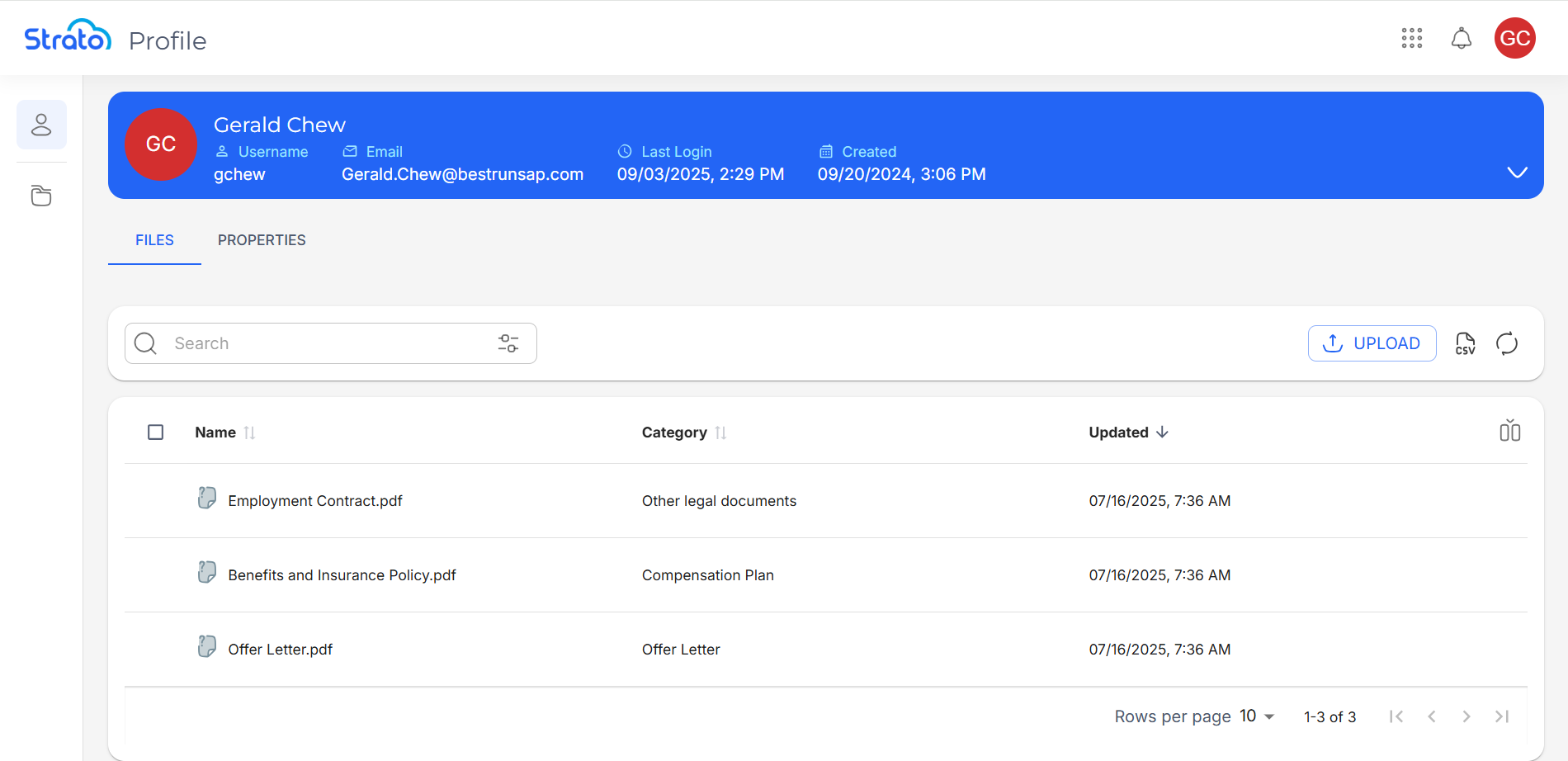
Strato Document Management has three components, each with their own case. The Profile page enables users to manage their own files, while the Files tab enables admins to manage the files of a specific users. Admins can also use the All Files page to manage the files of all the users that are accessible to them.
Access
Each of the components of Strato Document Management are accessed in specific ways.
Profile Page
Users can access their Profile page by clicking the Profile card in the Strato Homepage.
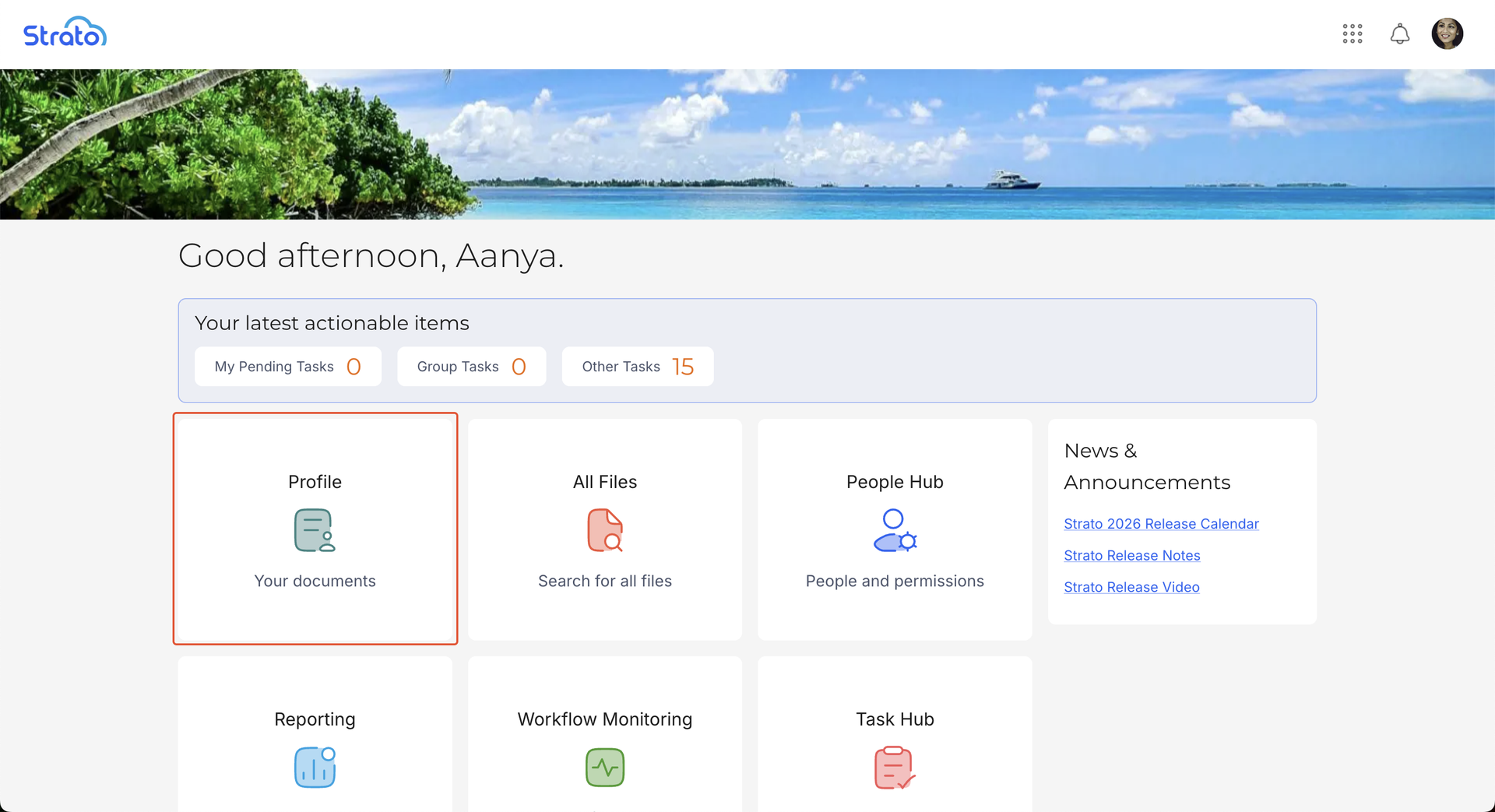
Users can also access their Profile page via the Strato App Menu Bar.

Files Tab
Users and admins can access the Files tab by viewing the User Information page of a specific user.

All Files
Admins can access the All Files page via the All Files card in the Strato Homepage.

Admins can also access the All Files page via the Strato App Menu Bar.

Features
Strato Document Management enables users to organize, access, and manage their files efficiently. It has three components:
- The Profile page
- The Files tab in the User Information page
- The All Files page
Profile Page
The Profile page provides a user with a list of all their own files.
Files Tab
The Files tab in the User Information page provides users and admins with a list of all the files for a specific user. The Files tab enables users and admins to access the files of other users by navigating to their respective User Information pages.
All Files Page
The All Files page provides admins with a list of the files of all the users that are accessible to them, as defined by the relevant Policies. This includes both their own files and the files of other users.

Continue Setting Up
After you install the New Design - Strato Storage, it is recommended that you learn how to manage files in Strato Document Management, using the different actions available.
Related articles
- New Design - People Hub
- Navigate the Profile Page
- Navigate the Files Tab
- Navigate the All Files Page
- Manage Files in Strato Document Management